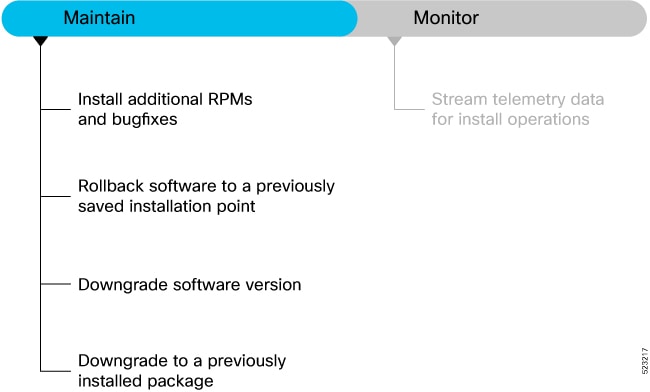
Install additional RPMs and bug fixes
Use this task to install additional RPMs and bug fixes.
You can install individual optional packages when new features are added or software problems are fixed.
Before you begin
When you upgrade the Cisco IOS XR software, you can also install or remove optional feature packages (RPMs or bug fixes) before applying the changes in the NCS 1010. You can perform this operation while an atomic change is already in progress. However, all packaging operations before this command are discarded.
You can install the packages from a remote repository or copy the files to the NCS 1010. If you are using a remote repository, ensure you have created and configured an external repository to store the packages.
Download the specific additional RPMs and latest bug fix RPMs as tarballs to the repository. If the bug fix has dependencies, we recommend that you create a bug fix tarball that contains all dependencies.The README file in the tarball provides relevant information about the bug fix and identifies any dependencies – for example, whether other bug fix RPMs may be required for a complete fix.
Follow these steps to install additional RPMs and bug fixes.
Procedure
|
Step 1 |
Complete the install RPMs using command line interface task. For details, see install RPMs using command line interface. |
|
Step 2 |
Complete the install RPMs using YANG data model task. For details, see install RPMs using YANG data model. |
Install RPMs using command line interface
Use this task to install RPMs using command line interface.
Optional RPMs and bug fixes are available as TAR files on the
Software Downloadpage. Starting with Cisco IOS XR Release 24.3.1, you are no longer required to manually extract the RPMs from the TAR file; you can install the bug fix RPM directly from the TAR file.
Before you begin
Follow these steps to install RPMs using command line interface.
Procedure
|
Step 1 |
Check the available packages in the repository. Example: |
||||||
|
Step 2 |
Install the packages (additional RPMs or bug fixes). Example:
|
||||||
|
Step 3 |
Check the status of the install operation. Example:
|
||||||
|
Step 4 |
Verify the image and packages are activated successfully. Example: |
||||||
|
Step 5 |
Commit the transaction. Example:
|
Install RPMs using YANG data model
Use this task to install RPMs using YANG data model.
Use
Cisco-IOS-XR-install-augmented-act.yang
data model to install the RPMs or bug fixes.
Before you begin
Follow these steps to install RPMs using YANG data model.
Procedure
|
Invoke the install-package-replace RPC on the data model. Example:If the install operation lists the repository reachable through a VRF, you must add the VRF name for the operation to be successful. |

 Feedback