
Cisco Catalyst Center AI Assistant
Overview
The AI Assistant is a conversational AI interface designed to help optimize network management and promote troubleshooting. Through AI-powered responses, recommendations, and insights, the AI Assistant helps streamline network operations.
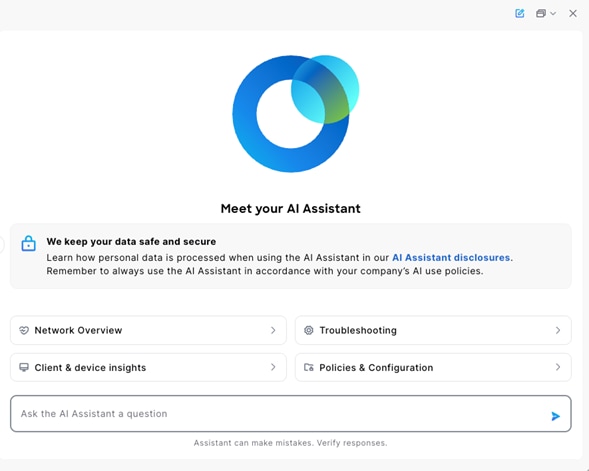
How do I access the AI Assistant?
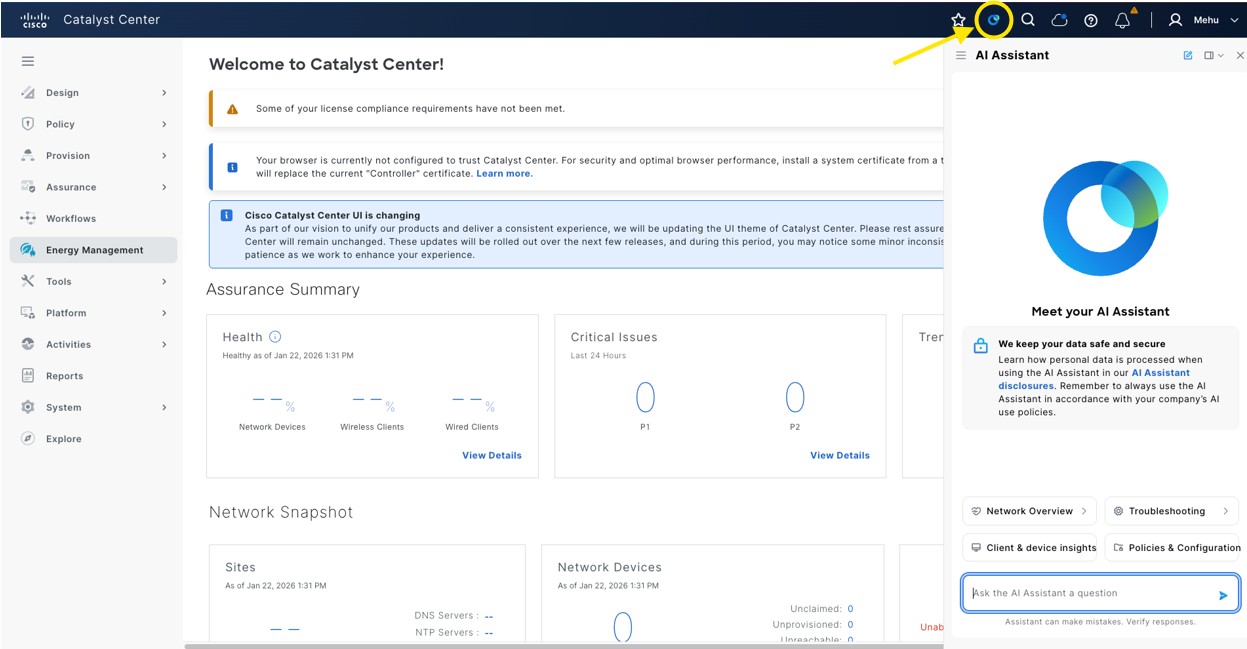
To use the AI Assistant, you must choose . Use your cisco.com account credentials to register. Then, to launch the AI Assistant, click Launch in the Catalyst Center Sense banner or choose .
For subsequent sessions, launch the AI Assistant via the icon in the top-right corner of the Catalyst Center UI.
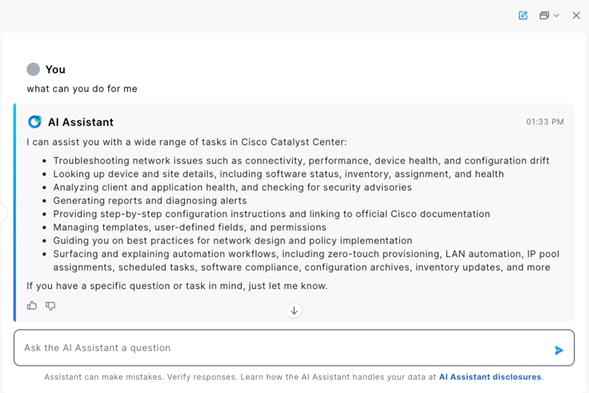
How can the AI Assistant help me?
The AI Assistant helps IT teams reduce management workload, increase productivity, and improve the end-user networking experience.
Start a conversation with the AI Assistant. To learn about its features, ask "What can you help me with?"
Primary use cases for the AI Assistant
- monitoring
- troubleshooting
- documentation
Monitoring
Help accelerate issue resolution with data-driven guidance. The AI Assistant helps simplify root cause analysis and includes proposed next steps to help minimize downtime and reduce operational overhead.
Examples you can ask:
- What are the security advisories affecting my device <device name>?
- How is the performance of the clients associated with the access point?
- Is my network compliant with Cisco's performance best practices?
- Show me all the switches that rebooted today in this network.
Troubleshooting
Help accelerate issue resolution with data-driven guidance. The AI Assistant helps simplify root cause analysis and includes proposed next steps to help minimize downtime and reduce operational overhead.
Examples you can ask:
- Show me all the association failures for access point <access point>.
- Troubleshoot client <client name>.
- What is the health of my wireless network at site <site name>?
- Troubleshoot the authentication issue impacting wired client <client name>.
Documentation
Help streamline getting information related to documentation.
Examples you can ask:
- Show me how to configure wireless profiles.
- How do I push a configuration using CLI templates?
- How do I onboard devices using PnP?
- How do I upgrade images using SWIM?
Interact with the AI Assistant
Enter queries
- Use clear and specific questions, such as “Show me the APs that are down” instead of “APs not working.”
- Start a new thread for each session.
Provide feedback through the AI Assistant
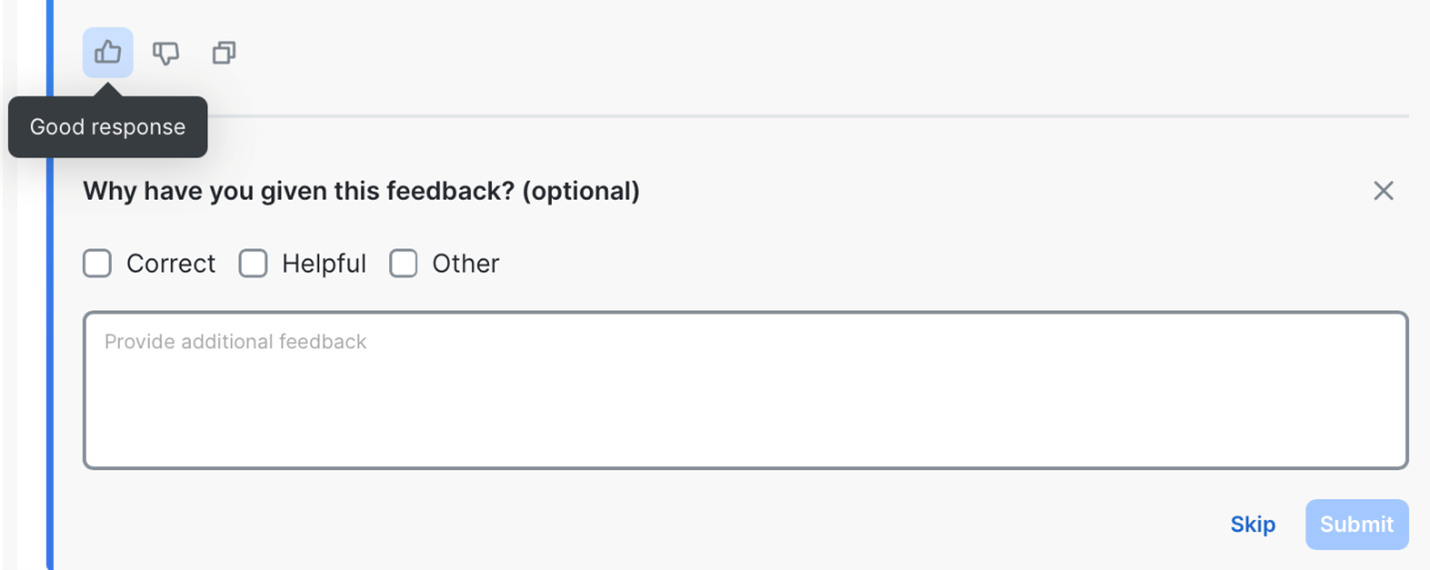
Your feedback is essential in improving the AI Assistant. If you encounter an incorrect or incomplete response, or if you have ideas for new features, use the thumbs up or thumbs down icons after an interaction.
- If an answer is incorrect, click thumbs down to provide feedback.
- If the response is helpful, click thumbs up.
Provide details on why the response was incorrect or unhelpful. Include additional details, such as:
- What you were trying to accomplish.
- What you expected to happen.
- Any issues or unexpected behavior.
Get support
If the AI Assistant is unresponsive or you are unable to provide in-product feedback by clicking thumbs up or thumbs down, open a support ticket.
FAQs
How accurate are the recommendations from the AI Assistant?
The AI Assistant is designed to provide suggestions by leveraging pretrained models tuned for networking-specific tasks, as well as integrating with real-time system data when applicable. The AI Assistant draws from networking industry best practices and product documentation to help generate responses. While the AI Assistant aims to provide grounded information, we recommend that you validate its suggestions and actions, especially for critical configurations or troubleshooting.
Is my data used to train the AI Assistant?
No, your data is not used to train the AI Assistant. Cisco handles your data responsibly. Refer to the Cisco AI Assistant Offer Disclosure.
Where is my data stored and processed when using the AI Assistant?
As stated in the Cisco Catalyst Center Offer Disclosure, customer content and customer systems information associated with your use of Catalyst Center are primarily processed and stored in the United States, regardless of your physical location. This applies to both the prompt data you enter into the AI Assistant and the deployment data the AI Assistant analyzes to provide context-informed responses.
Does the AI Assistant require an advanced license?
The AI Assistant is available for all license tiers. However, the functionalities within the AI Assistant follow the tiers of the underlying features it leverages.