ClusterIPStack |
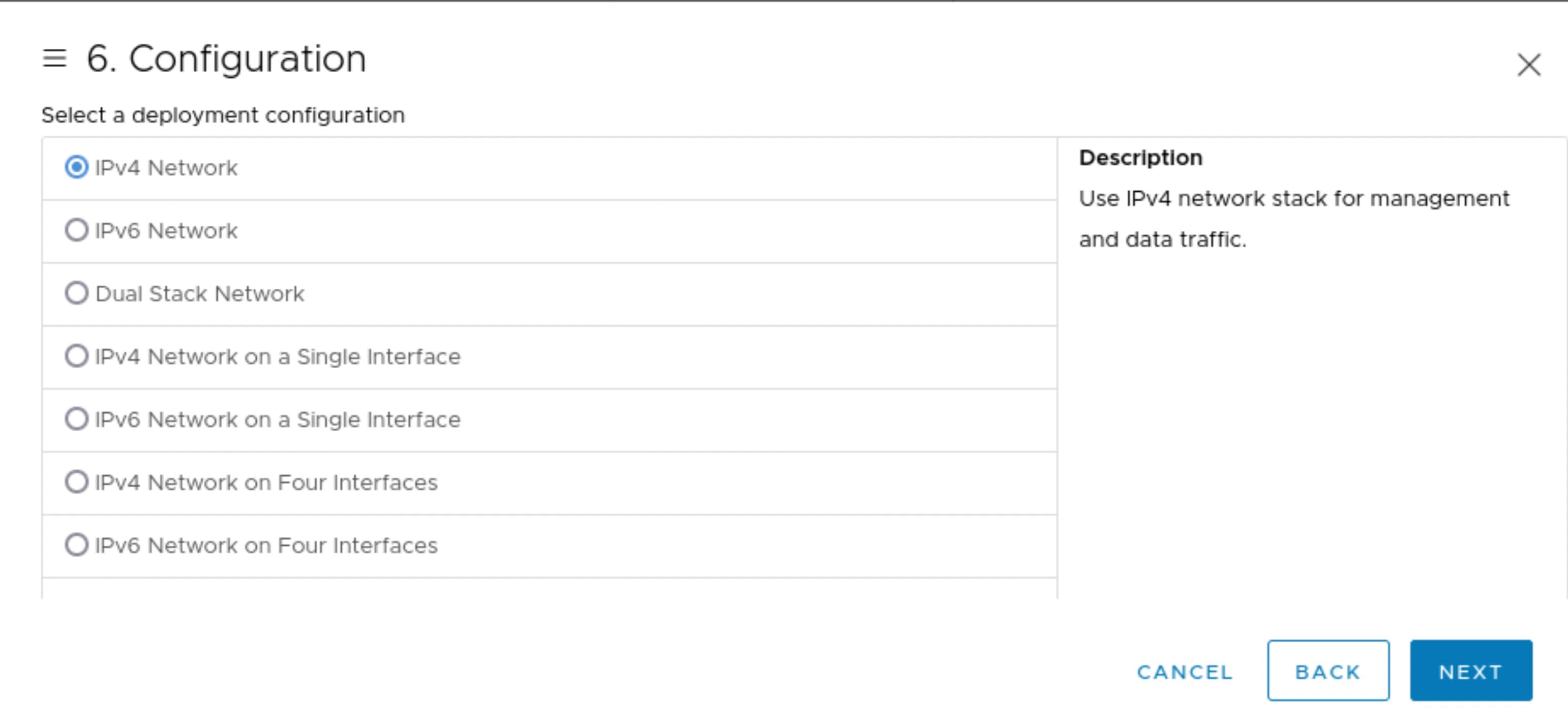
The IP stack protocol: IPv4 or IPv6
|
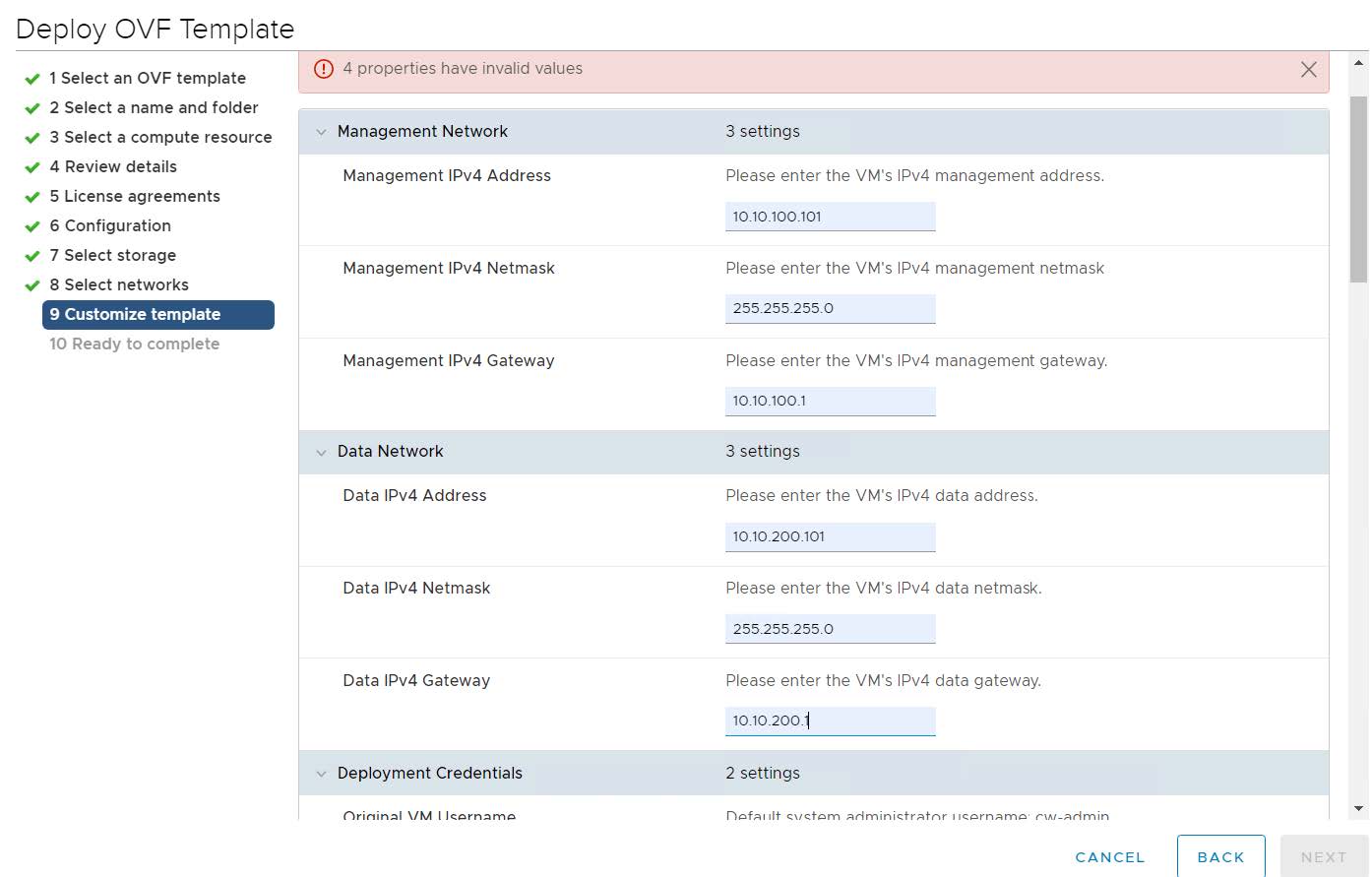
ManagementIPAddress |
The Management IP address of the VM (IPv4 or IPv6).
|
ManagementIPNetmask |
The Management IP subnet in dotted decimal format (IPv4 or IPv6).
|
ManagementIPGateway |
The Gateway IP on the Management Network (IPv4 or IPv6). The address must be reachable, otherwise the installation will fail.
|
ManagementVIP |
The Management Virtual IP for the Crosswork VM.
|
ManagementVIPName |
Name of the Management Virtual IP for the Crosswork VM. This is an optional parameter used to reach Crosswork Management VIP
via DNS name. If this parameter is used, the corresponding DNS record must exist in the DNS server.
|
DataIPAddress |
The Data IP address of the VM (IPv4 or IPv6).
|
DataIPNetmask |
The Data IP subnet in dotted decimal format (IPv4 or IPv6).
|
DataIPGateway |
The Gateway IP on the Data Network (IPv4 or IPv6). The address must be reachable, otherwise the installation will fail.
|
DataVIP |
The Data Virtual IP for the Crosswork VM.
|
DataVIPName |
Name of the Data Virtual IP for the Crosswork VM. This is an optional parameter used to reach Crosswork Data VIP via DNS name.
If this parameter is used, the corresponding DNS record must exist in the DNS server.
|
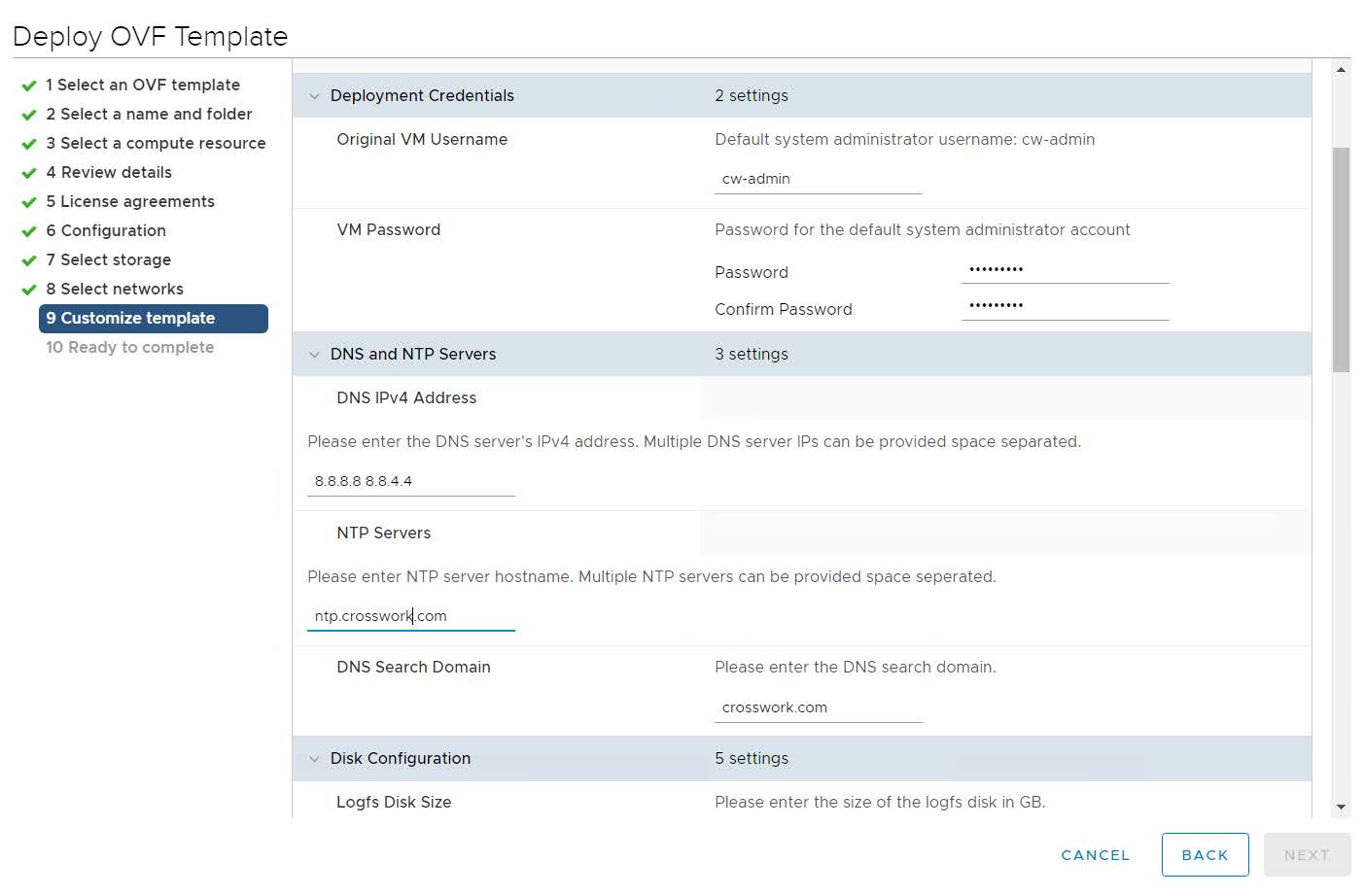
DNS |
The IP address of the DNS server (IPv4 or IPv6). The address must be reachable, otherwise the installation will fail.
|
NTP |
NTP server address or name. The address must be reachable, otherwise the installation will fail.
|
DomainName |
The domain name used for the VM.
|
CWusername |
Username to log into Cisco Crosswork.
|
CWPassword |
Password to log into Cisco Crosswork.
Use a strong VM Password (8 characters long, including upper & lower case letters, numbers, and at least one special character).
Avoid using passwords similar to dictionary words (for example, "Pa55w0rd!") or relatable words. While they satisfy the criteria,
such passwords are weak and will be rejected resulting in failure to setup the VM.
|
VMSize |
Size of the VM.
For more information, see Table 1.
|
VMName |
Name of the VM.
|
NodeType |
Indicates the type of VM. Choose "Hybrid".
|
IsSeed |
Set to "True".
|
InitNodeCount |
Set value to 1.
|
InitLeaderCount |
Set value to 1.
|
BackupMinPercent |
Minimum percentage of the data disk space to be used for the size of the backup partition. The default value is 35 (valid
range is from 1 to 80).
Please use the default value unless recommended otherwise.
|
Note
|
The final backup partition size will be calculated dynamically. This parameter defines the minimum.
|
|
ManagerDataFsSize |
Refers to the data disk size for the Crosswork node (in Giga Bytes). This is an optional parameter and the default value is
485 (valid range is from 485 to 8000), if not explicitly specified.
Please use the default value unless recommended otherwise.
|
ThinProvisioned |
Set to "false" for production deployments.
|
EnableHardReservations |
Determines the enforcement of VM CPU and Memory profile reservations. This is an optional parameter and the default value
is true, if not explicitly specified.
If set as true, the VM's resources are provided exclusively. In this state, the installation will fail if there are insufficient CPU cores,
memory or CPU cycles.
If set as false (only set for lab installations), the VM's resources are provided on best efforts. In this state, insufficient CPU cores
can impact performance or cause installation failure.
|
RamDiskSize |
Size of the Ram disk.
This parameter is only used for lab installations (value must be at least 2). When a non-zero value is provided for RamDiskSize, the HSDatastore value is not used.
|
SchemaVersion |
The configuration Manifest schema version. This indicates the version of the installer to use with this template.
Schema version should map to the version packaged with the sample template in the installer tool on cisco.com. You should
always build a new template from the default template provided with the release you are deploying, as template requirements
may change from one release to the next.
|
LogFsSize |
Log partition size (in Giga Bytes). Minimum value is 20 GB and Maximum value is 1000 GB.
If left blank, the default value (20 GB) is selected.
|
Timezone |
Enter the timezone. Input is a standard IANA time zone (for example, "America/Chicago").
If left blank, the default value (UTC) is selected.
This is an optional parameter.
|
EnableSkipAutoInstallFeature |
Any pods marked as skip auto install will not be brought up until a dependent application/pod explicitly asks for it.
Set to "True".
|
EnforcePodReservations |
Enforces minimum resource reservations for the pod. If left blank, the default value ("True") is selected.
|
K8sServiceNetwork |
The network address for the kubernetes service network. By default, the CIDR range is fixed to '/16'.
|
K8sPodNetwork |
The network address for the kubernetes pod network. By default, the CIDR range is fixed to '/16'.
|
DefaultApplicationResourceProfile |
Resource profile for application pods. If left blank, resource profile defaults to the deployment's VM profile (recommended
option).
|
DefaultInfraResourceProfile |
Resource profile for infra pods.
-
In case of the Large profile, set the value to small.
-
In case of the XLarge profile, leave the field blank. If left blank, the resource profile defaults to the deployment's VM profile.
|
IsRunDiagnoticsScriptForCheck |
Used to enable/disable execution of the diagnostic script. The values are "true" (default value) and "false".
You are recommended to select the default value.
|
IgnoreDiagnoticsCheckFailure |
Used to set the system response in case of a diagnostic check failure.
If set to "true" (default value), the diagnostic check is ignored and installation will continue. If set to "false", the installation
is terminated.
You are recommended to select the default value.
|

 Feedback