WAP300 Product Family
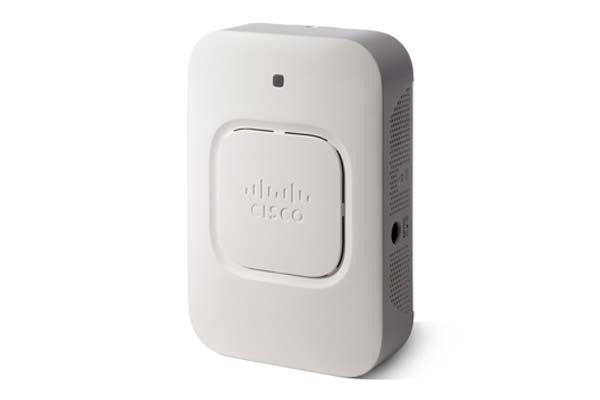
Gigabit speed, affordable pricing
Your business can deliver wired and wireless Gigabit speed and guest access services that are affordable, highly secure, and reliable—without a hardware controller. The easy-to-deploy 300 Series wireless access points offer 802.11n and 802.11ac wireless connectivity for indoor environments.
-
Design
Install and Upgrade
Configure
-
Reboot and Factory Default Reset on WAP121 and WAP321 Access Points
-
Setup Wizard Configuration on the WAP121 and WAP321 Access Points
-
Configure Packet Capture to Optimize Performance on a Wireless Access Point
-
Add a Wireless Network to an Existing Wired Network using a Wireless Access Point (WAP)
-
Access the Web-based Utility of the Wireless Access Point (WAP)
-
Configuring Password Complexity for the WAP131, WAP150, WAP351, WAP361, WAP371, and WAP571
Maintain and Operate
-
Best Practices for Setting Static IP Addresses on Cisco Business Hardware
-
Enable Spanning Tree Protocol (STP) on a Wireless Access Point
-
View Traffic Specification (TSPEC) Client Associations on the Wireless Access Point (WAP)
-
View the Traffic Specification (TSPEC) Status and Statistics on the Wireless Access Point (WAP)
-
Design
Cisco Tech Talk: EOS and EOL Announcements for Beginners | Understand Product Lifecycle & Support
In this Cisco Tech Talk, we break down the basics of End of Sale (EOS) and End of Life (EOL) announcements for beginners. Learn how to interpret these important product lifecycle milestones and how they impact your network planning, upgrades, and support decisions.
Cisco Tech Talk: Tracking Cisco Business EOS/EOL Announcements Easily
In this Cisco Tech Talk, learn how to access and interpret Cisco’s End of Sale (EOS) and End of Life (EOL) announcements for business-class products.
Compare Cisco Business Wireless Primary AP Models | CBW Access Point Buying Guide
In this Cisco Tech Talk, we compare Cisco Business Wireless (CBW) primary access point models to help you choose the right one for your small or medium business.
Understanding IP Addresses on Cisco Business Wireless Primary APs
In this edition of Cisco Tech Talk, we explain the purpose of the two different IP addresses on a Cisco Business Wireless (CBW) Primary Access Point.
Configuration
Cisco Tech Talk: Channel Management on WAP371
Learn about setting up Channel Management on Cisco WAP371 Wireless Access Point. For additional support information, visit the Cisco Small Business Support Community: http://cs.co/9000DApVu.
Cisco Tech Talk: Configuring Seamless Roaming on Cisco WAP371
Configure seamless connections between 3rd party access points and the WAP371. For additional support information, visit the Cisco Small Business Support Community: http://cs.co/9004DfIkM.
Cisco Tech Talk: Enabling Captive Portal on WAP371 Wireless Access Point
Learn how to set up Guest access by enabling Captive Portal on Cisco WAP371 Wireless Access Point. The Captive Portal (CP) feature allows you to block the wireless clients from accessing the network until user verification has been established.
Cisco Tech Talk: How to Use Social Media for Wireless Access Points (WAP)
Cisco Wireless Access points can use third party credentials from social media to authenticate network users. Learn how to set up third party social media authentication here. For additional support visit http://cs.co/9001E5J1S.
Cisco Tech Talk: Setting up Captive Portal on Cisco Small Business Wireless Access Points
Learn how to set up Captive Portal on Cisco Small Business Wireless Access Points. For additional support information, visit the Cisco Small Business Support Community: http://cs.co/9003ErnFz.
How to Configure CBW RADIUS for AP Login | Secure Your Wireless Network
In this Cisco Tech Talk, learn how to configure RADIUS authentication for Access Point (AP) login on Cisco Business Wireless (CBW) devices. This step-by-step tutorial will guide you through securing your wireless network by ensuring only authorized devices can connect, providing enterprise-grade security.
Maintain & Operate
Cisco Business Wireless Primary AP Tools | Manage and Monitor Your Network with Ease
In this Cisco Tech Talk, we explore the built-in tools available on Cisco Business Wireless (CBW) primary access points.
 Feedback