Configure Catalyst 9800 WLC Smart Licensing Using Policy with Catalyst Center
Available Languages
Introduction
This document describes Smart Licensing Using Policy (SLUP) on air-gapped Catalyst 9800 WLC via Cisco Catalyst Center.
Prerequisites
Basic knowledge of Cisco Catalyst 9800 Wireless LAN Controller (WLC) and Cisco Catalyst Center.
Requirements
Smart Licensing Using Policy (SLUP) on Catalyst 9800 WLC with the help of Catalyst Center requires WLC image version 17.3.2a or higher, and Catalyst Center version 2.2.1 or higher.
Components Used
- 9800 WLC 17.3.3
- Catalyst Center 2.2.2.5
The information in this document was created from the devices in a specific lab environment. All of the devices used in this document started with a cleared (default) configuration. If your network is live, ensure that you understand the potential impact of any command.
SLUP Workflow With Catalyst Center
Like older AireOS based controllers, the 9800 WLC does not need licensing. You only need to license the Access Points (APs) that are joined to the controller. The access point license usage must be reported to Cisco's smart license server (also known as Cisco License Central). There are several ways to achieve this; in wireless enterprise networks, WLCs are often air-gapped without internet access. This makes it difficult to report AP license usage to the Cisco License Central. This article assumes that WLC is air gapped and the Catalyst Center has access to Cisco License Central over TCP ports 80 and 443.
Once the APs are joined to the WLC, license consumption information is stored in a secured location on the device in the form of RUM/Usage reports. Cisco Catalyst Center pulls these reports from the WLC and uploads it to Cisco License Central on demand or periodically. Each time a RUM report is uploaded to the Cisco License Central, the Catalyst Center must let the WLC know via a RUM acknowledgement message.
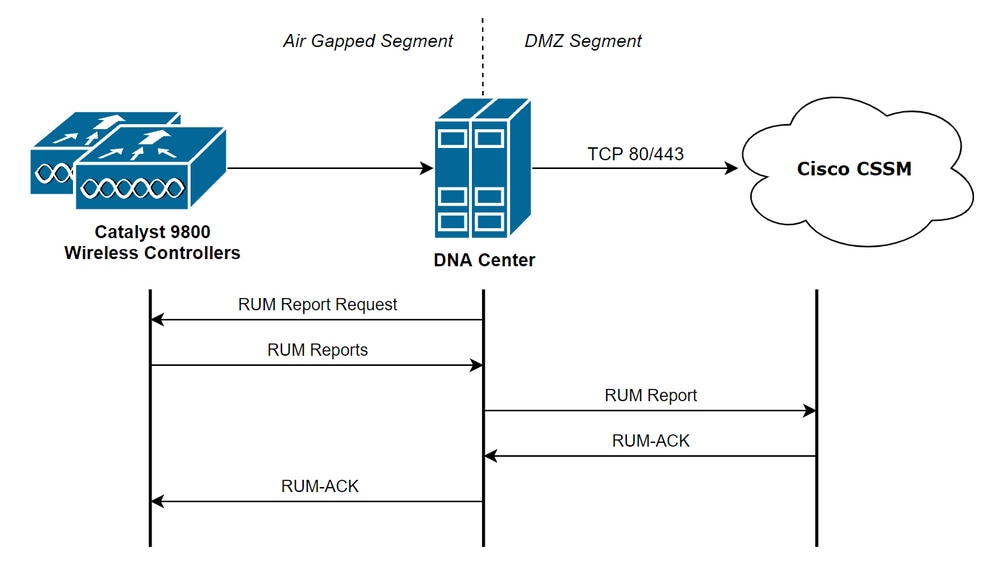
Catalyst 9800 WLC Configuration
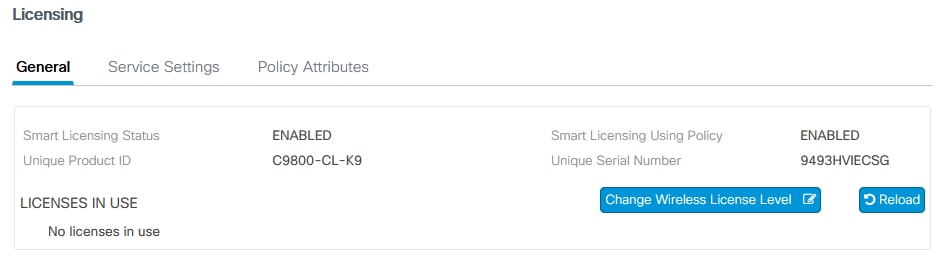
There is minimal configuration related to licenses required on the Catalyst 9800 side. Once the license level is configured on the WLC, a majority of the work is handled by the Catalyst Center. The only requirement is the WLC is added to the Catalyst Center inventory and assigned to a site. The only thing that requires a license in a 9800 deployment are the access points joined to it, ensure there is at least 1 AP joined to the WLC.
License level can be changed in the WLC web interface under the Licensing menu when you select the Change Wireless License Level button:
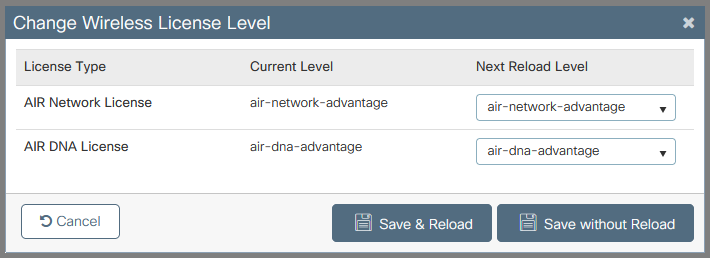
The license level can either be set to essential or advantage level. Both AIR Network License and Cisco DNA License must be the same level. Changing the license level requires a reload.
Before WLC is added to the Catalyst Center, ensure that:
- WLC must be added to the Catalyst Center inventory via its Wireless Management Interface. Other out-of-band management interfaces like GigabitEthernet0 cannot be used.
- WLC must have two of these aaa commands configured:
aaa authorization exec default <local or radius/tacacs group> aaa authentication login default <local or radius/tacacs group> - NetCONF protocol must be enabled (port 830 used by default).
- Simple Network Management Protocol (SNMP) must be enabled and communities/users must be configured on WLC
- WLC wireless management interface and Catalyst Center must communicate over ports 161/162 (SNMP), 830 (NetCONF) and 20830 (telemetry).
Refer to this article for additional information about WLC and Catalyst Center integration: Manage Non-Fabric Catalyst 9800 Wireless LAN Controllers
Catalyst Center Configuration
Configure Smart Account Details
Before licensing is configured, smart account credentials must be added to the Catalyst Center. In the Catalyst Center web interface navigate to System > Settings > Cisco Accounts > Smart Account. Add the credentials of the Cisco Smart account:
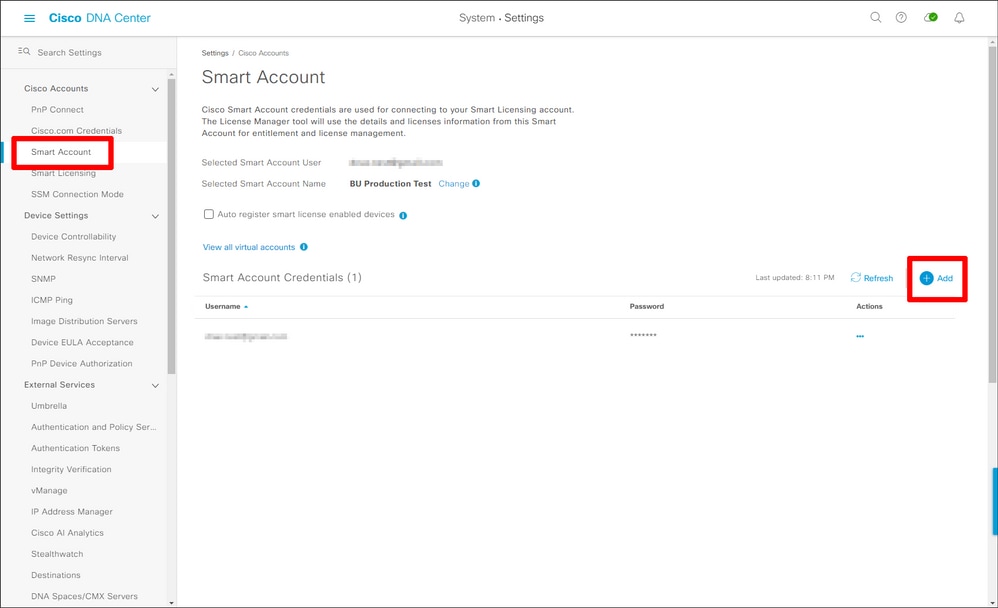
Configure License Manager
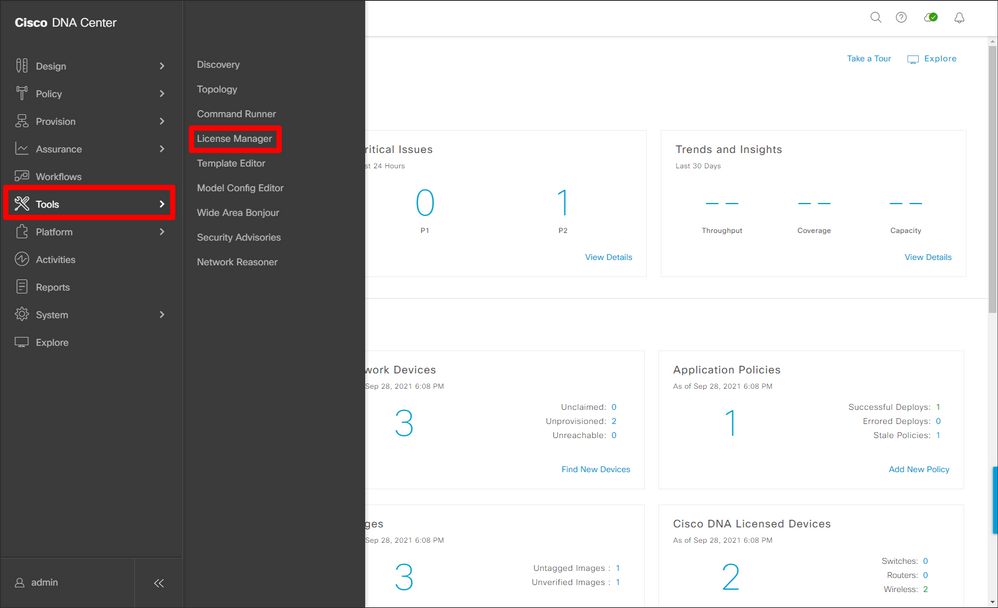
In the Catalyst Center web interface, navigate to Tools > License Manager.
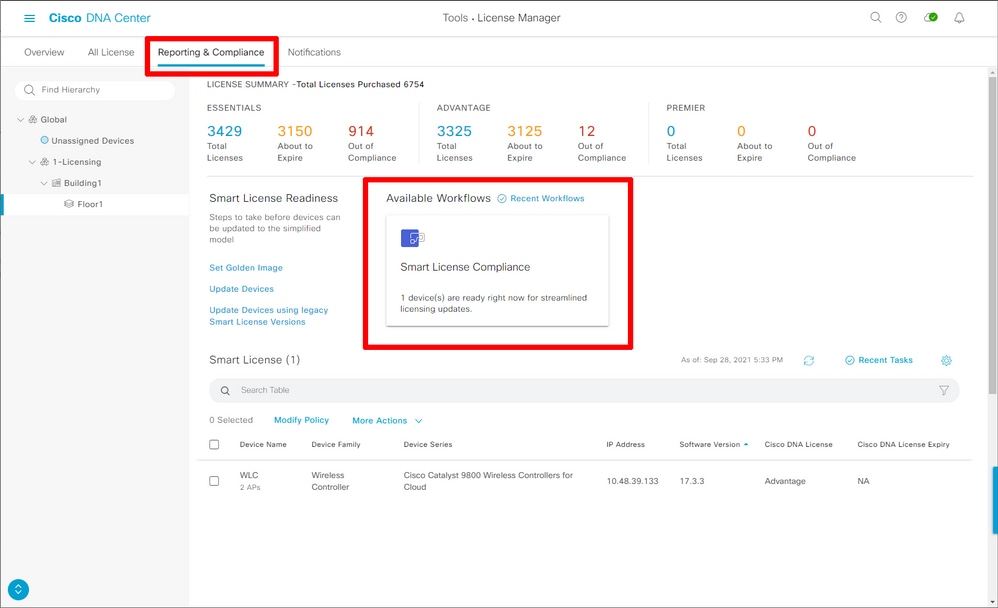
Navigate to the Reporting & Compliance tab and select the Smart Licensing Compliance workflow:
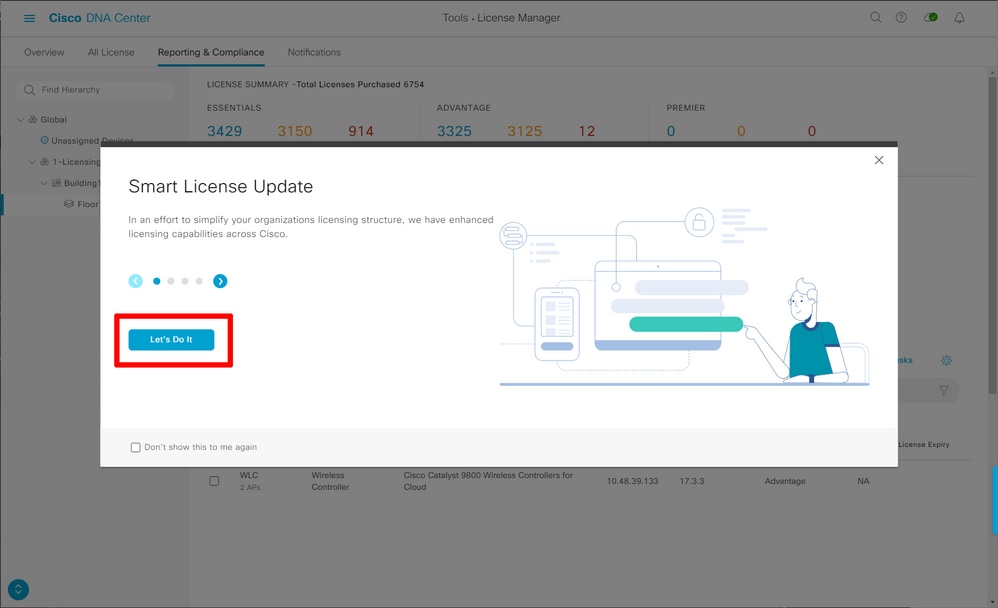
The guided workflow wizard pops up. To begin, select Let's Do It.
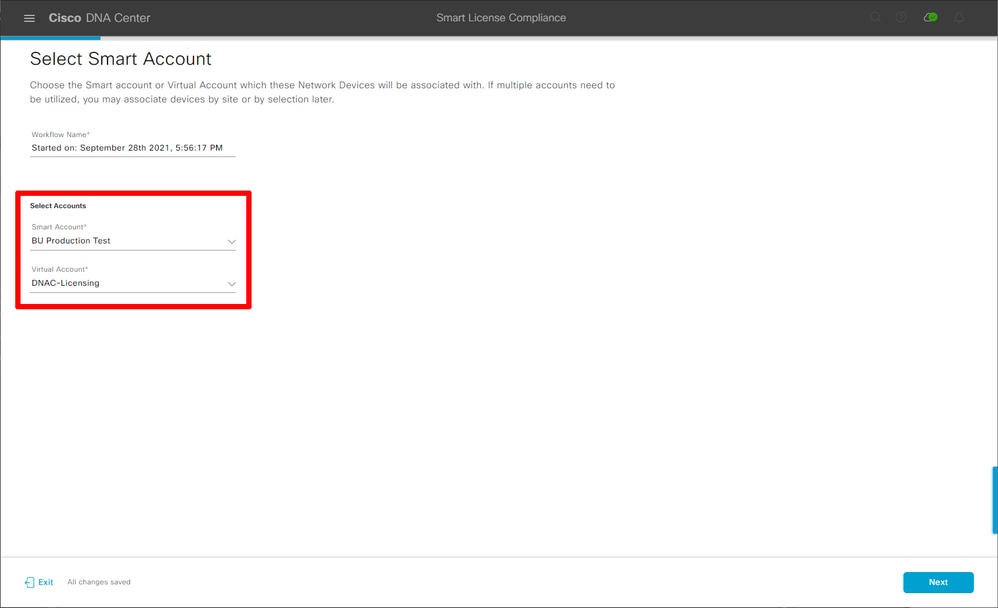
In this next step, select the Smart Account and Virtual Account you want to use. Click Next to proceed.
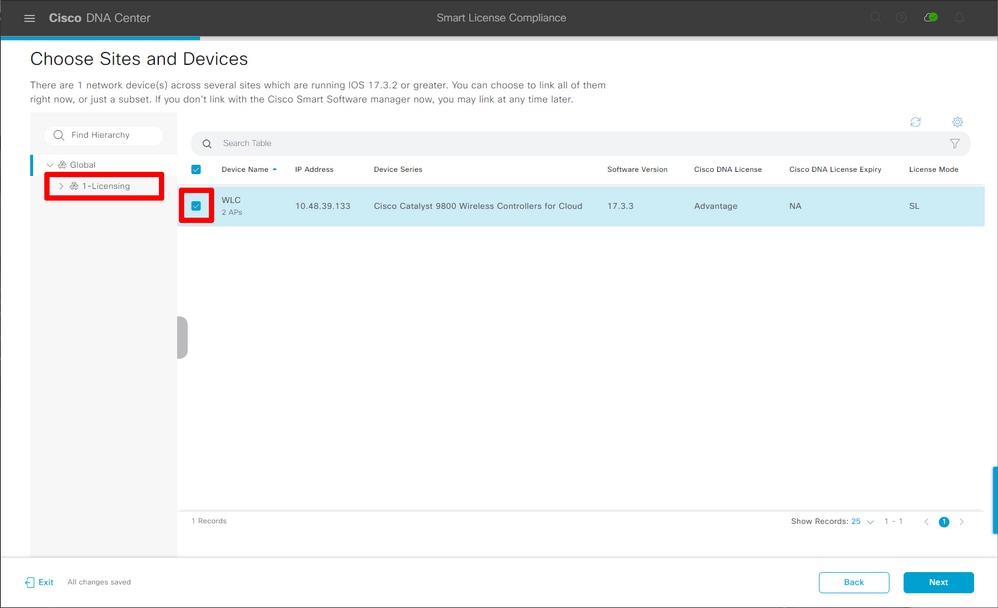
Select the site and check all WLCs the Catalyst Center is intended to license:
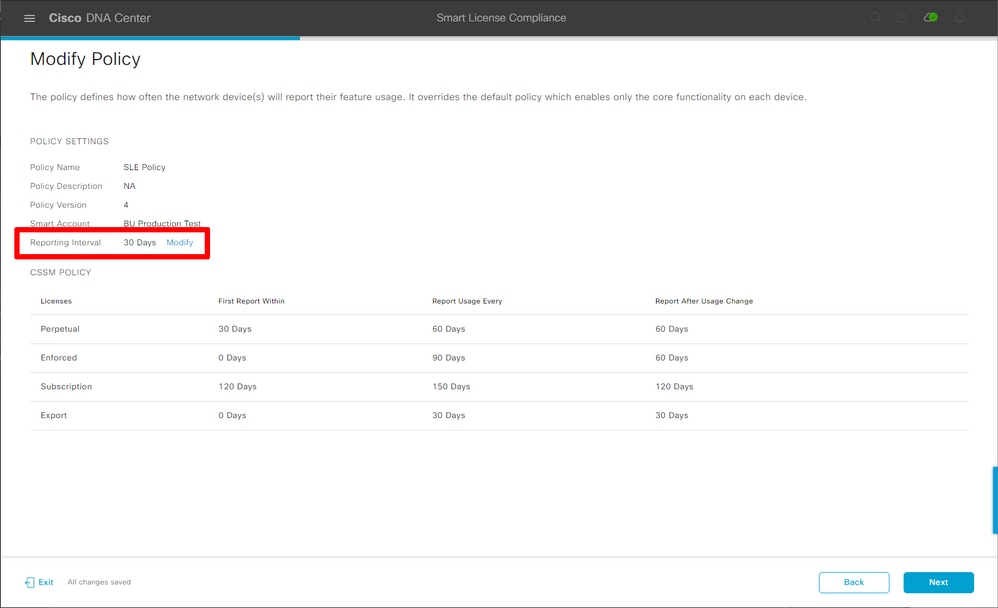
The Reporting Interval can be modified and the default value is 30 days:
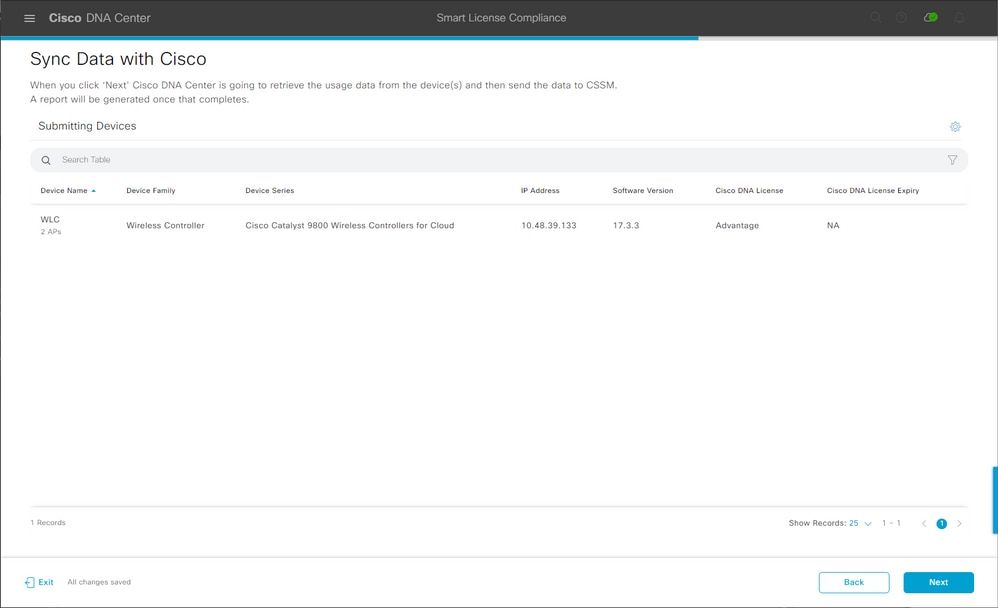
The final page provides a summary of all data and devices whose license usage is queued to be reported to Cisco License Central:
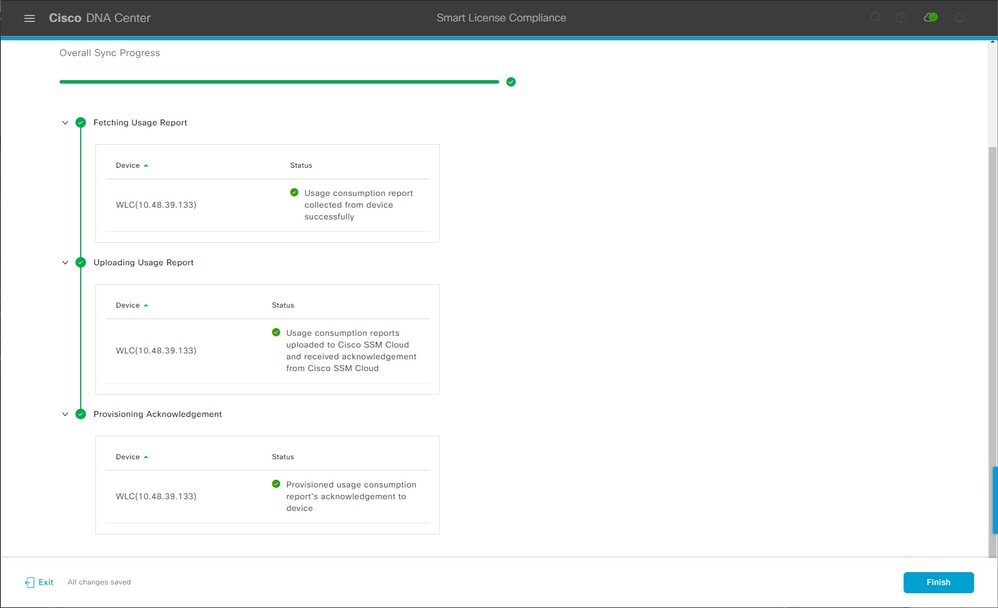
Click Next to begin the syncing of licence usage data and observe the real time status. It takes a minimum of four minutes to complete the sync and receive the acknowledgement from Cisco License Central cloud.
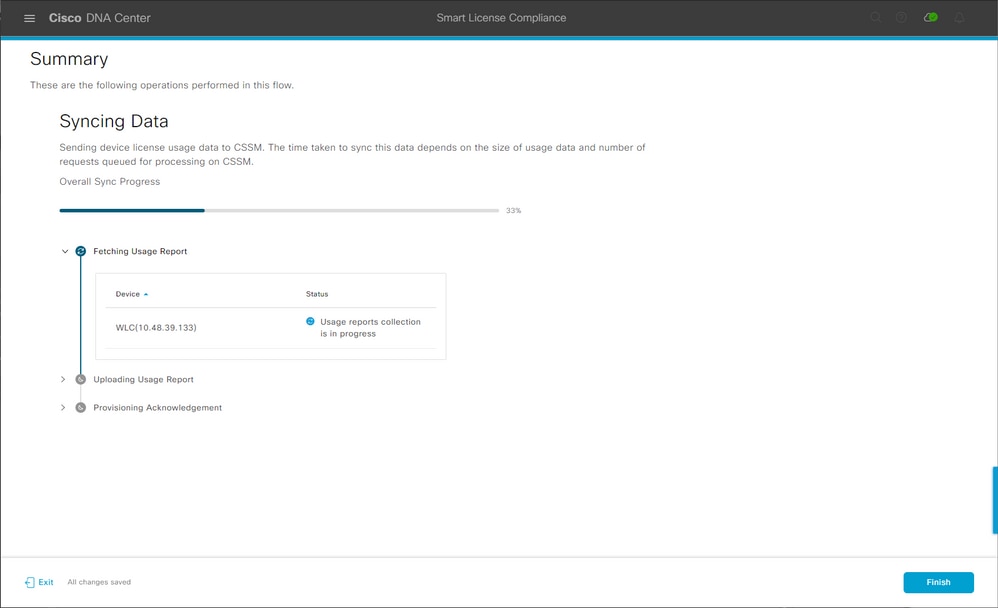
The green color indicates success; select Finish to complete the workflow:
Verification
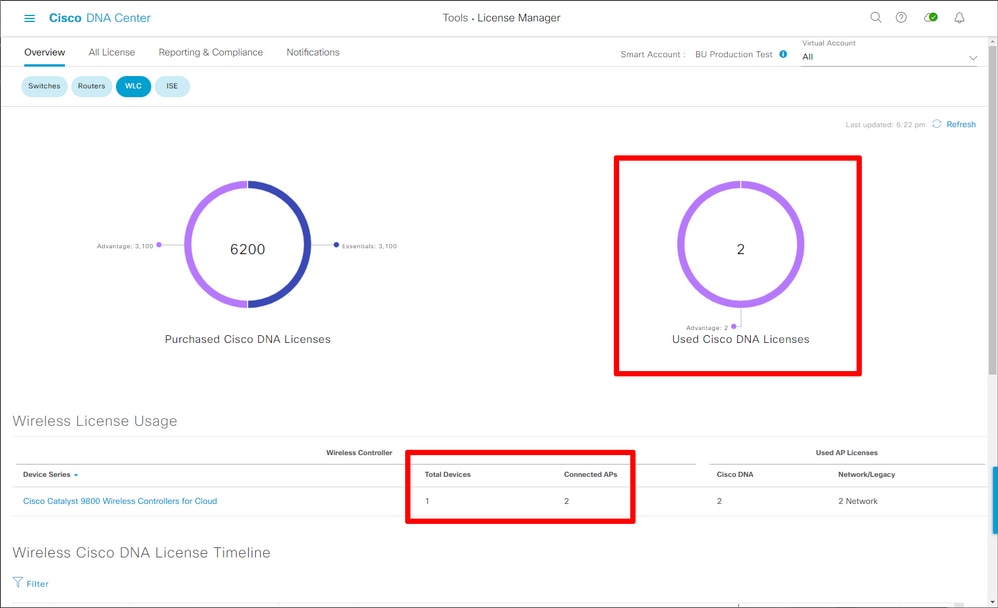
The Overview tab of the license manager page shows the current license consumption:
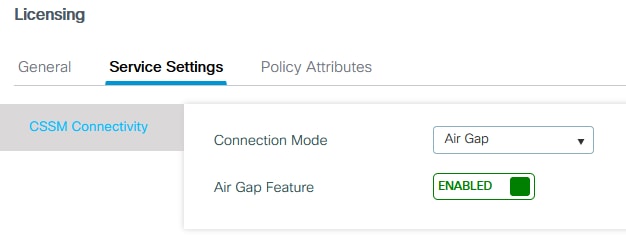
On the Catalyst 9800 side, navigate to the Licensing > Service Settings and verify if the connection mode is set to Air Gap:
Revision History
| Revision | Publish Date | Comments |
|---|---|---|
4.0 |
25-Jun-2026
|
Alt text, spelling, introduction, spacing, sentence structure, added tags, and grammar. |
3.0 |
05-Jun-2026
|
Al text, Replace references to "Cisco Smart Software Manager (SSM)" with "Cisco License Central." |
2.0 |
12-Oct-2021
|
Initial Release |
1.0 |
12-Oct-2021
|
Initial Release |
 Feedback
Contact Cisco
- Open a Support Case

- (Requires a Cisco Service Contract)