Obtain and Run Recovery Software on the CUCM VM

Available Languages
Introduction
This document describes how to obtain and run the Recovery Software for the Cisco Unified Communications Manager (CUCM).
Background Information
This document describes how to obtain and run the Recovery Software for the Cisco Unified Communications Manager (CUCM), as well as the changes that are required to the Virtual Machine (VM) settings before and after recovery.
The Recovery Software ISO images are saved in the ESXi datastore.
Datastores are logical containers, analogous to file systems, which hide the specifics of each storage device and provide a uniform model for the storage of VM files. Datastores can also be used to store ISO images, VM templates, and floppy images.
The vSphere Client is used in order to access the different types of storage devices that your ESXi host discovers, and in order to deploy datastores on them.
Download Recovery Software ISO Image
To obtain the Recovery Software ISO image:
- From the Cisco homepage, navigate to Downloads Home > Products > Unified Communications > Call Control > Unified Communications Manager (CallManager).
- Click the appropriate CUCM version and download the Recovery Software:
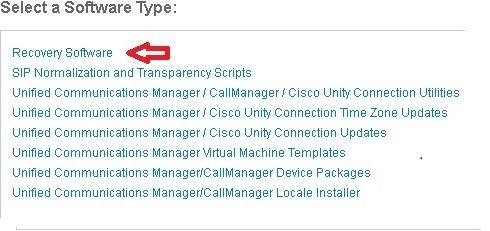
- Download the Recovery Software ISO image and save it in the ESXi Datastore.
Upload ISO Image to the ESXi Datastore
Complete these steps to upload the Recovery Software ISO image to the datastore via the vSphere Client Version 5.0:
- Log into the vSphere Client:
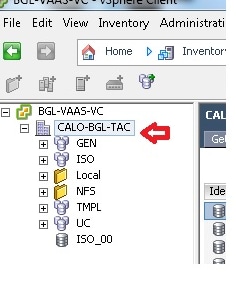
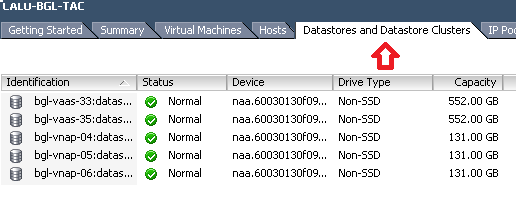
- Click Datastore and Datastore Clusters:
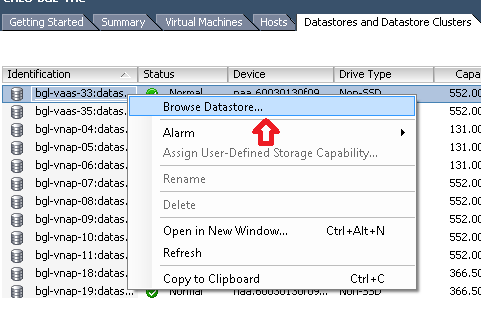
- Right-click the datastore where you want to upload the file and click Browse Datastore:
- Choose the folder where you want to upload the ISO image:
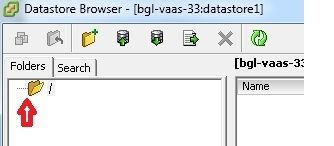
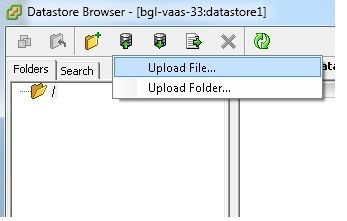
- Click the Upload files tab:
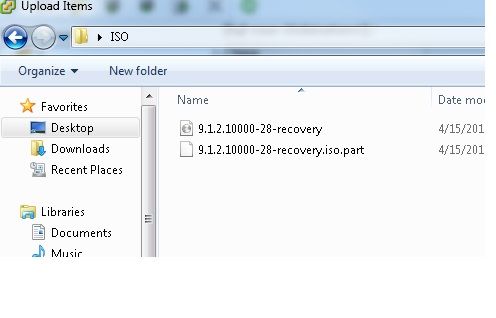
- Browse to the folder location where the image is saved on your machine:
- Once you select the file, a pop-up message appears. Choose Yes:
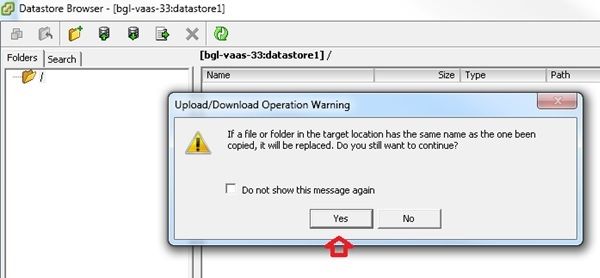
The ISO image then begins to upload to the datastore: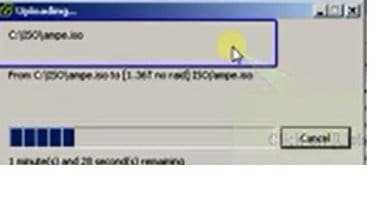
Required VM Settings Prior to Recovery
Complete these steps to ensure the VM settings are correct before you run the Recovery Software:
- From the vSphere Client, navigate to the CUCM VM machine.
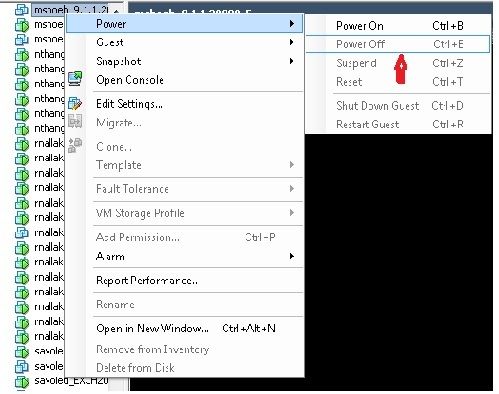
- Right-click the VM where you want to run the Recovery Software and power off the VM:
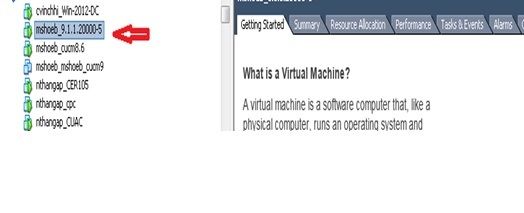
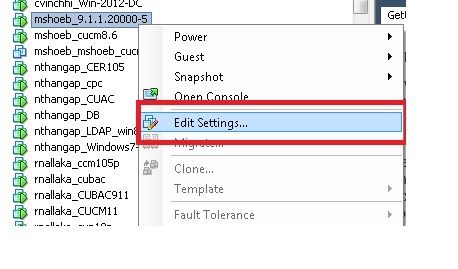
- Right-click and navigate to Edit Settings:
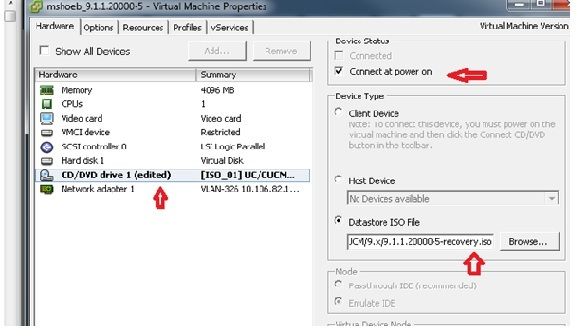
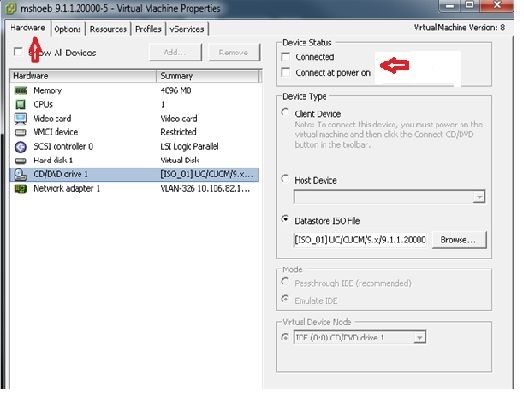
- From the Hardware tab, select the CD/DVD drive, check the Connect at power on checkbox, and browse to the recovery.iso image that you saved in the datastore:
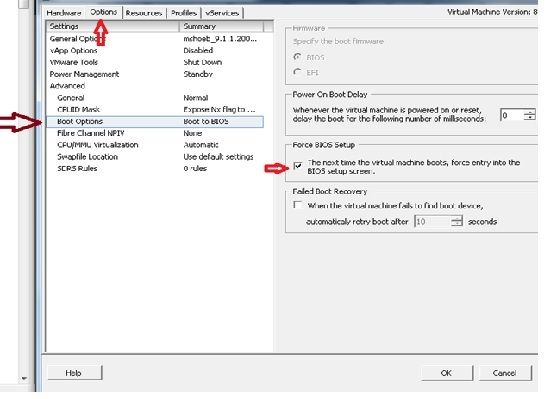
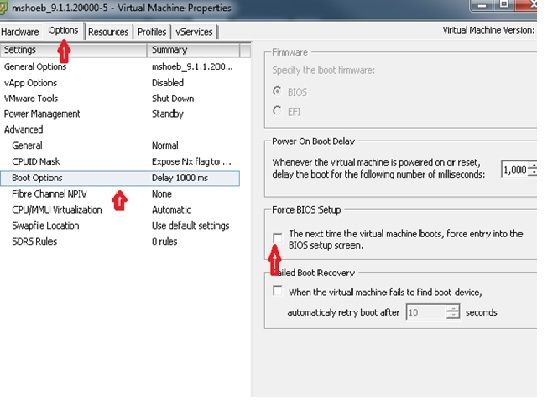
- From the Options tab, select Boot Options, check the Force BIOS Setup checkbox, select OK, and power on the VM:
- The VM boots into BIOS mode. Navigate to the boot menu:
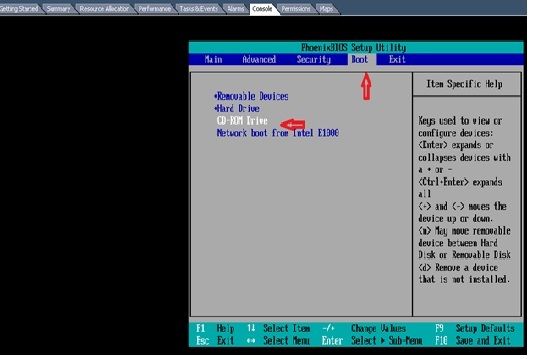
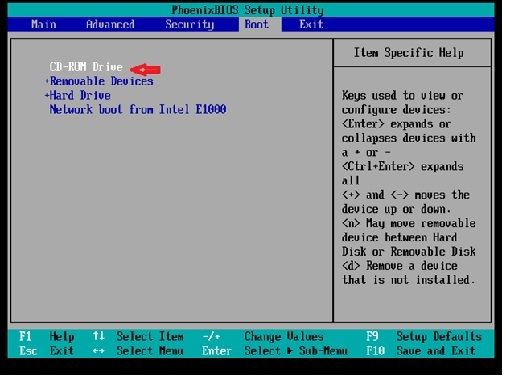
- Use the plus (+) symbol to move the CD-ROM Drive option to the top of the list:
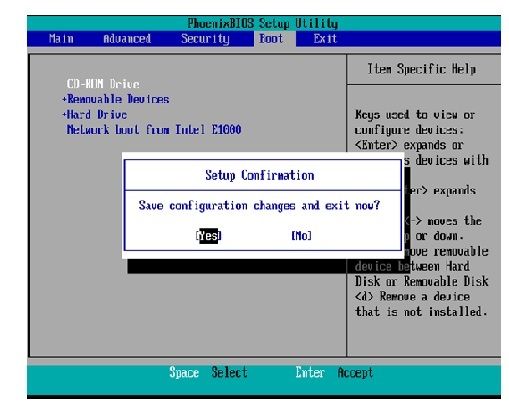
- Press the F10 key, and you are prompted to save this setting:
The system now loads with the CD-ROM drive where the Recovery Software is located. When the system boots up, you see the options that are shown in the next image. - Choose option F (press the F key):
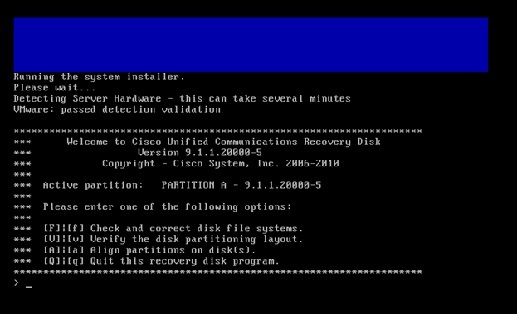
The File System check begins: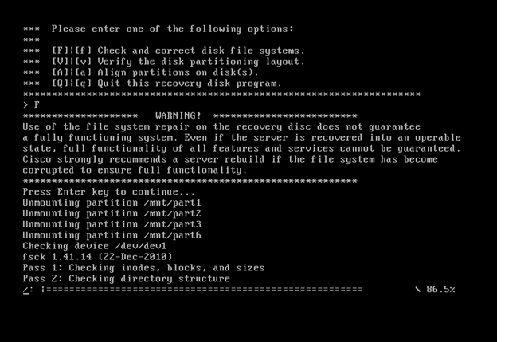
Once the File System check is complete, you are taken back to the main menu: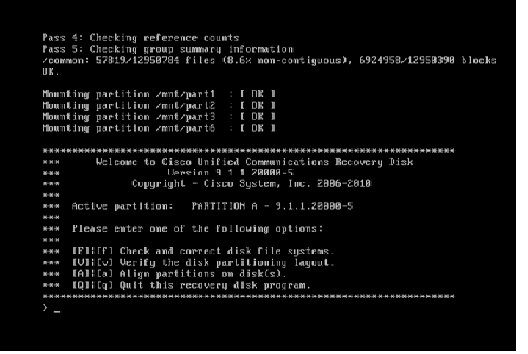
- Choose option Q (press the Q key) to quit the Recovery Software program. You are then prompted to reboot the system, as seen in this image:
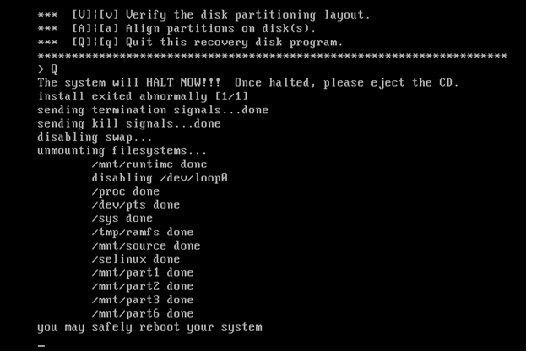
Post-Recovery Requirements
Complete these steps after you have run the Recovery Software:
- Right-click the VM, navigate to Edit Settings > Options > Advanced > Boot Options, and ensure that The next time the virtual machine boots, force entry into the BIOS setup screen checkbox is unchecked:
- From the Hardware tab, uncheck the Connected and Connect at Power ON checkboxes:
- Proceed to reboot the system:
- Right-click the CUCM VM.
- Power off the machine.
- Power on the machine.
- Right-click the CUCM VM.
Revision History
| Revision | Publish Date | Comments |
|---|---|---|
4.0 |
16-Jun-2026
|
Updated some spelling. |
3.0 |
03-Jun-2024
|
Added Alt Text.
Updated Formatting. |
2.0 |
19-Apr-2023
|
Recertification |
1.0 |
30-Apr-2015
|
Initial Release |
 Feedback