Troubleshoot Language in CUAC Advanced Client
Available Languages
Contents
Issue
A request was made to change the language locale of the Cisco Unified Attendant Console (CUAC) Operator Application from English to Arabic on CUAC version 14.0.2.30. The requirement was to perform this locale change without impacting the existing system or requiring a full application reinstallation.
Environment
Cisco Unified Attendant Console (CUAC) version 14.0.2.30
CUAC Operator Application component
Windows 10 machine (lab recreation environment)
CUAC A Client 14
Resolution
There are two methods available to change the language locale for the CUAC Operator Application:
Method 1: Standard Reinstallation Procedure
The standard and documented procedure to change the language locale of CUAC involves reinstalling the application with the preferred locale settings. This method requires a full reinstallation of the CUAC Operator Application to support the desired language.
Method 2: Alternative Configuration File Modification
For scenarios where reinstallation is not preferred, an alternative documented procedure allows the language to be changed without fully reinstalling the application. These steps were validated through lab recreation:
Step 1: Exit the Attendant Console application. Ensure the CUAC Operator Application is completely closed before proceeding with the configuration changes.
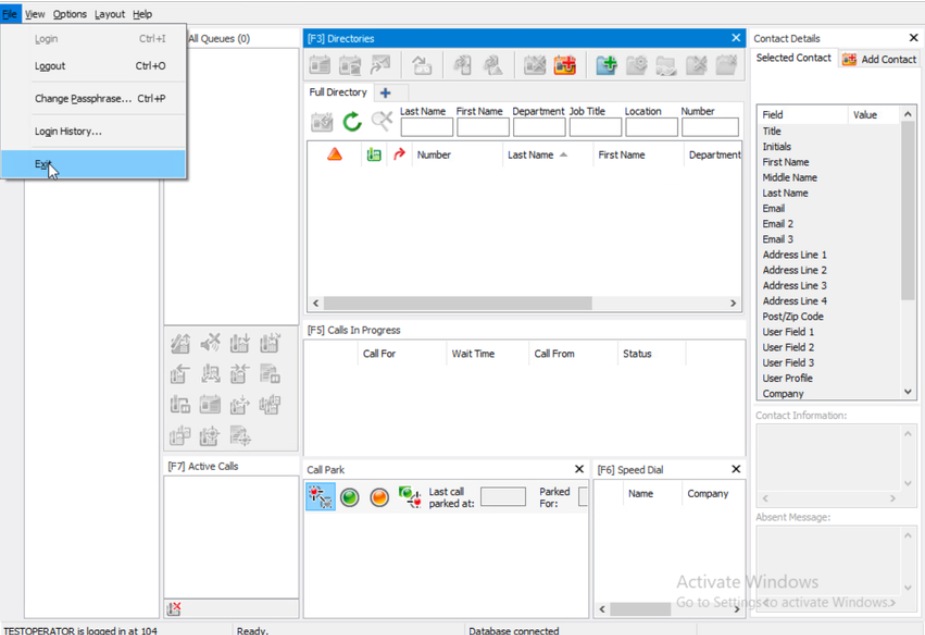
Step 2: Open Windows File Explorer and navigate to the path %ProgramData%\Cisco\CUACA.
ProgramData used to be a hidden folder by default.
%ProgramData%\Cisco\CUACA
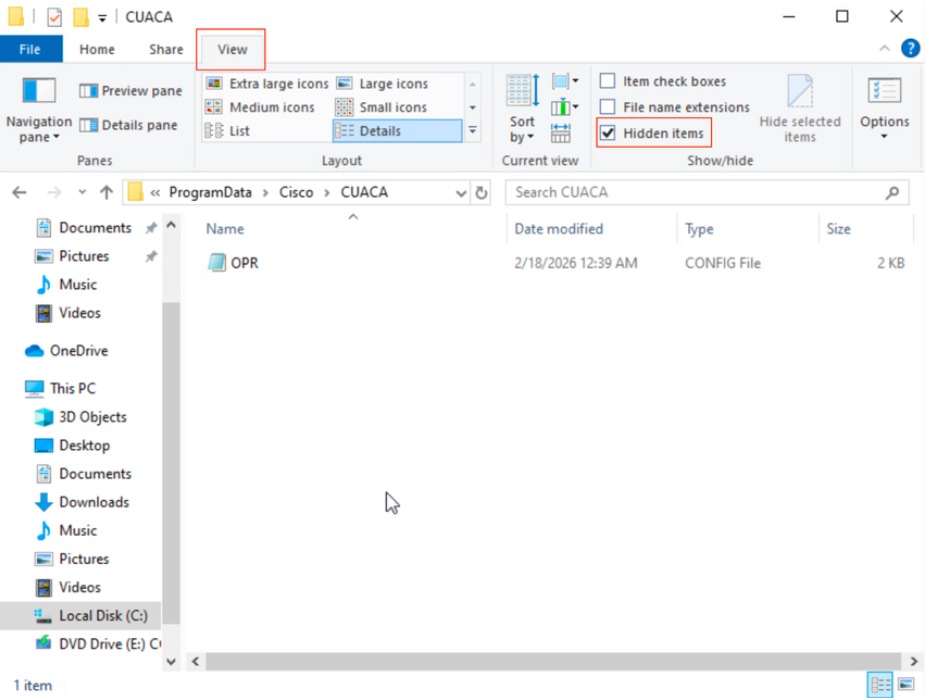
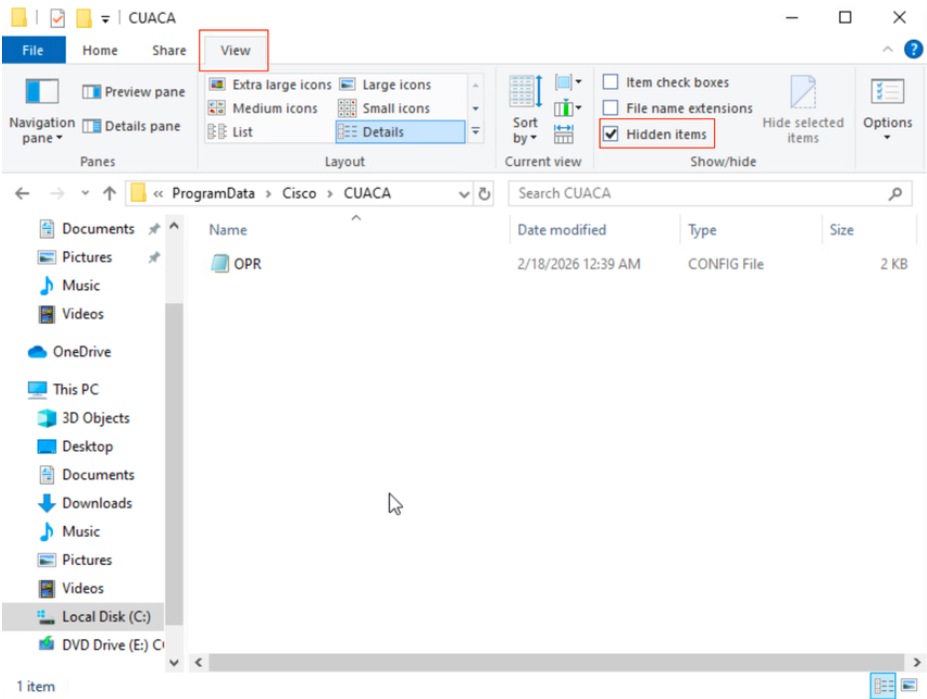
Step 3: Open the Configuration File
Locate and open the OPR.cfg file using a text editor such as Notepad.
Step 4: Modify the Language Setting
Find the line containing the DefaultLanguage parameter and replace the existing value:
DefaultLanguage="English"
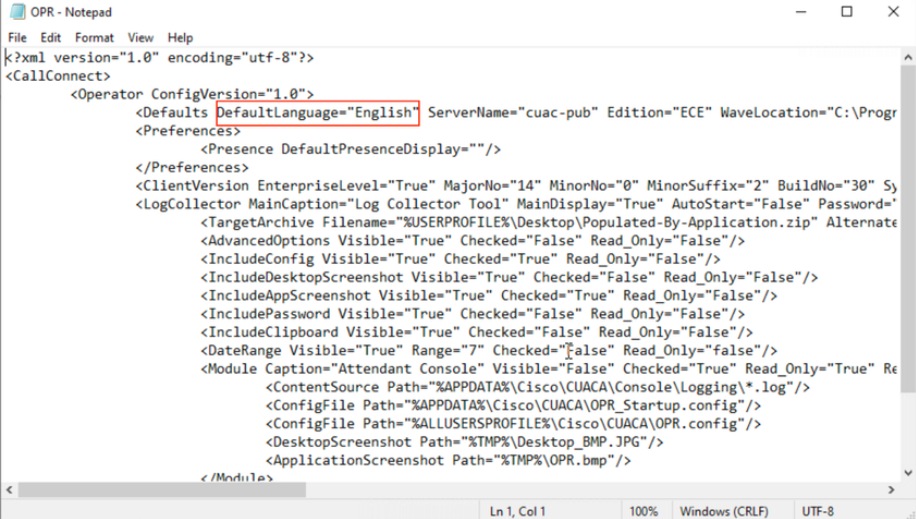
Change this to the corresponding Language value for Arabic as mentioned in the Operator CFG file column documentation.
Operator CFG File |
Language (Locale) |
Arabic |
Arabic (Saudi Arabia) |
Chinese Simplified |
Chinese (PRC) [Simplified Chinese] |
Chinese Traditional |
Chinese (Taiwan) [Traditional Chinese] |
Danish |
Danish |
Dutch |
Dutch (Netherlands) |
English |
English |
French |
French (Parisian) |
German |
German |
Italian |
Italian |
Japanese |
Japanese |
Korean |
Korean |
Portuguese |
Portuguese (Portugal) |
Russian |
Russian |
Spanish |
Spanish (Traditional) |
Swedish |
Swedish |
Step 5. Open the Attendant Console Client.
Step 6: Save the configuration changes.
Save the OPR.cfg file with the modified language settings.
Step 7: Relaunch the application.
Start the Attendant Console application to apply the new language settings.
This alternative procedure was tested and validated in a lab environment using Windows 10 and CUAC A Client 14, confirming the language change can be accomplished without a full application reinstallation.
Cause
The language locale setting for the CUAC Operator Application is controlled by configuration parameters stored in the OPR.cfg file. By default, the application is installed with English as the default language, requiring either reinstallation with different locale settings or manual modification of the configuration file to change the language preference.
Related Content
Revision History
| Revision | Publish Date | Comments |
|---|---|---|
1.0 |
12-Nov-2026
|
Initial Release |

 Feedback
Contact Cisco
- Open a Support Case

- (Requires a Cisco Service Contract)