Configure the Admin VLAN ID via Soft Keys on the SPA300 and SPA500 IP Phone Series
Available Languages
Objectives
The Admin VLAN ID is the auxiliary VLAN in which the phone is a member. It overrides the value specified by the Operation VLAN ID parameter.
This document explains how to configure the Admin VLAN Id on the SPA300 and SPA500 Series IP Phones.
Applicable Devices
• SPA300 Series
• SPA500 Series
Admin VLAN Id
Step 1. Press the Setup button to open the Setup menu.
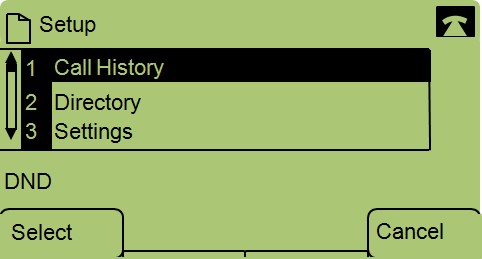
Step 2. Press 3 on the keypad or navigate to Settings.
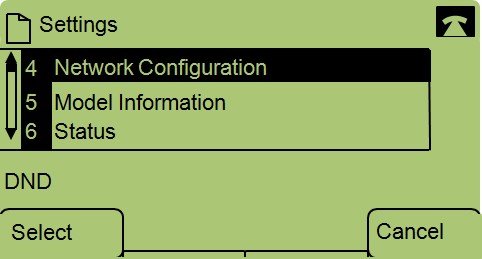
Step 3. Press 4 on the keypad or navigate to Network Configuration.
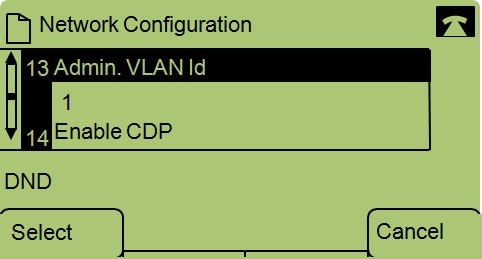
Step 4. Navigate to Admin VLAN Id.

Step 5. Press the << button to delete all previous configurations.
Step 6. Type in the new Admin VLAN Id using the keypad.
Step 7. Press OK to save your changes.
Revision History
| Revision | Publish Date | Comments |
|---|---|---|
1.0 |
11-Dec-2018
|
Initial Release |
 Feedback