UBA - UpgradePostgresPackagesOnNodes Failed
Available Languages
Applicability
UBA 5.4.0, UBA 5.4.1Description
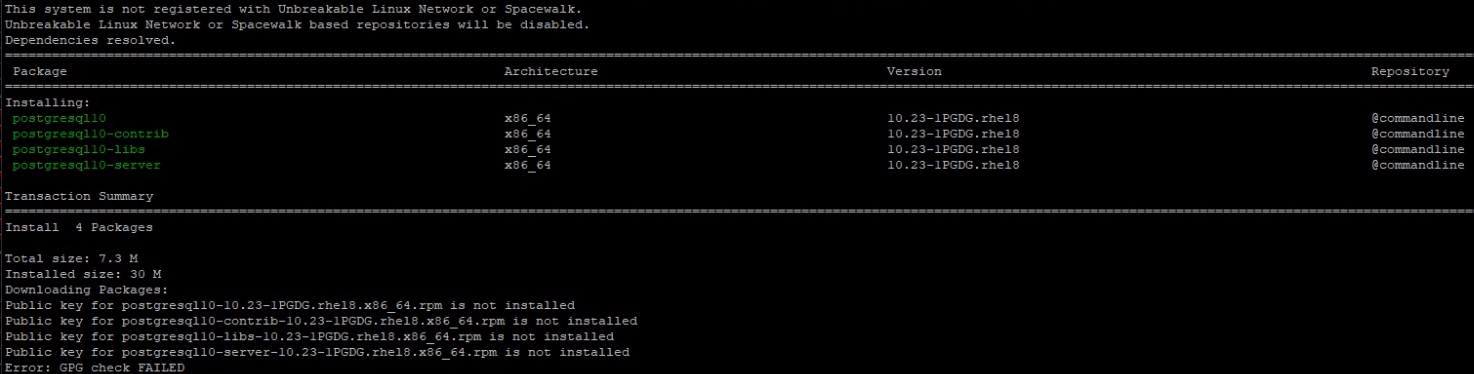
When upgrading to UBA 5.4.0 or 5.4.1, an attempt to upgrade postgresql v10.23 package fails as the package(s) public key is not installed.
Investigation
While running the upgrade script to either UBA 5.4.0 or UBA 5.4.1, the upgrade script may terminate with this error:
ERROR: Installing postgres packages failed on: UBA_NODE_HOSTNAME. See /var/log/caspida/upgrade.out for more details.
Wed Oct  1 12:00:00 EDT 2024: ERROR: Installing postgres packages failed on: UBA__NODE_HOSTNAME. See /var/log/caspida/upgrade.out for more details.
Wed Oct  1 12:00:00 EDT 2024: ERROR Installing new postgres packages failed.
Wed Oct  1 12:00:00 EDT 2024: Upgrade failed in step: UpgradePostgresPackagesOnNodes, aborting
Attempt to run the below command to upgrade postgresql 10 to minor version 10.23:
sudo yum --disablerepo=* localinstall /home/caspida/uba-ext-pkgs-5.4.1/rpm/postgresql/v10.23/*.rpm -yIf you see the below error after running the above command then the resolution needs to be applied:
Resolution
Before making these changes, make a copy of the files that will be modified for backup purposes on your UBA management node:
cp -p /opt/caspida/upgrade/utils/pgupgradeutils.sh /home/caspida/pgupgradeutils.sh.ORIGOn the UBA management node, using your favorite text editor:
- Open /opt/caspida/upgrade/utils/pgupgradeutils.sh
- Navigate to line 246 and add --nogpgcheck flag like the following:
sudo yum --nogpgcheck --disablerepo=* localinstall /home/caspida/uba-ext-pkgs-5.4.1/rpm/postgresql/v10.23/*.rpm -y - Save the file
- Sync-cluster:
/opt/caspida/bin/Caspida sync-cluster /opt/caspida/upgrade/utils/ - Then re-run the UBA upgrade script to continue the upgrade to UBA 5.4.0 or UBA 5.4.1.
Revision History
| Revision | Publish Date | Comments |
|---|---|---|
1.0 |
29-Sep-2026
|
Initial Release |
 Feedback
