SOAR - SAML2 user failed to login
Available Languages
Applicability
Splunk SOARDescription
SAML2 user failed to log into SOAR using original SAML2 link in login page and got error "user login failed"
Investigation
Setup SOAR using SAML2 and verify the login works
Pair Splunk Enterprise Security 8 with SOAR
The login failed using SAML2 link in the SOAR login page
When verifying the user in Administration->User Management->Users, the user type is SPLUNK as shown in the left side with blue bar:
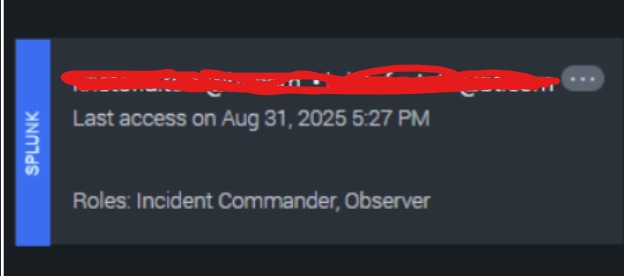
When the user is SPLUNK, login only works using Splunk IDP
Resolution
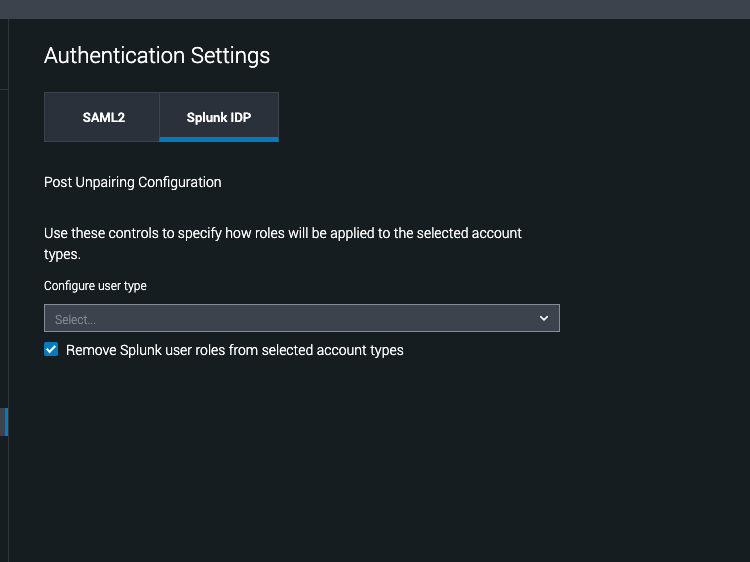
When Splunk SOAR is paired with Splunk Enterprise Security (ES), it introduces a specific authentication and role management dynamic. The user accounts that interact with Splunk ES are converted to a new type: the "Splunk user type." For these specific users, their roles and permissions must be managed within Splunk Enterprise Security. This means that the authorization aspect for these users is dictated by ES. Therefore those users can only use Splunk IDP in SOAR login page to log into SOAR.
Please note that it does not necessarily mean the ES pairing will completely take over all authentication for all users. Your existing SAML2 authentication setup can generally coexist as an additional option. For users who primarily interact with Splunk SOAR and do not require ES-managed roles, they can continue to authenticate via the existing SAML2 setup, with their roles potentially managed directly in SOAR or via the SAML IDP.
Revision History
| Revision | Publish Date | Comments |
|---|---|---|
1.0 |
01-Oct-2026
|
Initial Release |
 Feedback