SOAR - SSO login error Application with identifier was not found
Available Languages
Applicability
Splunk SOARDescription
When log into SOAR web page using SAML integration, it gave the error:
Request Id:
Correlation Id:
Timestamp:
Message: AADSTS700016: Application with identifier ... was not found in the directory ...
This can happen if the application has not been installed by the administrator of the tenant or consented to by any user in the tenant. You may have sent your authentication request to the wrong tenant. Also helped customer configure group claim and mapping in SOAR configuration.
Investigation
This indicates a configuration issue between SOAR SAML and Azure SAML application.
Resolution
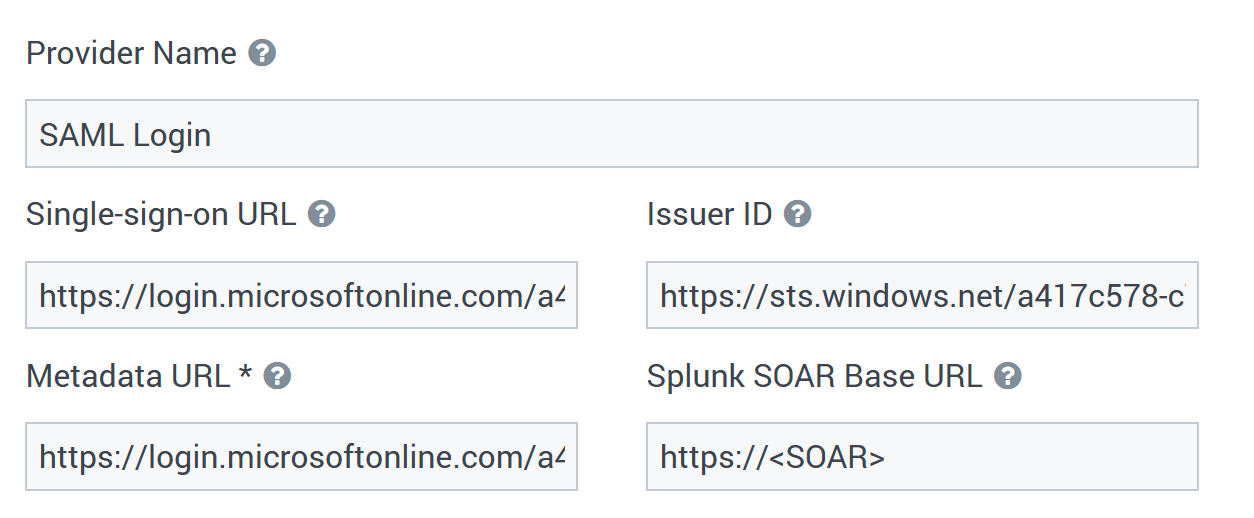
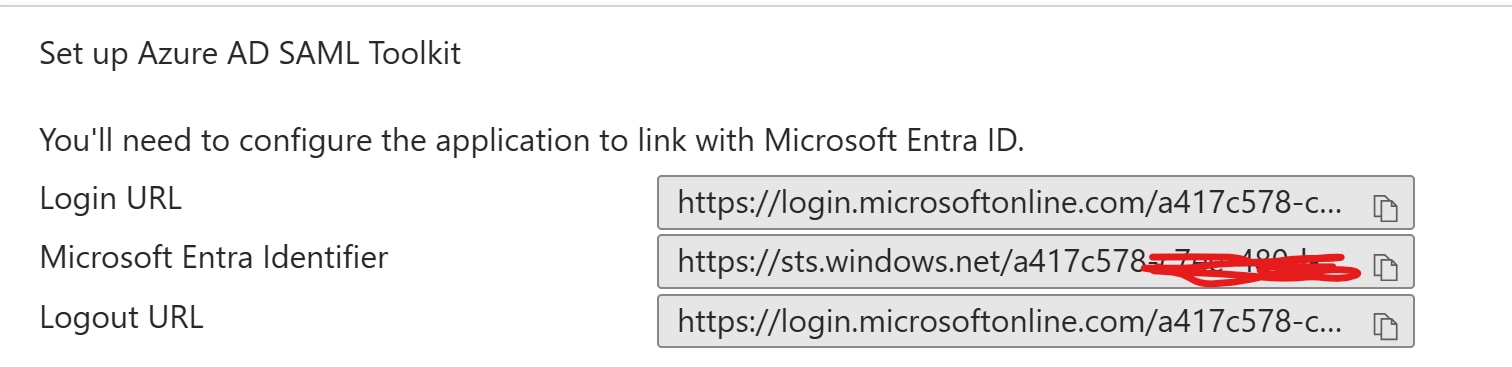
On SOAR SAML application, those values need to match with the configuration in Azure side:
SOAR: Single-sign-on URL <-> Azure: Login URL
SOAR: Issuer ID <-> Azure: Microsoft Entra Identifier
SOAR: Metadata URL * <-> Azure: App Federation Metadata Url
SOAR configuration:
Azure Configuration:

In addition, Splunk SOAR Single Sign On URI (assertion consumer service) in the Configuration Info box, it needs to be added into Azure Reply URL (Assertion Consumer Service URL).
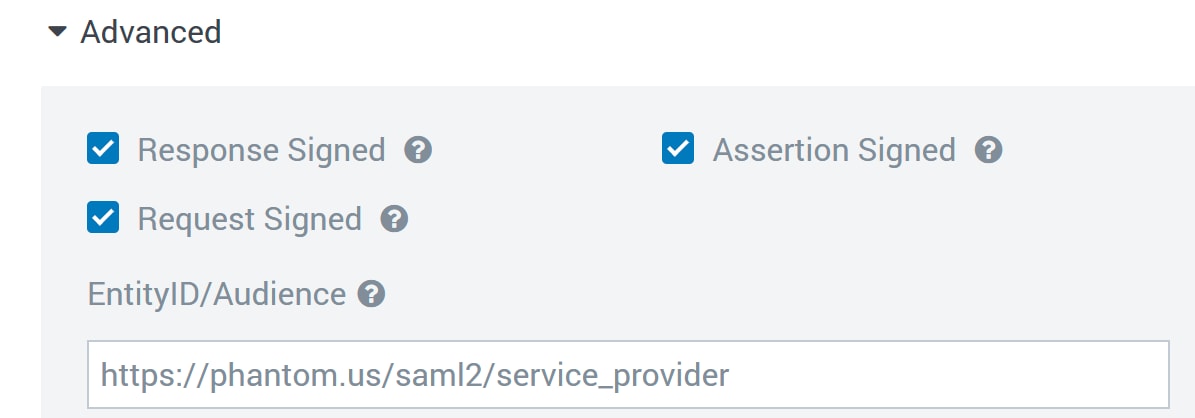
The EntityID/Audience in SOAR SAML configuration needs to match with Azure Identifier (Entity ID) as shown below.
SOAR configuration:
Azure configuration:
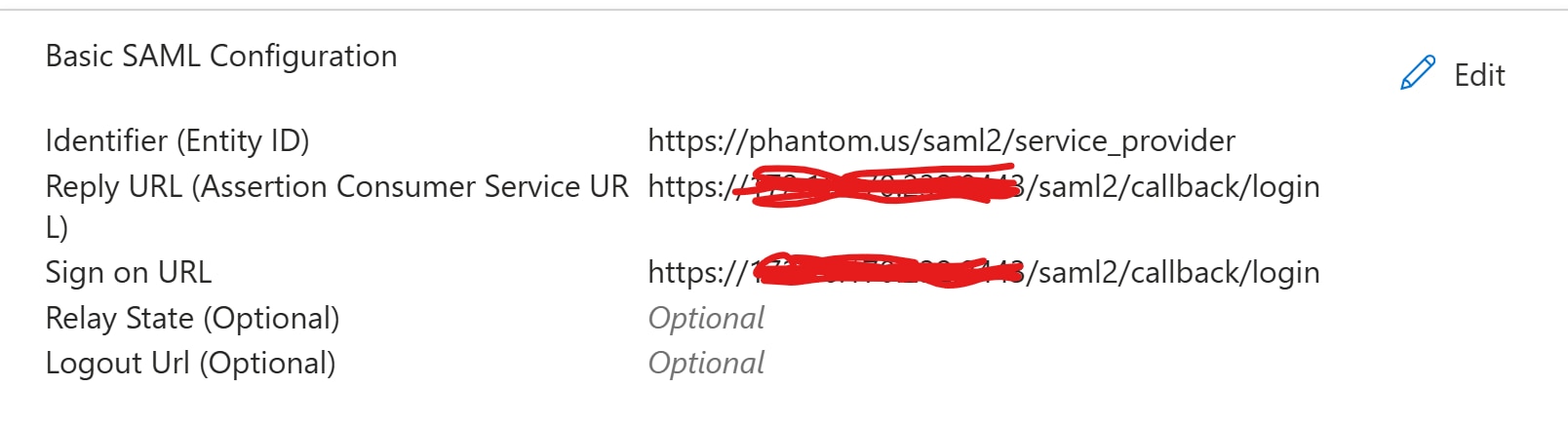
Identifier (entity ID): "https://phantom.us/saml2/service_provider"
Reply URL (Assertion Consumer Service URL): "https://<SOAR FQDN>/saml2/callback/login"
Sign on URL: "https://<SOAR FQDN>/saml2/callback/login"
Revision History
| Revision | Publish Date | Comments |
|---|---|---|
1.0 |
29-Sep-2026
|
Initial Release |
 Feedback