Analyst Queue page navigation disappears when multiple findings are selected in Splunk ES 8.0.4.
Available Languages
Applicability
Splunk Enterprise Security - 8.0.4.Description
When navigating to the Analyst Queue in the Mission Control section of Splunk ES 8.0.4, users encounter an issue where the top navigation panel, which contains Navigation controls and the auto-refresh button becomes blank after selecting more than one finding.
This affects the ability to track or paginate through findings effectively, especially in environments with a large volume of alerts or findings. This impacts user experience by limiting visibility into the number of pages and disabling the auto-refresh button.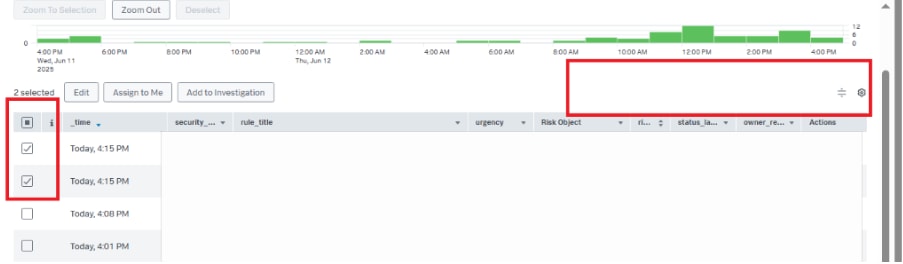
Investigation
This issue was validated using the below steps:
- Open the Analyst Queue page from the Mission Control section.
- Select more than one finding from the list of findings to upgrade:
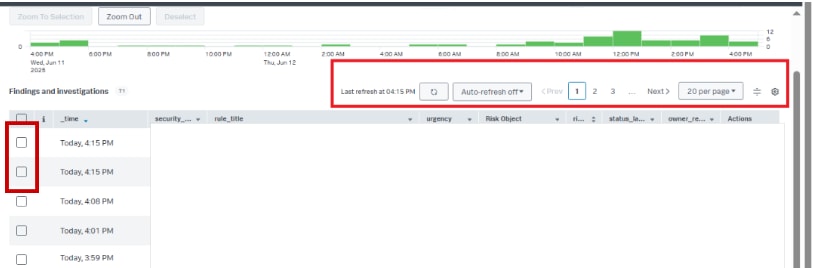
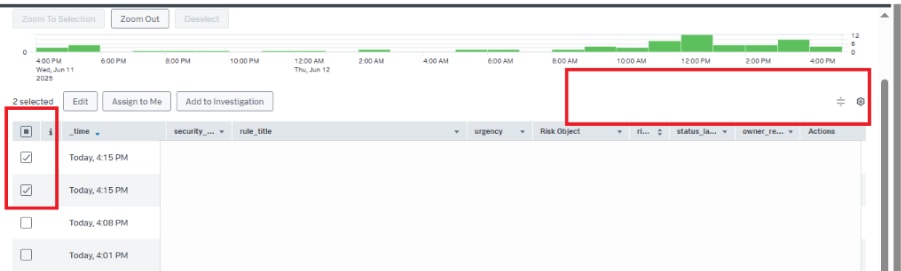
- Once the findings are selected, it is observed that the top navigation panel, the pagination controls and the auto-refresh button disappear and are no longer rendered:
Resolution
This issue has been identified as a known issue in ES version 8.0.4 and has been scheduled for resolution in the upcoming release of Enterprise Security 8.2.0.
In version 8.2.0, the Navigation Panel will be repositioned from the top of the Analyst Queue to the bottom of the page to prevent rendering conflicts when selecting multiple findings. 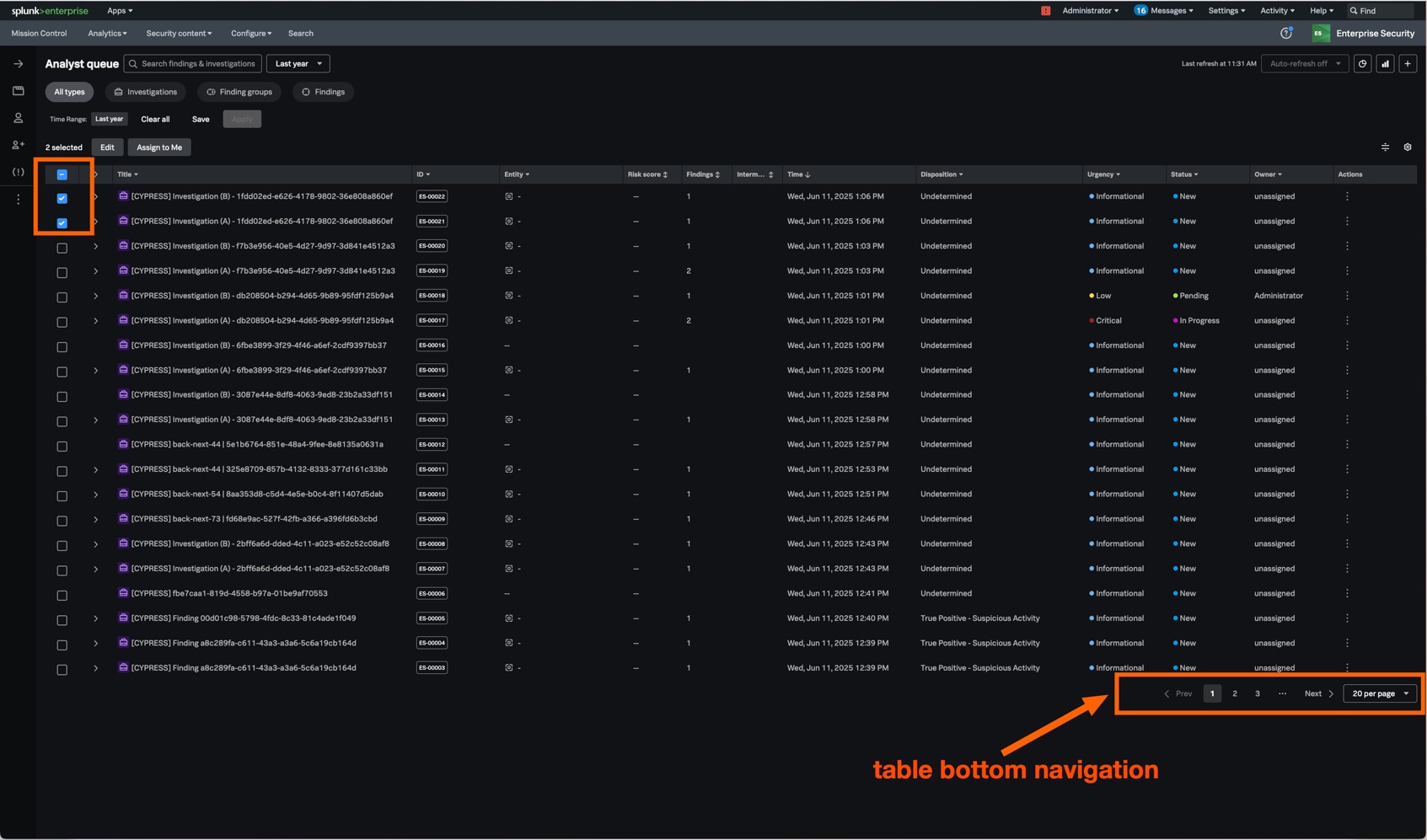
Related Links
Revision History
| Revision | Publish Date | Comments |
|---|---|---|
1.0 |
01-Oct-2026
|
Initial Release |
 Feedback