ES - SOAR : Failure in triggering "Send to SOAR" Manual Adaptive Response Action for Notable in Incident Review
Available Languages
Applicability
Splunk Enterprise Security (ES) Splunk Security Orchestration, Automation and Response (SOAR)Description
From the Enterprise Security App, Navigated to the Incident Review Page.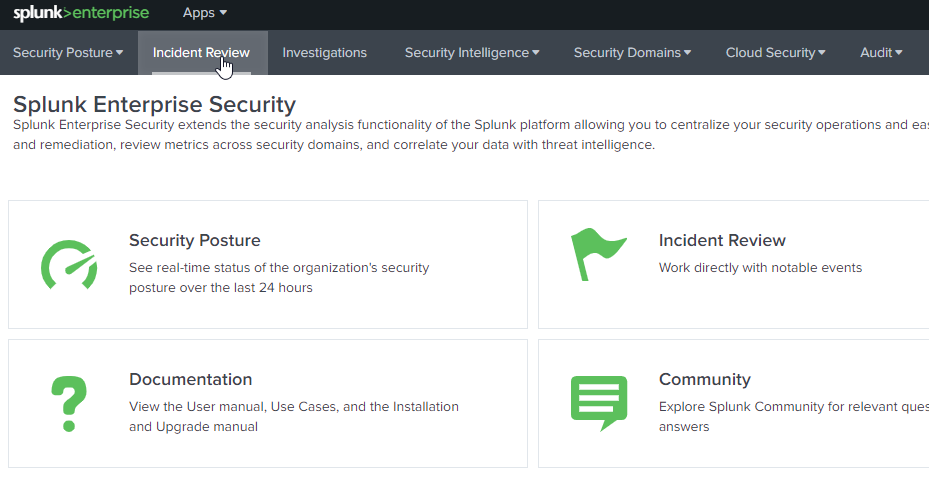
Executing "Run Adaptive Response Actions" for the Notable event from the Incident Review Page Manually.
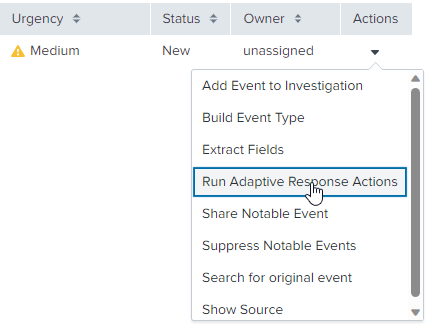
While triggering "Send to SOAR" Manual Adaptive Response Action for the Notable Events in the Incident Review Page, the status received as failure
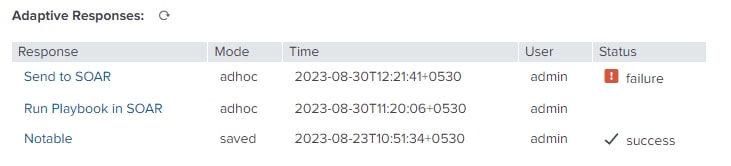
Event with field signature and value "Required fields missing" were found on the failure log.
Investigation
- Check for the Connectivity between the Splunk Instance and SOAR Instance.
- Find the event Time Range during which the action "Send to SOAR" was executed.
- From the identified Time Range run the below search SPL.
| index=* action_name=sendtophantom action_status=failure
Error event logged in phantom_sendtophantom_modalert.log:
2023-09-04 10:37:26,704 ERROR pid=24352 tid=MainThread file=cim_actions.py:message:431 | sendmodaction - worker="hf1" signature="Required fields missing" action_name="sendtophantom" sid="1693804044.1270" orig_sid="scheduler__admin__SplunkEnterpriseSecuritySuite__RMD5e2b14ea60f7a70a4_at_1692767880_391" rid="0" orig_rid="499" app="SplunkEnterpriseSecuritySuite" user="admin" digest_mode="1" action_mode="adhoc" action_status="failure"Resolution
Need to Add Event Attributes on the Incident Review Settings Page.These attributes are essential for the proper functioning or customization of the Incident Review process.
To Create an Event Attribute, check the blog here or Navigate as shown below:
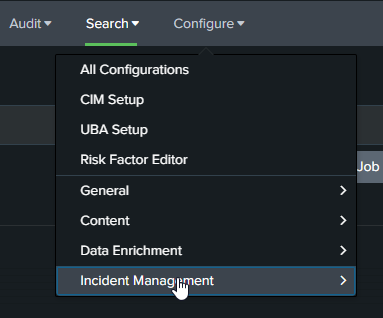
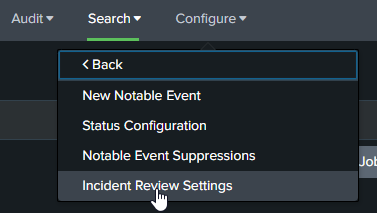
In the Incident Review Settings Page, under the Section Incident Review - Event Attributes select Add Field and create a Label & Field value.
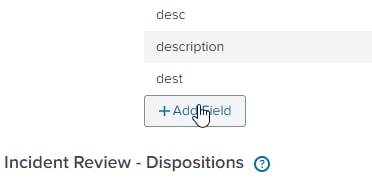
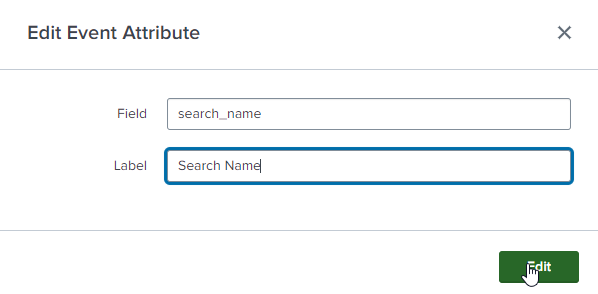
After clicking on "Edit", Click "Save" on the Bottom Right corner on the Incident Review Settings Page for changes to take effect.

Related Links
Splunk Documentation : Splunk App for SOAR ExportSplunk Blog : Configure Incident Review
Revision History
| Revision | Publish Date | Comments |
|---|---|---|
1.0 |
29-Sep-2026
|
Initial Release |
 Feedback