Configure Secure Firewall Threat Defense to Send Intrusion Events to a Syslog Server Using FDM
Available Languages
Contents
Issue
The objective is to configure the Secure Firewall Threat Defense (FTD) to send Intrusion events to a syslog server via Cisco Secure Firewall Device Manager (FDM).
Environment
FTD version 7.7.10, managed by FDM. This procedure also applies to other versions.
Resolution
Use the steps to configure the FTD to send Intrusion events to a syslog server via FDM.
Step 1. In the FDM GUI, navigate to the Policies tab.
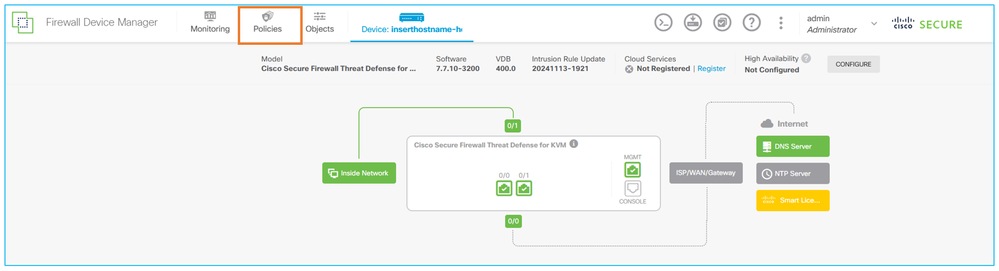
Step 2. Click the Intrusion tab.
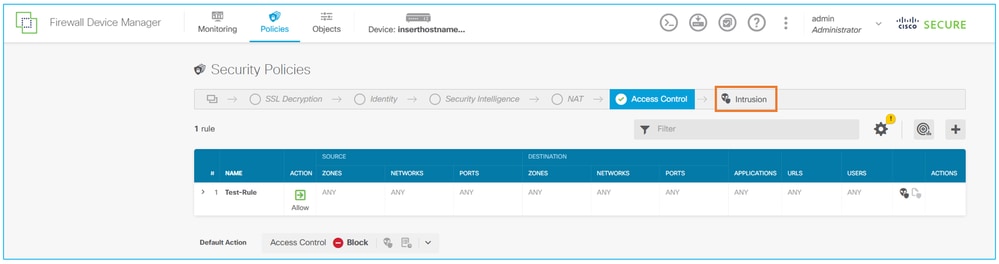
Step 3. Click the Settings button.
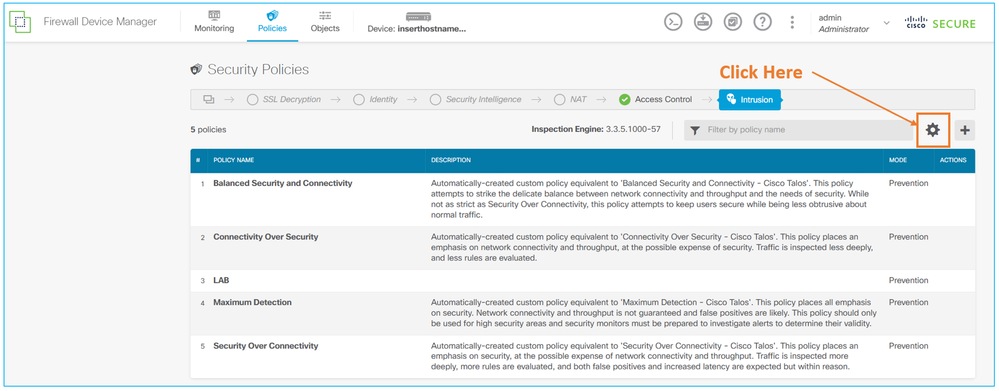
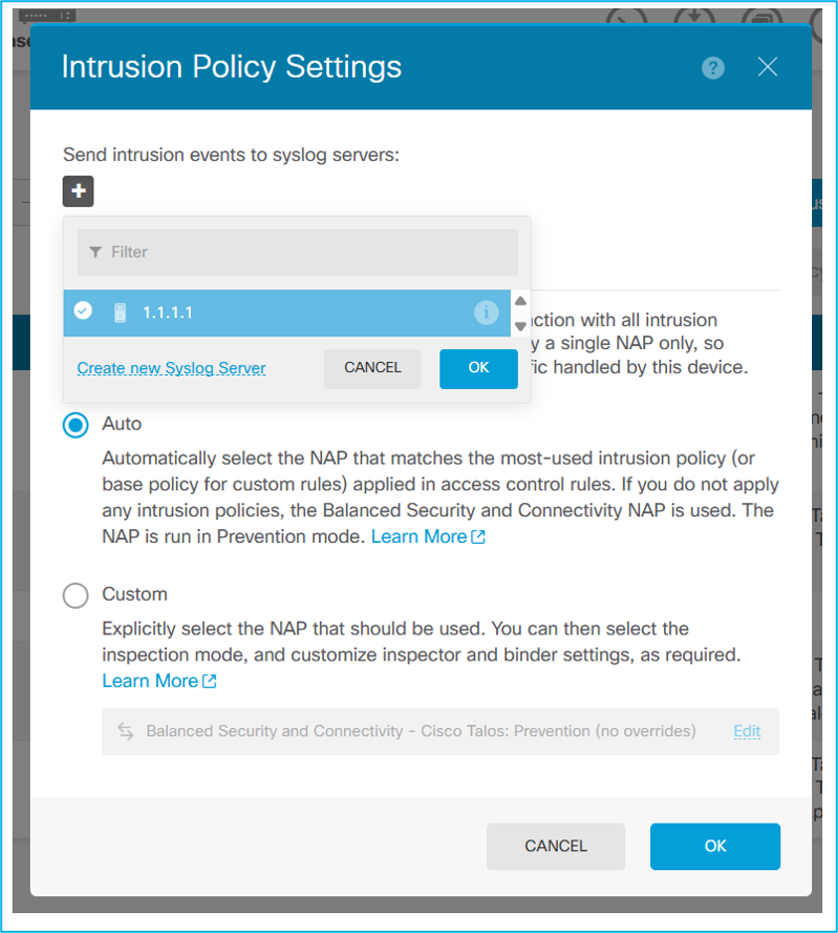
Step 4. In the Send Intrusion Events to Syslog Servers section, click the plus (+) button.
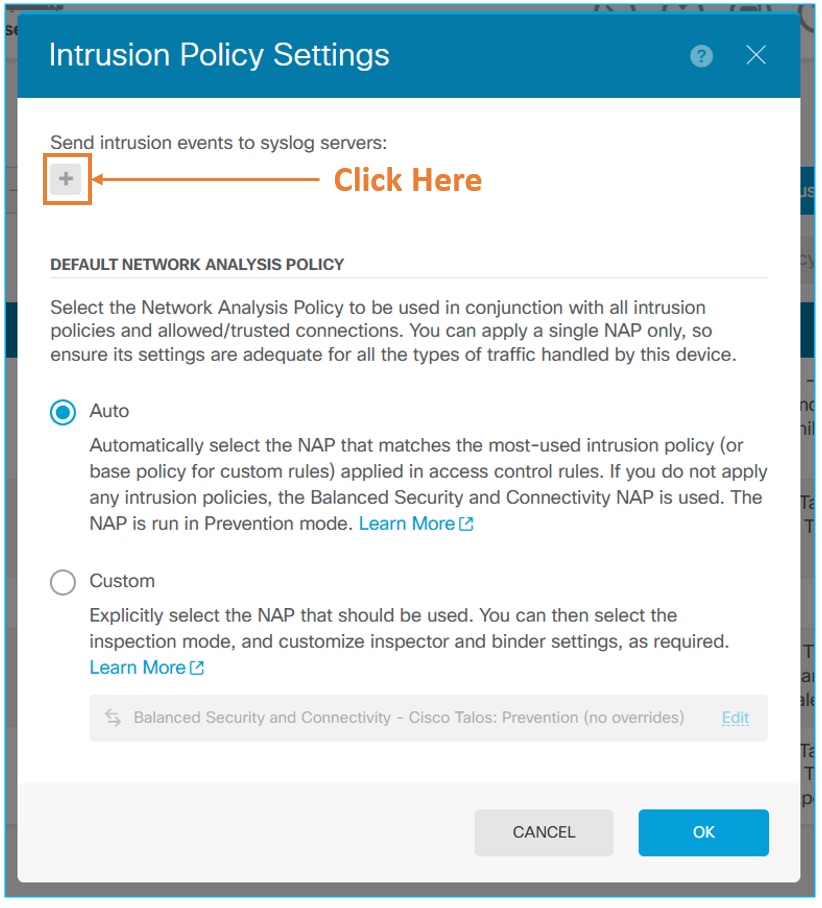
Step 5. Select the syslog server object, then click OK.
Step 6: Deploy the configuration changes to the firewall.
Cause
To configure intrusion events to be sent to a syslog server, select the syslog server in the intrusion policy settings.
Related Content
Cisco Secure Firewall Device Manager Configuration Guide
Revision History
| Revision | Publish Date | Comments |
|---|---|---|
1.0 |
30-Oct-2026
|
Initial Release |

 Feedback
Contact Cisco
- Open a Support Case

- (Requires a Cisco Service Contract)