Configure FMC Domain User Access and Role
Available Languages
Issue
This document describes how to configure different user permissions for multiple users in FMC across Global and sub-domains.
Environment
- Cisco Secure Firewall Management Center (FMC) - 7.6.4 (applicable to all FMCs)
- Multi-domain deployment with Global domain and sub-domains
- Multiple FTD devices assigned to different sub-domains
- Multiple users requiring different permission levels
Resolution
This document resolves how to configure different user permissions for multiple users in FMC across Global and sub-domains, with the ability to restrict access between domains and limit Global domain access for specific users. Cisco FMC supports granular user role assignment across multiple domains with the ability to restrict access between domains. The configuration involves creating users in specific domains and assigning appropriate roles to control access levels.
Create User and Domain Access Behavior
The FMC user management system operates differently based on where users are created:
Users Created in Sub-domains
Users created directly in a sub-domain are only visible within the specific domain:
 inline_image_0.png
 inline_image_1.png
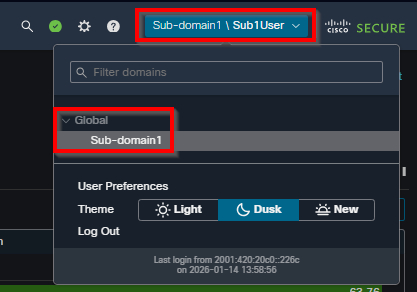
These users must log in using the domain specification format: subdomain\username.
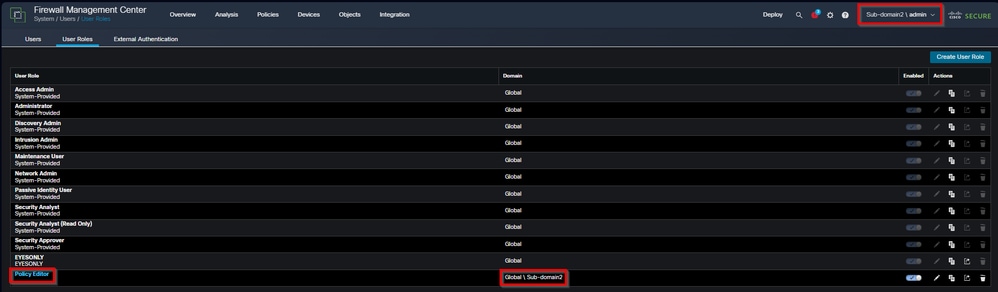
Access is automatically restricted to the domain where the user was created:
 inline_image_2.png
Custom roles created in the sub-domain apply only to that domain.
Users Created in Global Domain:
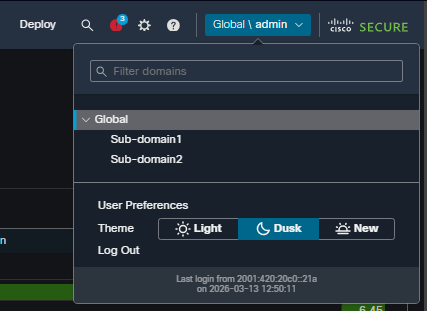
Users created from the Global domain can log in with just their username, even if their roles are only in sub-domains.
These users remain visible in the Global domain user list:
 inline_image_3.png
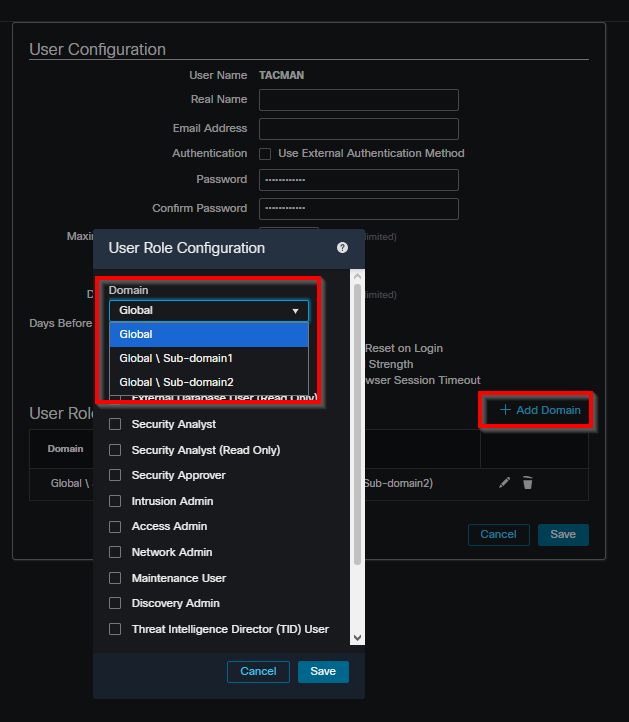
Role assignments can be made for any descendant domain:
 inline_image_4.png
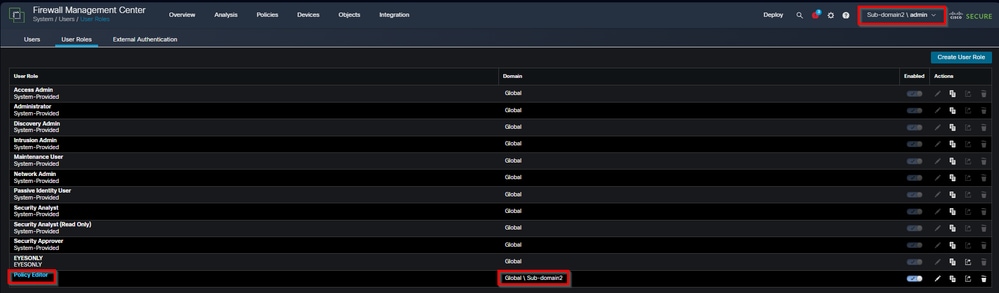
Access can be restricted to specific sub-domains through role assignment:
 inline_image_5.png
Configuration Steps for Sub-domain User Restriction
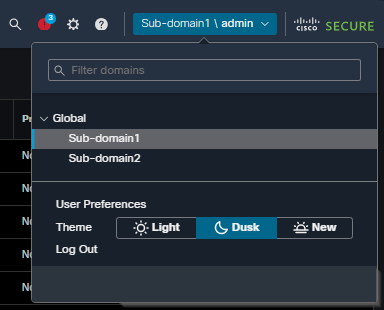
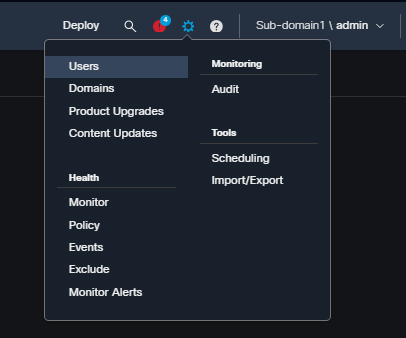
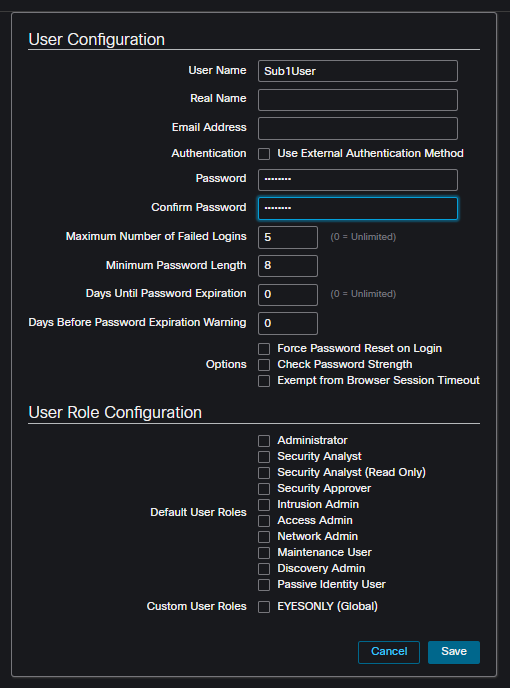
Navigate to the specific sub-domain where access must be restricted and create the user account under System / Users.
 inline_image_6.png
 inline_image_7.png
 inline_image_8.png
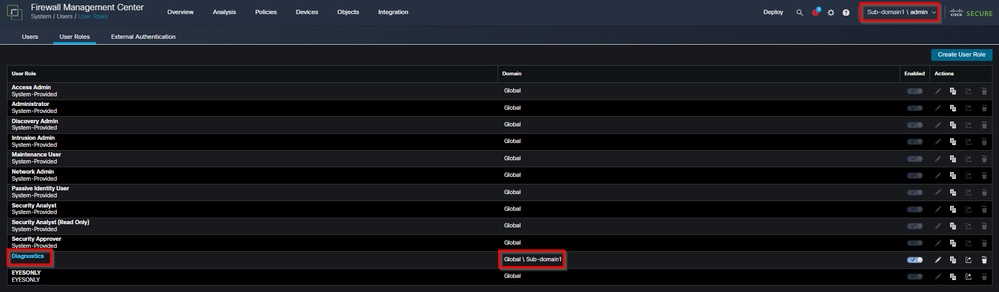
Create custom roles within the sub-domain under System / User Roles. Custom user roles created in a sub-domain are only available within that domain and cannot be accessed from other domains.
 inline_image_9.png
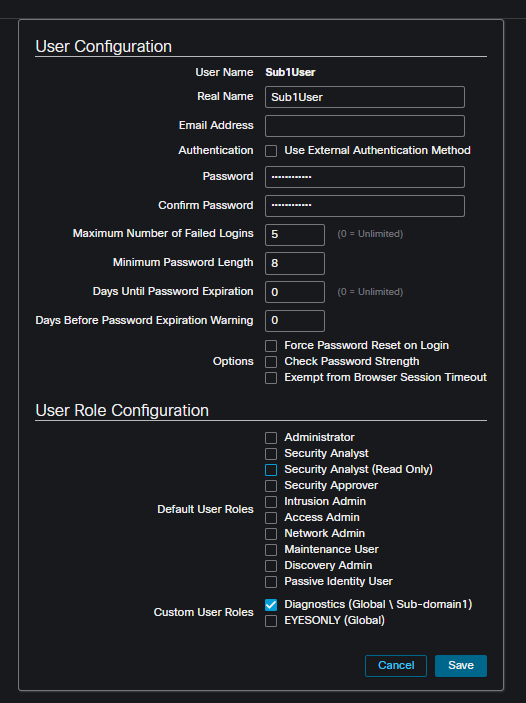
Assign the custom role to the user. The user inherits permissions only for the domain where both the user and role were created.
 inline_image_10.png
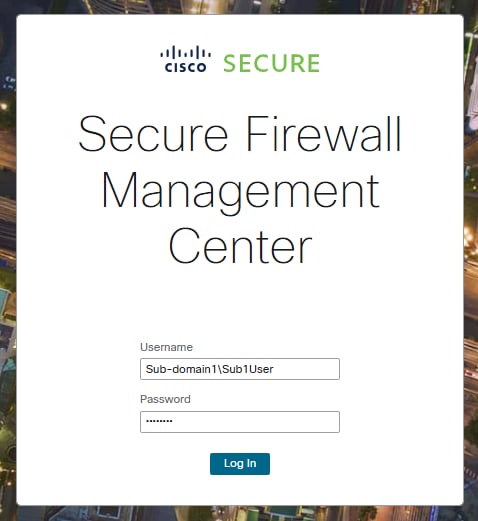
User login format for sub-domain users. Users created in sub-domains must use this login format:
Username: Sub-domain\username
Password: [user password]
 inline_image_11.png
Configuration Steps for Global Domain Users with Sub-domain Restrictions
Create the user in the Global domain under System / Users. Use an administrative account with Global domain access to create the user.
 inline_image_12.png
Assign roles only for specific sub-domains under System / Users. In the user configuration, assign roles exclusively for the target sub-domain(s) without providing any Global domain permissions.
 inline_image_3.png
 inline_image_14.png
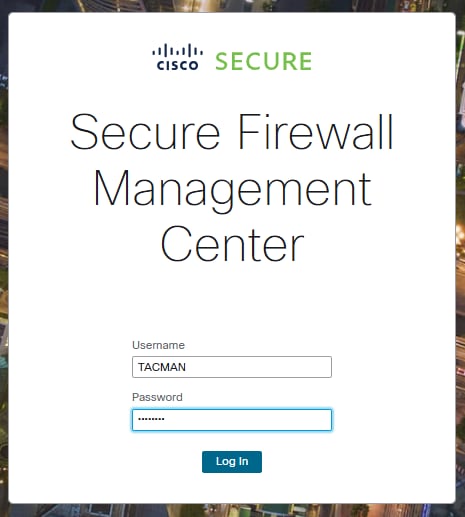
These users can log in with their username only, without domain specification:
Username: username
Password: [user password]
 inline_image_15.png
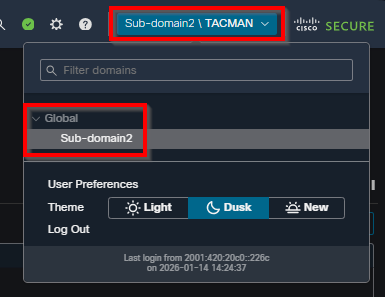
The user only has access to the sub-domains where roles were specifically assigned, with no access to Global domain or other sub-domains.
 inline_image_16.png
Role Assignment Flexibility
Users can have different privileges in each domain:
Read-only privileges in the Global domain with Administrator privileges in a descendant domain
No Global domain access with full administrator permissions in specific sub-domains
Policy Editor permissions in one sub-domain with no access to other sub-domains
External User Considerations
For external users (LDAP or RADIUS authentication):
If user roles are assigned through group membership or user attributes, minimum access rights cannot be removed.
Additional rights can be assigned a greater scope than the default user role.
External authentication objects are only available in the domain where they are created.
Individual user permissions must be configured at a greater scope than the Default User role for proper restriction.
Limitations and Considerations
Custom user roles created in ancestor domains cannot be edited from descendant domains.
Shell Authentication is only available in Global domain, not in sub-domains.
User preferences and dashboard settings apply to all domains where the account has access.
Permission modifications for users is configured individually and not in groups or in bulk methods.
Cause
The requirement stems from the need to implement granular access control in multi-domain FMC deployments where users require varying levels of access to Global and sub-domains, with specific restrictions between domains to maintain security boundaries.
Related Content
- Cisco Secure Firewall Management Center Administration Guide, 7.6: Users
- Cisco Secure Firewall Management Center Administration Guide, 7.6: Create Custom User Roles
- Cisco Secure Firewall Management Center Administration Guide, 7.6: Add or Edit an Internal User
- Cisco Secure Firewall Management Center Administration Guide, 7.6: Users and Domains
- Cisco Technical Support & Downloads
Revision History
| Revision | Publish Date | Comments |
|---|---|---|
1.0 |
14-Apr-2026
|
Initial Release |

 Feedback
Contact Cisco
- Open a Support Case

- (Requires a Cisco Service Contract)