Configure AMP User Roles on ESA and SMA
Available Languages
Introduction
This document describes how to configure Advanced Malware Protection (AMP) user privileges for Cisco ESA and SMA.
Prerequisites
Requirements
Cisco recommends knowledge of these topics:
- Cisco Secure Email (ESA)
- Cisco Secure Email and Web Manager (SMA)
Components Used
The information in this document is based on these software and hardware versions:
- Cisco Secure Email version 14.3
- Cloud Email Security version 14.3
- AMP feature key
The information in this document was created from the devices in a specific lab environment. All of the devices used in this document started with a cleared (default) configuration. If your network is live, ensure that you understand the potential impact of any command.
Background Information
This feature provides a role for AMP configuration privileges. When this privilege is assigned to a user, the user can configure only AMP security settings.
To view AMP-related reports, this AMP configuration privilege also provides access to AMP configuration settings and AMP reports. AMP Reports access is provided for these four reports:
- Advanced Malware Protection
- AMP File Analysis
- AMP Verdict Chart Updates
- Mailbox Auto Remediation reports (applicable to both legacy and NGUI)
Configure
For ESA
Add the User Role
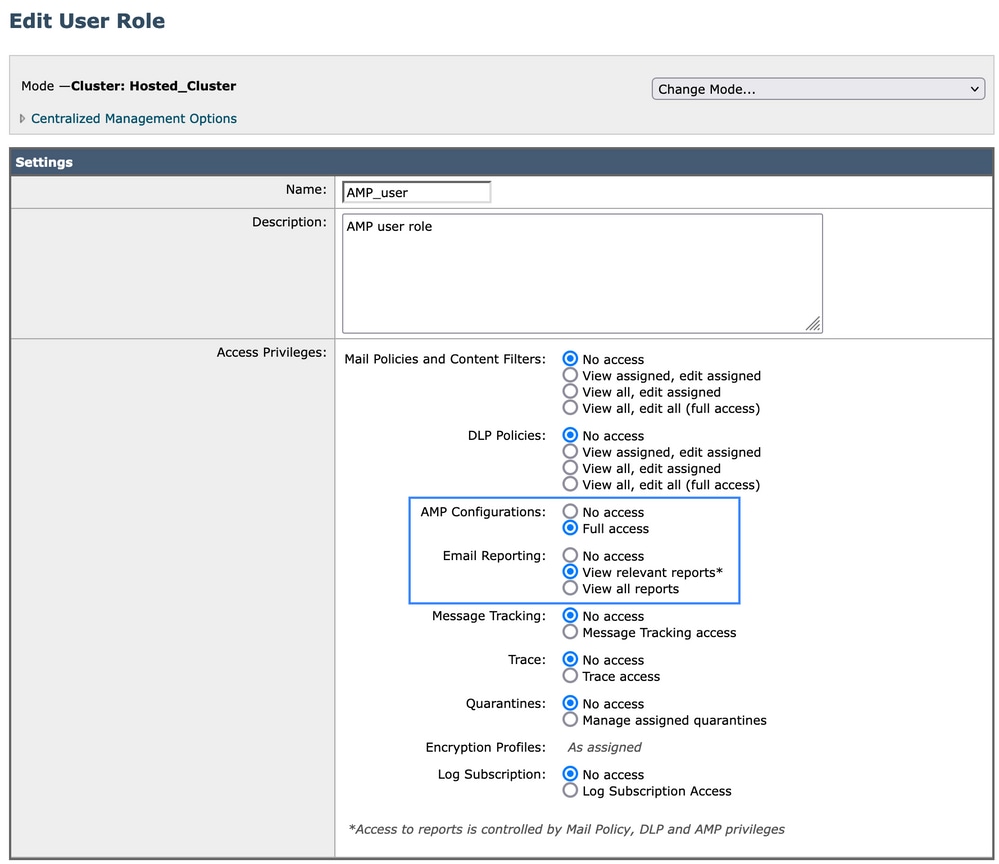
Create a new user role on Cisco Secure Email (ESA):
- Navigate to System Administration > User Roles.
- Select Add User Role.
- Enter the user role name.
- Select Full Access for AMP Configuration.
- Select View relevant reports for Email Reporting.
- Select Submit, and then commit the changes.
Assign the User Rrole to a User
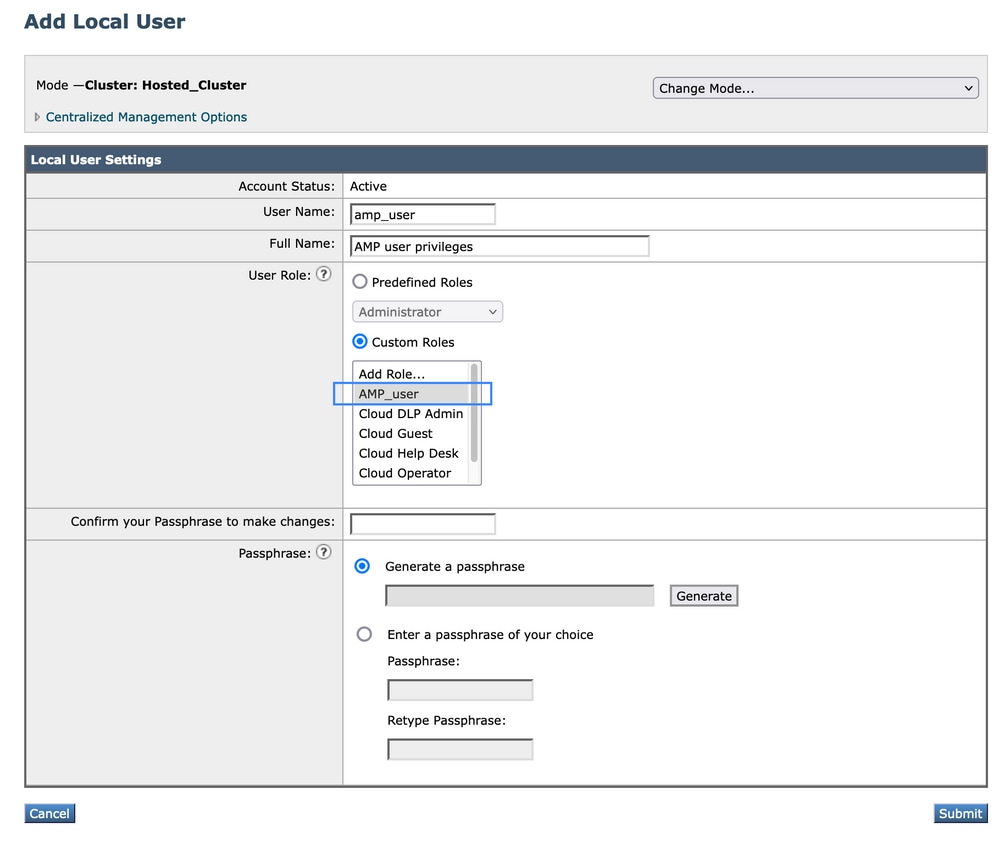
Create a new user and assign the user role created in the previous section:
- Navigate to System Administration > Users.
- Select Add User.
- Enter the user name.
- Select Custom Roles, and then select the user role created previously.
- Select Submit, and then commit the changes.
For SMA
Add the User Role
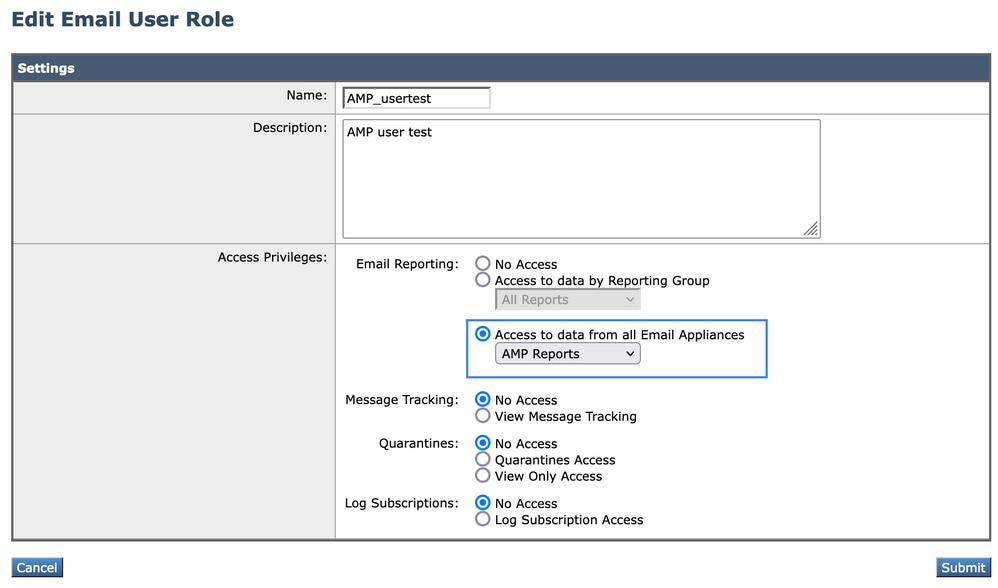
Create a new user role on Cisco Secure Email and Web Manager (SMA):
- Go to System Administration > User Roles.
- Click Add User Role.
- Name the User Role.
- Select AMP reports for the appliance group, or select all email appliances, based on the deployment.
- Submit and commit.
Assign the User Role to a User
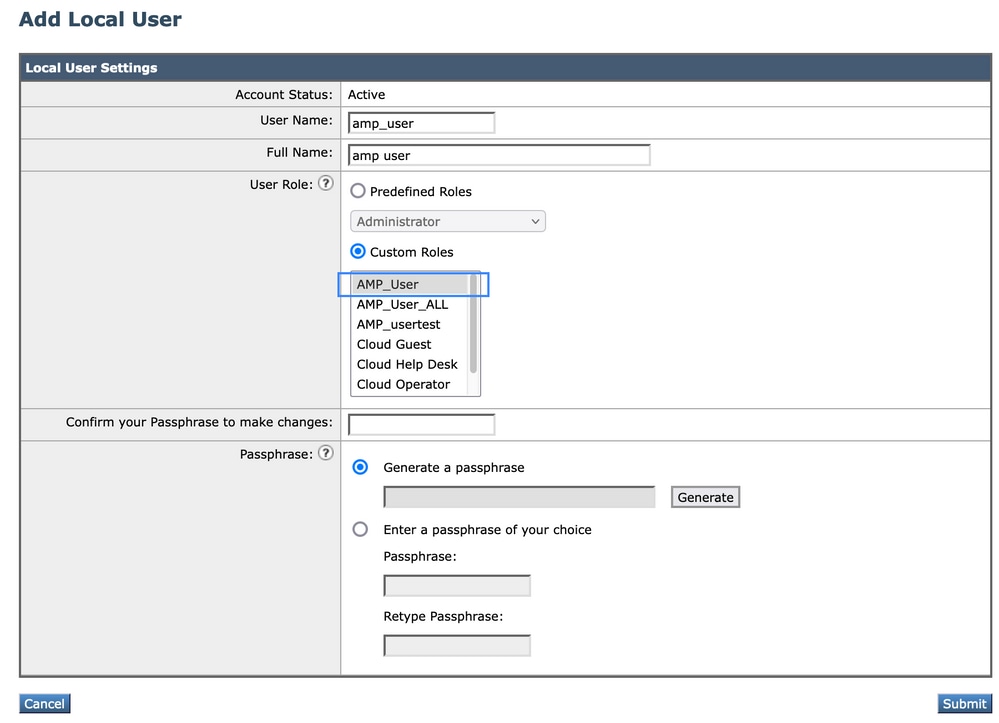
Create a new user and assign the user role created in the previous section.
- Go to System Administration > Users.
- Click on Add User.
- Name the user.
- Click Custom Roles and select the User Role created previously
- Submit and commit changes.
Verification
Confirm that the user can access only AMP configuration settings and the AMP reports allowed by the assigned role. ESA roles include AMP Configuration and related Email Reporting permissions. SMA roles apply to the selected appliance group or to all email appliances, depending on the selected scope.
Revision History
| Revision | Publish Date | Comments |
|---|---|---|
2.0 |
01-Jul-2026
|
Initial Release |
1.0 |
29-Sep-2022
|
Initial Release |

 Feedback
Contact Cisco
- Open a Support Case

- (Requires a Cisco Service Contract)