Configure Zero Trust Network Access with Trusted Network Detection
Available Languages
Contents
Introduction
This document describes the required steps to configure the Zero Trust Network Access Trusted Network Detection.
Prerequisites
- Secure Client minimum version 5.1.10
- Supported Platform - Windows and MacOS
- Trusted Platform Module TPM for Windows
- Secure Enclave coprocessor for Apple Devices
- Trusted Servers configured in any Trusted Network profile are implicitly excluded from ZTA interception. Those servers cannot also be accesses as ZTA private resources.
- TND configuration affect all enrolled clients in the org
- Admins can use the next steps to generate a 'Certificate Public Key Hash' for Trusted Servers
- Download the trusted servers public cert
- Run this shell command to
generate the hash.
openssl x509 -in <public_cert.pem> -pubkey -noout | openssl pkey -pubin -outform DER | openssl dgst –sha256Requirements
Cisco recommends that you have knowledge of these topics:
- Cisco Secure Access
- Enroll Devices in Zero Trust Access using Security Assertion Markup Language (SAML) or Certificate Based Authentication.
Components Used
- Secure Client Version 5.1.13
- Trusted Platform Module (TPM)
- Secure Access Tenant
- Windows Device
The information in this document was created from the devices in a specific lab environment. All of the devices used in this document started with a cleared (default) configuration. If your network is live, ensure that you understand the potential impact of any command.
Background Information
- TND enables administrators to configure Secure Client to temporarily pause ZTA traffic steering and enforcement on Trusted Networks.
- Secure Client resumes ZTA enforcement when the endpoint leaves the trusted network.
- This feature does not require any end-user interaction.
- ZTA TND configurations can be independently managed for private and internet ZTA destinations.
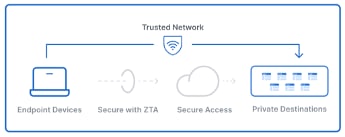
Key Benefits
- Improved network performance and reduced latency provide a smoother user experience.
- Local security enforcement in the trusted network offers flexible and optimized resource utilization.
- End users can leverage the benefits without any prompts or actions.
- Independent control of TND for Private access and Internet access provide admin flexibility to handle different operational and security concerns
Configure
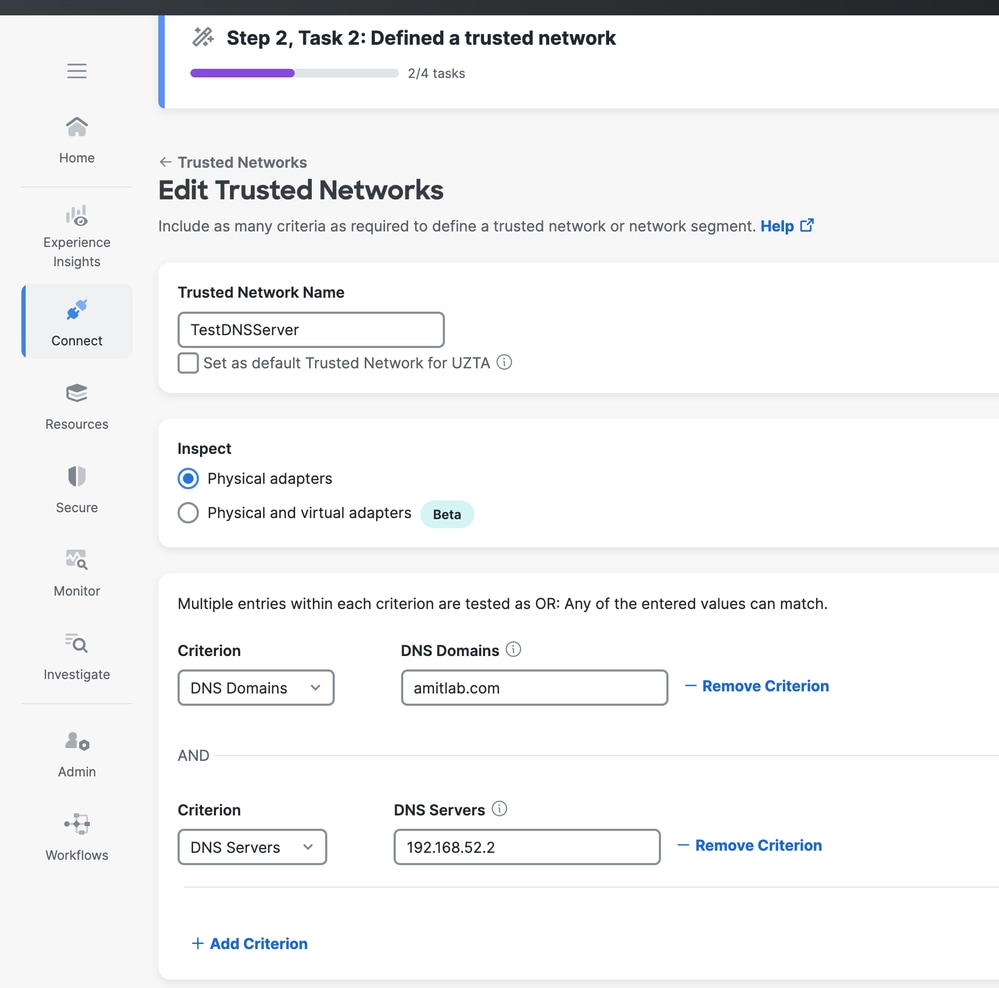
Step 1: Create Trusted Network Profile - DNS Server and Domain
Navigate to Secure Access Dashboard:
- Click
Connect>End User Connectivity>Manage Trusted Networks>+Add

Repeat the steps to add additional Trusted Network profiles.

Note: Multiple Options within the same Criteria is an OR operator. Different Criteria Defined is an AND operator.
Step 2: Enable TND for Private or Internet Access
- Navigate to
Connect>End User Connectivity. - Edit ZTA Profile.
- For either
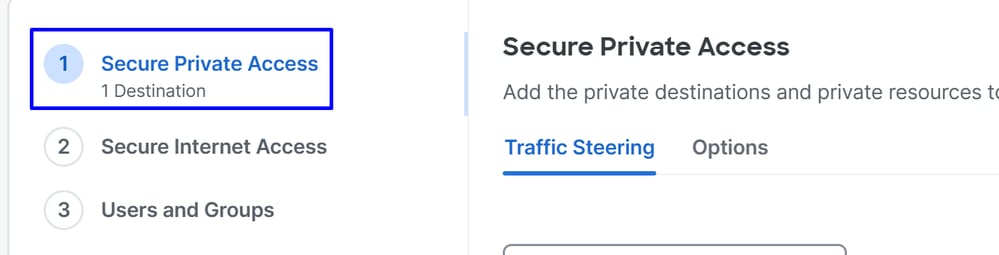
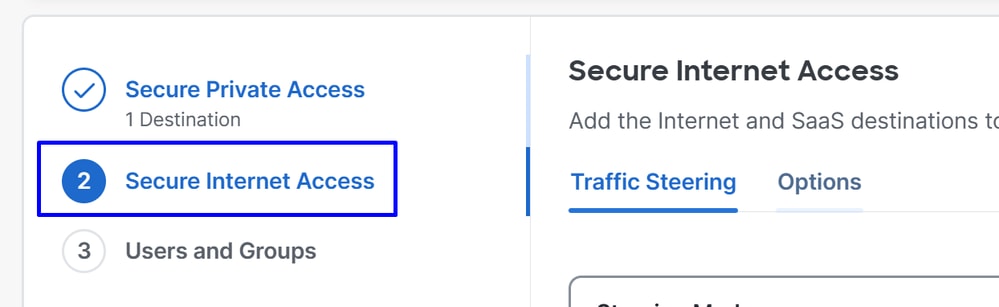
Secure Private DestinationsorSecure Internet Access.
Secure Private Access
Secure Internet Access
- Click
Options.- Click
Use trusted networks to secure private destinationsorUse trusted networks to secure internet destinationsdepends on the option chosen before. - Click
+ Trusted Network.
- Click
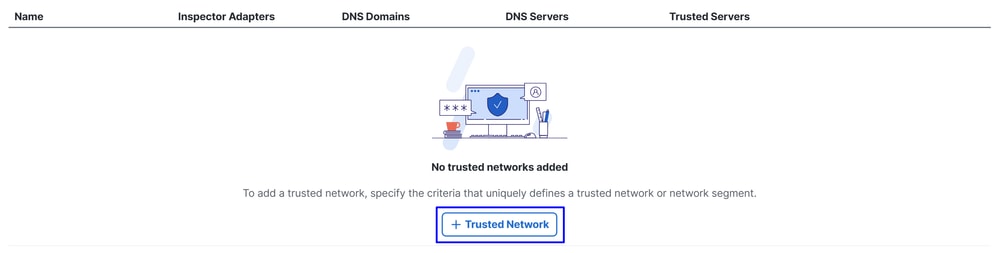
- Choose the Trusted Network profile(s) you have configured in the previous page and click
Save.
Secure Private Access

Secure Internet Access

- Assign the
Users/Groupsto ZTA Profile and clickClose.

Step 3: Client Side Configuration
1. Make sure you have right DNS Server defined under Ethernet Adaptor as you have chosen Physical Adaptor as a Criteria.
2. Make sure you have Connection Specific DNS Suffix defined.
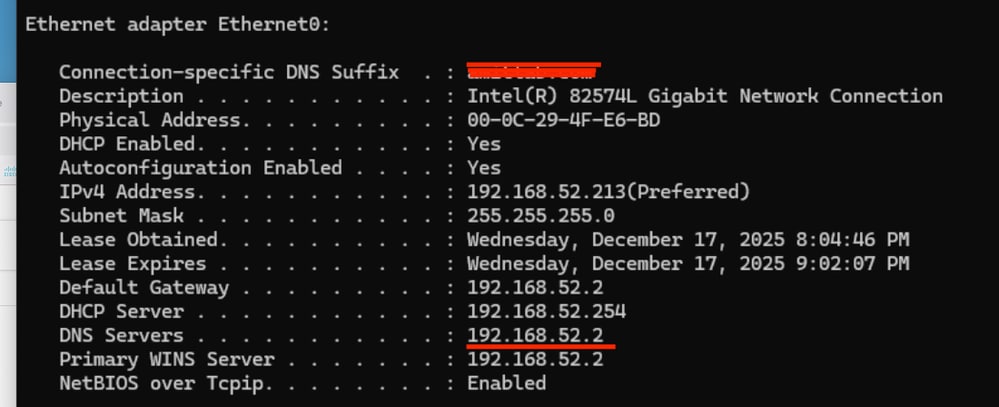
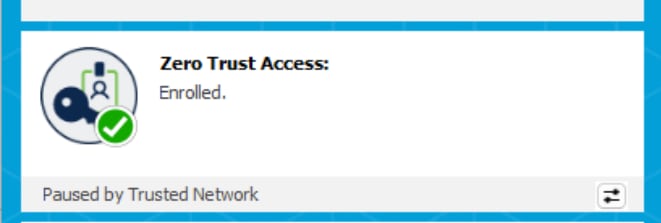
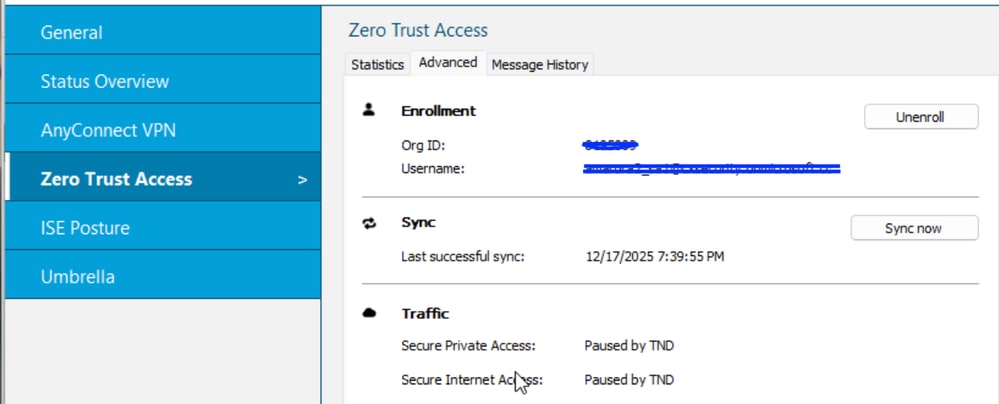
With the next ZTA config sync to Secure Client in a few minutes, the ZTA module automatically pauses when it detects it is on one of the configured Trusted Networks.
Verify
-
From Secure Client
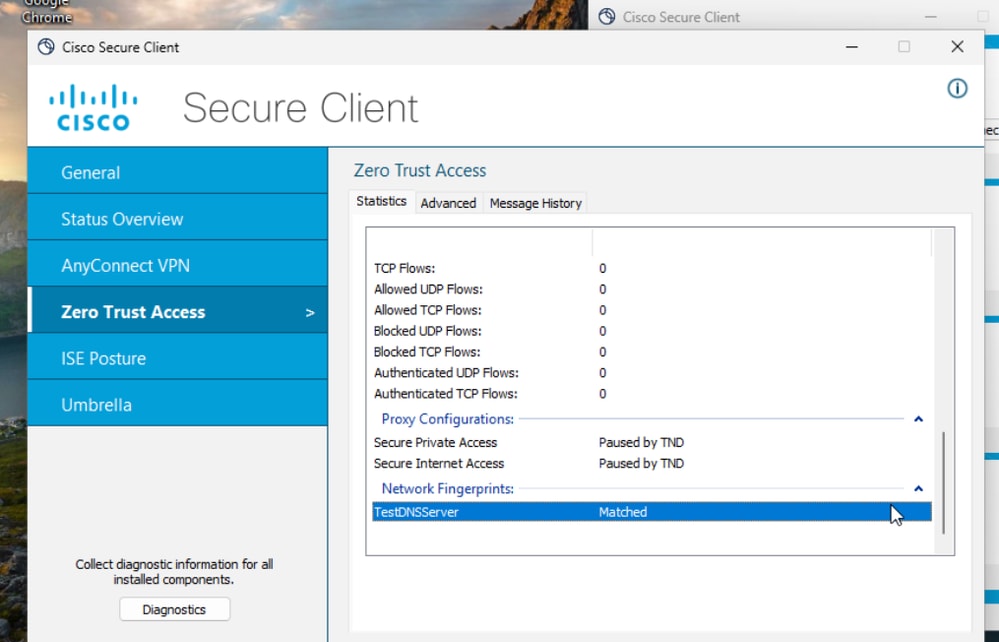
-
From DART Bundle - ZTA Logs
No TND rules configured.
2025-12-17 17:53:40.711938 csc_zta_agent[0x0000206c/config_enforcer, 0x0000343c] I/ ActiveSteeringPolicy.cpp:316 ActiveSteeringPolicy::collectProxyConfigPauseReasons() TND will connect ProxyConfig 'default_spa_config' (no rules)
2025-12-17 17:53:40.711938 csc_zta_agent[0x0000206c/config_enforcer, 0x0000343c] I/ ActiveSteeringPolicy.cpp:316 ActiveSteeringPolicy::collectProxyConfigPauseReasons() TND will connect ProxyConfig 'default_tia_config' (no rules)
Configured TND Rule - DNS Server - Client Received Config
25-12-17 20:33:15.987956 csc_zta_agent[0x00000f80, 0x00000ed4] W/ CaptivePortalDetectionService.cpp:308 CaptivePortalDetectionService::getProbeUrl() no last network snapshot, using first probe url
2025-12-17 20:33:15.992042 csc_zta_agent[0x00000f80, 0x00000ed4] I/ NetworkChangeService.cpp:144 NetworkChangeService::Start() Initial network snapshot:
Ethernet0: subnets=192.168.52.213/24 dns_servers=192.168.52.2 dns_domain=amitlab.com dns_suffixes=amitlab.com isPhysical=true default_gateways=192.168.52.2
captivePortalState=Unknown
conditional_actions":[{"action":"disconnect" tells TND is configured in the ZTA Profile.
2025-12-17 17:55:36.430233 csc_zta_agent[0x00000c90/config_service, 0x0000343c] I/ ConfigSync.cpp:309 ConfigSync::HandleRequestComplete() received new config:
{"ztnaConfig":{"global_settings":{"exclude_local_lan":true},"network_fingerprints":[{"id":"28f629ee-7618-44cd-852d-6ae1674e3cac","label":"TestDNSServer","match_dns_domains":["amitlab.com"],"match_dns_servers":
["192.168.52.2"],"retry_interval":300}],"proxy_configs":[{"conditional_actions":[{"action":"disconnect","check_type":"on_network","match_network_fingerprints":["28f629ee-7618-44cd-852d-6ae1674e3cac"]},{"action":"connect"}],"id":"default_spa_config","label":"Secure Private Access","match_resource_configs":["spa_steering_config"],"proxy_server":"spa_proxy_server"},{"conditional_actions":[{"action":"disconnect","check_type":"on_network","match_network_fingerprints":["28f629ee-7618-44cd-852d-6ae1674e3cac"]},{"action":"connect"}],"id":
2025-12-17 17:55:36.472435 csc_zta_agent[0x000039a8/main, 0x0000343c] I/ NetworkFingerprintService.cpp:196 NetworkFingerprintService::handleStatusUpdate() broadcasting network fingerprint status: Fingerprint: 28f629ee-7618-44cd-852d-6ae1674e3cac Interfaces: Ethernet0
TND Disconnect on a DNS Condition
2025-12-17 17:55:36.729130 csc_zta_agent[0x0000206c/config_enforcer, 0x0000343c] I/ ActiveSteeringPolicy.cpp:378 ActiveSteeringPolicy::UpdateActiveProxyConfigs() updating active proxy configuration
2025-12-17 17:55:36.731286 csc_zta_agent[0x000039a8/main, 0x0000343c] I/ ZtnaTransportManager.cpp:1251 ZtnaTransportManager::closeObsoleteAppFlows() force closing app flow due to obsolete ProxyConfig enrollmentId=7b35249c-64e1-4f55-b12b-58875a806969 proxyConfigId=default_tia_config TCP destination [safebrowsing.googleapis.com]:443 srcPort=61049 realDestIpAddr=172.253.122.95 process=<chrome.exe|PID 11904|user amit\amita> parentProcess=<chrome.exe|PID 5220|user amit\amita> matchRuleType=DNS
Related Information
Revision History
| Revision | Publish Date | Comments |
|---|---|---|
2.0 |
30-Mar-2026
|
Added Alt Text.
Updated Style Requirements, and Formatting. |
1.0 |
29-Dec-2025
|
Initial Release |

 Feedback
Contact Cisco
- Open a Support Case

- (Requires a Cisco Service Contract)