Troubleshooting "5440 Endpoint Abandoned EAP Session And Started New" Due to Supplicant Timeout or Misconfiguration
Available Languages
Contents
Issue
The ISE sends a RADIUS Access-Challenge to the endpoint. Instead of responding to the Access-Challenge, the endpoint repeatedly restarts the authentication process. The endpoint authentication with Cisco Identity Services Engine (ISE) finally fails with error.
"5440 – Endpoint abandoned EAP session and started new"
Environment
Cisco ISE
802.1X authentication
Wired or wireless network
Extensible Authentication Protocol (EAP)-based authentication
Endpoint supplicant
Resolution
Use these steps to troubleshoot:
Check the ISE authentication details
Navigate to Operations > RADIUS > Live Logs.
Open the failed authentication.
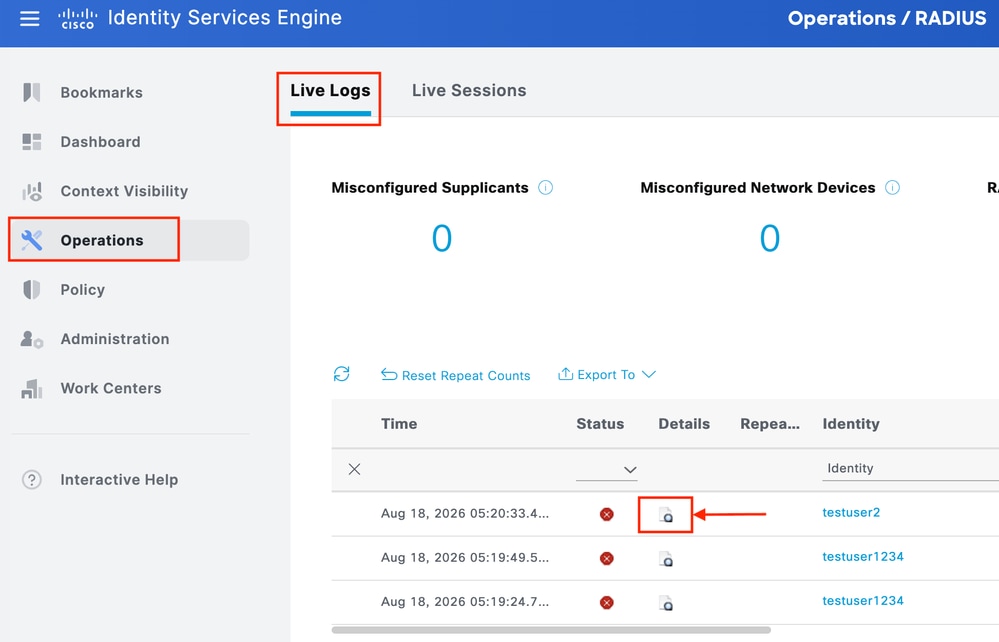
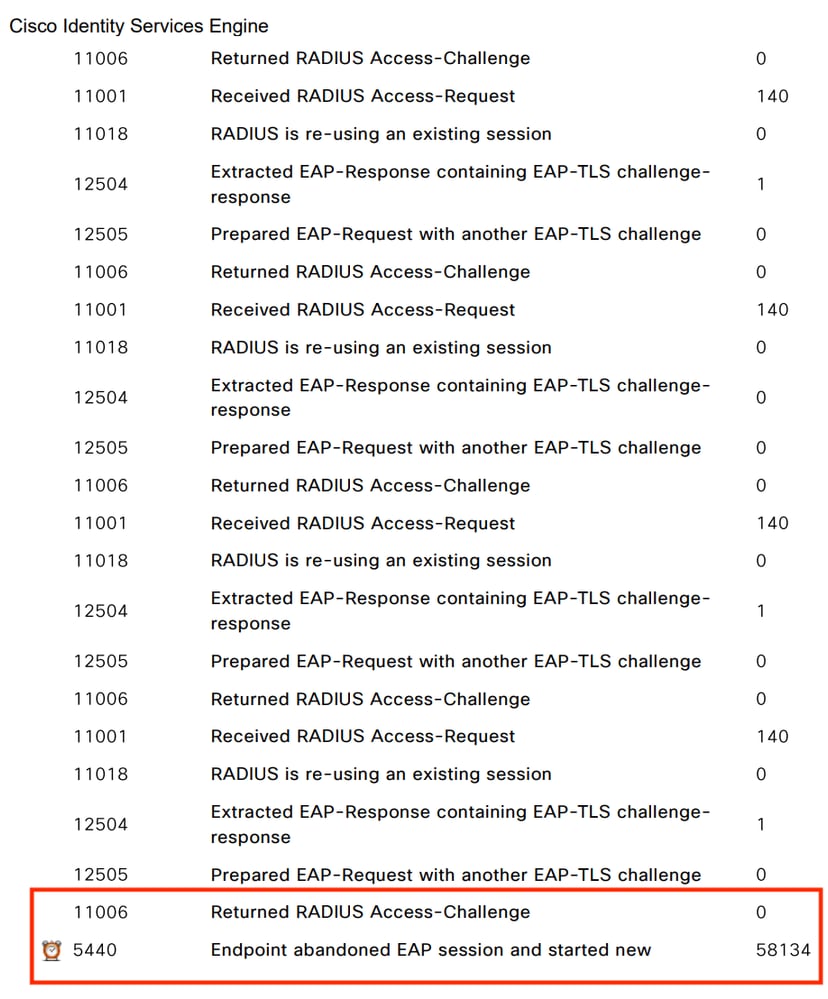
Verify that ISE sends an “Access-Challenge”.
Confirm that the endpoint sends a new “Access-Request” instead of responding to the challenge.
Note the time between the Access-Challenge and the new Access-Request.
In this image, we can see ISE sending “Access-Challenge” but ISE didn’t receive any response.
Verify the endpoint supplicant configuration
Confirm that the correct EAP method is configured.
Verify the authentication mode, such as Machine, User, or Machine + User authentication.
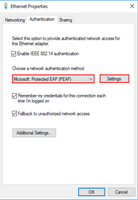
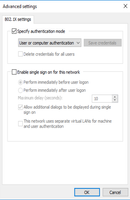
Check the supplicant timeout and retry settings.
Verify that the endpoint uses the expected 802.1X profile.
Compare the configuration with a working endpoint.
Check the endpoint logs
Review the operating system and supplicant authentication logs.
Check whether the supplicant receives the EAP request.
Identify any timeout, authentication restart, or EAP-related errors.
If Cisco Secure Client is used, collect a DART bundle for further analysis.
Check the network path
Take Simultaneous packet captures on Endpoint (Wireshark) , NAD (SPAN capture) and ISE (TCPDump)
Verify that EAPOL traffic reaches the NAD.
Verify that RADIUS responses from ISE reach the NAD.
Check for packet loss or delay between the endpoint, NAD, and ISE.
Use a packet capture when the endpoint logs do not identify the reason for the restart.
Compare with a working endpoint
Use the same NAD, ISE PSN, and authentication policy where possible.
Compare the EAP method, supplicant configuration, timeout values, and authentication sequence.
If only specific endpoints fail, focus the investigation on the endpoint configuration or supplicant.
To validate if the issue is resolved, perform a new authentication and verify that the endpoint responds to the ISE Access-Challenge and completes authentication successfully without generating 5440.
Cause
The endpoint supplicant does not complete the EAP authentication within the configured timeout or uses an incorrect 802.1X configuration. A short supplicant timeout, incorrect EAP settings, or a supplicant issue can cause the endpoint to restart authentication before the previous session completes.
Related Content
Revision History
| Revision | Publish Date | Comments |
|---|---|---|
1.0 |
19-Aug-2026
|
Initial Release |

 Feedback
Contact Cisco
- Open a Support Case

- (Requires a Cisco Service Contract)