Introduction
This document describes how to enable alarm notifications from Cisco SDWAN-Manager to be sent via webhook to Cisco Webex Teams channel.
Prerequisites
Requirements
Create webhook URL endpoint
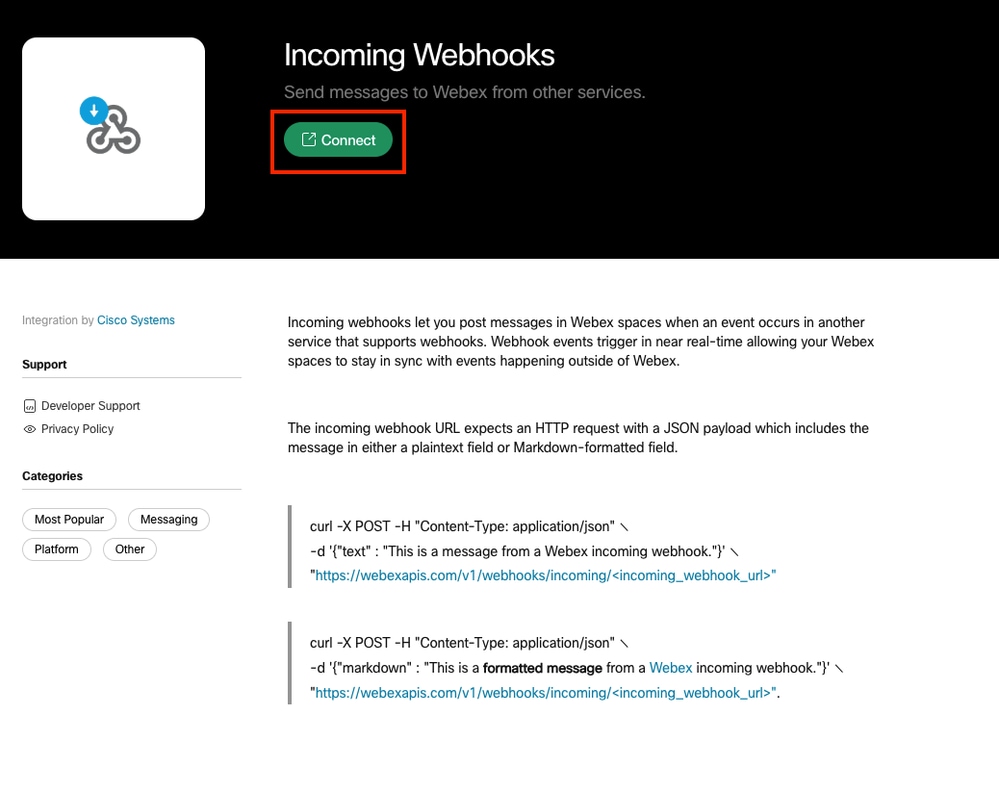
Create the incoming webhook for Cisco Webex from https://apphub.webex.com in order to configure Cisco SDWAN-Manager alarm notifications to be sent to Cisco Webex Teams channel.
1: Click on the Connect.
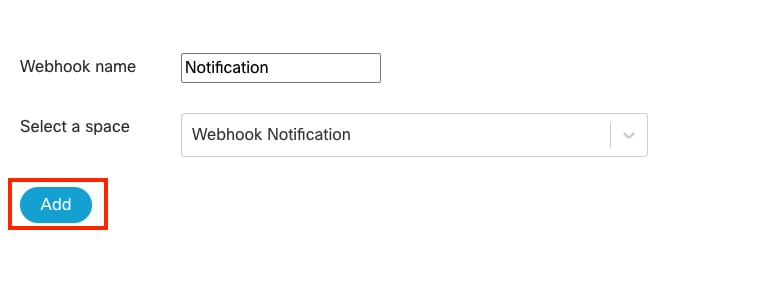
2: Create a Webhook name and a new space ( ex: Webhook Notification) in Webex. Then, select the Webhook Notification space from the drop-down menu and click ADD.
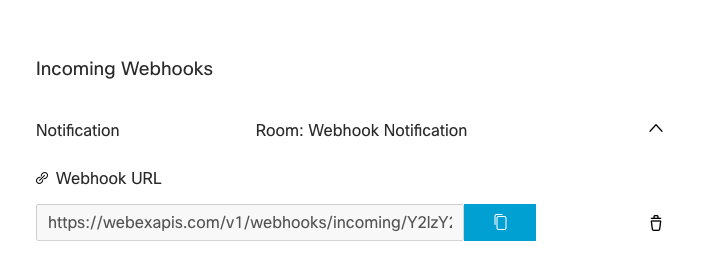
3: Webhook URL endpoint is created.
Components Used
This document is based on these software and hardware versions.
- Cisco Catalyst SD-WAN Manager version 20.15.3.1
Configure
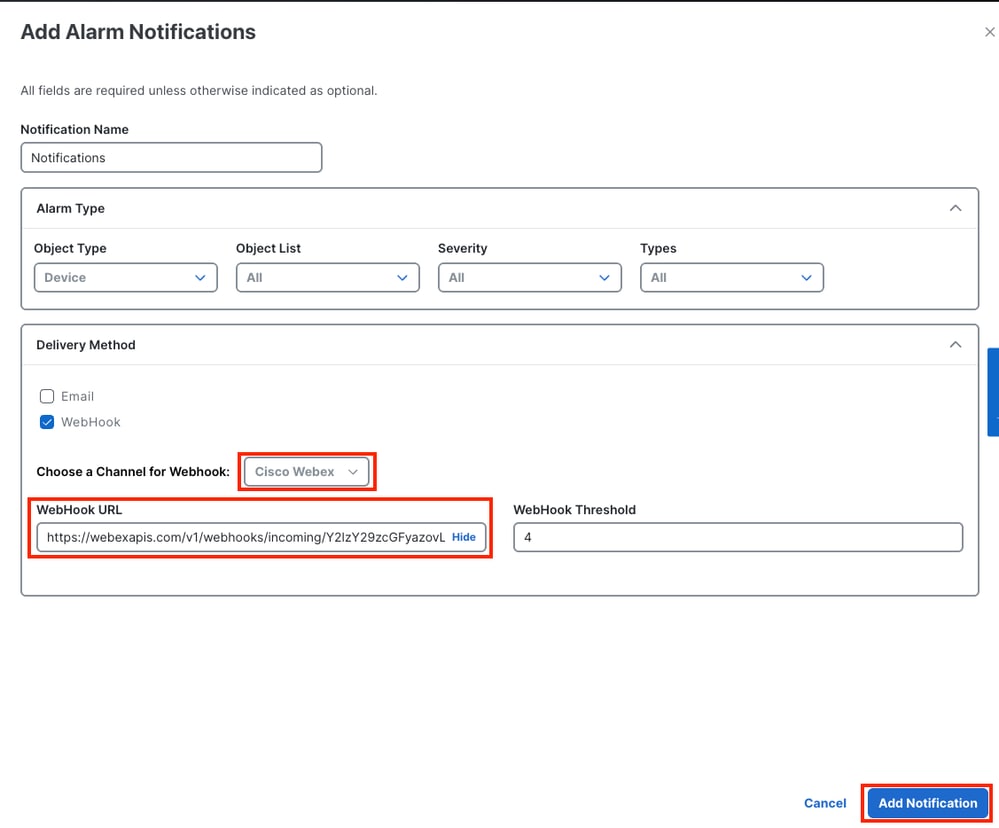
1. On the Cisco SD-WAN Manager menu. Navigate to Monitor > Logs > Alarms > Alarm Notifications > Add Alarm Notifications.

- Notification: Created the name for Notification.
- Alarm Type:
- Object Type: Select Devices.
- Object List : select ALL or individual devices.
- Severity: All.
- Types: All or Select which are needed.
- Delivery Method:
- Choose a Channel for Webhook :
- From drop down menu, select Cisco Webex.
- WebHook URL: Copy URL from Incoming Webhooks APP.
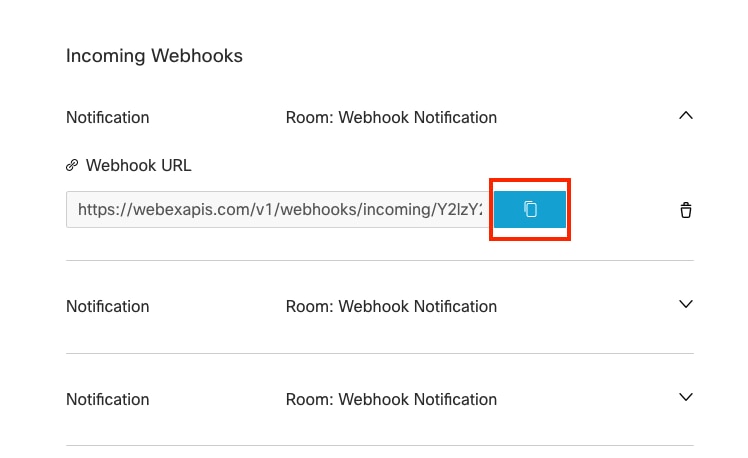
- Webhook Threshold: 4
- Click Add Notifications when you are finished.
Verify
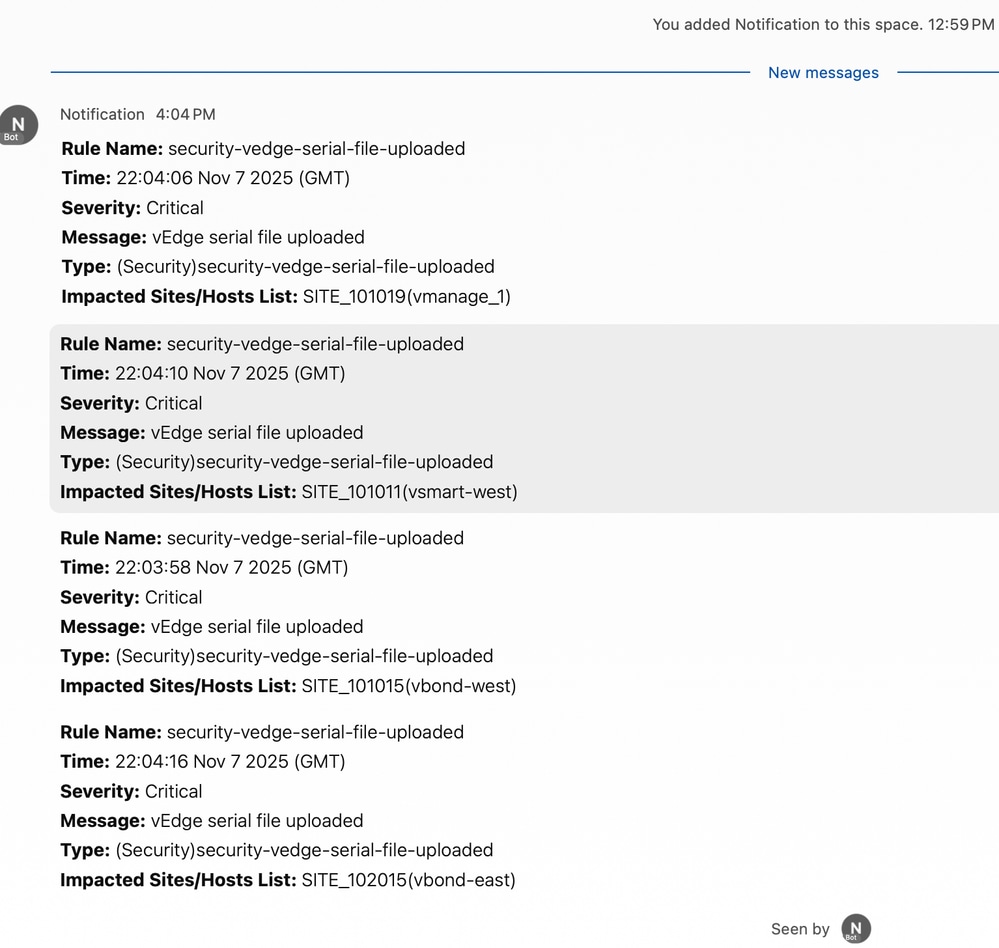
- Verify that the alarm notification is forwarded to the Cisco Webex Teams channel (Channel name: "Webhook Notification").
Troubleshoot
If there is any issue with the webhook integration, check the logs. Log in to the Cisco SDWAN-Manager shell, go to cd /var/log/nms directory and check the vmanage-server.log file.
Working Example :
- If you recieve a 204 status code, this means webhook was successfully delivered and processed.
vmanage_1# vsh
vmanage_1:~$ cd /var/log/nms
vmanage_1:/var/log/nms$ tail -f  vmanage-server.log | grep webhook
[] [vmanage_1] [NotificationsConsumer] (pool-53-thread-9) || Response status code after sending webhook: 204
[] [vmanage_1] [NotificationsConsumer] (pool-53-thread-11) || Response status code after sending webhook: 204
[] [vmanage_1] [NotificationsConsumer] (pool-53-thread-10) || Response status code after sending webhook: 204
[] [vmanage_1] [NotificationsConsumer] (pool-53-thread-12) || Response status code after sending webhook: 204
Not Working Example:
- If you receive a 404 response code, this means the endpoint URL is not correct.
vmanage_1:/var/log/nms$ tail -f  vmanage-server.log | grep webhook
[] [vmanage_1] [NotificationsConsumer] (pool-53-thread-13) || Response status code after sending webhook: 404
[] [vmanage_1] [NotificationsConsumer] (pool-53-thread-14) || Response status code after sending webhook: 404
[] [vmanage_1] [NotificationsConsumer] (pool-53-thread-15) || Response status code after sending webhook: 404
[] [vmanage_1] [NotificationsConsumer] (pool-53-thread-1) || Response status code after sending webhook: 404
Related Information
Technical Support & Documentation - Cisco Systems

 Feedback