Splunkd daemon is not responding: ('Error connecting to /servicesNS/..../feature_flagging/features: The read operation timed out',)
Available Languages
Applicability
Splunk IT Service Intelligence (ITSI)Description
Users can log in to Splunk, and when navigating to the ITSI app, they encounter a 500 internal server error. This issue is observed within the Splunk Search Head Clustering Architecture.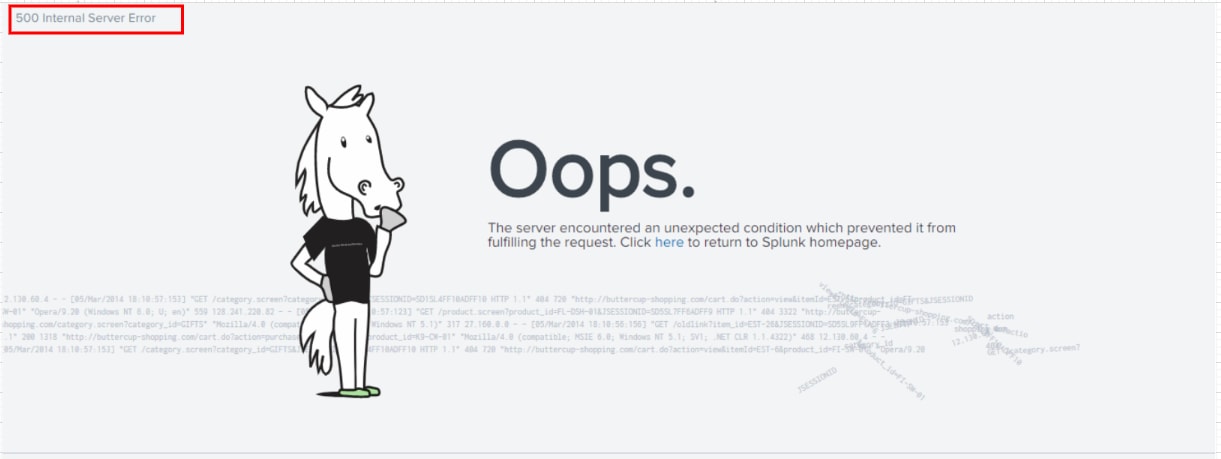
The following error (Traceback) has been identified in the Splunk internal logs using the provided SPL.
index=_internal sourcetype=*web_services.log* ERROR
Error Message:
2023-12-05 11:22:01,187 ERROR [656ea54ab57f3f3820e510] __init__:361 - Mako failed to render:
Traceback (most recent call last):
File "/data/splunk/lib/python3.7/site-packages/splunk/appserver/mrsparkle/controllers/__init__.py", line 357, in render_template
return templateInstance.render(**template_args)
File "/data/splunk/lib/python3.7/site-packages/mako/template.py", line 476, in render
return runtime._render(self, self.callable_, args, data)
File "/data/splunk/lib/python3.7/site-packages/mako/runtime.py", line 883, in _render
**_kwargs_for_callable(callable_, data)
File "/data/splunk/lib/python3.7/site-packages/mako/runtime.py", line 920, in _render_context
_exec_template(inherit, lclcontext, args=args, kwargs=kwargs)
File "/data/splunk/lib/python3.7/site-packages/mako/runtime.py", line 947, in _exec_template
callable_(context, *args, **kwargs)
File "/data/splunk/etc/apps/itsi/appserver/templates/base.html", line 23, in render_body
should_redirect_to_license_upgrade = feature_compare.should_render_license_upgrade_page(cherrypy.session.get('sessionKey'), cherrypy.request.path_info)
File "/data/splunk/etc/apps/SA-ITOA/lib/itsi/itsi_feature_compare.py", line 32, in should_render_license_upgrade_page
getargs={'output_mode': 'json'}
File "/data/splunk/lib/python3.7/site-packages/splunk/rest/__init__.py", line 523, in simpleRequest
raise splunk.SplunkdConnectionException('Error connecting to %s: %s' % (path, str(e)))
SplunkdConnectionException: Splunkd daemon is not responding: ('Error connecting to /servicesNS/nobody/SA-ITOA/feature_flagging/features: The read operation timed out',)
Investigation
The problem occurred because splunkd was experiencing timeouts.
Specifically, the default value of 30 seconds for splunkdConnectionTimeout in web.conf was being reached.
splunkdConnectionTimeout = <integer>
* The amount of time, in seconds, to wait before timing out when communicating with splunkd.
* Must be at least 30.
* Values smaller than 30 will be ignored, resulting in the use of the default value
* Default: 30
Resolution
Update the [settings] stanzas as follows:
$SPLUNK_HOME/etc/apps/sa-itoa/local/web.conf
[settings]
splunkdConnectionTimeout = 300
After completing the configuration change, please restart the Splunk service.
Related Links
Splunk web.conf
Revision History
| Revision | Publish Date | Comments |
|---|---|---|
1.0 |
30-Sep-2026
|
Initial Release |
 Feedback