SSH DH key constraint error in Splunk DB Connect for MS SQL Server
Available Languages
Applicability
Splunk Apps & Add-ons Splunk DB ConnectDescription
This article covers the SSH Diffie-Hellman (DH) Server Key Exchange constraint error encountered in Splunk DB Connect when connecting to Microsoft SQL Server. It provides an overview of the issue observed during database connectivity and highlights the scenarios in which the error may appear while establishing or testing connections.
Investigation
- Navigate to the Splunk DB connect.
- Click on the Configuration > Connections > Connection Name
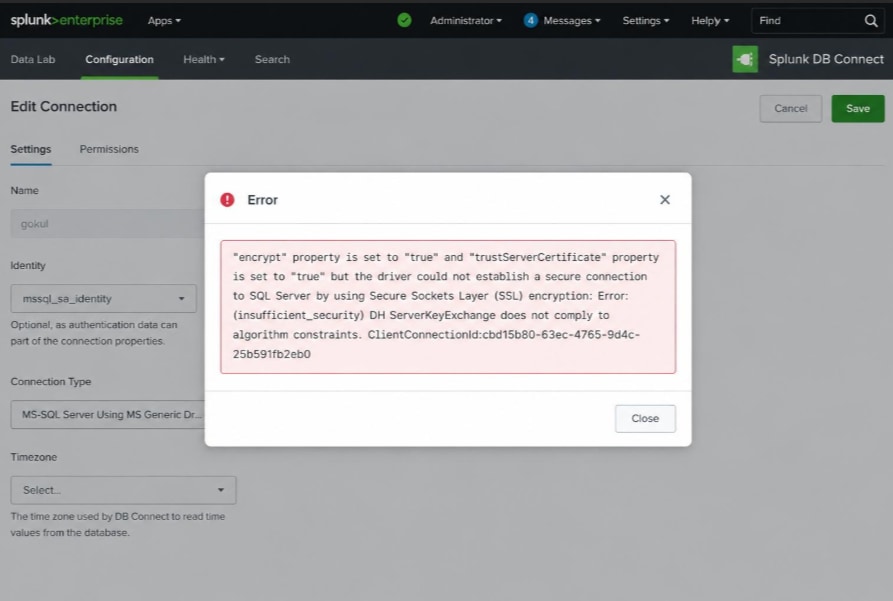
- Save the Connection and while saving the connection for the MS SQL Server using MS Generic with Windows Authentication driver in the Splunk DB Connect , the following error occurs in the Splunk UI ,
Resolution
To resolve this isssue, follow the below steps :
1. Review the java.conf file & java.security as this is caused by the java (8 or 11) security setting of the on-prem runtime server (Redhat Operating System) where the setting of DH key size is not configured to support 1024 bits.
2. Check "java.security" in the $JAVA_HOME/conf/security/java/ for DH key size to see if it's configured as below.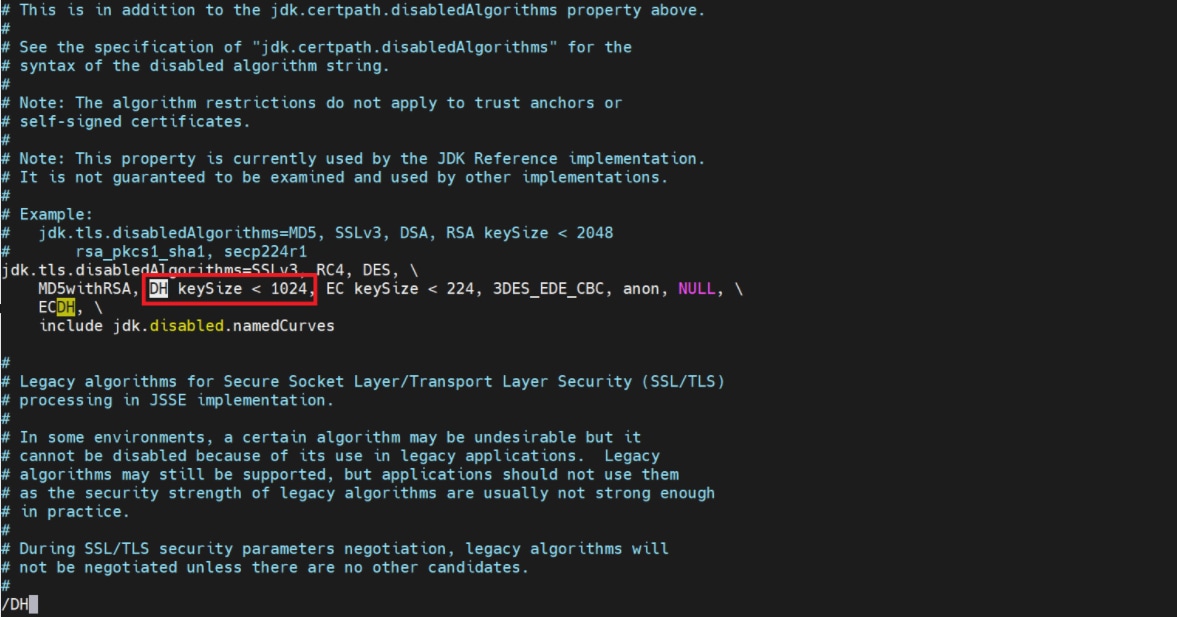
3. If yes, then check "security.useSystemPropertiesFile" is set to true in the same file above.
4. If the answer for step 3 is yes, navigate to "/etc/crypto-policies/back-ends/java.conf" and replace "jdk.tls.disabledAlgorithms=DH Keysize < 2048" with "jdk.tls.disabledAlgorithms=DH Keysize < 1024.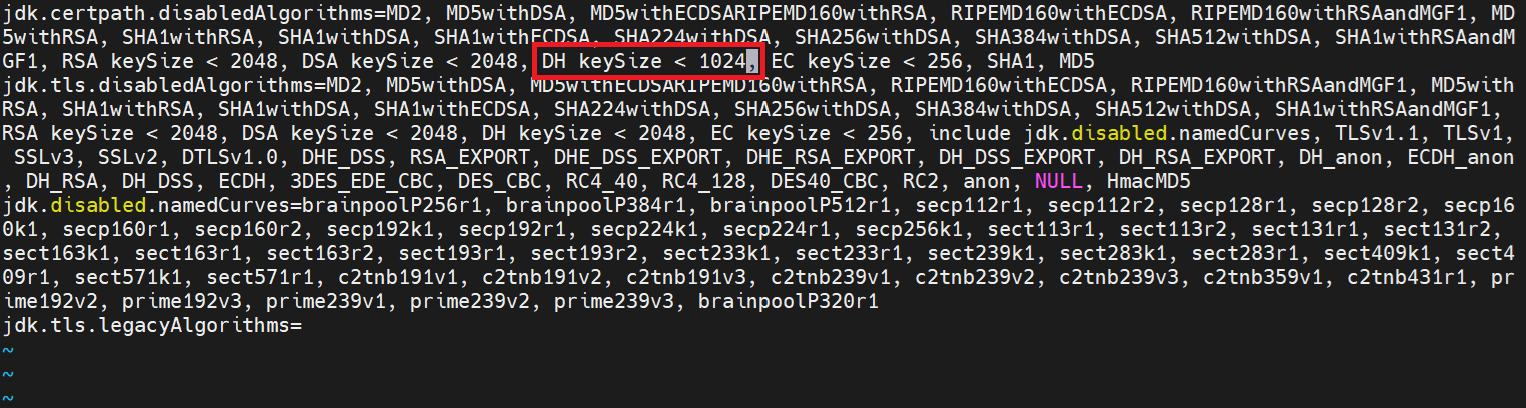
5. Then reboot the server to make the changes in effect and it will resolve the DH ServerKeyExchange does not comply to algorithm constraint.
6. Note that according to the SQL Server configuration, temporarily updated Java’s security settings to allow the DH/key or certificate, but the proper fix is to strengthen SQL Server TLS and certificates.
Related Links
Reference : SSH DH key constraint error in Splunk DB Connect for MS SQL Server
Revision History
| Revision | Publish Date | Comments |
|---|---|---|
1.0 |
01-Oct-2026
|
Initial Release |
 Feedback
Contact Cisco
- Open a Support Case

- (Requires a Cisco Service Contract)
Related Articles
- "DB server closed connection" Error while using MS-SQL Server Using jTDS Driver With Windows Authentication driver in Splunk DB Connect v3.16.0.
- Splunk DB Connect: Task server error after upgrading the DB Connect.
- Splunk DB Connect 3.15.0 Prod Error: "Certificates Do Not Conform to Algorithm Constraints"
- ERROR: "The driver could not establish a secure connection to SQL Server by using Secure Sockets Layer (SSL) encryption. Error: 'unexpected rethrowing'" while saving a connection in Splunk DB Connect.