Splunk Default $SPLUNK_HOME/etc/auth/server.pem Certificate has been renewed but the Splunk Web UI is still Showing an Expired Certificate
Available Languages
Applicability
Splunk EnterpriseDescription
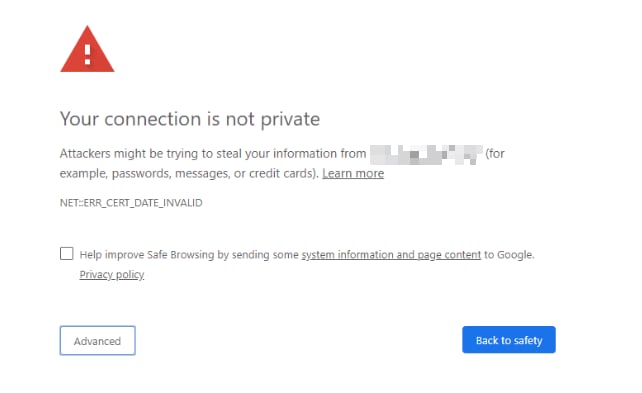
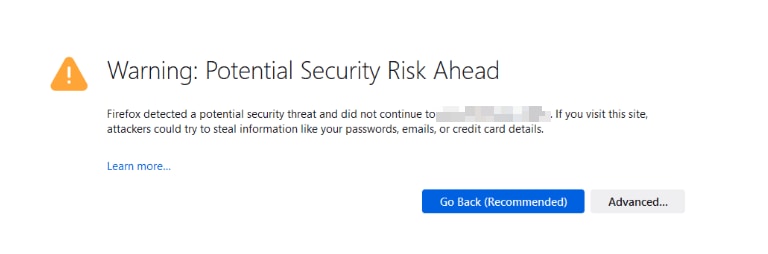
When browsing to your Splunk Web Interface you are prompted with a Certificate warning.
For example
Chrome: NET::ERR_CERT_DATE_INVALID
Firefox: SEC_ERROR_EXPIRED_CERTIFICATE
Investigation
To confirm the location of the Splunk web server certificate run the following command from the $SPLUNK_HOME/bin directory in the CLI:
Linux
./splunk btool web list settings | grep serverCertWindows:
splunk btool web list settings | findstr serverCertThe default location is $SPLUNK_HOME/etc/auth/splunkweb/cert.pem
To check the certificate expiry you can use the following command, updating the certificate path based on the output of the btool command above
$SPLUNK_HOME/bin/splunk cmd openssl x509 -enddate -noout -in $SPLUNK_HOME/etc/auth/splunkweb/cert.pemThis will return the End date of the certificate (notAfter) for example:
splunker@so1:/opt/splunk/bin$ ./splunk cmd openssl x509 -enddate -noout -in ../etc/auth/splunkweb/cert.pem
notAfter=Oct 24 01:34:48 2023 GMT
The above certificate expired on the 24th of October 2023.
Resolution
To renew the default Web Certificate:
1. Rename the certificate file $SPLUNK_HOME/etc/auth/splunkweb/cert.pem and Private Key file $SPLUNK_HOME/etc/auth/splunkweb/privkey.pem
2. Generate a new certificate by running the following command
$SPLUNK_HOME/bin/splunk createssl web-cert 30723. Check and confirm a new Certificate has been created with a new expiry using the command
$SPLUNK_HOME/bin/splunk cmd openssl x509 -enddate -noout -in $SPLUNK_HOME/etc/auth/splunkweb/cert.pemThe output will show the notAfter date to be 3 years in the future
4. Restart Splunk
$SPLUNK_HOME/bin/splunk restart5. Clear your browser cache and browse to the Splunk Web UI to confirm you no longer receive the NET::ERR_CERT_DATE_INVALID or SEC_ERROR_EXPIRED_CERTIFICATE error. Please note that as the default certificate is self-signed you may need to accept the new certificate in your browser.
If you are using a custom or third-party Certifcate please follow your company policy to renew the certificate as required. Further information can be found in the Splunk Docs
How to obtain certificates from a third-party for Splunk Web
How to create and sign your own TLS certificates
Related Links
How to obtain certificates from a third-party for Splunk Web
How to create and sign your own TLS certificates
Revision History
| Revision | Publish Date | Comments |
|---|---|---|
1.0 |
30-Sep-2026
|
Initial Release |
 Feedback
Contact Cisco
- Open a Support Case

- (Requires a Cisco Service Contract)