SOAR - the configured Event Forwarding is not shown in Splunk App for SOAR Export (SASE) UI
Available Languages
Applicability
Splunk SOAR Splunk Enterprise Splunk App for SOAR Export Splunk Apps and Add-OnsDescription
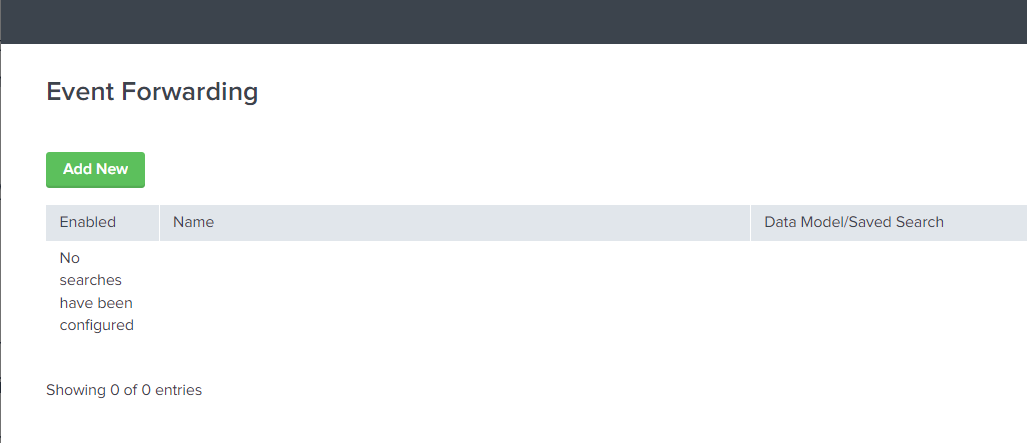
The Event Forwarding page in SASE GUI shows "No searches have been configured". However the configured events are still working in background and forwarding to the SOAR instance.
Investigation
Run this Splunk query to check if there is any error or no result being generated:
| rest /servicesNS/nobody/phantom/configs/conf-phantom | search eai:acl.app=phantom | search NOT title IN (accepted, artifact_ar, enable_logging, field_mapping, phantom, phantom_ar, playbooks_ar, verify_certs, version, workbooks, playbooks, severities, severities_ar) | fields title, value
An example of output with no result being generated with error:
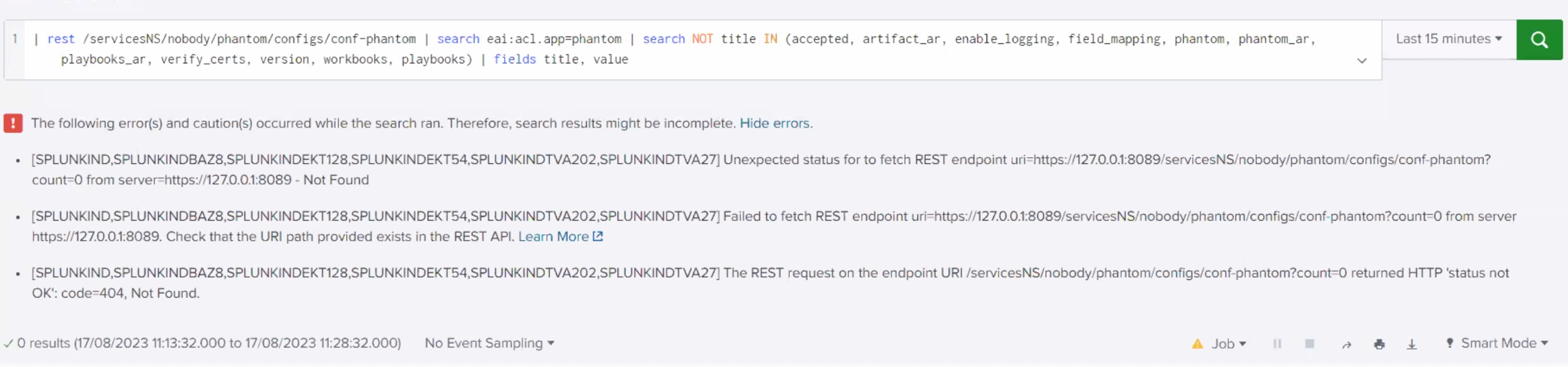
Next, run the updated query by adding "splunk_server=local" to see if it resolves the above error and returns the result. If this is the case, move to the Resolution section.
| rest /servicesNS/nobody/phantom/configs/conf-phantom splunk_server=local | search eai:acl.app=phantom | search NOT title IN (accepted, artifact_ar, enable_logging, field_mapping, phantom, phantom_ar, playbooks_ar, verify_certs, version, workbooks, playbooks, severities, severities_ar) | fields title, value
Resolution
If the updated query works, then apply it to the file $SPLUNK_HOME/appserver/static/pages/forwarding.js
-
-
Open that file with any editor, search for that query (searching for first part should be enough, there is only one query in that file). It should be around line 4412, character 52856.
-
Then append to
| rest /servicesNS/nobody/phantom/configs/conf-phantom, stringsplunk_server=localto match updated query. Save the file.
-
As this is static file, reloading webpage with clearing cache should be enough.
Revision History
| Revision | Publish Date | Comments |
|---|---|---|
1.0 |
30-Sep-2026
|
Initial Release |
 Feedback
Contact Cisco
- Open a Support Case

- (Requires a Cisco Service Contract)