Backup KV Store collection
Available Languages
Applicability
Splunk Enterprise Search Head ClusterDescription
Backup of a single KV Store collection from one Search Head cluster and restore it to another Search Head Cluster without overwriting the KV-store data in the destination Search Head Cluster
Investigation
Investigated and performed the steps mentioned below to back up the KV Store from one search head cluster and restore the KV Store in the other search head cluster -
I. Backup the KV Store collection from source Search Head Cluster :-
./splunk backup kvstore [-pointInTime <true|false>] [-cancel <true|false>] [-parallelCollections <num>] [-archiveName <archive>] 1. Restore the KV store data with the splunk restore kvstore command.
2. Add the following arguments to specify the name of the backup archive file, or specific collections or apps to restore instead of the entire KV store:
./splunk restore kvstore [-archiveName <archive>] [-collectionName <collection>] [-appName <app>]3. Verify that the restore process is completed by running the splunk show kvstore-status command
II. Restore the KV store data to a new Search Head Cluster :-
1. Back up the KV store data from the same search head in the current search head cluster from where the backup was taken.
2. On that search head that will be in the new search head cluster environment, create the KV store collection using the same collection name as the KV store data used to restore.
3. Initialize the search head cluster with replication_factor=1
4. Restore the KV store data to the new search head by using the splunk restore kvstore command.
5. Run the following command from the CLI:
splunk clean kvstore --cluster6. Start the Splunk instance and bootstrap with the new search head.
7. After the KV store has been restored onto the new search head, add the other new search head cluster members.
8. After completing, change the replication_factor on each search head to the desired replication factor number.
9. Perform a rolling restart of the deployment.
Document used for reference -Back up and restore KV store
-But, observed that restoring the KV store data from the source SHC to Destination SHC will overwrite any KV store data in the Destination SHC.
Resolution
Follow the below steps to restore the KV store collection from source SHC to destination SHC without overwriting the KV store data in the destination SHC.
1. Run the below SPL search query and export the results to the CSV format -
| inputlookup <collection name>
2. Login into second search head cluster. Go to Settings -> Lookups -> Lookup table files -> Add New
3. Upload the lookup file that was exported from the previous search head cluster and provide the "Destination filename" to give the name for the CSV lookup file and save it.
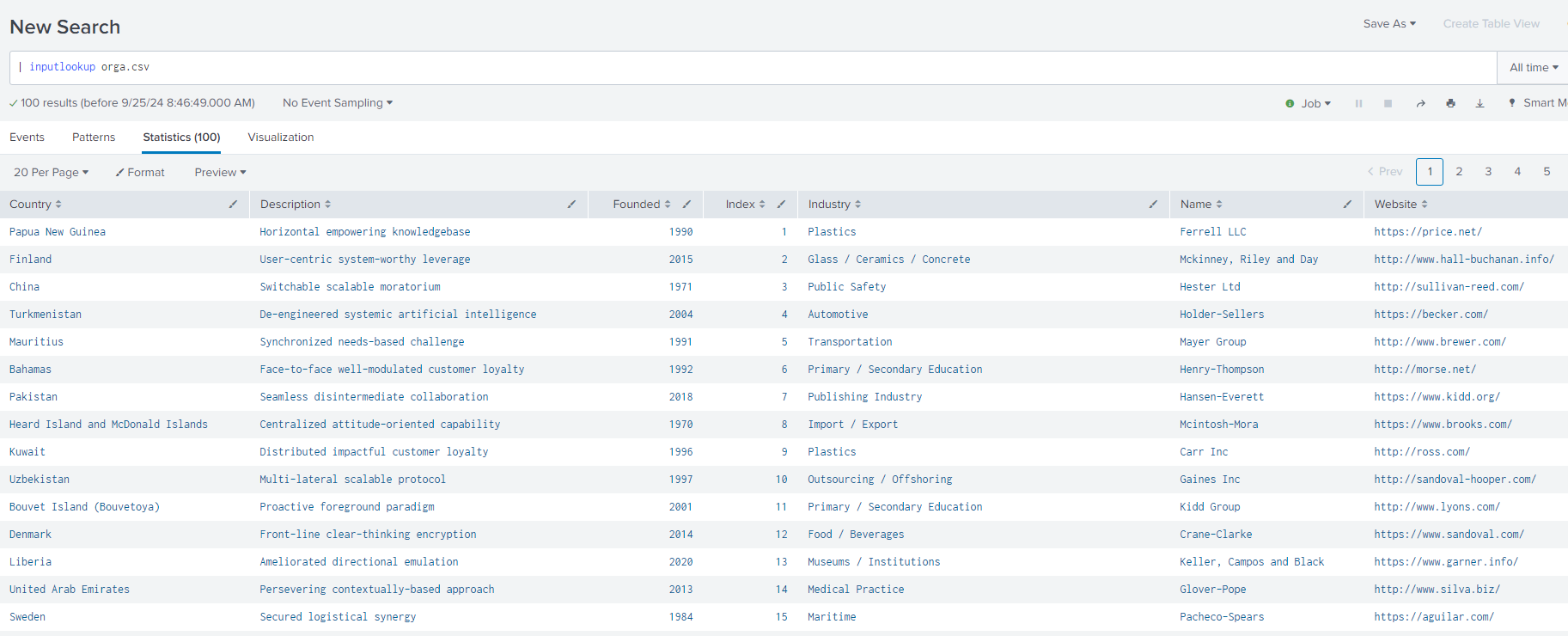
4. Run the below command to check the data for the csv lookup file -
| inputlookup <lookup name>
-In this example mentioned below, orga.csv is the lookup file which is being taken into consideration -
5. Create a collections.conf and transforms.conf file in the destination search head cluster with the same name for the KV Store from the source SHC.
6. Run the below command to transfer the data from the CSV lookup file to KV store lookup file -
| inputlookup <lookupname > append=true | outputlookup <collection name>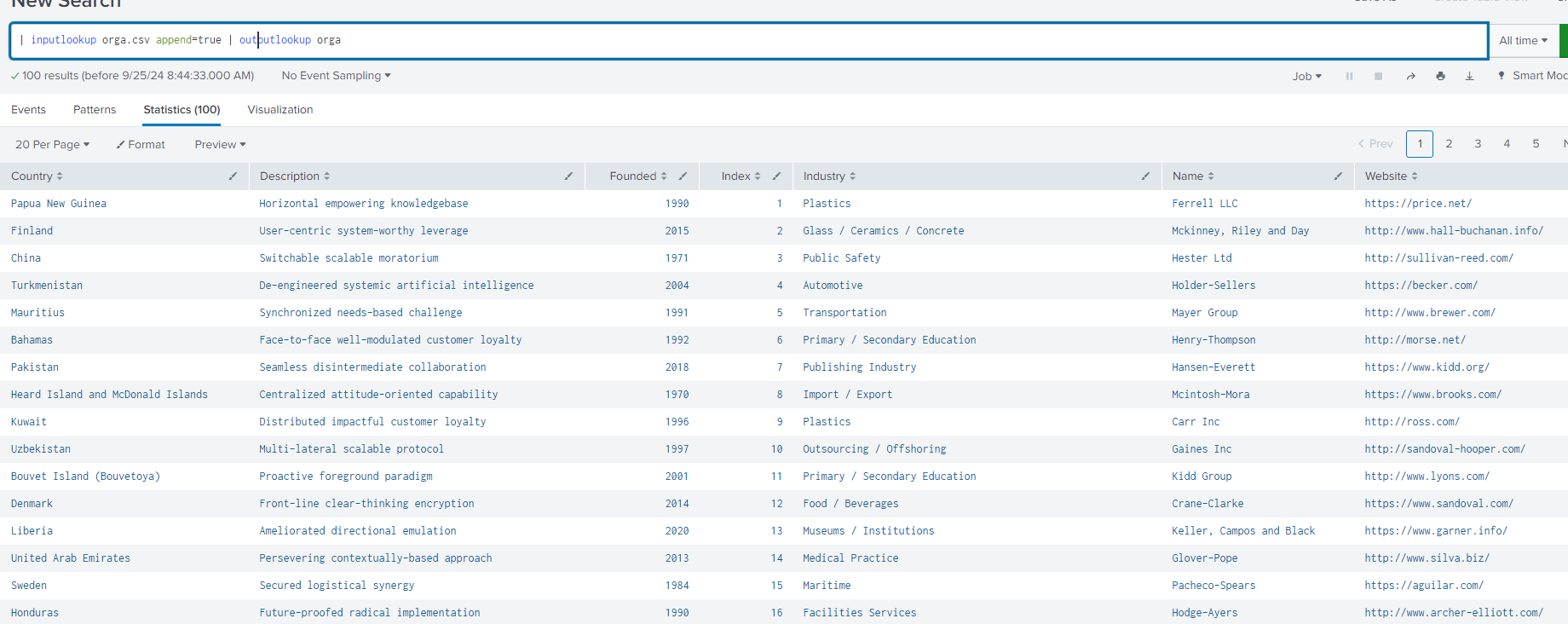
7. Then search for the data in the KV Store lookup file by running the below command -
| inputlookup <collection name> 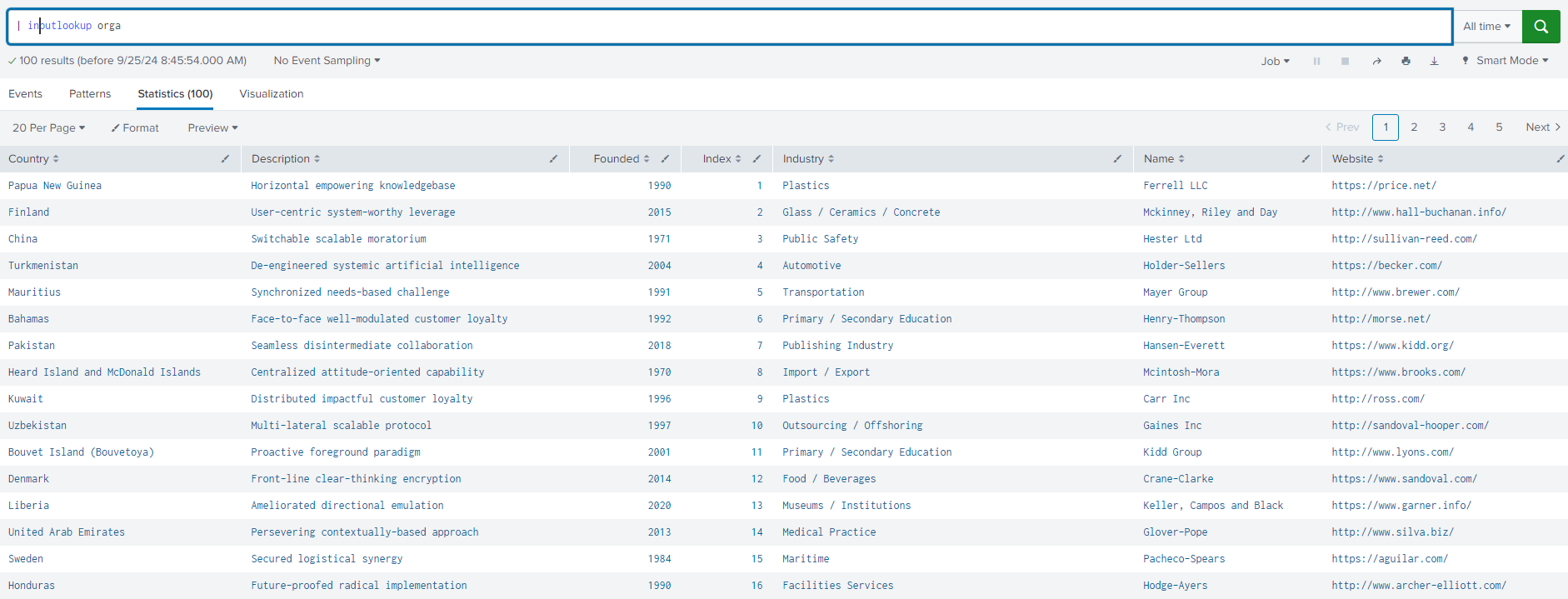
Related Links
Revision History
| Revision | Publish Date | Comments |
|---|---|---|
1.0 |
29-Sep-2026
|
Initial Release |
 Feedback
Contact Cisco
- Open a Support Case

- (Requires a Cisco Service Contract)