Connection error between Log Observer Connect (LOC) and Splunk Enterprise
Available Languages
Applicability
Splunk Observability Cloud (Splunk Log Observer Connect) -- Load balancer/Reverse Proxy -- Splunk EnterpriseDescription
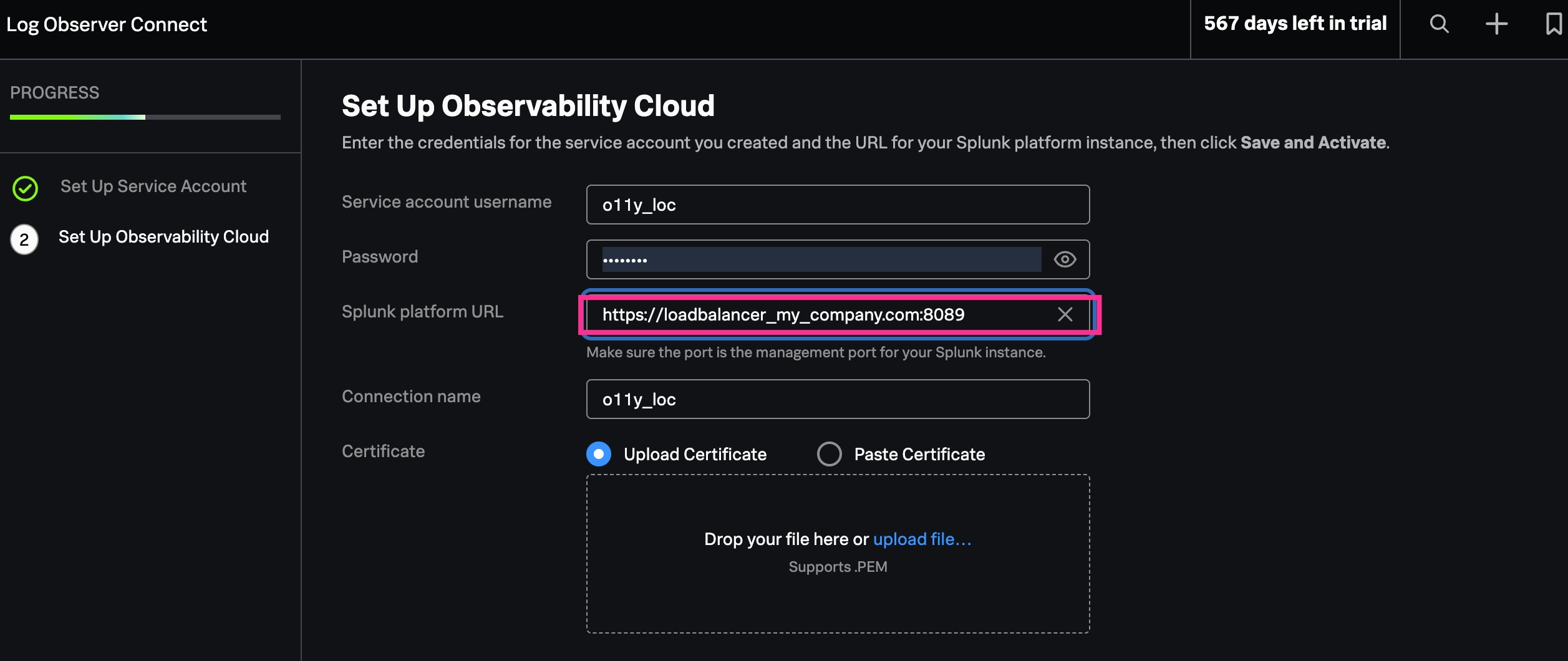
Connection error between Log Observer Connect and Splunk Enterprise cannot be successfully established to Splunk Enterprise because other than the standard egress port 8089 is configure in filed "Splunk platform URL" on Set Up Observability Cloud page. All configuration on Splunk Enterprise is configured properly.
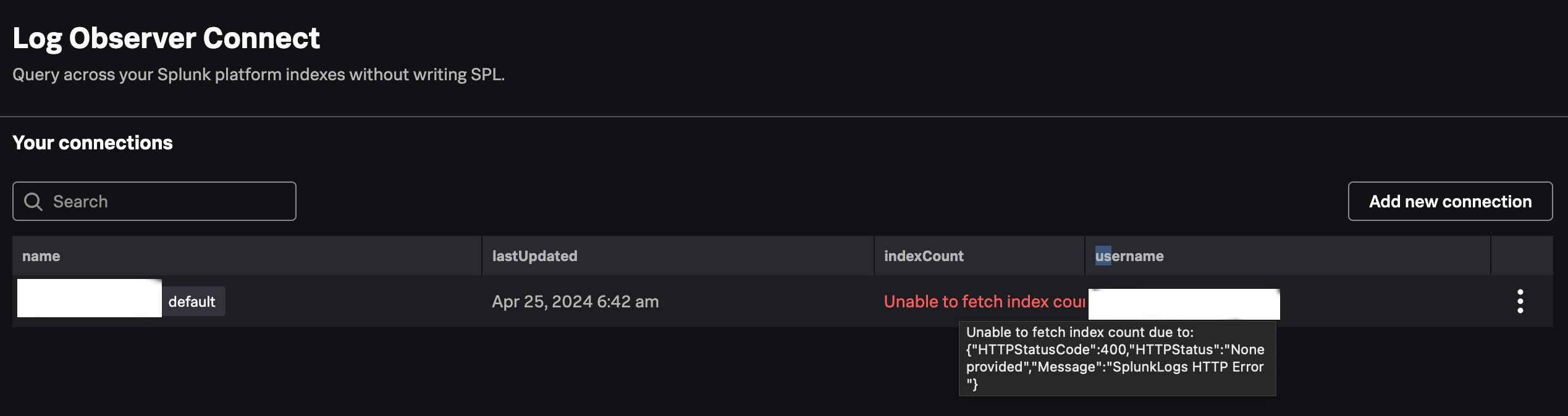
During Log Observer Connect set up an error message show up:
Unable to fetch index count due to: {"HTTPStatusCode":400,"HTTPStatus":"None provided","Message":"SplunkLogs HTTP Error "}
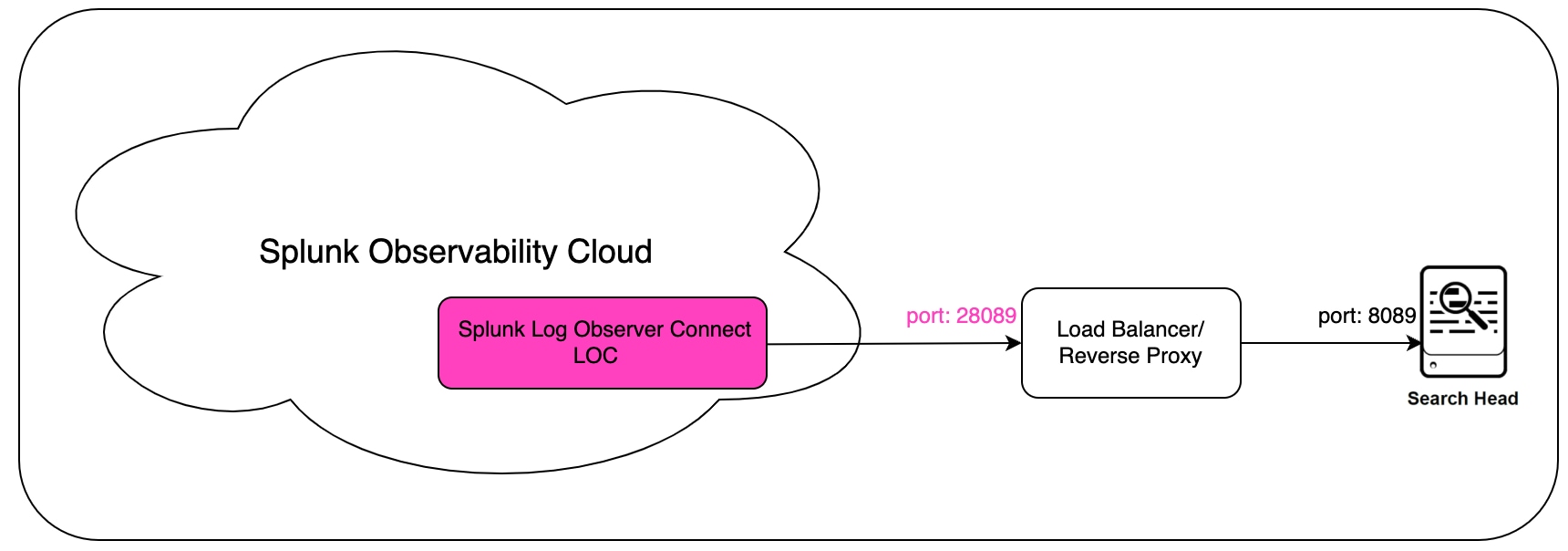
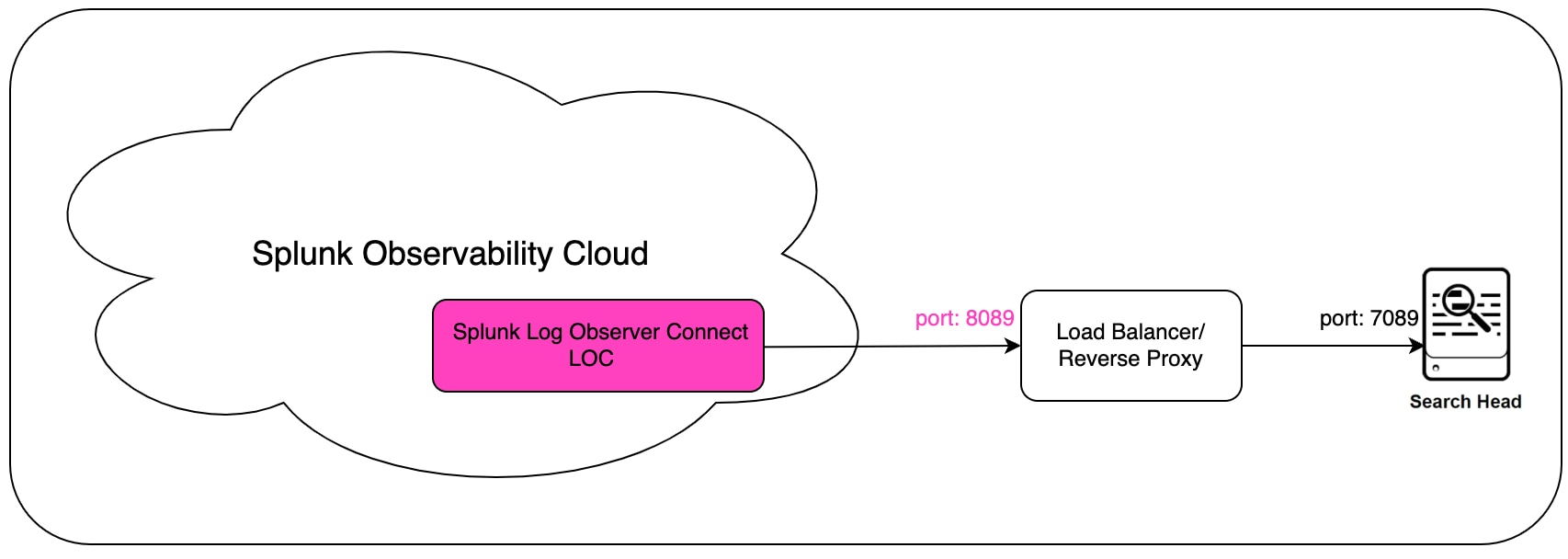
Below architecture with Load Balancer/Reverse Proxy in which this issue can show up.
Example 1. Please note Splunk platform URL is configured to port 28089 (not 8089) exposed on Load Balancer/Reverse Proxy.
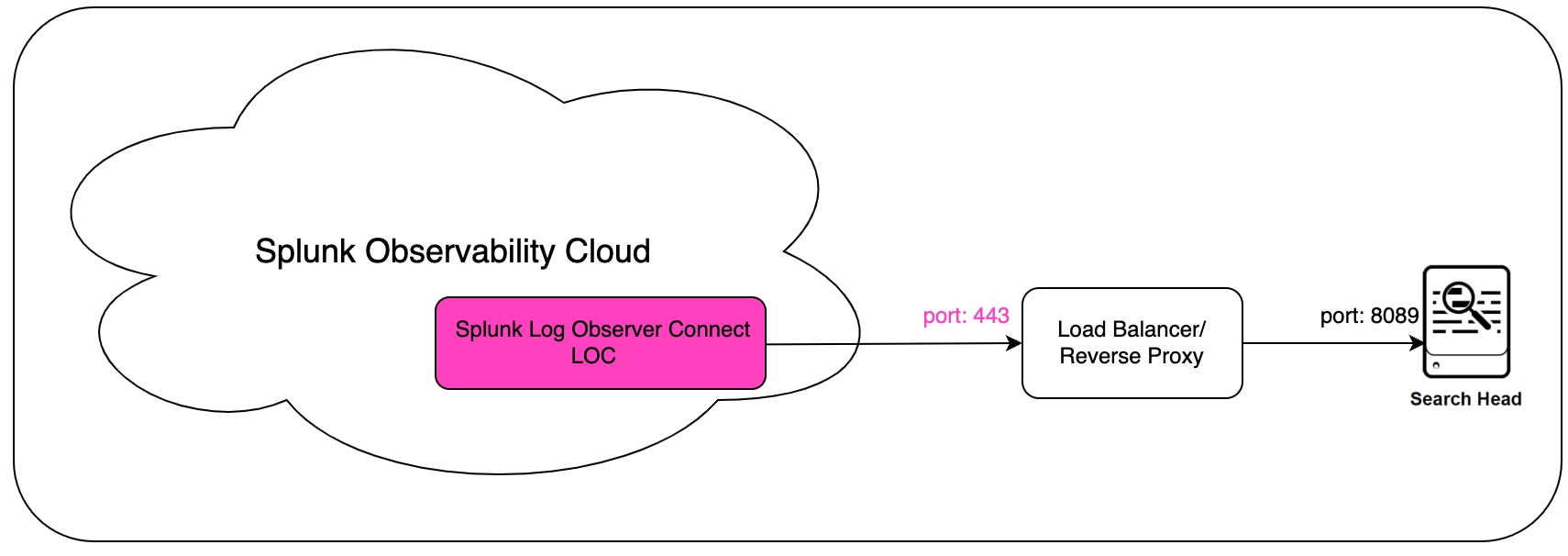
Example 2. Please note Splunk platform URL is configured to port 443 (not 8089) exposed on Load Balancer/Reverse Proxy.
Investigation
- Check configured port in in filed Splunk platform URL on Set Up Observability Cloud page.
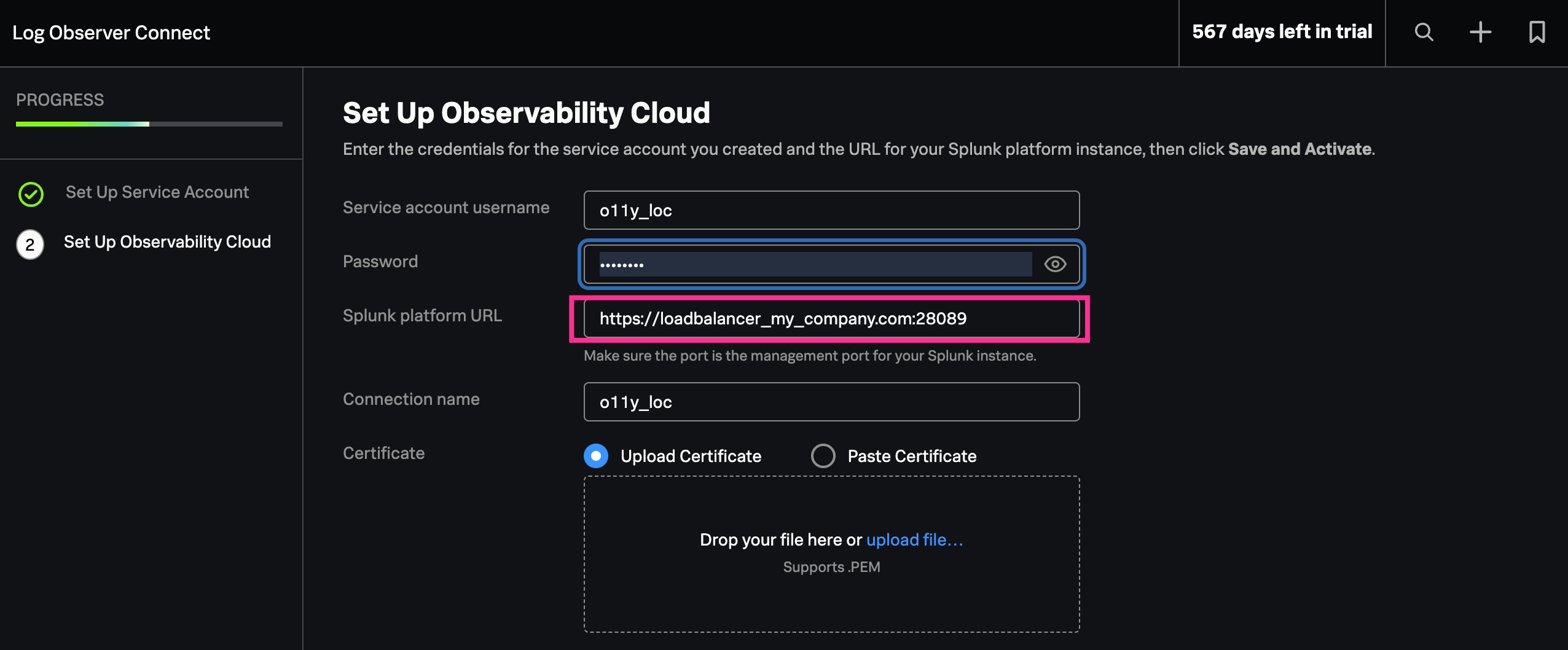
- Check if exposed port on Load Balancer/Reverse Proxy is configure to something else than 8089 as on diagram Failed configuration in the Description section.
Resolution
- Confirm if exposed port on Load Balancer/Reverse Proxy is configure to port 8089. If needed modify configuration. Below working example:
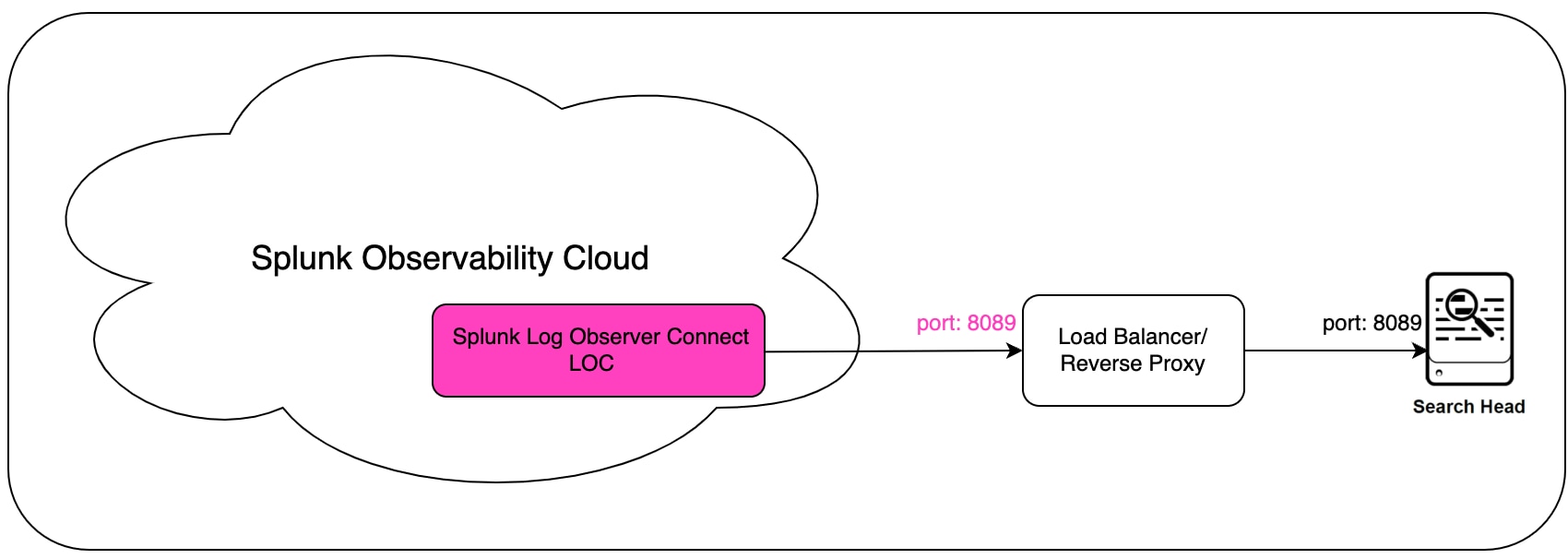
- Configured port in in filed Splunk platform URL on Set Up Observability Cloud page e.g.: https://loadbalancer_my_company.com:8089
Related Links
Revision History
| Revision | Publish Date | Comments |
|---|---|---|
1.0 |
29-Sep-2026
|
Initial Release |
 Feedback
Contact Cisco
- Open a Support Case

- (Requires a Cisco Service Contract)