ERROR: "404 Not Found" when accessing custom app.
Available Languages
Applicability
Splunk EnterpriseDescription
Custom Apps may have a dashboard or page view that shows by default when the app is opened, or they may set a Splunk-generated page as the default "view," such as the search or dashboards listing.
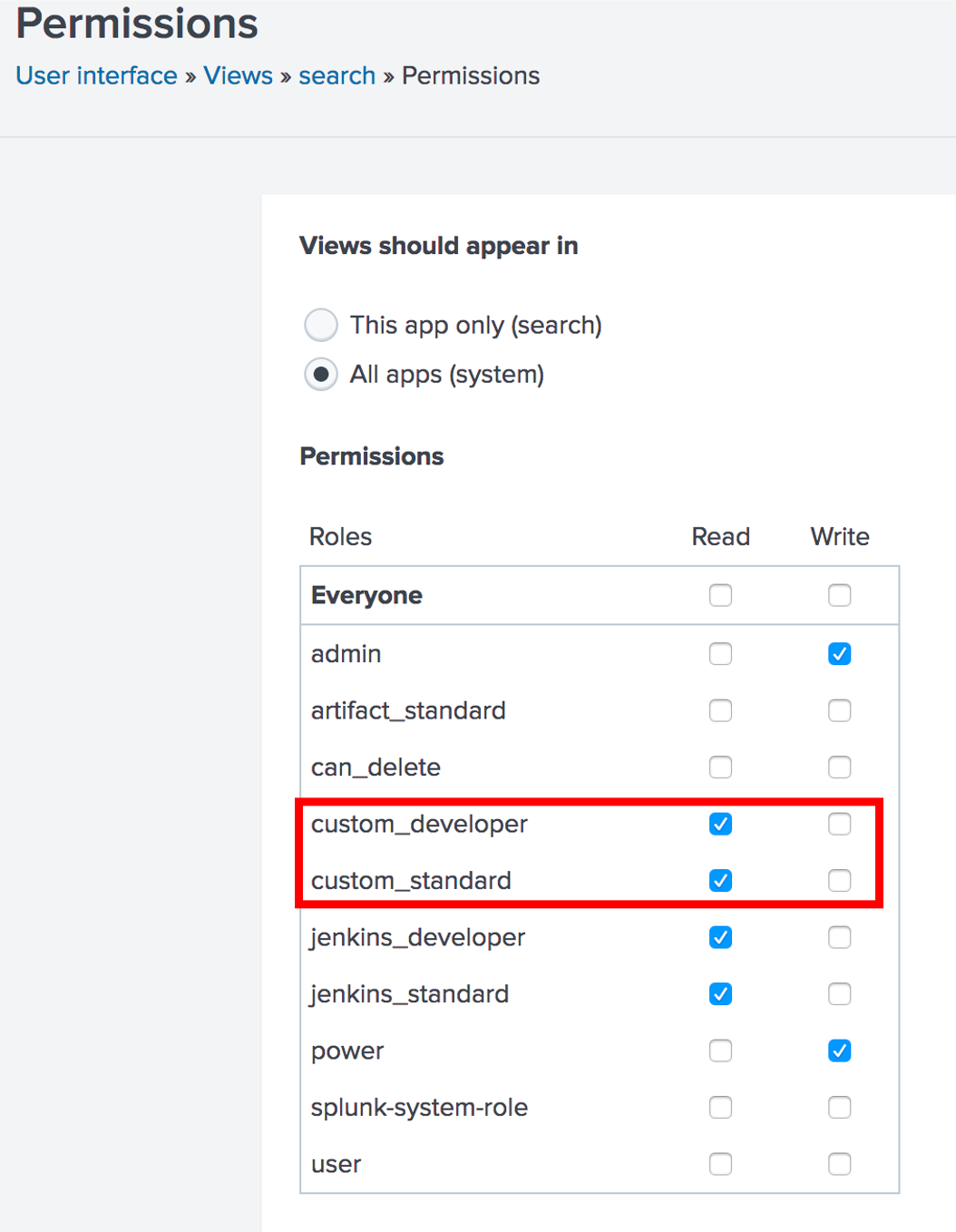
If using a custom role to grant access to the app, the role needs to be granted access to that view. This can be done by going to Settings > User Interface.
- If using a custom view or dashboard for the app (or even multiples of these), select your app from the dropdown on this page, find that item in the resulting list, and grant access to that role using the "Permissions" link for that item.
- If using Splunk-generated pages within your app, such as Search or the Dashboards listing page, choose Search & Reporting from the dropdown (generally this is selected by default), find that item in the resulting list, and grant access to the specific role using the "Permissions" link for that item.
It's a little counter-intuitive and generally applies only to custom-built custom roles, but any Splunk-generated page used in their app requires permissions to be set from the Search and Reporting app.
Think of it as the app "borrowing" functionality within its context from the Search & Reporting app, so role permissions must come from that app, even though the page itself will be displayed from the context of the custom app.
Investigation
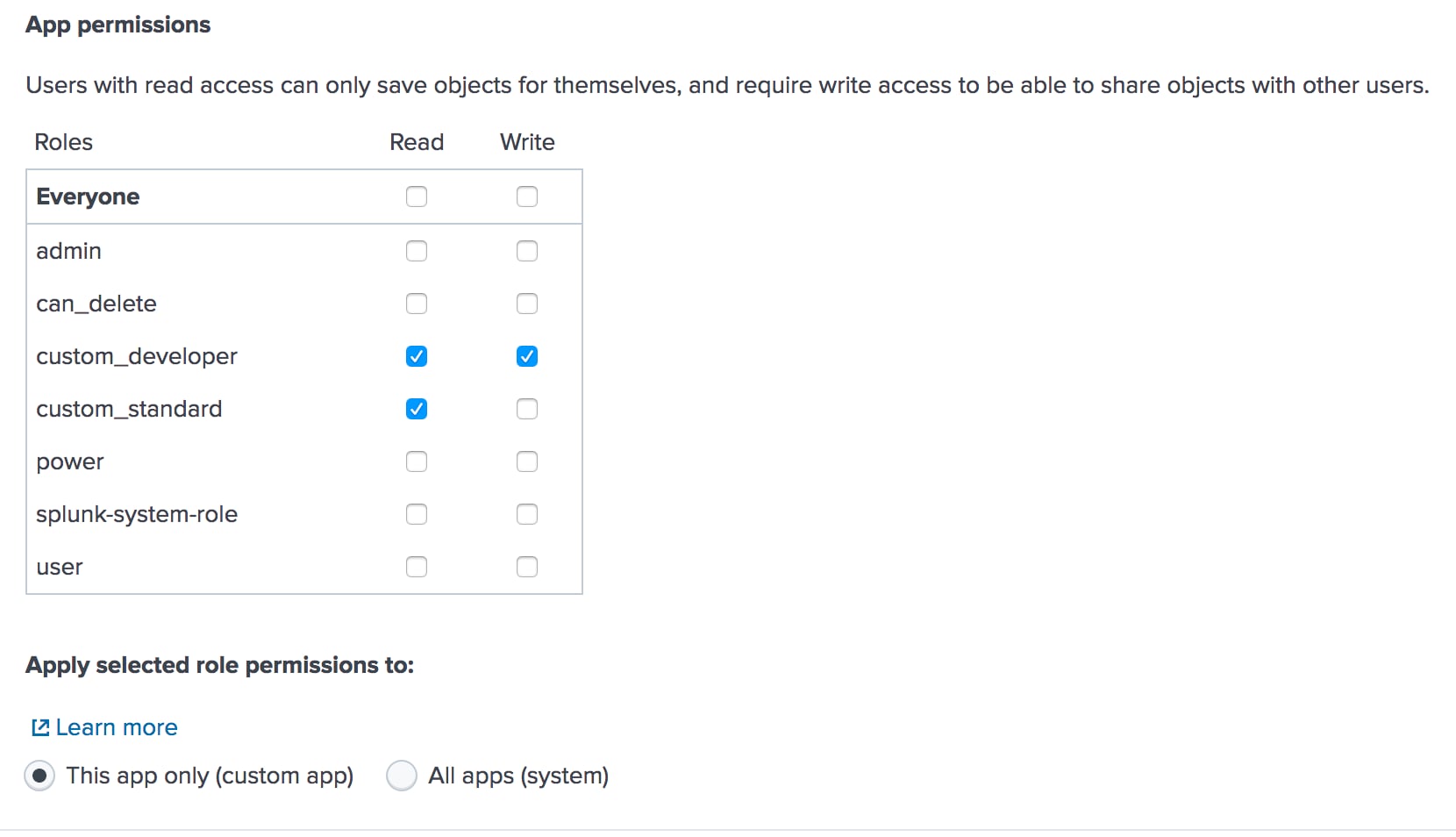
Custom App and the respective standard role and developer role to read and write the custom app:
New User, for example, "user1" and assigned it developer role to it.: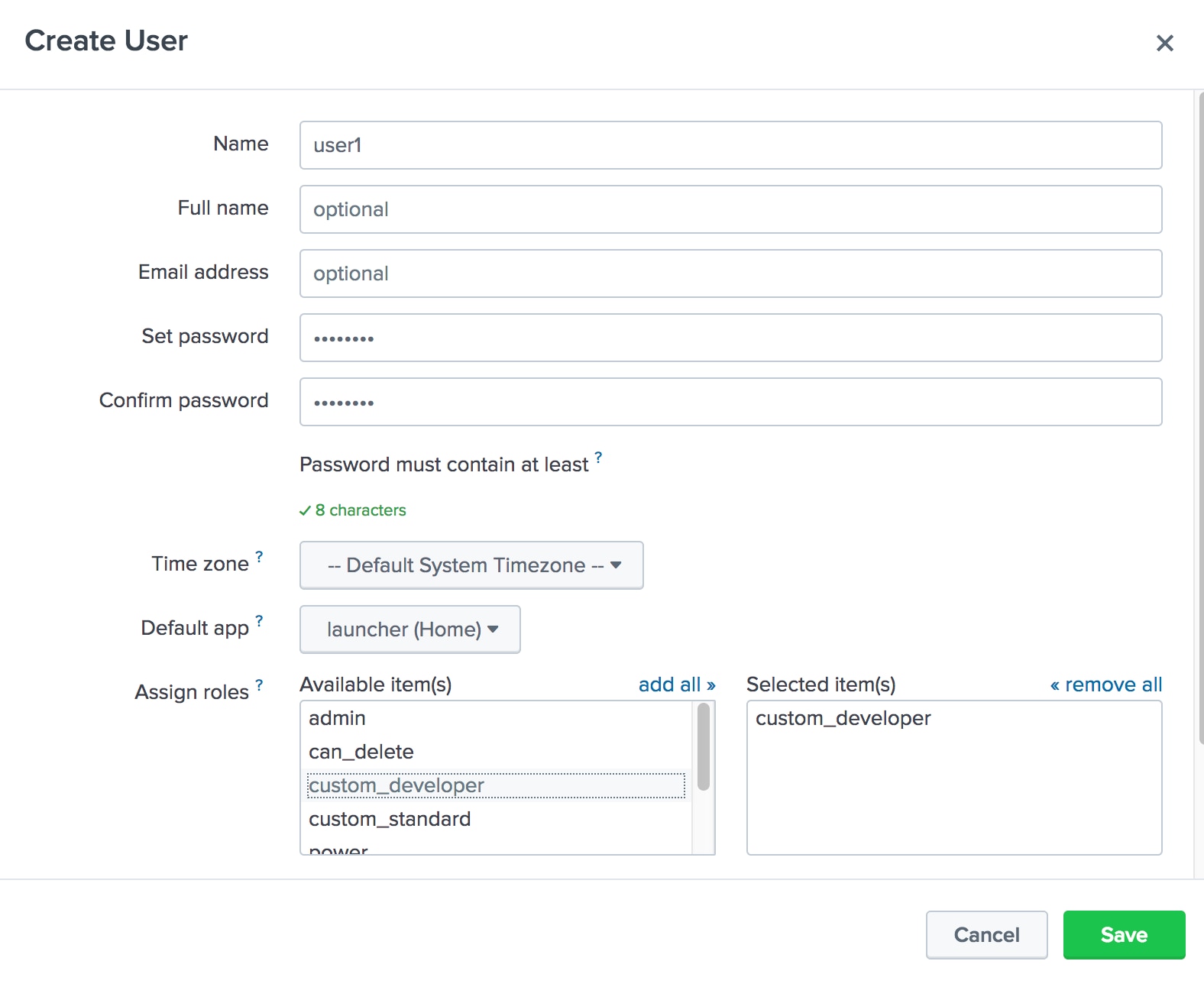
But when you used "user1" to access the custom app, they got a 404 error:
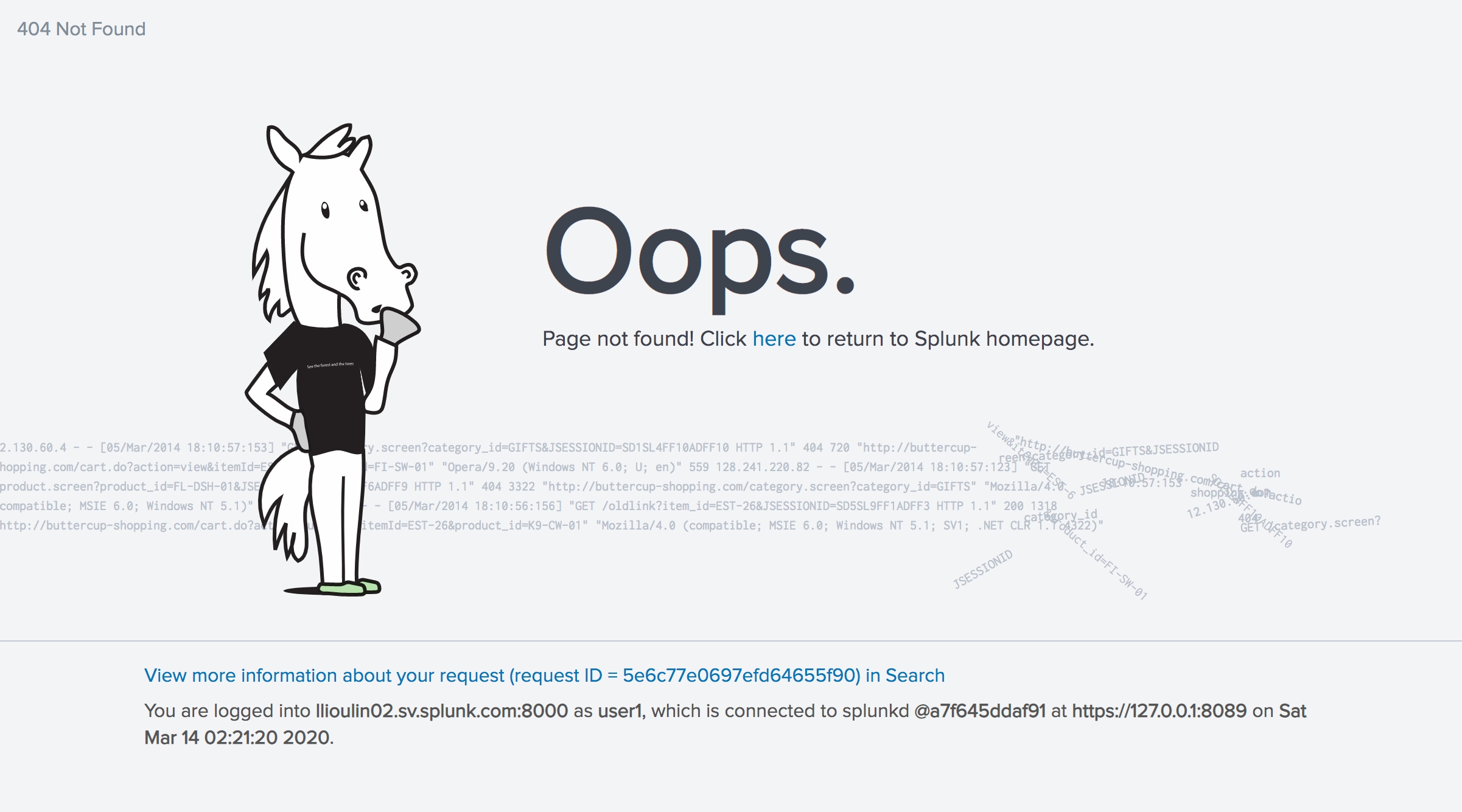
Note: the hostname seen in the last capture (llioulin02.sv.splunk.com) was a virtual machine created to reproduce the issue.
Resolution
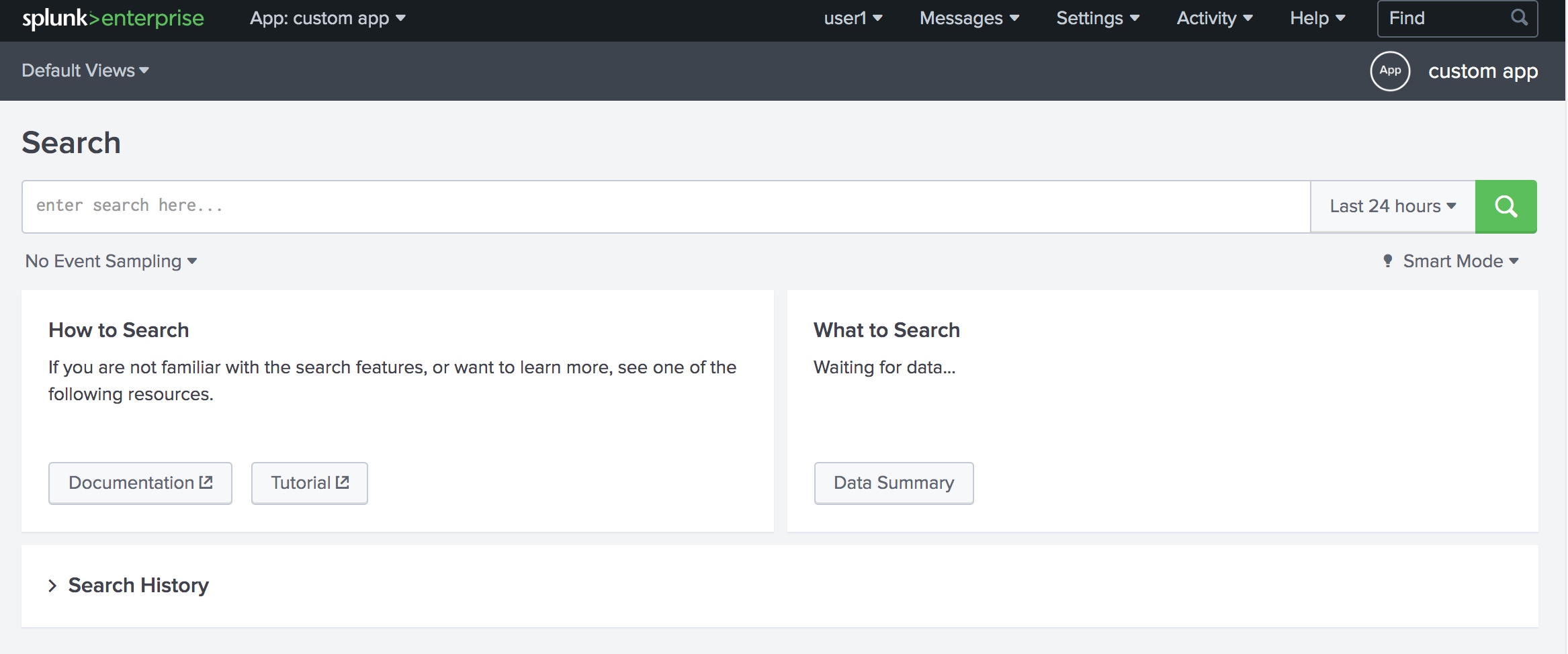
Fix the issue after giving custom roles "read" permission of search view:
Revision History
| Revision | Publish Date | Comments |
|---|---|---|
1.0 |
28-Sep-2026
|
Initial Release |
 Feedback
Contact Cisco
- Open a Support Case

- (Requires a Cisco Service Contract)