[Splunk Add-on for ServiceNow] Extended Document to Configure ServiceNow to collect data using the OAuth 2.0 - Client Credentials Grant Type authentication mechanism
Available Languages
Applicability
Splunk Enterprise Splunk Cloud Splunk Add-on for ServiceNow v9.0.0Description
The Splunk Add-on for ServiceNow introduces support for the Client Credentials Grant Type authentication method beginning with version 9.0.0, offering a new option for OAuth-based account configuration.
This article provides a comprehensive guide on how to use the OAuth 2.0 Client Credentials Grant Type authentication method to collect data within the Splunk Add-on for ServiceNow. Follow these steps to establish a secure connection and efficiently pull data from ServiceNow using this modern authentication mechanism.
Investigation
ServiceNow supports several OAuth 2.0 grant types, with the default being the authorization_code grant type. By default, the client_credentials grant type is disabled. Through the necessary steps to enable and configure the client_credentials grant type in ServiceNow, allowing for streamlined and secure machine-to-machine authentication.
Resolution
The below steps need to be followed in the ServiceNow Console to enable client_credentials and configure it:
1. Enable Inbound Client Credentials Grant Type
- Navigate to: All → sys_properties.list
- Click New to add a new system property
- Enter the following details:
- Name:
glide.oauth.inbound.client.credential.grant_type.enabled - Type: Boolean
- Value:
true
- Name:
- Save the property.
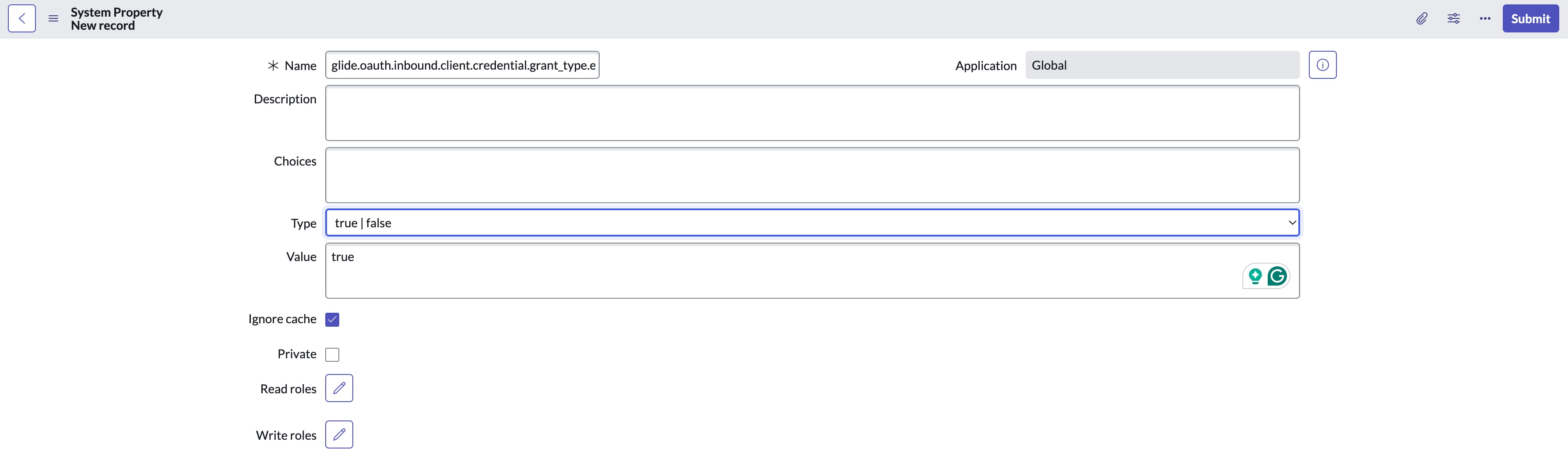
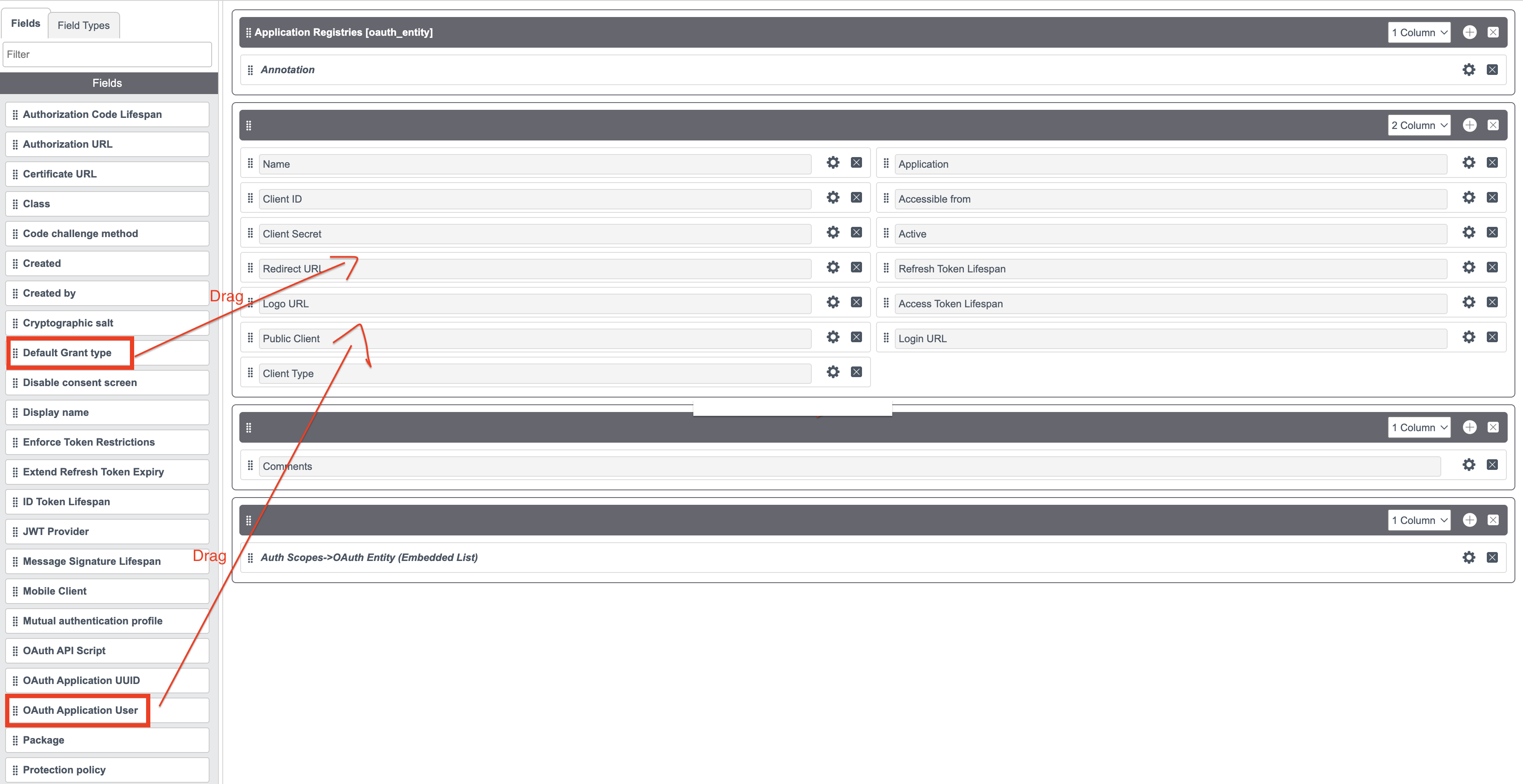
2. Display Required Fields on the Application Registry Form : By default, the Default Grant Type and OAuth Application User fields are not visible on the Application Registry form. To add these fields:
- Go to System OAuth → Application Registry.
- Click New.
- Select Create an OAuth API endpoint for external clients.
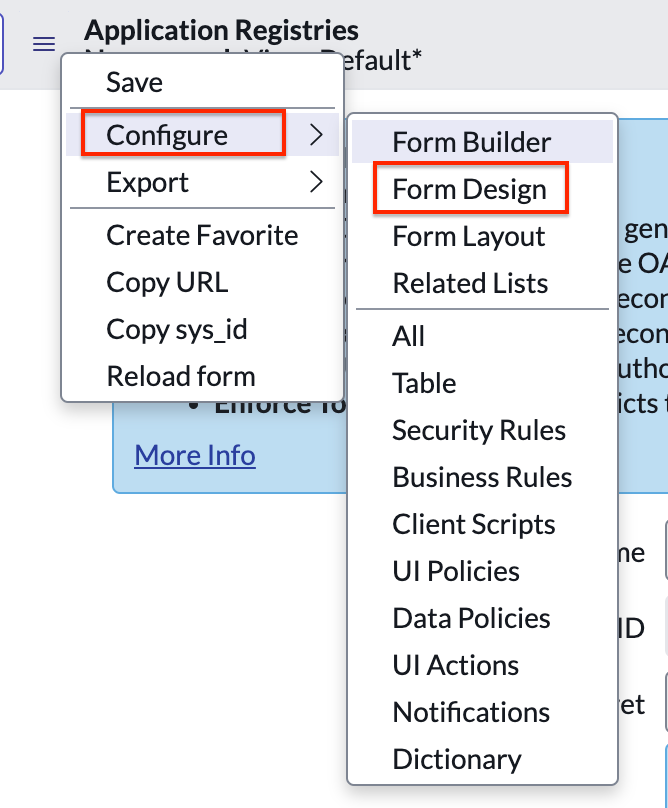
- In the header menu,
- choose Configure → Form Design.
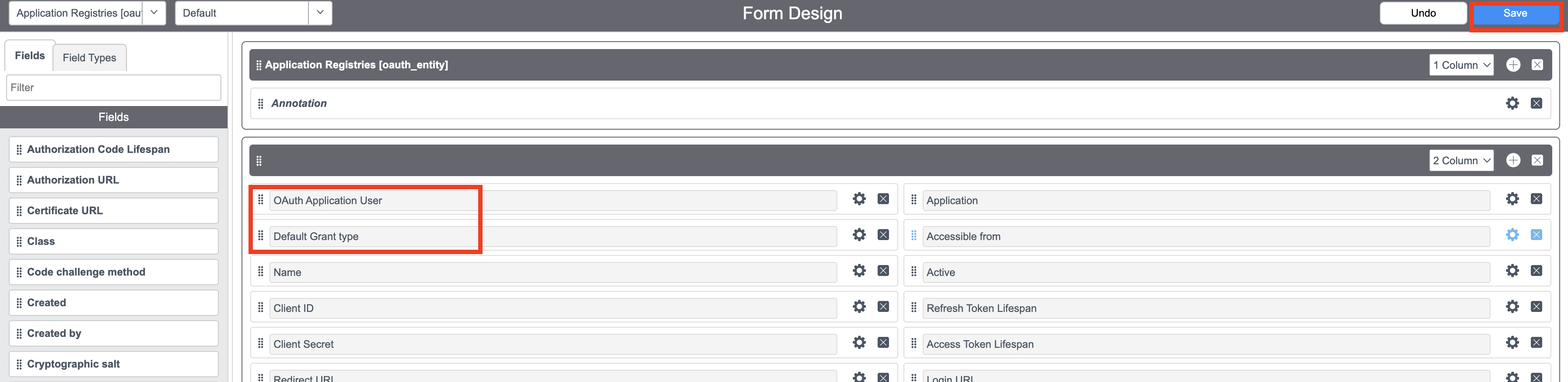
- In the Form Designer, drag and drop the Default Grant Type and OAuth Application User fields into the form layout.
- Click Save to update the form
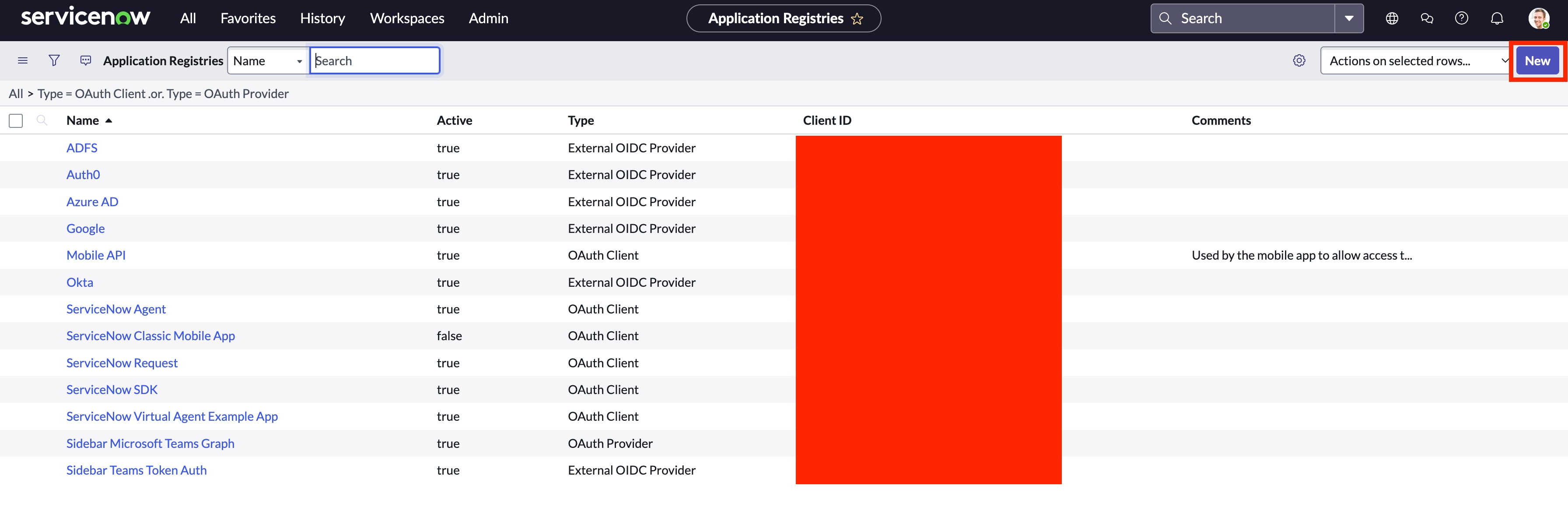
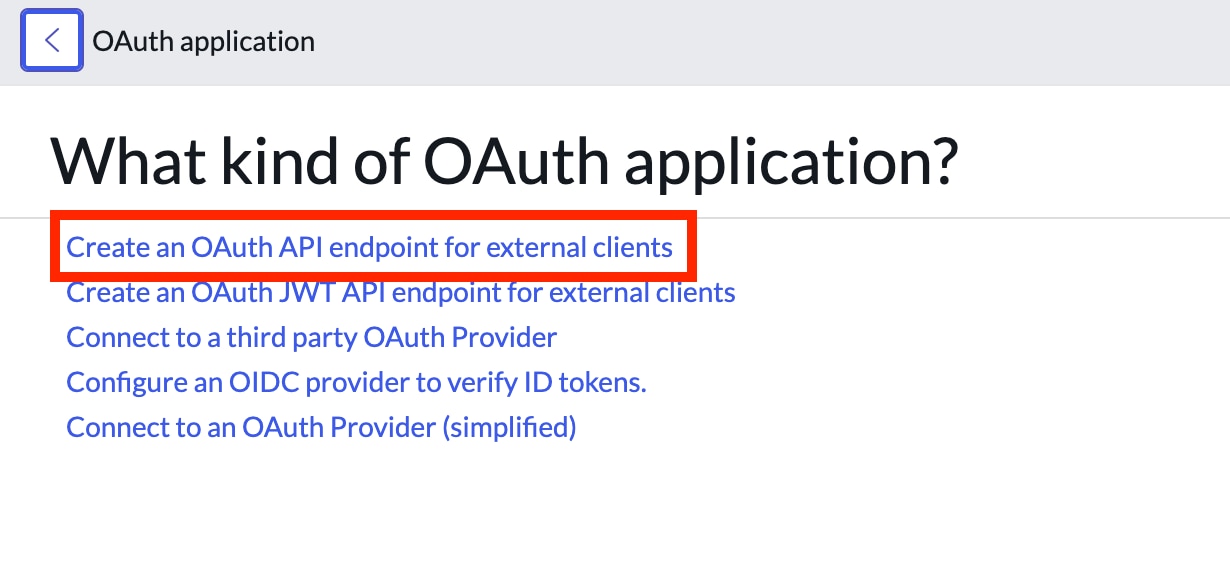

3. Create OAuth2 Client Credentials
- Navigate to System OAuth → Application Registry.
- Click New.
- Select Create an OAuth API endpoint for external clients.
- Fill in the required fields:
- Name: Enter a descriptive name for the integration.
- Client ID: This will be auto-generated.
- Client Secret: This will be auto-generated or entered as required.
- Default Grant Type: Select
Client Credentials. - OAuth Application User: Choose a valid ServiceNow user (use the search icon if needed).
- Click Submit to create the OAuth client
4. Configure the Splunk Add-on for ServiceNow
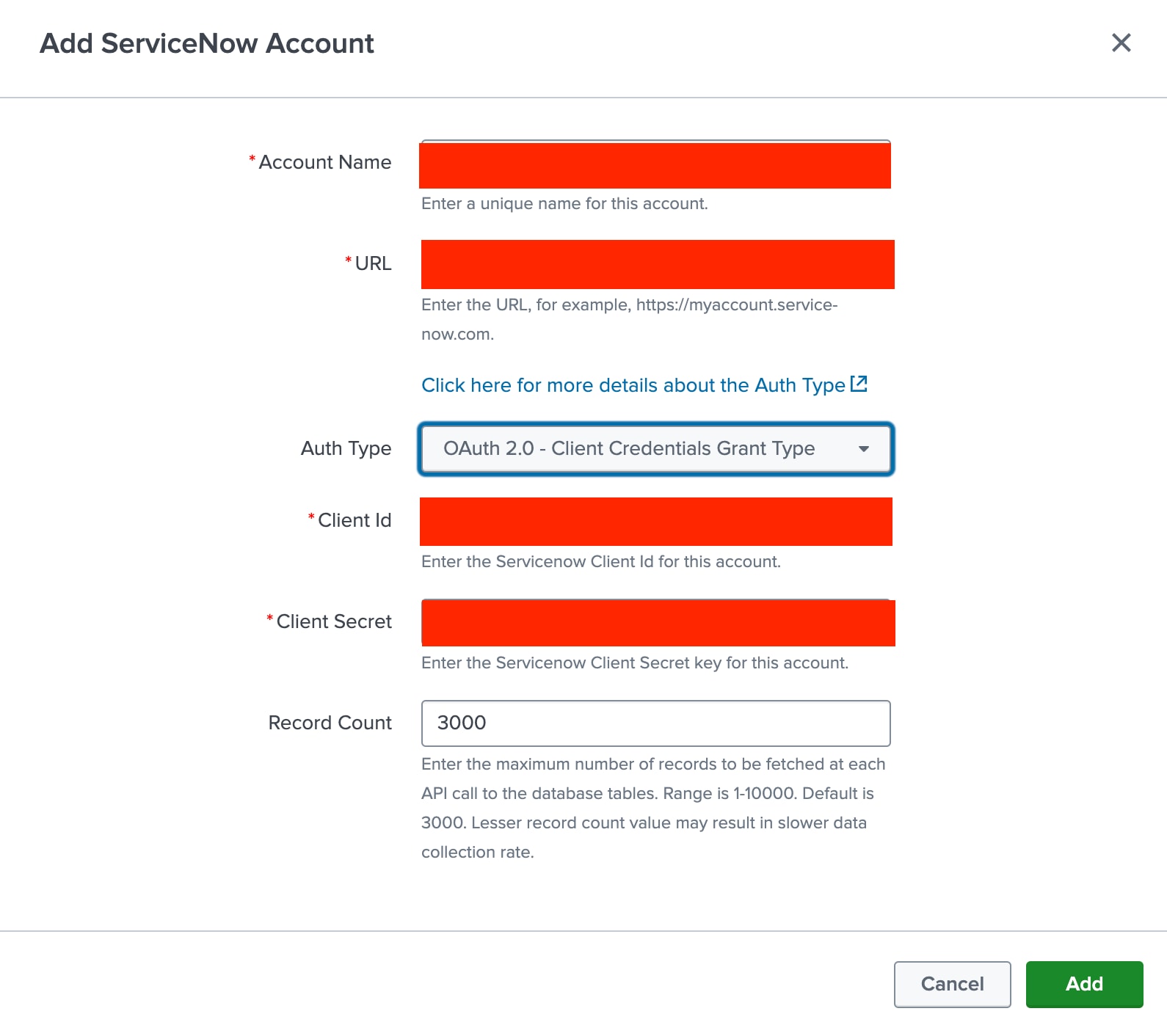
- Open the Splunk UI and navigate to the Splunk Add-on for ServiceNow.
- In the account configuration section, enter the Client ID and Client Secret generated in the previous step.
- Complete the configuration to enable secure, machine-to-machine data collection between Splunk and ServiceNow using the OAuth 2.0 Client Credentials Grant Type

Related Links
Revision History
| Revision | Publish Date | Comments |
|---|---|---|
1.0 |
01-Oct-2026
|
Initial Release |
 Feedback
Contact Cisco
- Open a Support Case

- (Requires a Cisco Service Contract)