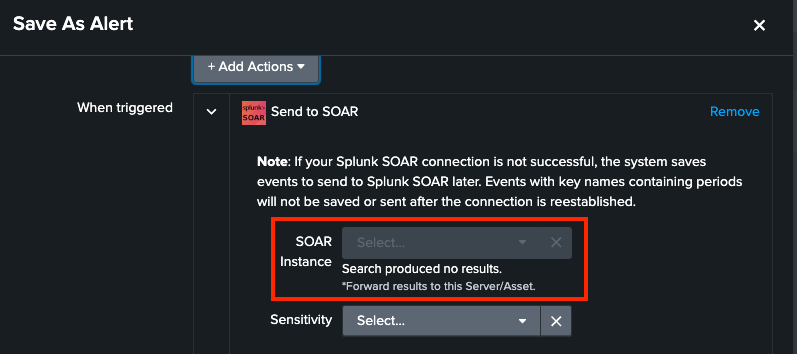
Splunk App for SOAR Export[SASE]: The SOAR Instance dropdown does not produce any results when configuring the "Send to SOAR" alert action.
Available Languages
Applicability
Splunk On-Prem Splunk Cloud Splunk App for SOAR ExportDescription
The configuration page for the "Send to SOAR" alert action shows a message stating "Search produced no results" beneath the SOAR Instance dropdown.
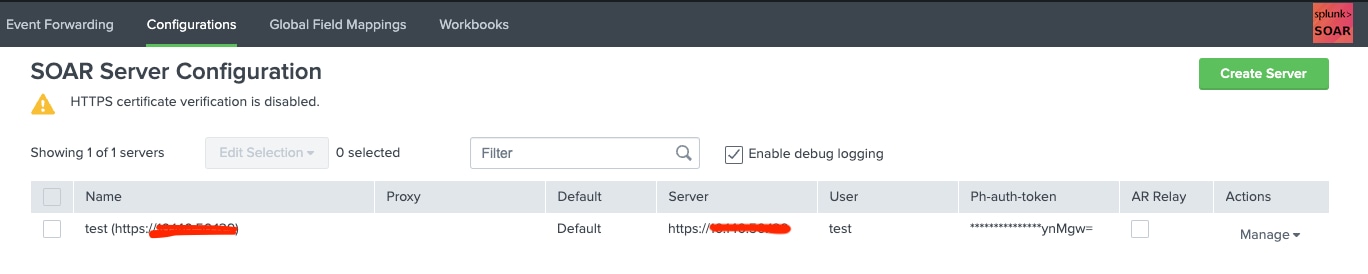
However, the SOAR Server configuration page within the SASE app successfully has the SOAR server configured.
Investigation
After verifying the user's permissions and ensuring that the required phantom_read and phantom_write capabilities were assigned, executed the following REST command in the UI to check if it produced any results. Unfortunately, the command returned no results and raised errors indicating that the REST endpoints were not found in the IDX cluster members.
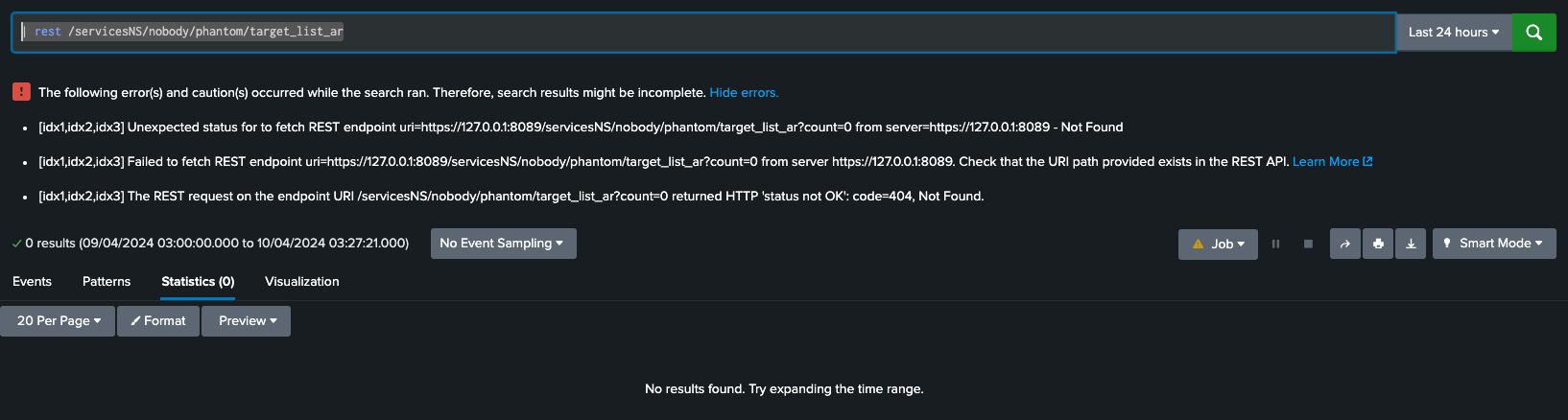
However, when searched with the parameter splunk_server=local, it produced results.

This clarified that the REST call is being searched on the Indexers (IDX) and not on the Search Head (SH) cluster members.
Resolution
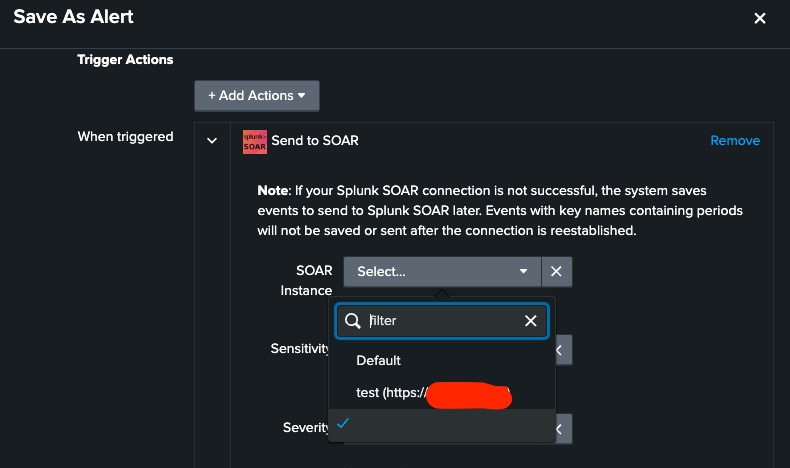
After examining the distributed search group settings in distsearch.conf, it was observed that the default group did not include any search head cluster members, causing REST calls to be exclusively distributed to indexers. To resolve this issue, search head cluster members were added to the default distributed search group, restoring the functionality of the SOAR instance dropdown.
Revision History
| Revision | Publish Date | Comments |
|---|---|---|
1.0 |
30-Sep-2026
|
Initial Release |
 Feedback
Contact Cisco
- Open a Support Case

- (Requires a Cisco Service Contract)
This Document Applies to These Products
Related Articles
- "Send to SOAR" Alert Action Failures After Splunk Upgrades
- SOAR: "Send to SOAR" alert actions are failing with HTTP 403s and "Could not verify connection to SOAR" errors
- Send to SOAR option not displaying SOAR instances when running Adaptive Response Actions in Splunk Enterprise
- SOAR - Splunk App for SOAR Export timed out connecting to SOAR