Splunk Infrastructure Monitoring Add-on (SIM) : Throws Failed to fetch account configurations Error on Account Configuration Page
Available Languages
Applicability
Splunk Apps & Add-ons Splunk Cloud Splunk EnterprisingDescription
Not able to configure the Splunk Add-on for SIM due to Error Messages at
Investigation
Discovered that while trying to add new input and click on submit button, one can see the below error message in the Inspect window on the web browser:
Errors:
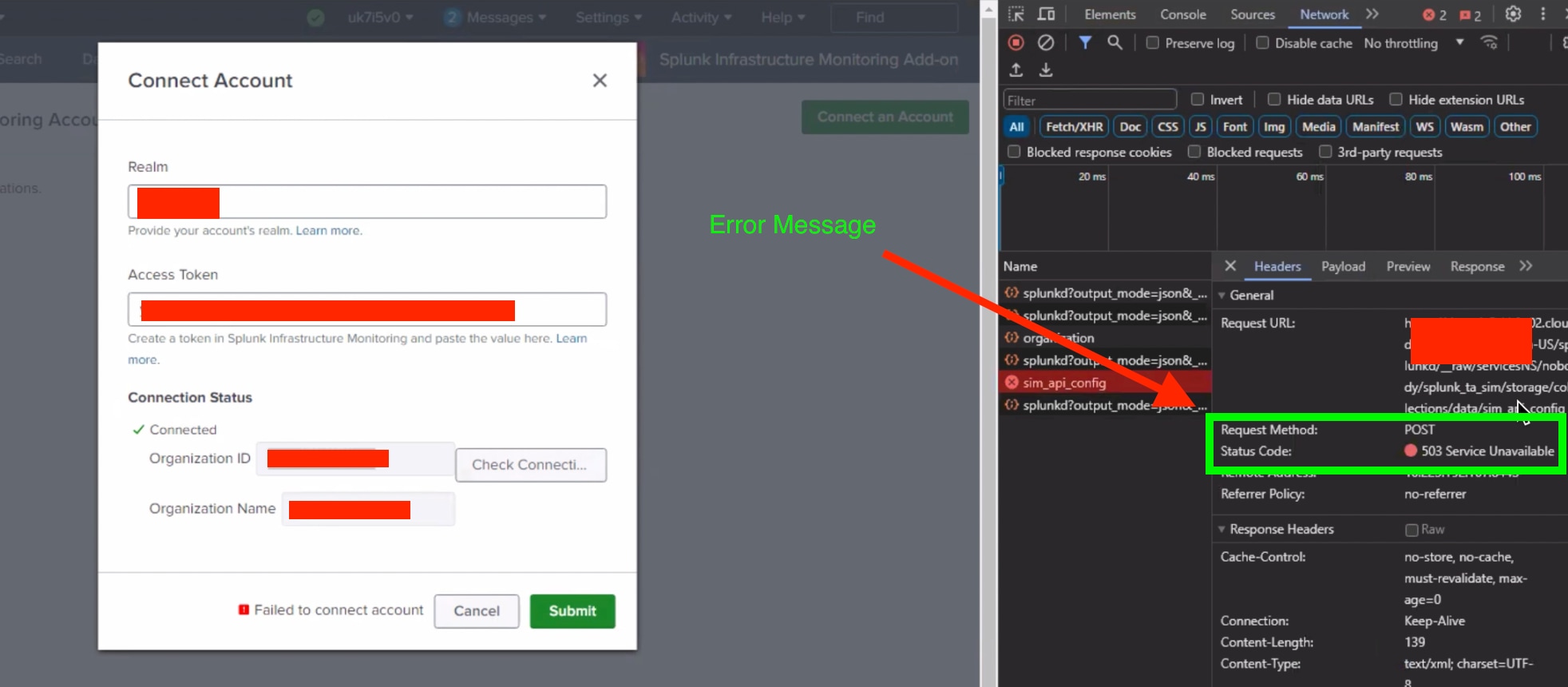
As it was throwing 503 service unavailable tried to run below Curl command over browser:
https://<host>:8089/servicesNS/nobody/splunk_ta_sim/storage/collections/data/sim_api_config/And it given result as "KVStore Serives are disabled"
SIM Add-on uses KVStore lookups in backend so it needs KVStore up and running to use its all functions.
Resolution
Make the KVStore Up and Running following the steps provided in Splunk Document.
Related Links
Revision History
| Revision | Publish Date | Comments |
|---|---|---|
1.0 |
30-Sep-2026
|
Initial Release |
 Feedback
Contact Cisco
- Open a Support Case

- (Requires a Cisco Service Contract)
This Document Applies to These Products
Related Articles
- Splunk Infrastructure Monitoring Add-on (SIM) Add-On Command Data Ingestion Latency
- Splunk Infrastructure Monitoring Add-on: Data Ingestion Stopped in "sim_metrics" Index
- The Splunk Infrastructure Monitoring Add-on (SIM) is fetching metrics inconsistently or some metrics are missing.
- Splunk Infrastructure Monitoring Add-on (SIM) Add-On displays Error message - "Unable to retrieve access token. Try to re-enter it." due to pagination issues