Identifying the changes made by the user in the Correlation Search.
Available Languages
Applicability
Splunk Enterprise Security Splunk Enterprise Splunk CloudDescription
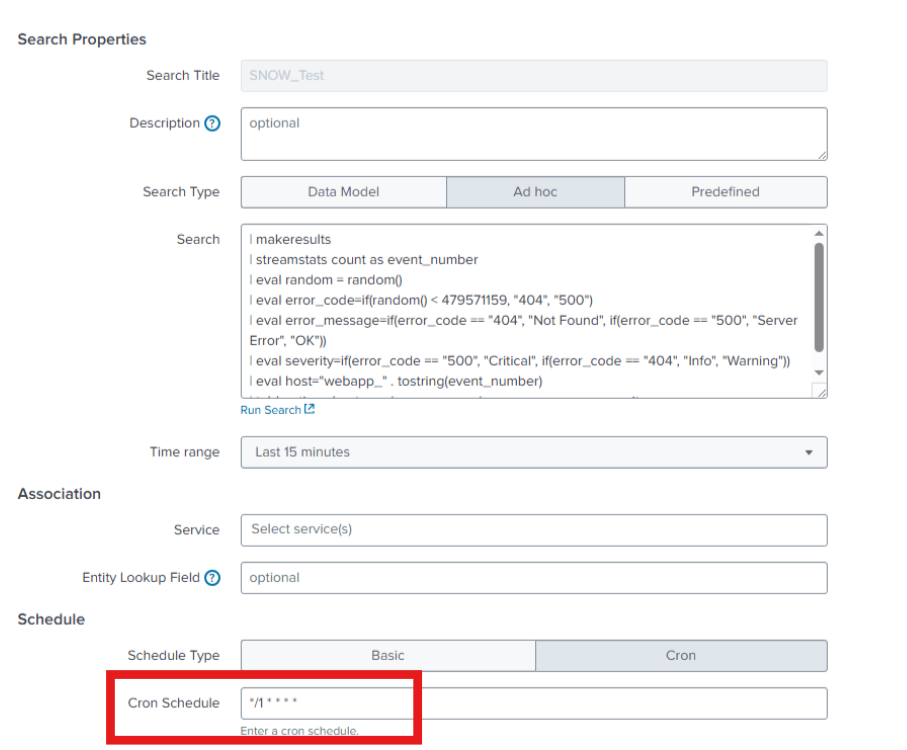
In the Splunk environment, there was a correlation search configured with the cron schedule to run every 1 minute.
But it was modified or scheduled every 5 minutes in the cron after few days.
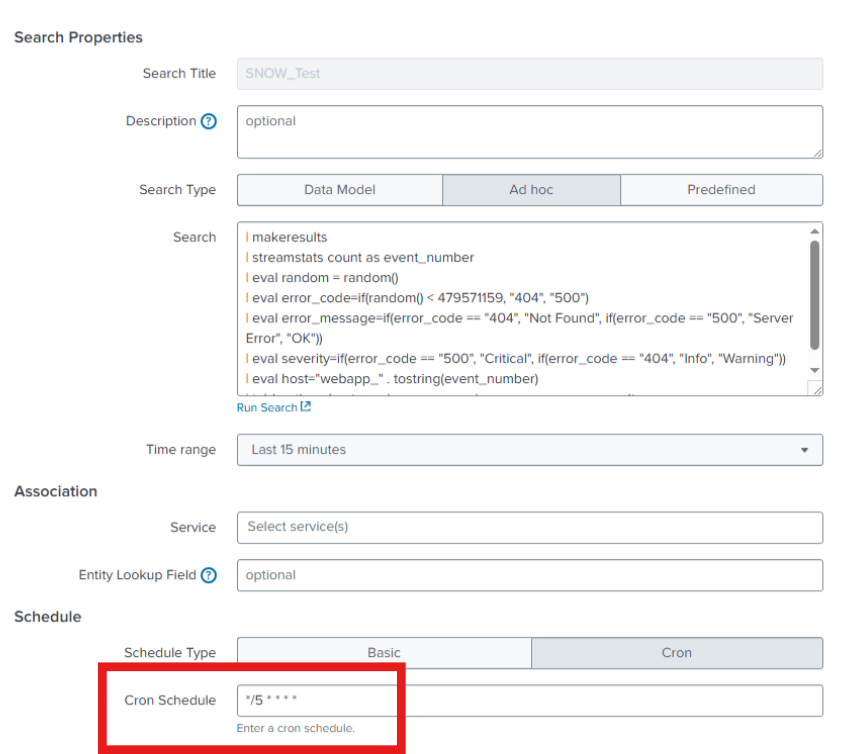
Identifying the user responsible for modifying the correlation search is required.
Resolution
The most of the changes made in the Splunk environment will be stored in the audit logs (Splunk internal logs).
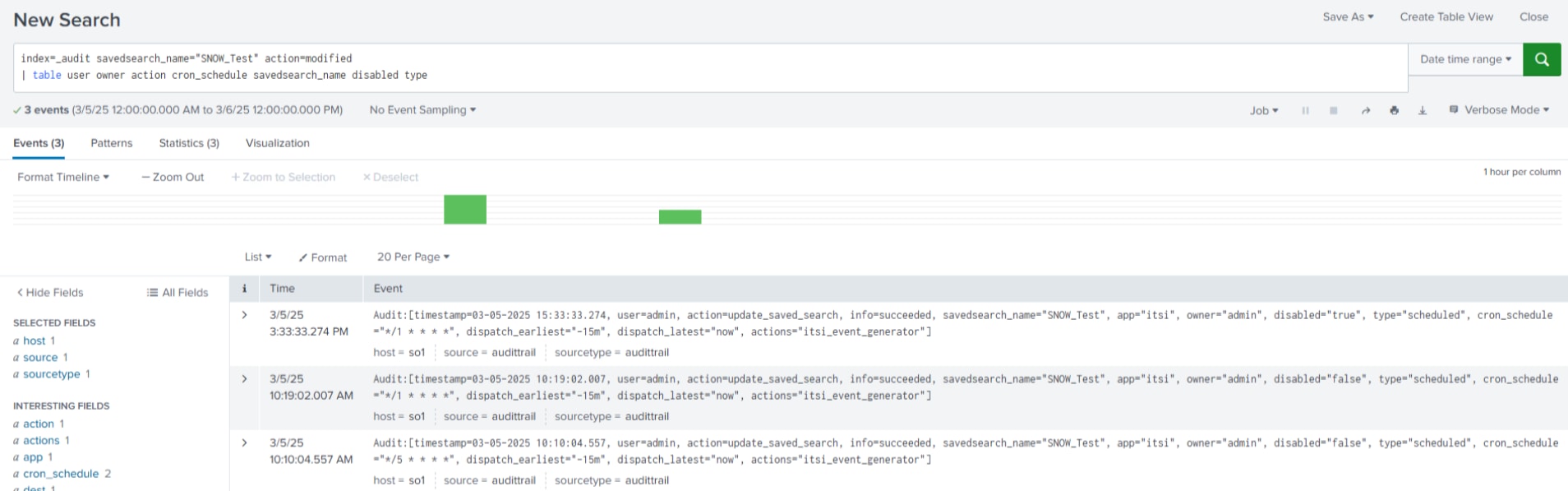
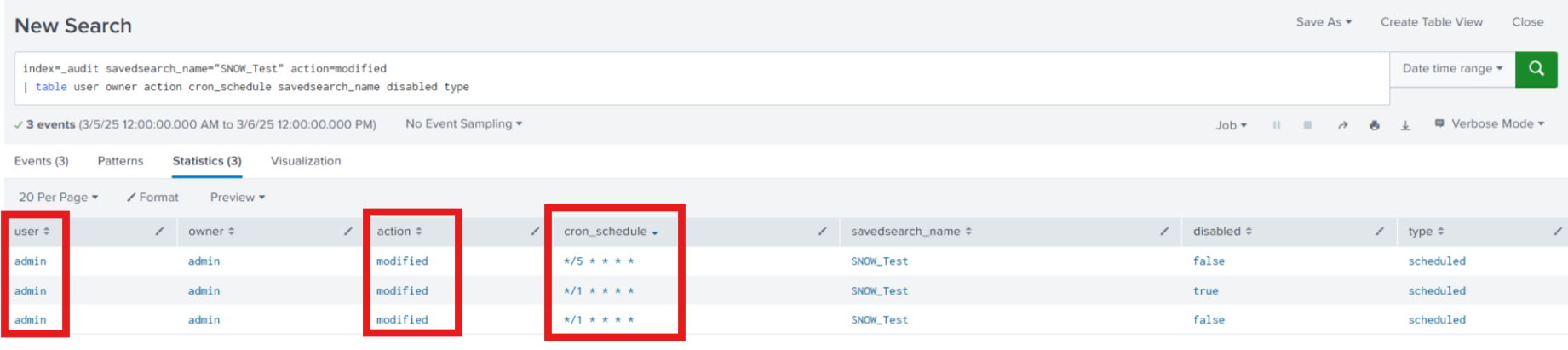
The below SPL can be used to find the changes made in the specific correlation search in the Splunk environment.
index=_audit savedsearch_name="SNOW_Test" action=modified
| table user owner action cron_schedule savedsearch_name disabled type
- The index should be _audit.
- savedsearch_name should be the name of the correlation search.
- action should be "modified".
This search will provide the information about the user and the changes made in the correlation search.
Sample Log:
Audit:[timestamp=03-05-2025 10:10:04.557, user=admin, action=update_saved_search, info=succeeded, savedsearch_name="SNOW_Test", app="itsi", owner="admin", disabled="false", type="scheduled", cron_schedule="*/5 * * * *", dispatch_earliest="-15m", dispatch_latest="now", actions="itsi_event_generator"]
Screenshot:
Related Links
Config Tracker - Splunk Docs
Revision History
| Revision | Publish Date | Comments |
|---|---|---|
1.0 |
29-Sep-2026
|
Initial Release |
 Feedback
Contact Cisco
- Open a Support Case

- (Requires a Cisco Service Contract)