Encountering the "SSLCertVerificationError" error when testing connectivity from the SOAR export app to SOAR.
Available Languages
Applicability
Splunk Cloud Splunk SOAR Cloud Splunk SOAR On-Prem Splunk Enterprise Security Splunk App for SOAR ExportDescription
While testing connectivity to the SOAR server configured in the SOAR export app, an SSL-related error is encountered.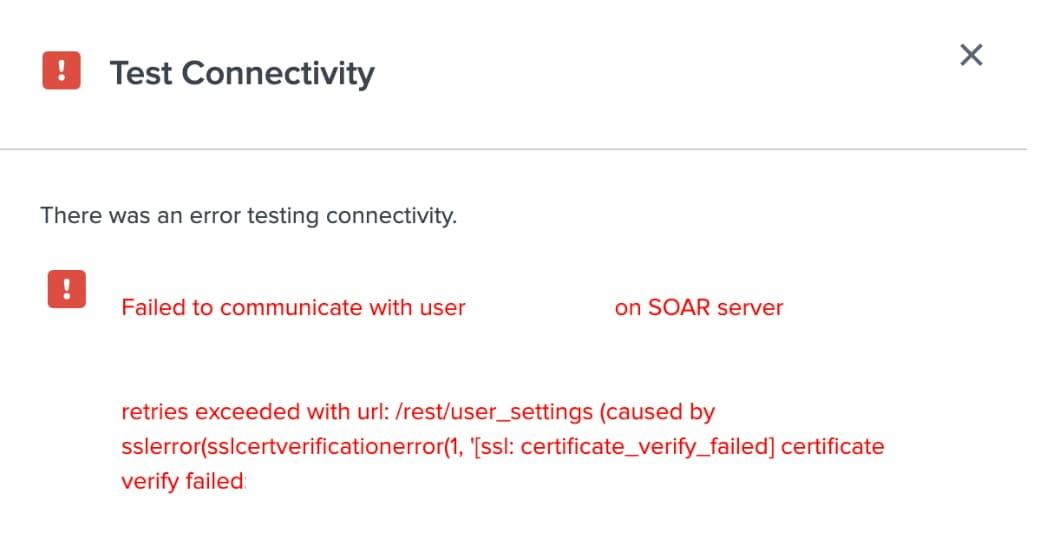
Investigation
Search the SPL below in the Search and Reporting App.
index=_internal *SSLError* sourcetype = phantom_configurationphantom_requests.exceptions.SSLError: HTTPSConnectionPool(host='10.20.151.1', port=443):
Max retries exceeded with url: /rest/ph_user include_automation=true&_filter_token__key='DwpPfnltHshu7FvWcZ/kmv5yfjw0lYPpC3bIbNId6n0%3D'
(Caused by SSLError(SSLCertVerificationError("hostname '127.0.0.1' doesn't match 'localhost'")))Based on the above error it indicates that the SSL certificate is issued for the hostname, but the connection is being attempted using the IP address, causing the certificate verification to fail.
Resolution
To resolve the issue:
-
The SSL certificate must include the IP address 127.0.0.1 in the Subject Alternative Name (SAN) field, in addition to the DNS name localhost.
-
Engage the certificate management team to regenerate the SSL certificate, ensuring that the new certificate includes the correct SAN entries.
By ensuring the certificate properly includes both the DNS name and IP address, the SSL verification error can be avoided, allowing the SOAR app to connect successfully.
Related Links
Subject Alternative Names for Localhost - Stackoverflow
Revision History
| Revision | Publish Date | Comments |
|---|---|---|
1.0 |
29-Sep-2026
|
Initial Release |
 Feedback
Contact Cisco
- Open a Support Case

- (Requires a Cisco Service Contract)