How time picker is behaving in Splunk Dashboard Studio
Available Languages
Applicability
Splunk Enterprise Dashboard StudioDescription
In Dashboard Studio, the value in the time range picker reflects the time preferences set in the account preferences. However, the actual display time corresponds to the system's time, regardless of the selected preferences.
Investigation
Steps to reproduce:
1. Create a dashboard with some sample data and _time in Dashboard Studio.
2. Keep Time picker.
3. Set preferences to your time zone. 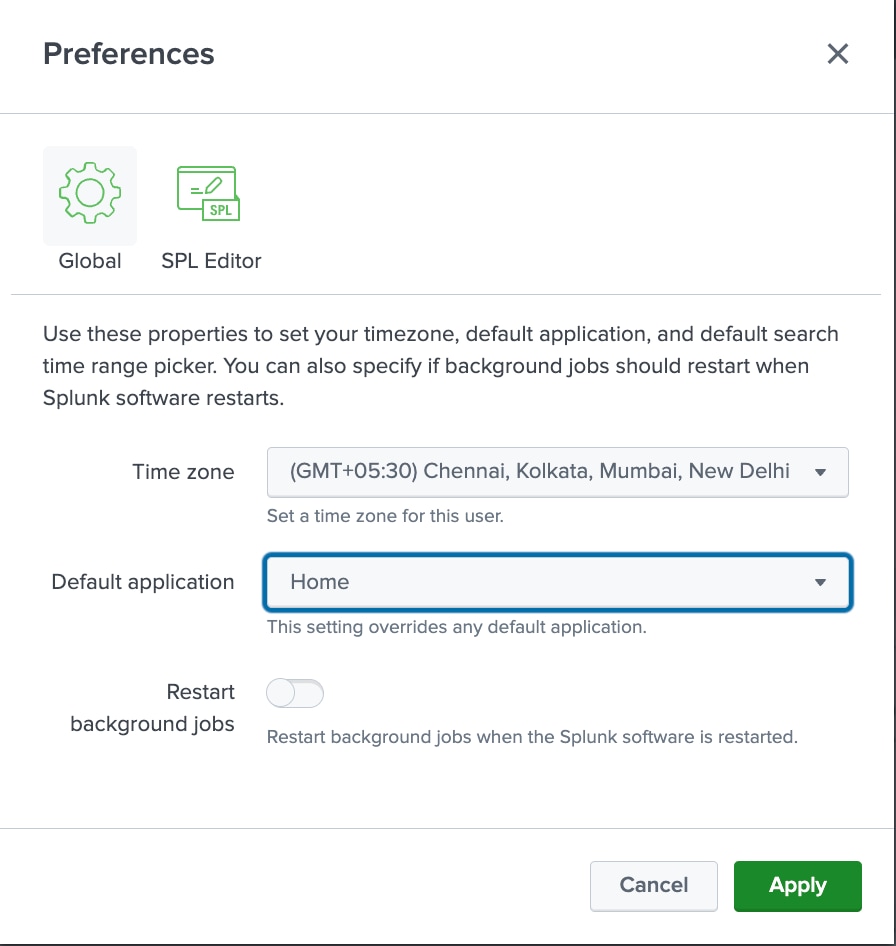
4. Apply a time range to the dashboard. The value is the same in both the selection panel and in display.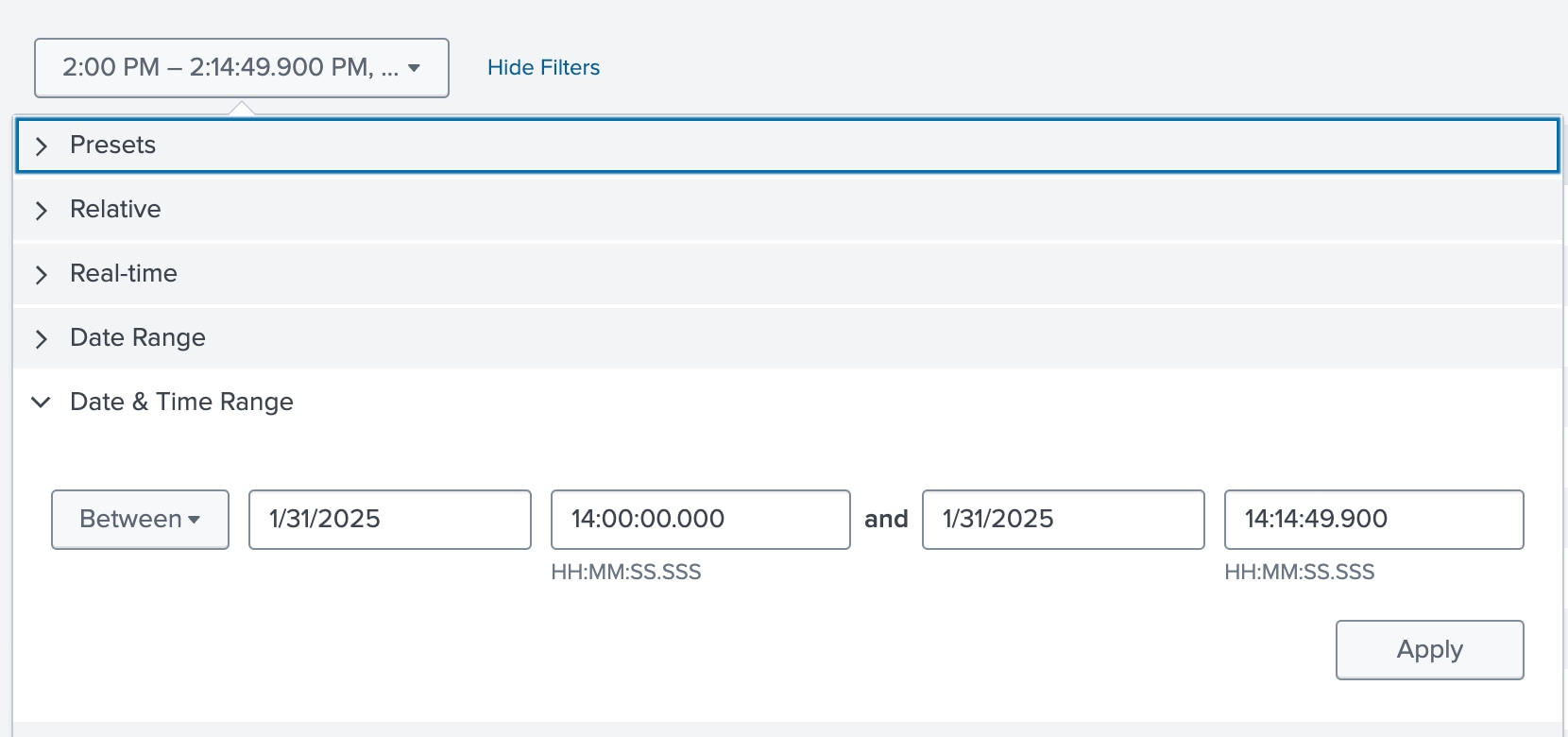
5. Change preferences to a different time zones and notice the value in the display and selection panel. It is still the same as your system time zone.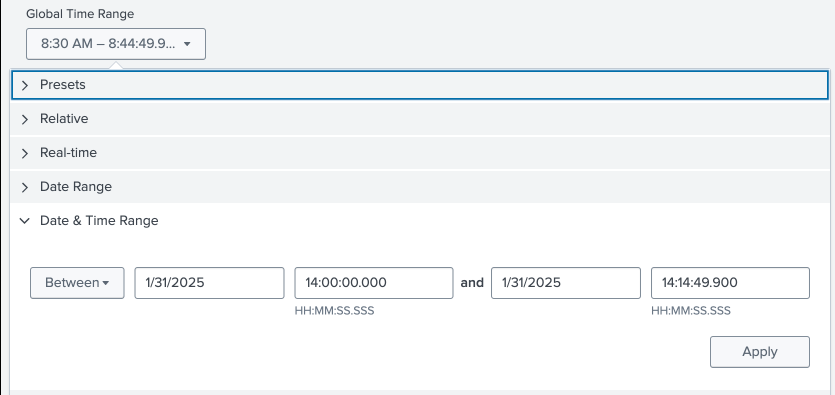
Resolution
This has been identified as a known issue SPL-260958, a fix is currently being worked on and will be made available in an upcoming release.
There is no known workaround.
Revision History
| Revision | Publish Date | Comments |
|---|---|---|
1.0 |
29-Sep-2026
|
Initial Release |
 Feedback
Contact Cisco
- Open a Support Case

- (Requires a Cisco Service Contract)