Splunk Dashboard Studio "Schedule Export" feature BUG
Available Languages
Applicability
Splunk Enterprise Splunk CloudDescription
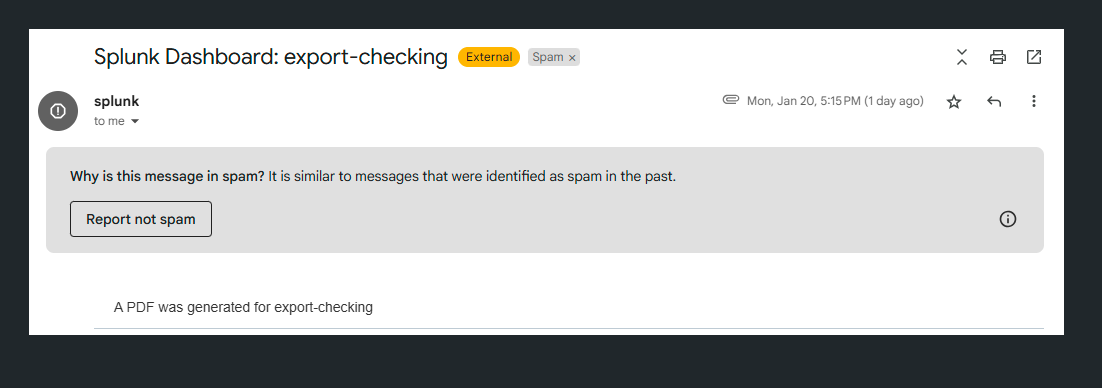
When using the "Schedule Export" option in Dashboard Studio to export a dashboard, the exported email exhibits inconsistencies in its subject line and message content. Instead of displaying the intended subject, the email subject always follows the format "Splunk Dashboard: $dashboard_name$," regardless of the custom message entered during export. Additionally, the message field content does not appear as expected. Instead, the email body consistently states, "The PDF was generated for 'Dashboard_name'." This issue occurs regardless of whether the export format is set to PDF or PNG, as the email always references a PDF generation.
Investigation
The 'Export Checking' named dashboard was tested to validate a potential bug related to email generation. During the investigation, two different behaviors were observed.
Dashboard Details:
Name: Export Checking
Subject: Validating dashboard bug
Message: A dashboard was generated for validating whether it is a bug or not.
1. Initial Trigger: When the email was generated for the first time, the expected behavior was observed, meaning the dashboard functioned as intended.
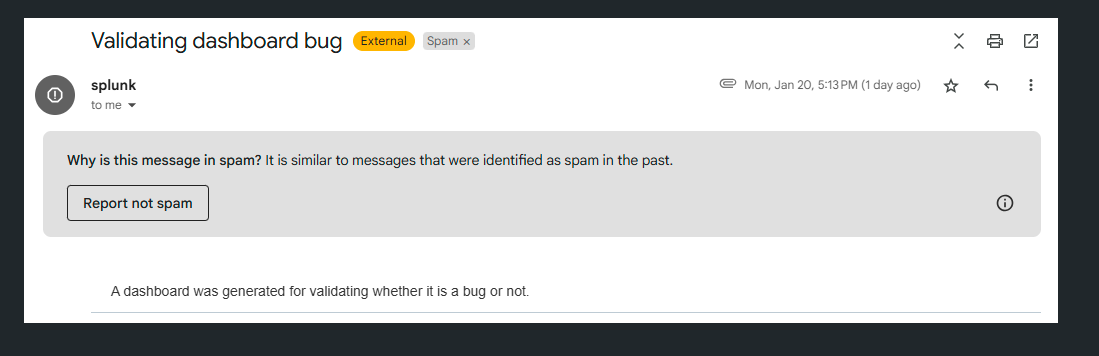
2. Subsequent Triggers: From the second trigger onward, the behavior changed and aligned with the issue observed in the affected environment.
Resolution
Upgrade Splunk version to 9.3.4 and higher or 9.4.2 and higher, since the fix has been applied to those versions.
Revision History
| Revision | Publish Date | Comments |
|---|---|---|
1.0 |
29-Sep-2026
|
Initial Release |
 Feedback
Contact Cisco
- Open a Support Case

- (Requires a Cisco Service Contract)