Splunk Add-on for Amazon Web Services (AWS) : Inaccurate Extraction of Region field with sourcetype "aws:cloudwatchlogs:vpcflow"
Available Languages
Applicability
Splunk Apps and Add-ons Splunk Cloud Splunk EnterpriseDescription
After Configuring the VPC Flow Logs > SQS Based S3 Input in Splunk Add-on for AWS (version v7.7.1 and prior versions), while searching the logs on the specified index, it was observed that the region field was being extracted as "s3" instead of the actual AWS region value. 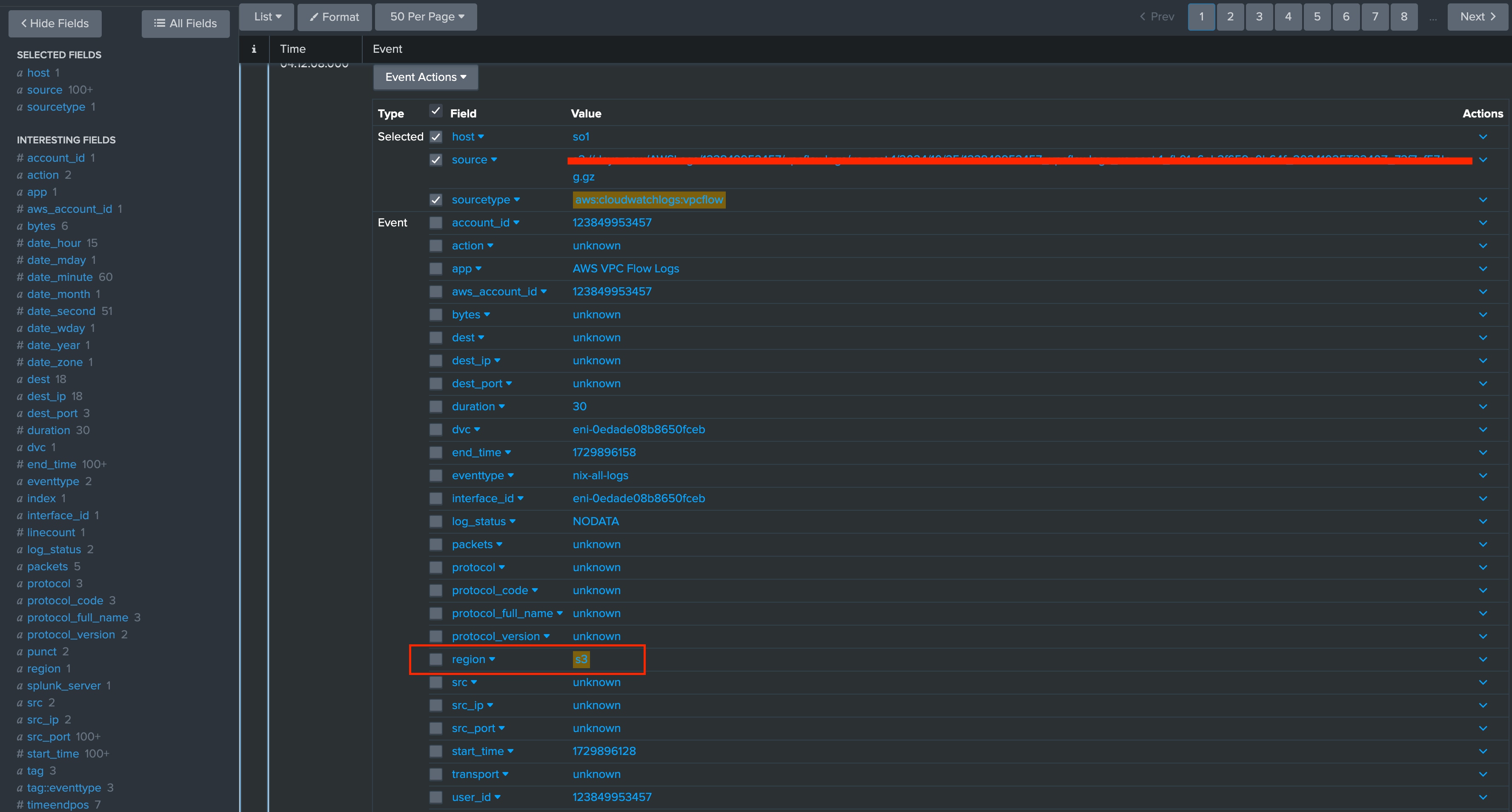
Investigation
On further Investigation, it was observed that the default transform.conf for extracting the region value of the sourcetype aws:cloudwatchlogs:vpcflow is as follow :
[extract-region]
SOURCE_KEY = source
REGEX =  (^[^:]+)
FORMAT = region::$1
The above REGEX will extract the region value by capturing everything before the first colon from the source string.
The current transforms.conf will extract correct region in case of Input type "CloudWatch Logs" as it will have the source value as "region:log_group_name:*", however in case of "SQS Based S3 Input" the source value would be "s3://vpcflowlogpath on S3 bucket" which will extract the region value as "s3" and not the region.
Resolution
In order to resolve the issue, It would be required to create/modify the transforms.conf file on the path $SPLUNK_HOME/etc/apps/Splunk_TA_aws/local with below content as a workaround :
[extract-region]
SOURCE_KEY = source
REGEX = [a-z]{2}-[a-z]+-\d+
FORMAT = region::$1
After making the above changes, the correct extraction of region field can be observed as below.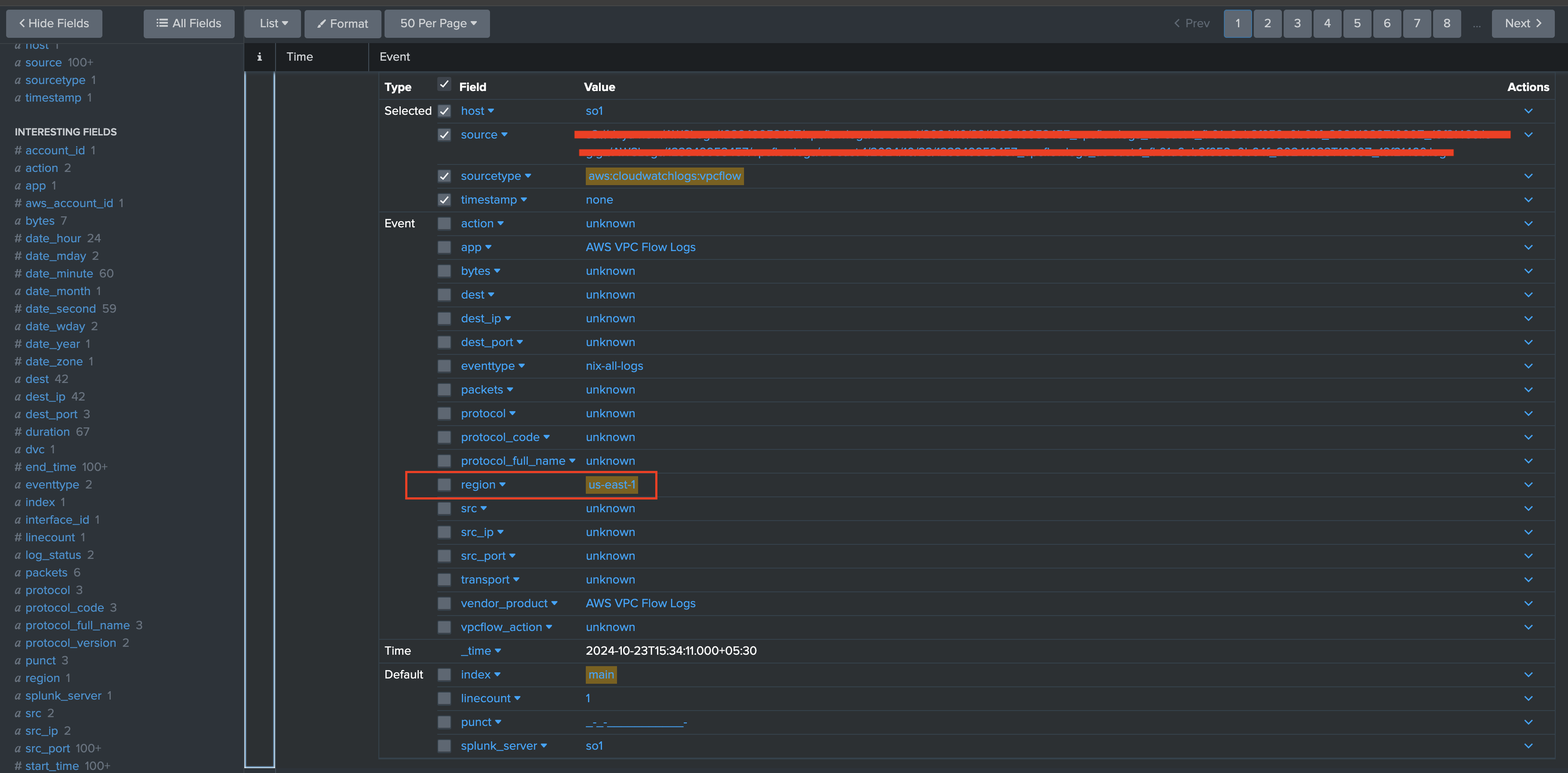
Related Links
Splunk Add-on for AWS configuration : VPC Flow Logs inputs
Revision History
| Revision | Publish Date | Comments |
|---|---|---|
1.0 |
29-Sep-2026
|
Initial Release |
 Feedback
Contact Cisco
- Open a Support Case

- (Requires a Cisco Service Contract)