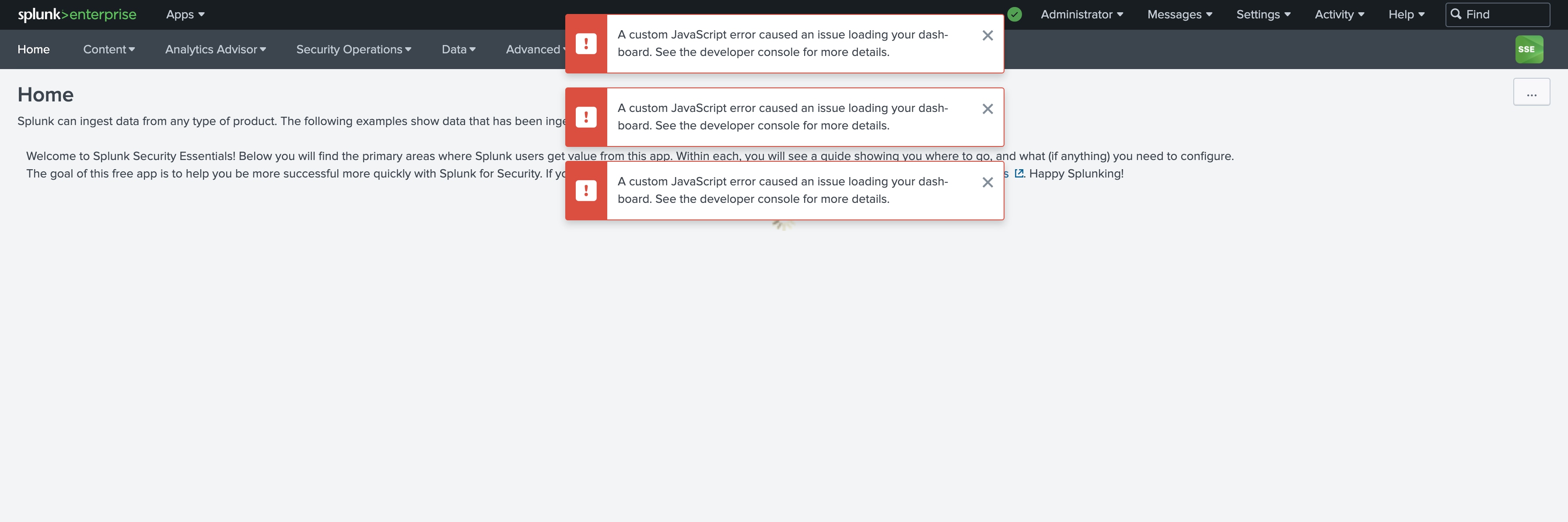
Splunk Security Essentials (SSE) Home page is failing to load with Error message - "A custom JavaScript error caused an issue loading your dashboard. See the developer console for more details."
Available Languages
Applicability
Splunk Security Essentials Splunk Enterprise Splunk Cloud Splunk Apps and Add-onsDescription
After opening the Splunk Security Essentials App, encountered some UI issues. The Home page failed to load and showed an error message: 'A custom JavaScript error caused an issue loading your dashboard. See the developer console for more details.' However, the other pages appeared to be functioning as expected."
The SSE App is showing the following Errors:
Investigation
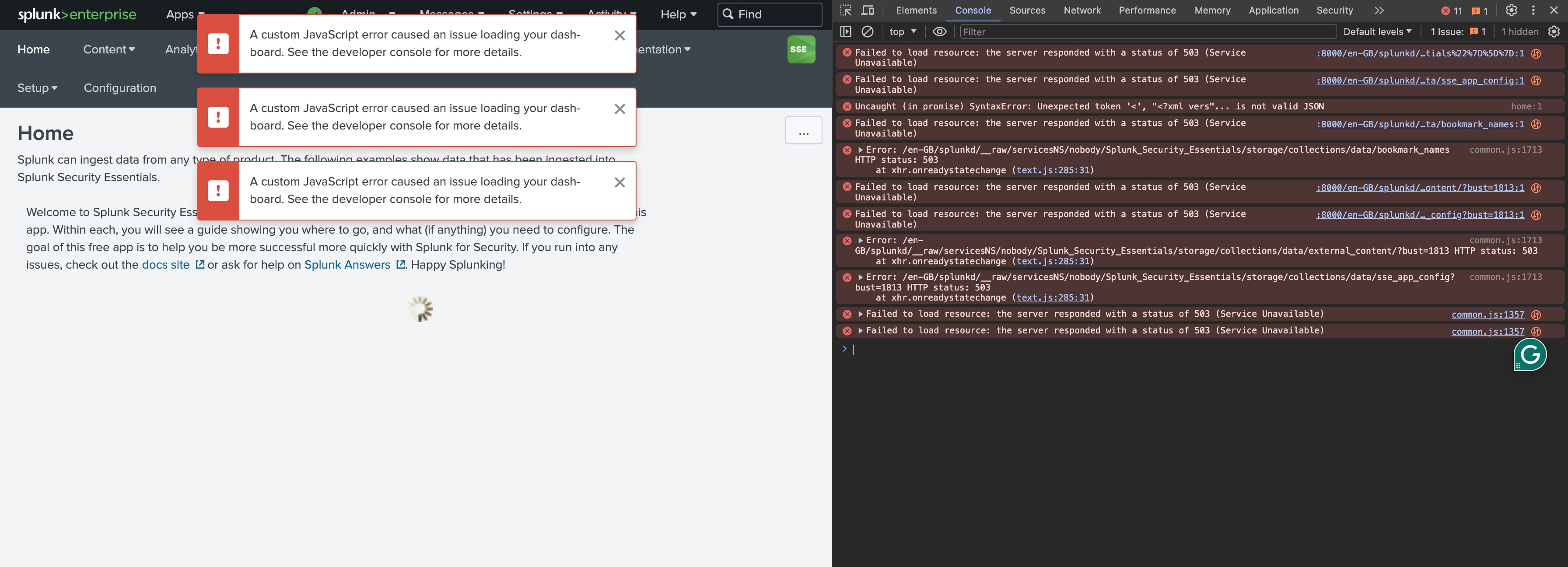
During the initial investigation itself, found that there were multiple error messages in the Console menu of the Inspect tab.
ie. In Google Chrome > Mouse Right Click > Inspect > Console
Errors:
common.js:207
http://<IP>:8000/en-GB/splunkd/__raw/servicesNS/admin/system/storage/collections/data/RecentlyViewedKO?limit=1&query=%7B%22%24and%22%3A%5B%7B%22type%22%3A1%7D%2C%7B%22id%22%3A%22home%22%7D%2C%7B%22app%22%3A%22Splunk_Security_Essentials%22%7D%5D%7D 503 (Service Unavailable)
Uncaught (in promise) SyntaxError: Unexpected token '<', "<?xml vers"... is not valid JSONError: /en-GB/splunkd/__raw/servicesNS/nobody/Splunk_Security_Essentials/storage/collections/data/external_content/ HTTP status: 503
at xhr.onreadystatechange (text.js:285:31)Error Screenshot:
Also found the below message in the Network tab of Inspect tab.
ie. In Google Chrome > Mouse Right Click > Inspect > Network > All > sse_app_config
<?xml version="1.0" encoding="UTF-8"?>
<response>
  <messages>
    <msg type="ERROR">KV Store is disabled.</msg>
  </messages>
</response>
Screenshot:
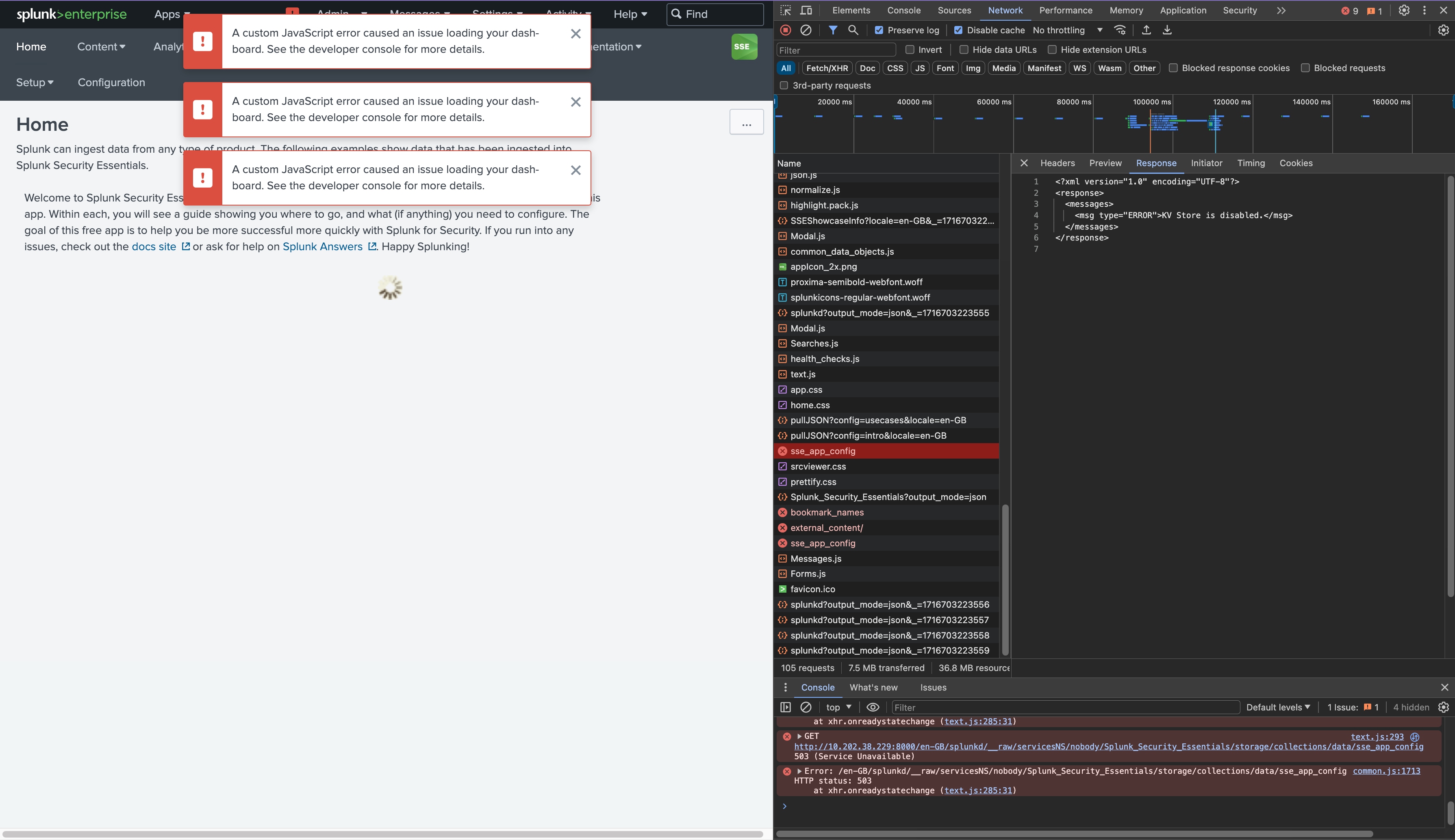
After debugging the above Error messages, it was found that KV Store Services in Splunk are not up and running due to which SSE App's Home page is not loading up.
Resolution
To resolve the issue need to make sure that KV Store Services are up and running. Once the KV Services are up and running, perform a restart of Splunkd services.
Related Links
Revision History
| Revision | Publish Date | Comments |
|---|---|---|
1.0 |
29-Sep-2026
|
Initial Release |
 Feedback
Contact Cisco
- Open a Support Case

- (Requires a Cisco Service Contract)
This Document Applies to These Products
Related Articles
- While launching the SSE app the error "A custom JavaScript error caused an issue loading your dash-board. See the developer console for more details." was observed
- ERROR: "A custom Javascript error caused an issue loading your dashboard, like due to the dashboard version update. See the developer console for more details"
- Configuration page for the Splunk Supporting Add-on for Active Directory is failing with Error message ie. "A custom JavaScript error caused an issue loading your dashboard."
- Lookup Editor App Javascript Error Caused an Issue Loading Your Dashboard