ERROR:"HTTPConnectionPool(host='127.0.0.1', port=9998): Read timed out (read timeout=310)." while saving a connection in Splunk DB Connect
Available Languages
Applicability
Splunk Cloud Splunk Enterprise Splunk DB Connect (Applicable to all versions)Description
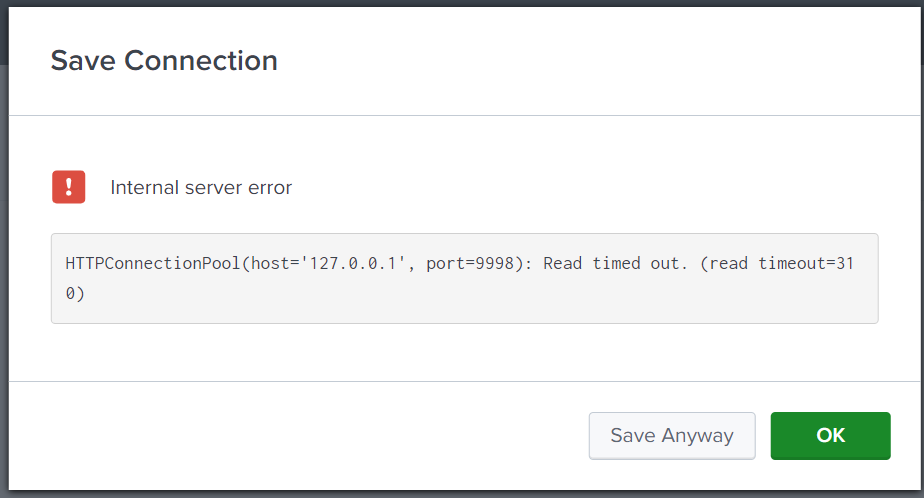
When a user attempts to establish a connection in DB Connect for databases like MySQL or Oracle, user encounter the following error message in the DB Connect user interface:
"HTTPConnectionPool(host='127.0.0.1', port=9998): Read timed out. (read timeout=310)."Please refer to the reference screenshot attached below:
Investigation
The error message in question indicates that a request made to a local server (running on 127.0.0.1 at port 9998) has timed out because it did not receive a response within the specified timeout period (310 seconds). One possibility is that there might still be network configuration issues or firewall rules affecting local traffic. To identify the root cause, the user should examine the following options:
- Ensure that the port is open on both the Splunk instance side and the database side. This can be verified using the following telnet commands:
telnet <splunk_host> <database_port>
telnet <database_host> <database_port>
Note: In this particular error, the telnet output may sometimes show as connected. - The firewall policy for the Splunk server should be checked to verify if there are any blockages in the firewall configuration. It is important to understand that this error typically occurs when the Splunk host cannot reach the specific database host. To identify the root cause, the database logs should be validated. Specifically, when encountering the error in Splunk DB Connect, the database logs should be inspected to see if any entries indicate attempted access or authentication requests from the Splunk side when clicking on the newly created connection in the connection tab.
-
Additionally, if there are no logs, it indicates that the Splunk host is unable to reach the database host and is timing out.
Resolution
To resolve this issue, the user should involve their network team (if any) to validate the firewall policy on the host to ensure there are no blockages. The user must also check logs when Splunk attempts to reach the particular database. If there are denied entries in the logs, it suggests a network issue that needs to be addressed.
Revision History
| Revision | Publish Date | Comments |
|---|---|---|
1.0 |
29-Sep-2026
|
Initial Release |
 Feedback
Contact Cisco
- Open a Support Case

- (Requires a Cisco Service Contract)
This Document Applies to These Products
Related Articles
- [Splunk DB Connect] PostgreSQL Inputs Not Working in Splunk DB Connect v3.9 [Invalid Connection Error]
- Splunk DB Connect: Getting "This driver is not configured for integrated authentication" while saving MSSQL Connection.
- The Splunk DB Connect inputs sometime experience intermittent failures while collecting data resulting a miss during data collection.