Cloud Monitoring Console - Health Preview - Bucket Status Critical
Available Languages
Applicability
Splunk Cloud Cloud Monitoring Console AppDescription
Cloud Monitoring console (CMC) Health Preview > Health Preview - Data Indexing/ Bucket Size and range shows a number of buckets with critical status.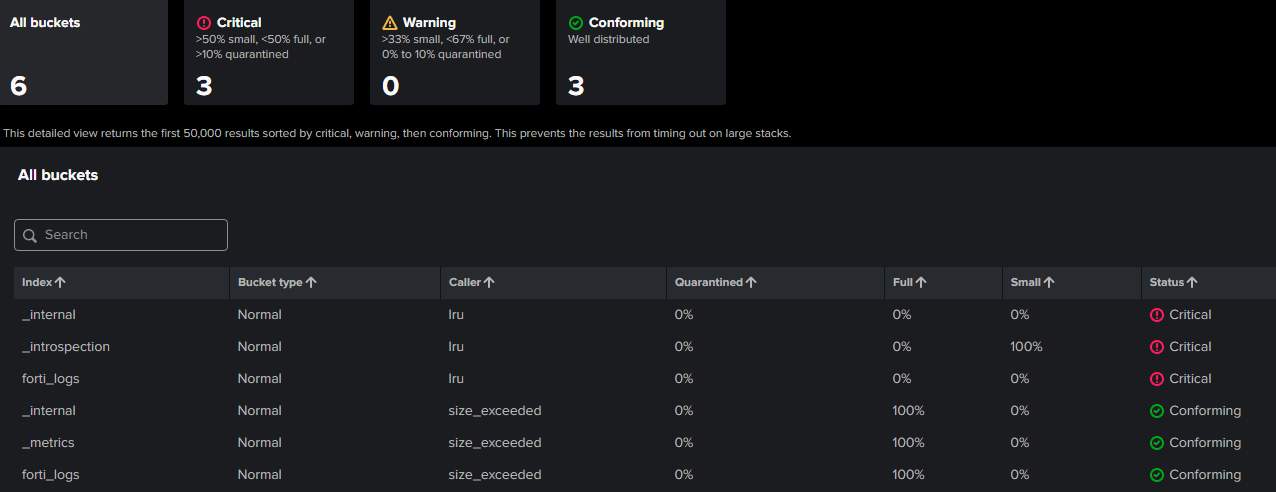
On this same page Indicator>Bucket Status>Details will show a list detailing bucket status per index as shown in the above image.
Cloud Monitoring Console (CMC) Health Preview
Investigation
The Bucket Status view in CMC evaluates buckets and their size in an index. It details a count and a percentage of buckets that rolled from Hot to another state under abnormal circumstances. For example: reaching the maxHotBuckets limit or an indexer restart can cause buckets to roll. Buckets that roll under normal circumstances are not detailed here. A "normal" bucket roll happens when the bucket's max size (maxDataSizeMB) or time span ( maxHotSpanSecs) is reached.
The details view shows a count and percentage of abnormal buckets by index. The bucket status can be: quarantined, full or small. It also details the "caller" or the reason why the bucket was rolled. Caller LRU stands for "Least Recently Used", other calls are self-explanatory.
In Splunk Cloud, buckets are counted as "rolled" when the caller is roll_request_at_shutdown—this commonly happens when Splunkd restarts due to maintenance, app upgrades, or config deployments. For low-volume indexes, it's expected that buckets will roll before reaching the maximum hot bucket size, because the default setting maxHotSpanSecs is 86400 seconds (24 hours).
Indexes.conf
maxHotBuckets = <positive integer> | auto
* Maximum number of hot buckets that can exist per index.
* When 'maxHotBuckets' is exceeded, the indexer rolls the hot bucket
  containing the least recent data to warm.
* Both normal hot buckets and quarantined hot buckets count towards this
  total.
* This setting operates independently of maxHotIdleSecs, which can also
  cause hot buckets to roll.
* If you specify "auto", the indexer sets the value to 3.
* This setting applies only to event indexes.
* Default: "auto"
Bucket health can be:QUARANTINE: Can be caused by a number of issues but mainly anomalous timestamps. These buckets roll to frozen by default.
quarantinePastSecs, quarantineFutureSecs: an anomalous past/future timestamp
Status definitions:
QUARANTINE: Can be caused by a number of issues but mainly anomalous timestamps. These buckets roll to frozen by default.
quarantinePastSecs, quarantineFutureSecs: an anomalous past/future timestampSMALL BUCKETS: are caused by the timestamps of the events being fed into Splunk not being chronological. If there’s not a lot of thruput or the bucket is still filling up when it rolls, then the bucket would be small. This community post has more details: Health warning
Sometimes users address time-related issues by updating the sourcetype, but still notice that the Bucket Health page continues to display a "critical" status. This often occurs because the dashboard reports events or occurrences from the past 24 hours, meaning residual or older issues may still be reflected.
How to validate the current status for your index:
- Click on Open metrics in search on the Bucket Health page.
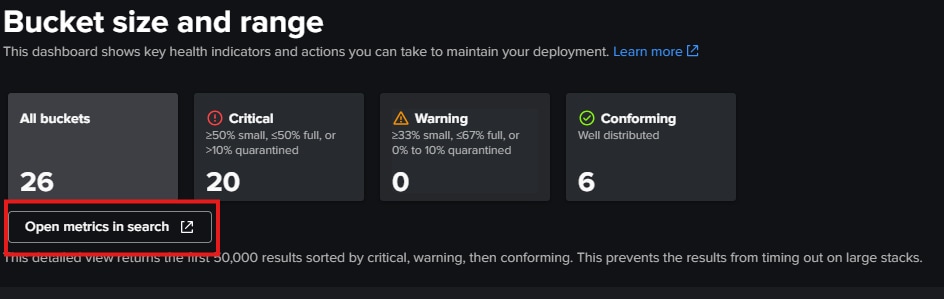
- By default, the time range is set to 1 day (24 hours).
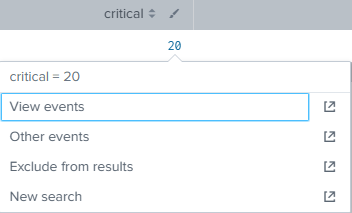
- To check the latest status, click View events and adjust the time range as needed. This allows you to see which indexes are currently reporting as critical.
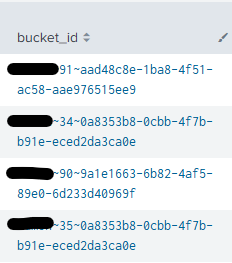
- You can expand individual events to view more details, including the bucket IDs associated with the issues.
To list all buckets and their details for a given index:
| dbinspect index=<index_name> earliest=0
| table index splunk_server bucketId path startEpoch endEpoch
| convert ctime(*Epoch) as *HumanReadable
To check the "endtime" value per specific bucket (as described in the validation steps):
|dbinspect index=<index_name> cache=t
| search bucketId="index_name~1317~FB305AAC-EC6D-458F-8C85-8xxxxxxx"
| eval startTime=strftime(startEpoch,"%d/%m/%y %H:%M:%S"), endTime=strftime(endEpoch,"%d/%m/%y %H:%M:%S")
Resolution
- Detailed indexes buckets do not adhere to the expected bucket size or have been quarantined.
- Ensure that events are arriving with accurate and recent timestamps that are not out of order.
- Splunk quarantines events if their timestamp is older than 900 days in the past, or newer than 30 days in the future.
- Splunk expects most buckets to be between 375MB and 750MB. If buckets fail to reach (or exceed) this range, you might see degraded performance from excessive cache calls.
- If buckets frequently roll prematurely or fail to reach the expected size, consider adjusting your index settings to keep them open (hot) longer. If buckets frequently exceed their maximum configured size, it can be a sign of insufficient capacity of the indexing tier.
Note: Splunk does not differentiate between custom, local, or system indexes and sourcetypes—they are all treated the same.
Revision History
| Revision | Publish Date | Comments |
|---|---|---|
1.0 |
29-Sep-2026
|
Initial Release |
 Feedback
Contact Cisco
- Open a Support Case

- (Requires a Cisco Service Contract)