Failed to verify signature with cert error while logging in using SAML
Available Languages
Applicability
Splunk CloudDescription
Error:Verification of SAML assertion using the IDP's certificate provided failed. Error: failed to verify signature with cert
Investigation
If the error is seen while logging in using SAML as per the screenshot, please investigate using below steps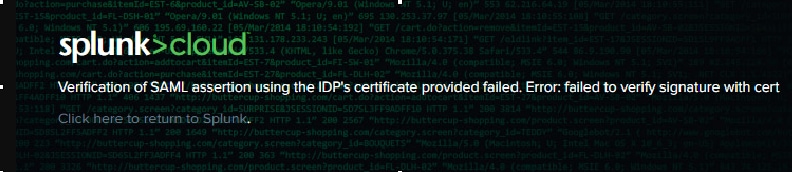
Go to GUI > Settings > Authentication Methods > SAML settings > configure SAML > IdP certificate chain
Verify whether there are 3 certificate chains present in IdP certificate chains tab. The chains should look like below:
-----BEGIN CERTIFICATE-----
... (the root certificate for the CA)...
-----END CERTIFICATE-----
-----BEGIN CERTIFICATE-----
... (the intermediate certificate)...
-----END CERTIFICATE-----
-----BEGIN CERTIFICATE-----
... (the leaf certificate)...
-----END CERTIFICATE-----
Double check whether the certificates are present on the back end. Login using CLI (if you are on Splunk Cloud, Support would have to do this) and check the idpCerts directory
$SPLUNK_HOME/etc/auth/idpCerts/
If the 3 certificate chains have been set up properly, Splunk would create a directory called idpCertChain_1. Inside this directory there should be 3 .pem files as seen below
ls $SPLUNK_HOME/etc/auth/idpCerts/idpCertChain_1
cert_1.pem cert_2.pem cert_3.pem
Sometimes there are both certificate files in idpCertChain_1 as well as a single idpCert.pem file in idpCerts. This would cause a clash or obstruction of certificate validation.
ls $SPLUNK_HOME/etc/auth/idpCerts/
idpCert.pem
Resolution
Follow the below steps in order to resolve the "failed to verify the signature with cert" error.1. Go to GUI > Settings > Authentication Methods > SAML settings > configure SAML > IdP certificate chain
2. Verify all 3 certificate chains are present in IDP certificate chains tab
The certificate chain should have root, intermediate, and leaf certificates as below.
-----BEGIN CERTIFICATE-----
... (the root certificate for the CA)...
-----END CERTIFICATE-----
-----BEGIN CERTIFICATE-----
... (the intermediate certificate)...
-----END CERTIFICATE-----
-----BEGIN CERTIFICATE-----
... (the leaf certificate)...
-----END CERTIFICATE-----
Please note: this IdP certificate should be coming from the IdP and not Splunk side. Please contact the IdP side to get certificates in the correct order.
3. Once it is updated, go back to GUI > Settings > Authentication Methods and click Reload Authentication Configuration
4. Try login using SAML again, the error will be resolved.
If the error is still existing even after above steps, a clash with an existing idpCert.pem might be happening. The .pem file would need to be removed. If you are on Splunk Cloud, Support would do these steps for you.
1. Login to the instance via CLI, confirm that there are both idpCert.pem file and certificate chain
ls $SPLUNK_HOME/etc/auth/idpCerts/
idpCert.pem
ls $SPLUNK_HOME/etc/auth/idpCerts/idpCertChain_1
cert_1.pem cert_2.pem cert_3.pem
2. Remove the idpCert.pem file by moving it to another directory
#make a temporary directory
$ mkdir $SPLUNK_HOME/tmp/case_id_123/$ ls -lrt $SPLUNK_HOME/tmp/
total 4
drwxrwx--- 2 splunk splunk 4096 Feb  9 03:59 case_id_123#move the idpCert.pem to the temporary directory
$ mv $SPLUNK_HOMEetc/auth/idpCerts/idpCert.pem $SPLUNK_HOME/tmp/case_id_123/$ ls -lrt $SPLUNK_HOME/tmp/case_id_123/
total 4
-rw-r----- 1 splunk splunk 1882 Feb  8 22:12 idpCert.pem#check that in idpCerts directory there's only the certificate chain directory
$ ls -lrt $SPLUNK_HOME/etc/auth/idpCerts/
total 4
drwx------ 2 splunk splunk 4096 Feb  8 22:20 idpCertChain_1
3. go back to GUI > Settings > Authentication Methods and click Reload Authentication Configuration
4. Try login using SAML again, the error should be resolved.
Related Links
Splunk Community Post: Problem with SAML cert: "ERROR UiSAML - Verification of SAML assertion using the IDP's certificate provided failed. Error: Failed to verify signature with cert :/opt/splunk/etc/auth/idpCerts/idpCert.pem"Revision History
| Revision | Publish Date | Comments |
|---|---|---|
1.0 |
29-Sep-2026
|
Initial Release |
 Feedback
Contact Cisco
- Open a Support Case

- (Requires a Cisco Service Contract)