This dashboard is attempting to receive content from outside of Splunk.
Available Languages
Applicability
Splunk Cloud Simple XMLDescription
Dashboards created in Simple XML with links to external references will trigger the following flag:
This dashboard is attempting to receive content from outside of Splunk.
The content URLs are not in the Dashboards Trusted Domains List
Investigation
[add - there are 2 different modals, external content, and redirecting to external link]
Infosec cloud App attempting to receive content from outside of Splunk which is not allowed by default and shows a popup message.
Example: When an external link is present in a Simple XML Dashboard, the user receives a warning prompt that asks them to either Continue or Cancel: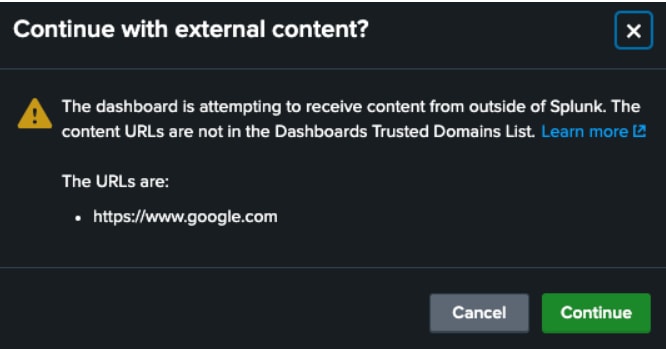
Let us review what happens for each option:
User Selects Continue
By clicking “Continue” it will continue loading the page with the external links. In the example screenshot above, you can see which URL will open (in this case, www.google.com.)
User Selects Cancel
By clicking “Cancel” it will not load the external link (www.google.com). Instead, it will revert back to the dashboard, preventing the user from navigating away from the Splunk Cloud instance and unknowingly loading content from external locations.
Resolution
If the Splunk Admin wishes to turn this notification off or add additional Domains to the Trusted Domains list, they will have two options:
Option 1: Self-Service via the Dashboard Trusted Domains List
For Splunk Cloud 9.0.2208 the user must opt into the automatic UI updates. This can be done via the UI by going to Settings > Automatic UI Updates
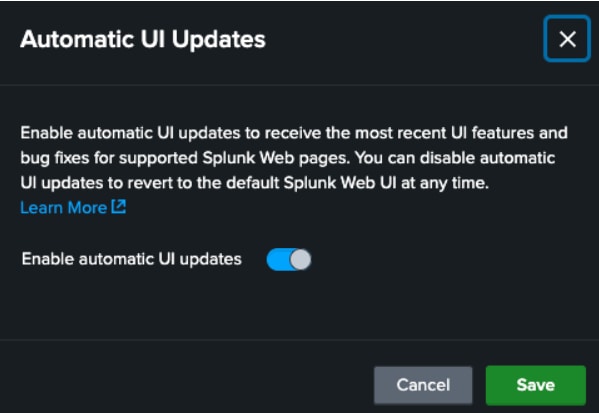
For Splunk Cloud 9.X onwards this option is enabled by default.
[todo: edit the formatting below]
Note: while adding a URL make sure that do add only the domain entry like this "youtu.be" only.
Not with the full address: "https://youtu.be/0REbozaALX0" as shown in below image(That's the whole domain so no wildcards are needed nor HTTP/HTTPs).
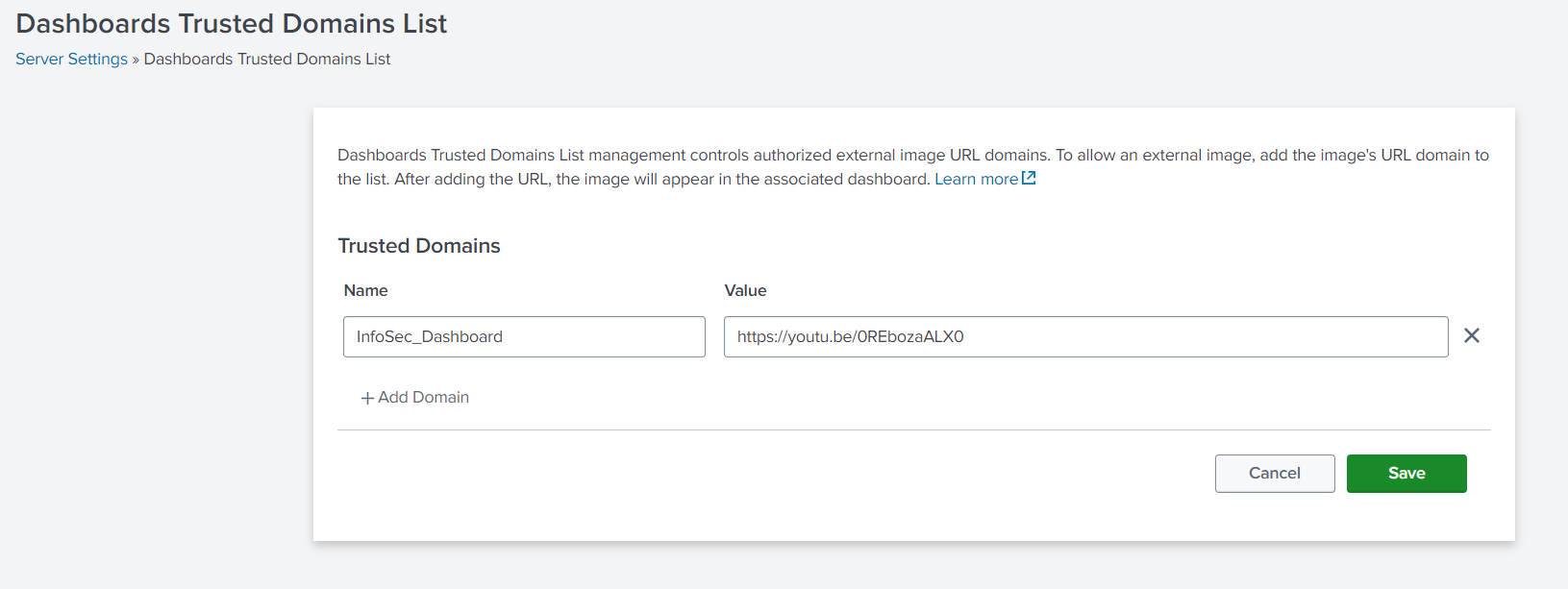
Once the user enables automatic UI updates, they can add the trusted domains via the UI by going to Settings > Server Settings > Dashboards trusted domains list, adding the trusted domain(s) and clicking Save.
[add - can add * asterisk as wild card]
Option 2: Support Ticket
Users can create a Splunk Support ticket to have the trusted domain list updated.
Related Links
How to add new domains in the Trusted list for SplunkRevision History
| Revision | Publish Date | Comments |
|---|---|---|
1.0 |
29-Sep-2026
|
Initial Release |
 Feedback
Contact Cisco
- Open a Support Case

- (Requires a Cisco Service Contract)