Field Notice: FN - 72277 - UCS X9508 Chassis Screws Not Engaged to Retain Power Entry Module - Workaround Provided
Available Languages
Notice
THIS FIELD NOTICE IS PROVIDED ON AN "AS IS" BASIS AND DOES NOT IMPLY ANY KIND OF GUARANTEE OR WARRANTY, INCLUDING THE WARRANTY OF MERCHANTABILITY. YOUR USE OF THE INFORMATION ON THE FIELD NOTICE OR MATERIALS LINKED FROM THE FIELD NOTICE IS AT YOUR OWN RISK. CISCO RESERVES THE RIGHT TO CHANGE OR UPDATE THIS FIELD NOTICE AT ANY TIME.
Revision History
| Revision | Publish Date | Comments |
|---|---|---|
1.1 |
26-Jan-22 |
Updated the Workaround/Solution Section |
1.0 |
22-Nov-21 |
Initial Release |
Products Affected
| Affected Product ID | Comments |
|---|---|
UCSX-9508 |
|
UCSX-9508= |
Part Alternate |
UCSX-9508-U |
Defect Information
| Defect ID | Headline |
|---|---|
| CSCwa11356 | UCSX 9508 Chassis PEM Retention Screw loose |
Problem Description
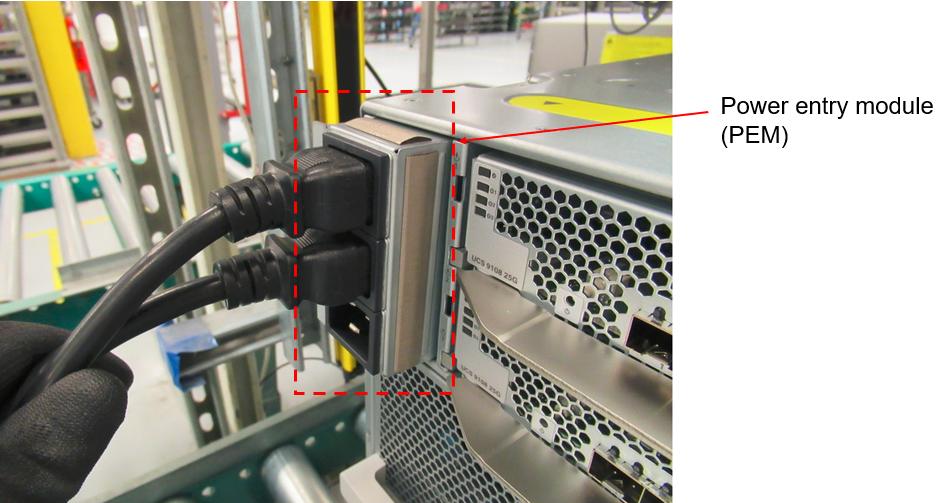
The Power Entry Module (PEM) for a small number of UCS 9508 units might not be secured in the chassis and could be pulled out when power cord is unplugged from the chassis.
Caution: Do NOT remove the AC cord at the chassis end until the remediation has been applied.
Background
Cisco was recently made aware of a manufacturing issue related to the PEM that might pose a safety issue, as certain PEMs were not properly secured to the chassis. The captive screws designed to secure the PEM were not correctly tightened and some chassis were shipped with the module improperly secured.
Problem Symptom
The PEM might slide out of the chassis when the power cord is removed from the chassis.
Workaround/Solution
In order to tighten the captive screws, complete these steps:
- Power down the chassis.
- Unplug the AC power cord from the rack Power Distribution Unit (PDU) end.
Caution: Do NOT remove the AC cord at the chassis end.
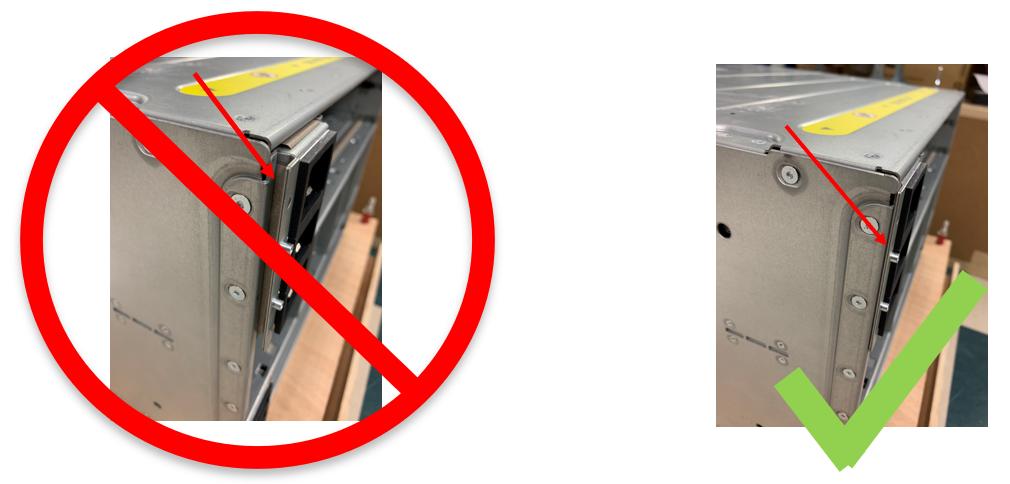
- Ensure the PEM is fully inserted. Check for any gaps between the sheet metal.
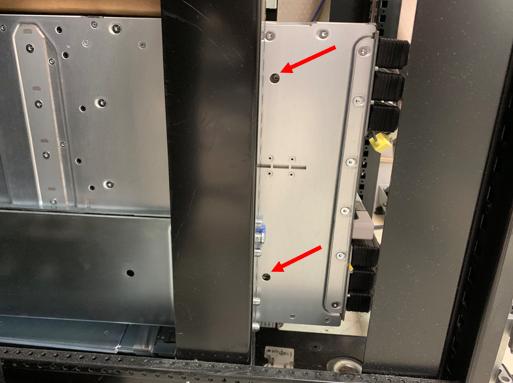
- Remove the Intelligent Fabric Module (IFM) and locate the screw hole.
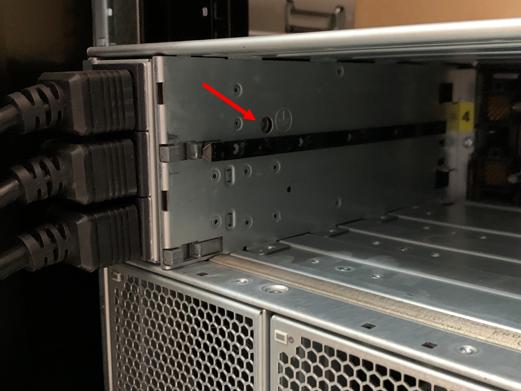
- Torque to 4.5-6inlb or hand tighten.
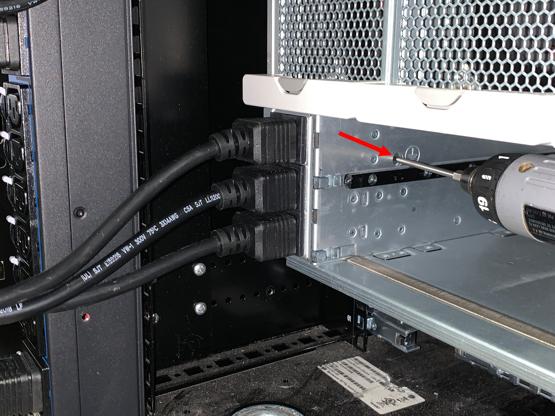
- Locate the screws on the left side of the chassis. Fasten the screws with a T10 torx head driver. Torque to 4.5-6inlb or hand tighten.
How To Identify Affected Products
In order to verify if your product is affected by this issue, use the Cisco Support Assistant (CSA) to validate the serial number for your device(s). The serial number for the affected device(s) should be included in the form in this field notice.
Serial Number Validation
The Cisco Support Assistant (CSA) can help verify whether a device is impacted by the issue that is described in this Field Notice. To check the device, either enter the serial number in the CSA on the right side of this page or click the following URL: https://cs.co/FNSNV.
For More Information
If you require further assistance, or if you have any further questions regarding this field notice, please contact the Cisco Systems Technical Assistance Center (TAC) by one of the following methods:
Receive Email Notification For New Field Notices
My Notifications—Set up a profile to receive email updates about reliability, safety, network security, and end-of-sale issues for the Cisco products you specify.
 Feedback
Unleash the Power of TAC's Virtual Assistance