Introduction
This document describes how to install the Cisco IoT FND PostgreSQL OVA and upgrade from FND Release 5.0.0 to later releases on VMware ESXi.
Prerequisites
VMware ESXi 7.x or later
Cisco IoT Field Network Director (FND) PostgreSQL Open Virtual Appliance (OVA) Release 5.0.0 or later
VM Requirements:
Memory: 24 GB
vCPUs: 4
Disk: 450 GB minimum
Components Used
The information in this document was created from the devices in a specific lab environment. All of the devices used in this document started with a cleared (default) configuration. If your network is live, ensure that you understand the potential impact of any command.
Deploying Cisco IoT FND PostgreSQL OVA
Here are the guidelines to install Cisco IoT FND Release 5.x.x or later releases with an Open Virtual Appliance (OVA) software running VMware ESXi versions 7.x or 8.0 versions.
Step 1: Download the OVA from Cisco Software Downloads
Download the OVA file from the cisco software page - Click here
Step 2: Login to the VMware vSphere Client to deploy OVA on an ESXi server.
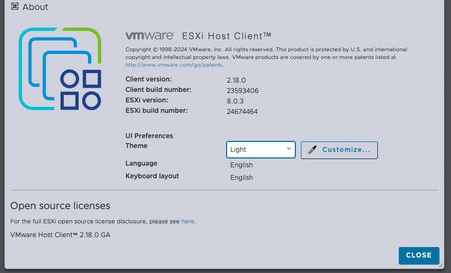
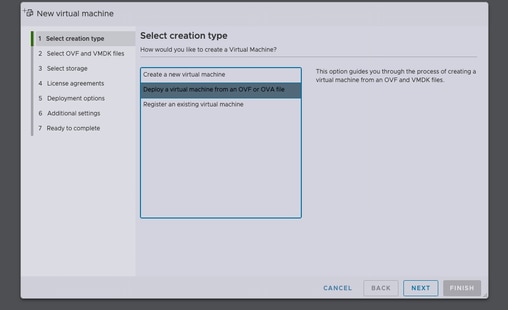
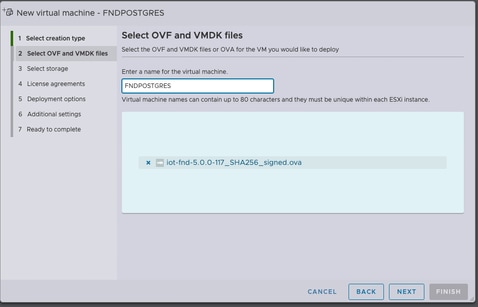
After selecting the data store, select the provisioning type and enable the Power on automatically option. This ensures power-on of the virtual machine once the deployment process is complete. Click Next.
Notes
Thick Provisioning
Thin Provisioning
-
Disk space grows on demand.
-
Initial disk usage is approximately 50 GB, increasing based on deployment scale.
Review the selections before clicking Finish.
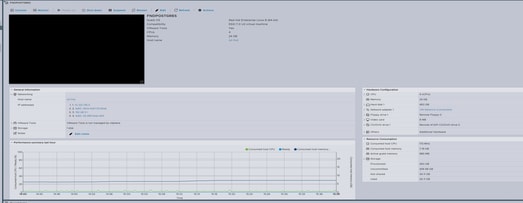
Step 3: Login using Credentials
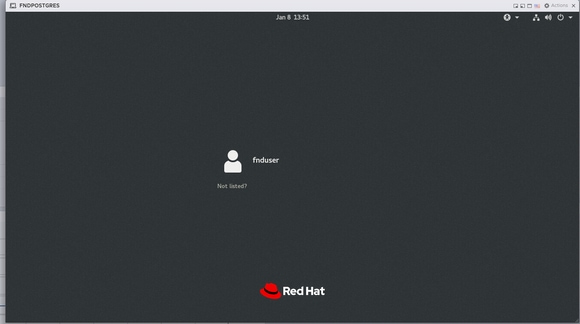
After the OVA deployment completes and the Linux startup screen appears, use these default credentials:
SSH Access
-
Username: fnduser
-
Password: C!sco123
GUI Access
-
Username: root
-
Password: root123
Step 4: Network Configuration
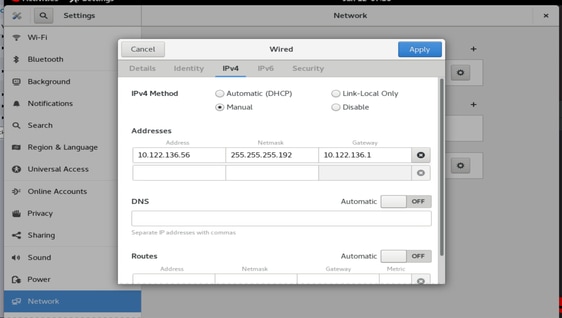
Complete the network configuration steps:
-
Assign a static IP address or ensure a DHCP server is available to assign an IP address.
-
Configure a valid and reachable DNS server on the host VM.
-
Restart the network services after IP configuration is complete.
Upgrading Cisco IoT FND from Release 5.0 to 5.1
Step 1: Download the Upgrade Package
Download the upgrade package from the Cisco Software Download page - Click here
Filename: CISCO-IOTFND-VPI-K9-UPGRADE-SCRIPTS-5.1.0-155.zip
Step 2 :Perform Pre-Upgrade Checks
Before proceeding with the upgrade, verify the health and operational status of Cisco IoT FND services.
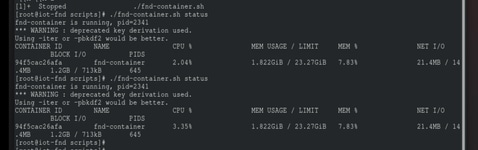
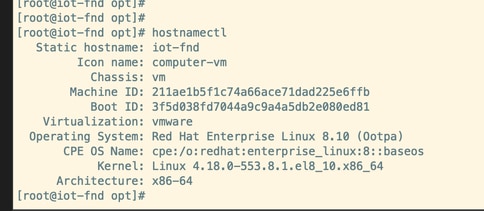
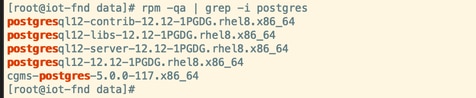
Step 3: Copy the Upgrade RPM to the /opt directory.

Step 4: Run the Upgrade Command
Example :
rpm -Uvh upgrade-ova--<release>-<build number>.rpm
[root@iot-fnd opt]# rpm -Uvh upgrade-ova-5.1.0-155.rpm

warning: upgrade-ova-5.1.0-155.rpm: Header V4 RSA/SHA256 Signature, key ID a5a10227: NOKEY

Verifying...                          ################################# [100%]

Preparing...                          ################################# [100%]

Updating / installing...

   1:upgrade-ova-5.1.0-155            ################################# [100%]

Deleting /var/lib/docker/volumes/fogd_data/_data/dist/appmgr/extensions/fnd/dependencies...

Deletion complete.


Started installer in background. Please check ~/rpm.log in few minutes for details.

[root@iot-fnd opt]#

Mon Jan 12 13:38:02 EST 2026 Background installer started

Mon Jan 12 13:38:02 EST 2026 Please wait until the 'RPM installation completed' message is logged


Mon Jan 12 13:38:02 EST 2026 Upgrading cgms-postgres-5.1.0-155.x86_64.rpm

Verifying...                          ########################################

Preparing...                          ########################################

Updating / installing...

cgms-postgres-5.1.0-155               ########################################

Cleaning up / removing...

cgms-postgres-5.0.0-117               ########################################


Mon Jan 12 13:38:22 EST 2026 Upgrading cgms-influx-5.1.0-155.x86_64.rpm

Verifying...                          ########################################

Preparing...                          ########################################

Updating / installing...

cgms-influx-5.1.0-155                 ########################################

Cleaning up / removing...

cgms-influx-5.0.0-117                 ########################################


Mon Jan 12 13:38:28 EST 2026 monit-5.33.0-1.el7 already installed on non-RHEL 9 system

Mon Jan 12 13:38:36 EST 2026 Stopping PostgreSQL services

Mon Jan 12 13:39:37 EST 2026 Upgrading Postgresql 16.7

Mon Jan 12 13:39:38 EST 2026 Using RHEL 8.x Installing PostgreSQL 16.7 libraries

warning: postgresql16-libs-16.7-1PGDG.rhel8.x86_64.rpm: Header V4 RSA/SHA256 Signature, key ID 08b40d20: NOKEY

Verifying...                          ########################################

Preparing...                          ########################################

Updating / installing...

postgresql16-libs-16.7-1PGDG.rhel8    ########################################

postgresql16-16.7-1PGDG.rhel8         ########################################

postgresql16-server-16.7-1PGDG.rhel8  ########################################

postgresql16-contrib-16.7-1PGDG.rhel8 ########################################


Mon Jan 12 13:39:42 EST 2026 Migrating DB data to Postgresql 16.7

Initializing database ... OK


Created symlink /etc/systemd/system/multi-user.target.wants/postgresql-16.service → /usr/lib/systemd/system/postgresql-16.service.

Performing Consistency Checks

-----------------------------

Checking cluster versions                                     ok

Checking database user is the install user                    ok

Checking database connection settings                         ok

Checking for prepared transactions                            ok

Checking for system-defined composite types in user tables    ok

Checking for reg* data types in user tables                   ok

Checking for contrib/isn with bigint-passing mismatch         ok

Checking for incompatible "aclitem" data type in user tables  ok

Checking for user-defined encoding conversions                ok

Checking for user-defined postfix operators                   ok

Checking for incompatible polymorphic functions               ok

Creating dump of global objects                               ok

Creating dump of database schemas                             ok

Checking for presence of required libraries                   ok

Checking database user is the install user                    ok

Checking for prepared transactions                            ok

Checking for new cluster tablespace directories               ok


If pg_upgrade fails after this point, you must re-initdb the

new cluster before continuing.


Performing Upgrade

------------------

Setting locale and encoding for new cluster                   ok

Analyzing all rows in the new cluster                         ok

Freezing all rows in the new cluster                          ok

Deleting files from new pg_xact                               ok

Copying old pg_xact to new server                             ok

Setting oldest XID for new cluster                            ok

Setting next transaction ID and epoch for new cluster         ok

Deleting files from new pg_multixact/offsets                  ok

Copying old pg_multixact/offsets to new server                ok

Deleting files from new pg_multixact/members                  ok

Copying old pg_multixact/members to new server                ok

Setting next multixact ID and offset for new cluster          ok

Resetting WAL archives                                        ok

Setting frozenxid and minmxid counters in new cluster         ok

Restoring global objects in the new cluster                   ok

Restoring database schemas in the new cluster                 ok

Copying user relation files                                   ok

Setting next OID for new cluster                              ok

Sync data directory to disk                                   ok

Creating script to delete old cluster                         ok

Checking for extension updates                                ok


Upgrade Complete

----------------

Optimizer statistics are not transferred by pg_upgrade.

Once you start the new server, consider running:

    /usr/pgsql-16/bin/vacuumdb --all --analyze-in-stages

Running this script will delete the old cluster's data files:

    ./delete_old_cluster.sh

Starting new PostgreSQL server...

waiting for server to start.... done

server started

Setting password encryption method to 'scram-sha-256'...

ALTER ROLE

ALTER ROLE

Stopping new PostgreSQL server...

waiting for server to shut down.... done

server stopped

Upgrade and password config completed.

Mon Jan 12 13:40:05 EST 2026 Data migration completed

Removed /etc/systemd/system/multi-user.target.wants/postgresql-12.service.

Reinitializing monit daemon

Mon Jan 12 13:40:53 EST 2026 Deleting postgres 12

Updating Subscription Management repositories.

Unable to read consumer identity


This system is not registered with an entitlement server. You can use subscription-manager to register.


Dependencies resolved.

================================================================================

 Package                 Arch      Version               Repository        Size

================================================================================

Removing:

 postgresql12            x86_64    12.12-1PGDG.rhel8     @@commandline    8.6 M

 postgresql12-contrib    x86_64    12.12-1PGDG.rhel8     @@commandline    2.3 M

 postgresql12-libs       x86_64    12.12-1PGDG.rhel8     @@commandline    1.5 M

 postgresql12-server     x86_64    12.12-1PGDG.rhel8     @@commandline     21 M


Transaction Summary

================================================================================

Remove  4 Packages


Freed space: 33 M

Running transaction check

Transaction check succeeded.

Running transaction test

Transaction test succeeded.

Running transaction

  Preparing        :                                                        1/1

  Running scriptlet: postgresql12-contrib-12.12-1PGDG.rhel8.x86_64          1/1

  Erasing          : postgresql12-contrib-12.12-1PGDG.rhel8.x86_64          1/4

  Running scriptlet: postgresql12-server-12.12-1PGDG.rhel8.x86_64           2/4

  Erasing          : postgresql12-server-12.12-1PGDG.rhel8.x86_64           2/4

  Running scriptlet: postgresql12-server-12.12-1PGDG.rhel8.x86_64           2/4

  Erasing          : postgresql12-12.12-1PGDG.rhel8.x86_64                  3/4

  Running scriptlet: postgresql12-12.12-1PGDG.rhel8.x86_64                  3/4

  Erasing          : postgresql12-libs-12.12-1PGDG.rhel8.x86_64             4/4

  Running scriptlet: postgresql12-libs-12.12-1PGDG.rhel8.x86_64             4/4

  Verifying        : postgresql12-12.12-1PGDG.rhel8.x86_64                  1/4

  Verifying        : postgresql12-contrib-12.12-1PGDG.rhel8.x86_64          2/4

  Verifying        : postgresql12-libs-12.12-1PGDG.rhel8.x86_64             3/4

  Verifying        : postgresql12-server-12.12-1PGDG.rhel8.x86_64           4/4

Installed products updated.

Removed:

  postgresql12-12.12-1PGDG.rhel8.x86_64

  postgresql12-contrib-12.12-1PGDG.rhel8.x86_64

  postgresql12-libs-12.12-1PGDG.rhel8.x86_64

  postgresql12-server-12.12-1PGDG.rhel8.x86_64

Complete!

Mon Jan 12 13:41:00 EST 2026 Using PostgreSQL version 16 for configuration path.
setting idle_in_transaction_session_timeout to 3h
set idle_in_transaction_session_timeout to 3h
Mon Jan 12 13:41:01 EST 2026 Already running influxdb 1.8.3
Mon Jan 12 13:41:04 EST 2026 Already running docker-ce 19.03.15
Mon Jan 12 13:41:04 EST 2026 Restarting services
Mon Jan 12 13:41:34 EST 2026 RPM installation completed

Cisco IoT FND on OVA upgrade is complete.

 Feedback