Validate Catalyst Center Upgrade Readiness
Available Languages
Contents
Introduction
This document describes how to run Upgrade Readiness validation in Cisco DNA Center 2.3.5.x, and Catalyst Center 2.3.7.x and later.
Background
Prior to Cisco DNA Center 2.3.5.x, the AURA tool was used to assess the Upgrade Readiness of a cluster. With Restricted Shell fully implemented in 2.3.5.x, most of the AURA upgrade checks are now implemented in Catalyst Center. This document provides step-by-step instructions of how to check the Upgrade Readiness of a cluster.
How to run Upgrade Readiness
Upgrade Readiness is part of multiple new validation tools on the System Health page.
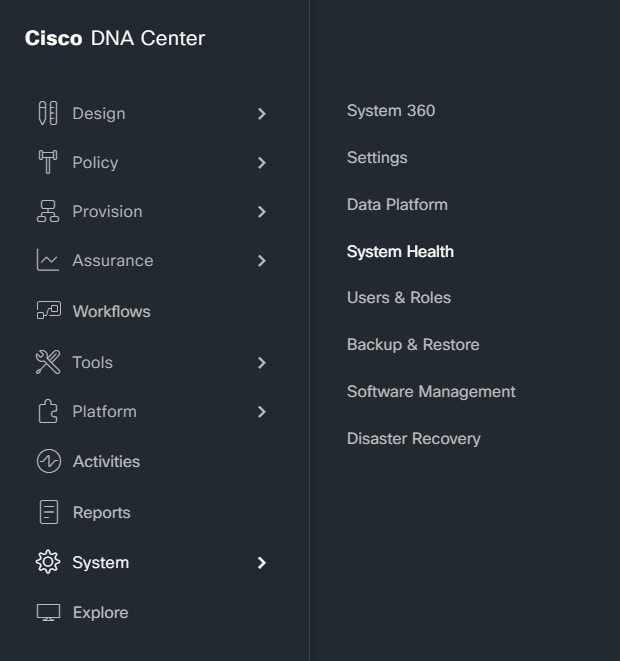
1. From Catalyst Center GUI's hamburger menu, click System > System 360.
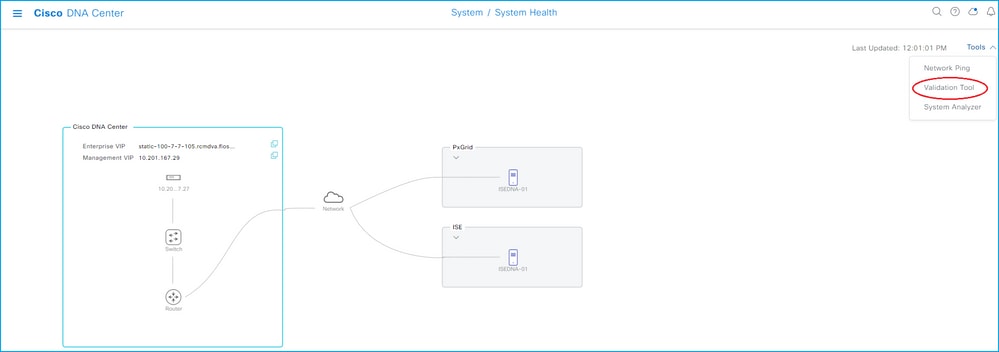
2. System Health > Tools > Validation Tool.
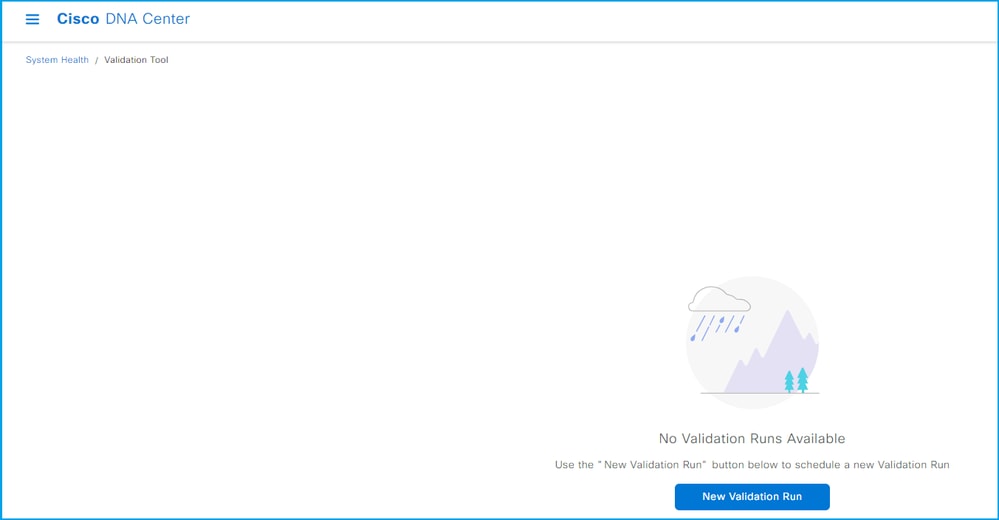
3. If you are running the Validation Tool for the first time, click on "New Validation Run" then go to Step 5.
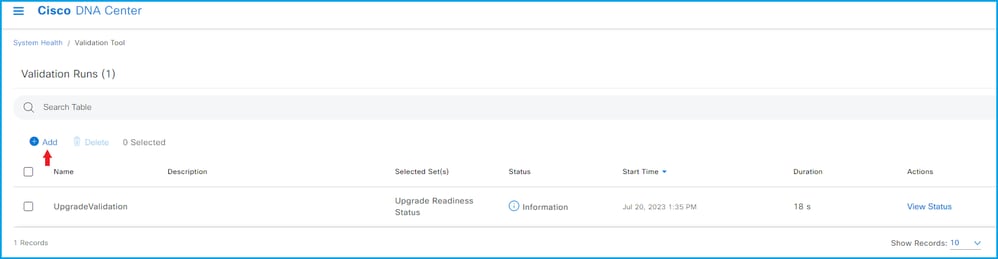
4. If you have run any validations in the past, click Add.
5. On the New Validation Run page, enter a name, check the Upgrade Readiness Status box then click Run.
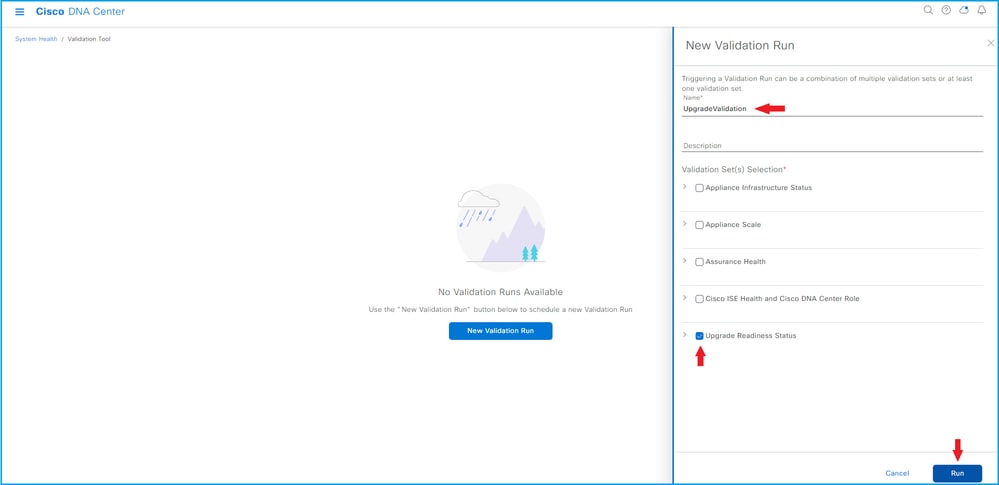
6. The validation run typically finishes in a minute. Refresh the browser to show the latest status. Here a completed validation run is displayed.
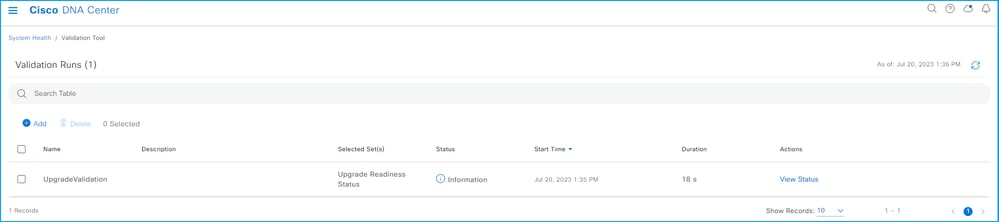
7. The status column indicates if there are any errors, warning or other information. Click on View Status.
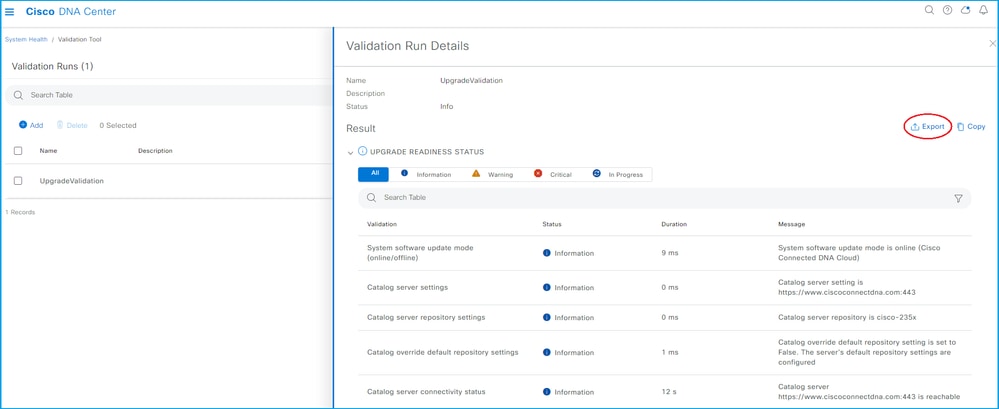
8. If the status of each of the validation tests is "information," please proceed to upgrading the cluster. If there are any errors, please correct them before doing the upgrade. This report can be exported by clicking Export in the top right corner. The report is downloaded as a PDF file and can be reviewed with the TAC if needed.
Revision History
| Revision | Publish Date | Comments |
|---|---|---|
2.0 |
15-Jun-2026
|
Initial Release |
1.0 |
24-Jul-2023
|
Initial Release |

 Feedback
Contact Cisco
- Open a Support Case

- (Requires a Cisco Service Contract)