Cisco ASR 1000 Series Aggregation Services Routers
| Overview | Product Overview |
|---|---|
| Status | Available Order |
| Series Release Date | 22-FEB-2008 |
| Diagram | Visio Stencil (10 MB .zip file) |
- US/Canada 800-553-2447
- Worldwide Support Phone Numbers
- All Tools
 Feedback
 Feedback
-
New
Top Search Results
Key Information
Customers Also Viewed
Saved Content
-
You can now save documents for easier access and future use. Saved documents for this product will be listed here, or visit the My Saved Content page to view and manage all saved content from across Cisco.com.
Log in to see your Saved Content.
Recent Security Notices
- 23-Jun-2026
- 20-Apr-2026
- 20-Jan-2026
Document Categories
-
Data Sheets and Product Information
- Cisco ASR 1000 Series Aggregation Services Routers Data Sheet
- Cisco ASR 1000 Series Embedded Services Processors Data Sheet
- Cisco ASR 1000 Series Ethernet Line Cards Data Sheet
- Cisco ASR 1000 Series Shared Port Adapter and SPA Interface Processor Support Data Sheet
- ASR 1000 Series Route Processor Data Sheet
- Cisco Security Bundles
- Cisco Medianet Data Sheet
- Network Security Features for Cisco ASR 1000 Series Routers
Data Sheets
- End-of-Sale and End-of-Life Announcement for the Cisco ASR1000 Software Licenses
- End-of-Sale and End-of-Life Announcement for the Cisco ASR1009-X chassis and line cards
- End-of-Sale and End-of-Life Announcement for the Cisco ASR1006-X chassis
- End-of-Sale and End-of-Life Announcement for the Cisco IOS XE 17.17.x
- End-of-Sale and End-of-Life Announcement for the Cisco IOS XE 17.15.x
- End-of-Sale and End-of-Life Announcement for the Cisco ASR1001-X, ASR1002-X, ASR1000-6TGE, ASR1000-2T+20X1GE and associated miscellaneous ASR1000 SKUs
- End-of-Sale and End-of-Life Announcement for the Cisco IOS XE 17.9.x
- End-of-Sale and End-of-Life Announcement for the Cisco IOS XE 17.16.x
- End-of-Sale and End-of-Life Announcement for the Cisco ASR1002-HX and associated parts
- End-of-Sale and End-of-Life Announcement for the Cisco ASR1001-HX and Miscellaneous parts
- End-of-Sale and End-of-Life Announcement for the Cisco IOS XE 17.12.x
- End-of-Sale and End-of-Life Announcement for the Cisco IOS XE 17.14.x
- End-of-Sale and End-of-Life Announcement for the Cisco ASR1000 RP2 80GB HDD-ASR1K-HDD-80GB
- End-of-Sale and End-of-Life Announcement for the Cisco ASR1000 RP2-8GB memory and Miscellaneous Parts
- End-of-Sale and End-of-Life Announcement for the Cisco IOS XE 17.13.x
End-of-Life and End-of-Sale Notices
-
Security Notices
- Field Notice: FN74350 - Cisco Unified Border Element: Impact on Secure Communication Due to Upcoming Changes to TLS Certificates Issued by Public Certificate Authorities with Client Authentication EKU, Starting May 2026 - Workaround Provided
- Field Notice: FN74148 - PAK and RTU Licenses Cannot Be Converted to Smart Licenses When Doing Direct (Long-Jump) Upgrades from Cisco IOS XE Software Release 17.3 or Earlier to Release 17.11 or Later - Workaround Provided
- Field Notice: FN72510 - Cisco IOS XE Software: Weak Cryptographic Algorithms Are Not Allowed by Default for IPsec Configuration in Certain Cisco IOS XE Software Releases - Configuration Change Recommended
- Field Notice: FN72323 - Cisco IOS XE Software: QuoVadis Root CA 2 Decommission Might Affect Smart Licensing, Smart Call Home, and Other Functionality - Software Upgrade Recommended
- Field Notice: FN72578 - Cisco IOS XE - Smart Licensing Using Policy Might Cause High CPU/Memory Usage - Software Upgrade Recommended
- Field Notice: FN - 72509 - Weak cryptographic algorithms are not allowed for SNMP user configuration after IOS XE 17.11.1a release - Configuration Change Recommended
- Field Notice: FN - 72570 - Weak Cryptographic Algorithms Are Not Allowed by Default for OSPF IPsec Configuration in Cisco IOS XE Release 17.11.1 and Later - Configuration Change Recommended
- Field Notice: FN - 72511 - RSA Keys Less Than 2048 Bits Are Not Supported for SSH in Cisco IOS XE Release 17.11.1 and Later - Workaround Provided
- Field Notice: FN - 72265 - Expired PKI Certificate on vEdge, ISR, and ASR Routers Causes SD-WAN Umbrella DNS Connections to Fail - Software Upgrade Recommended
- Field Notice: FN - 70611 - Some ASR1001-X, ASR1001-HX, and ASR1002-HX Routers with Cisco IOS XE Release 17.x Combined with Older ROMMON Versions Might Crash Due to the Enablement of Automatic Power Management - Software Upgrade Recommended
- Field Notice: FN - 70614 - ASR1001-X, ASR1001-HX, and ASR1002-HX Routers with ROMMON Version 17.3(1r) Will Not Be Downgradable to Earlier Versions - Workaround Provided
- Field Notice: FN - 70145 - Select ASR1001-HX Routers Might Falsely Report Fan Failures - Software Upgrade Recommended
- Field Notice: FN - 64191 - Catalyst 3850/3650 Switches That Run Cisco IOS XE Releases 3.6.5E/3.7.4E or Earlier Might Exhibit High CPU Usage - Workaround Provided
- Field Notice: FN - 64153 - ASR1000 - Inaccurate Power Supply Unit Status - Software Upgrade Recommended
- Field Notice: FN - 70495 - ASR1001-X ROMMON Downgraded to a Version Earlier Than 16.2(1r) or Cisco IOS XE Downgraded to a Version Earlier Than Cisco IOS XE 3.16.2/3.15.2 Will Fail to Boot - Software Upgrade Recommended
Field Notices
- Cisco Secure Boot Hardware Tampering Vulnerability
- Cisco ASR 1000 Series Aggregation Services Routers SNMP High CPU Denial of Service Vulnerability
- Cisco IOS XE 3S Platforms Series root Shell License Bypass Vulnerability
- Cisco ASR 1000 Series Root Shell License Bypass Vulnerability
- Cisco ASR 1000 Series Aggregation Services Routers Data-Plane Processing Denial of Service Vulnerability
Security Advisories, Responses and Notices
-
Release and Compatibility
- Cisco IOS Master Command List, All Releases
Master Index
- Release Notes for Cisco ASR 1000 Series, Cisco IOS XE 17.18.x
- Release Notes for Cisco ASR 1000 Series, Cisco IOS XE Cupertino 17.9.x
- Release Notes for Cisco ASR 1000 Series, Cisco IOS XE Dublin 17.12.x
- Release Notes for Cisco ASR 1000 Series, Cisco IOS XE 17.15.x
- Release Notes for Cisco ASR 1000 Series, Cisco IOS XE 17.16.x
- Release Notes for Cisco ASR 1000 Series, Cisco IOS XE Bengaluru 17.6.x
- Release Notes for Cisco ASR 1000 Series, Cisco IOS XE 17.14.x
- Release Notes for Cisco ASR 1000 Series, Cisco IOS XE 17.13.x
- Release Notes for Cisco ASR 1000 Series, Cisco IOS XE Amsterdam 17.3.x
- Release Notes for Cisco ASR 1000 Series, Cisco IOS XE Dublin 17.11.x
- Release Notes for Cisco ASR 1000 Series, Cisco IOS XE Dublin 17.10.x
- Release Notes for Cisco ASR 1000 Series, Cisco IOS XE Cupertino 17.8.x
- Release Notes for Cisco ASR 1000 Series, Cisco IOS XE Cupertino 17.7.x
- Release Notes for Cisco ASR 1000 Series, Cisco IOS XE Bengaluru 17.4.x
- Release Notes for Cisco ASR 1000 Series, Cisco IOS XE Bengaluru 17.5.x
Release Notes
-
Reference
- Programmability Command Reference, Cisco IOS XE 26.x.x
- Cisco SD-Routing Command Reference
- Programmability Command Reference, Cisco IOS XE 17.18.x
- Programmability Command Reference, Cisco IOS XE 17.17.x
- Programmability Command Reference, Cisco IOS XE 17.16.x
- Cisco IOS Security Command Reference: Commands S to Z
- Programmability Command Reference, Cisco IOS XE 17.15.x
- Cisco IOS IP Routing: OSPF Command Reference
- Cisco IOS IP Routing: ISIS Command Reference
- Programmability Command Reference, Cisco IOS XE 17.13.x
- Cisco IOS Interface and Hardware Component Command Reference
- Programmability Command Reference, Cisco IOS XE Dublin 17.12.x
- Programmability Command Reference, Cisco IOS XE Dublin 17.11.x
- Programmability Command Reference, Cisco IOS XE Dublin 17.10.x
- Programmability Command Reference, Cisco IOS XE Cupertino 17.9.x
Command References
- Cisco_IOS_XE_Denali_16_3_v1 (PDF - 785 KB)
- Open Source Used in Cisco IOS XE Denali Release 16.x (PDF - 780 KB)
Licensing Information
- Cisco Application Visibility and Control Field Definition Guide for Third-Party Customers
- NAT and Firewall ALG Support on Cisco ASR 1000 Series Routers
- Cisco ASR 1000 Series Aggregation Services Routers MIB Specifications Guide
- NAT and Firewall ALG Support on Cisco ASR 1000 Series Routers (PDF - 505 KB)
Technical References
-
Install and Upgrade
-
Hardware Installation Guides
-
Hardware Quick Start Guides
-
Module Installation Guides
- IP Addressing: NAT Configuration Guide, Cisco IOS XE Gibraltar 16.10.x
- IP Addressing: NAT Configuration Guide, Cisco IOS Release 15M&T
- Instructions for Addressing the Cisco Secure Boot Hardware Tampering Vulnerability on ASR1000 Series Routers
- MPLS Basic MPLS Configuration Guide
Install and Upgrade Guides
- Understand ASR1000-RP2 CPLD and FPGA Upgrade Common Issues
Install and Upgrade TechNotes
-
-
Configuration
-
Cisco ASR 1006 Router
-
Cisco ASR 1004 Router
- Configure Full Running Config for Users with Low Privilege Levels
- Configure GETVPN with COOP Key Servers and Certificate Authentication
- Configure Overlay Transport Virtualization with ASR 1000
- Configure ASR1000 Local ERSPAN
- I/O Counters Frozen When Sub-intf Encapsulation is ‘dot1q native’ on ASR 1K
- VRF-Aware Management on ASR Configuration Examples
- Capture PPPoE packet on an Ingress Interface of ASR1000
- ASR 1000 OTV Unicast Adjacency Server Configuration Example
- ASR 1000 OTV Multicast Configuration Example
Configuration Examples and TechNotes
- First Hop Redundancy Protocols Configuration Guide
- LAN Switching Configuration Guide
- Interface and Hardware Component Configuration Guide
- Cisco Unified Border Element Configuration Guide - Cisco IOS XE 17.6 Onwards
- Programmability Configuration Guide, Cisco IOS XE 26.x.x
- Programmability Configuration Guide, Cisco IOS XE 17.18.x
- Programmability Configuration Guide, Cisco IOS XE 17.17.x
- Programmability Configuration Guide, Cisco IOS XE 17.16.x
- Segment Routing Configuration Guide, Cisco IOS XE 17 | Access and Edge Routers
- Cisco ASR 1000 Series Aggregation Services Routers Software Configuration Guide, Cisco IOS XE 17
- Programmability Configuration Guide, Cisco IOS XE 17.15.x
- Security Configuration Guide for SD-Routing Devices
- Cloud Infrastructure on SD-Routing Devices
- Network Services Configuration Guide, Cisco IOS XE 17.x
- Programmability Configuration Guide, Cisco IOS XE 17.13.x
Configuration Guides
-
Platform-Specific Feature Guides
Feature Guides
-
-
Maintain and Operate
-
Cisco ASR 1000 Series Routers Operations and Maintenance
-
Cisco ASR 1000 Series Routers ROMmon Images
-
Cisco ASR 1000 Series Routers Field Programmable Hardware Devices Upgrade
- Instructions for Addressing the Cisco Secure Boot Hardware Tampering Vulnerability on Cisco ASR 1000 Series Routers
Maintain and Operate Guides
-
-
Troubleshooting
- System Message Guide for Cisco IOS XE 26.1.x
- System Message Guide for Cisco IOS XE 17.18.x
- System Message Guide for Cisco IOS XE 17.17.x
- System Message Guide for Cisco IOS XE 17.16.x
- System Message Guide for Cisco IOS XE 17.15.x
- System Message Guide for Cisco IOS XE 17.14.x
- System Message Guide for Cisco IOS XE 17.13.x
- System Message Guide for Cisco IOS XE Dublin 17.12.x
- System Message Guide for Cisco IOS XE Dublin 17.11.x
- System Message Guide for Cisco IOS XE Dublin 17.10.x
- System Message Guide for Cisco IOS XE Cupertino 17.9.x
- System Message Guide for Cisco IOS XE Cupertino 17.8.x
- System Message Guide for Cisco IOS XE Cupertino 17.7.x
- System Message Guide for Cisco IOS XE Bengaluru 17.6.x
- System Message Guide for Access and Edge Routers, Cisco IOS XE Bengaluru 17.5.x
- Cisco IOS XE Denali 16.3 System Message Guide for Access and Edge Routers (XLSX - 45 KB)
Error and System Messages
- Troubleshoot Packet Drops on ASR 1000 Series Service Routers
- Troubleshoot File Rotation Failed
- Troubleshoot ASR1k Power Supply
- Troubleshoot Router Issues on Enterprise Network
- Troubleshoot WAN MACSEC on Routers
- Troubleshoot Router Interface Issues
- Troubleshoot Bridge Virtual Interface & Bridge Domain Interface
- Troubleshoot with the IOS-XE Datapath Packet Trace Feature
- Troubleshoot ISG Accounting Feature on ASR1000 with Cisco IOS® XE
- Monitor ASR1000 CPU through SNMP Utility
- Troubleshoot Flushes Drop on the Interface
- Throughput Issues on ASR1000 Series Router
- Troubleshoot High CPU on ASR1000 Series Router
- Troubleshoot "QM_SANITY_WARNING" Message on 12000 series router
- ASR1002 platform limitation with IPSec, Netflow, NBAR
Troubleshooting TechNotes
-
Literature
- Cisco ASR 1000 Series Aggregation Services Routers (PDF - 429 KB)
- Cisco Application Visibility and Control (PDF - 344 KB)
- Benefits of Migrating to Cisco ASR 1001-X and 1002-X Application Services Routers
Brochures
- Arena Lviv: first deployment of Video Surveillance Manager Case Study (PDF - 217 KB)
- Arena Lviv: first deployment of Video Surveillance Manager (PDF - 216 KB)
Case Studies
-
Log in to see available downloads.
-
-
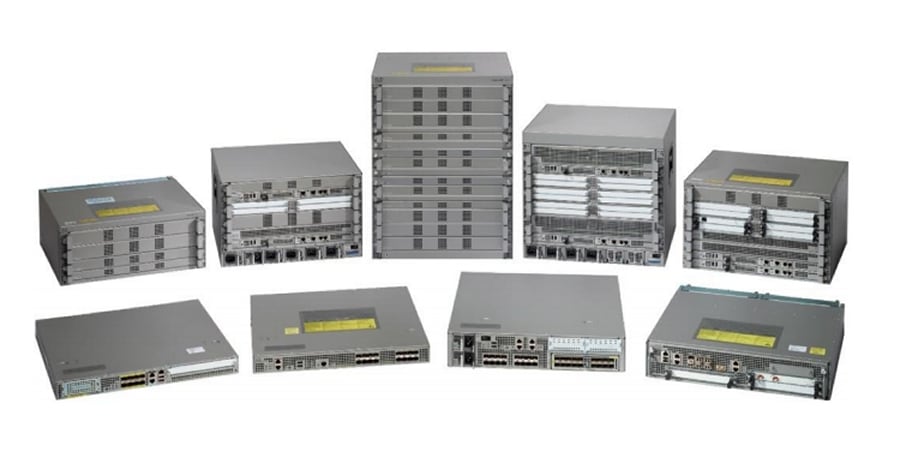
Below are the models within the Cisco ASR 1000 Series Aggregation Services Routers.
Unless specified, documentation for the Cisco ASR 1000 Series Aggregation Services Routers is applicable to all models.
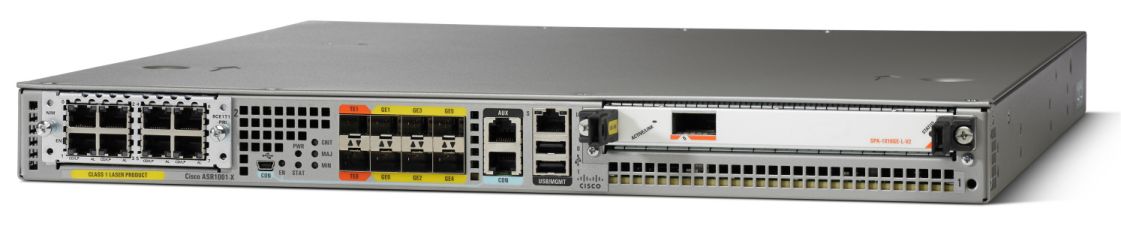
- Cisco ASR 1001-HX Router - End-of-Support Date: 31-Jul-2030
- Cisco ASR 1001-X Router - End-of-Support Date: 31-Jul-2027
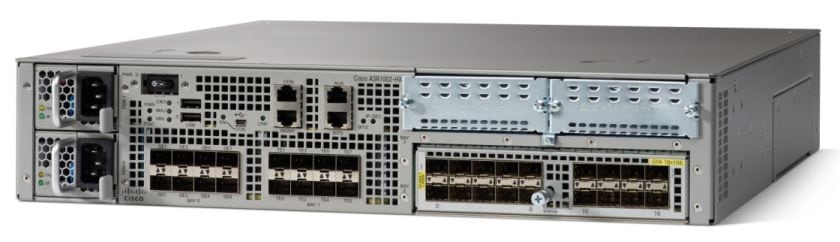
- Cisco ASR 1002-HX Router - End-of-Support Date: 31-Mar-2030
- Cisco ASR 1002-X Router - End-of-Support Date: 31-Jul-2027
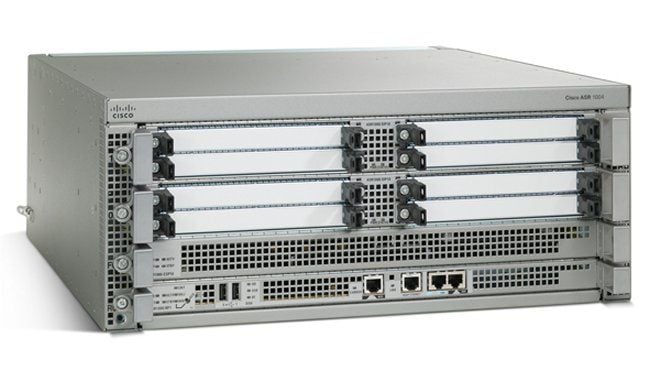
- Cisco ASR 1004 Router - End-of-Support Date: 30-Apr-2025
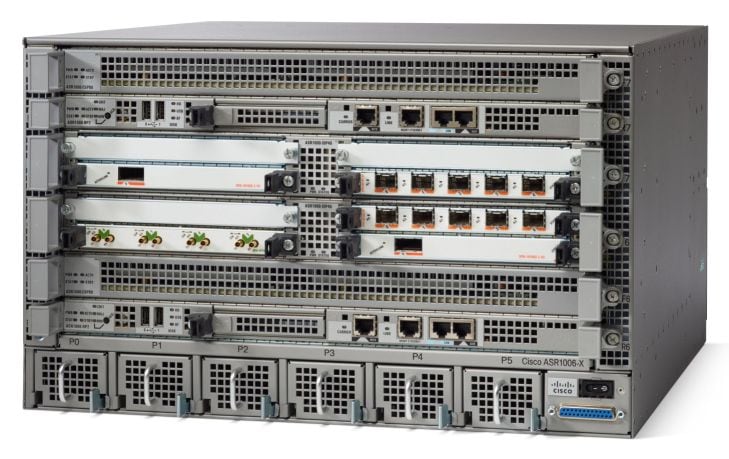
- Cisco ASR 1006 Router - End-of-Support Date: 30-Nov-2028
- Cisco ASR 1006-X Router - End-of-Support Date: 31-Jul-2031
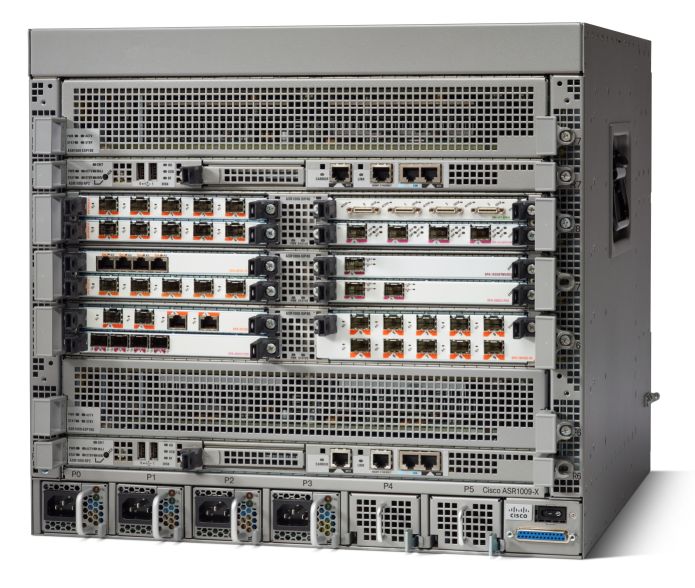
- Cisco ASR 1009-X Router
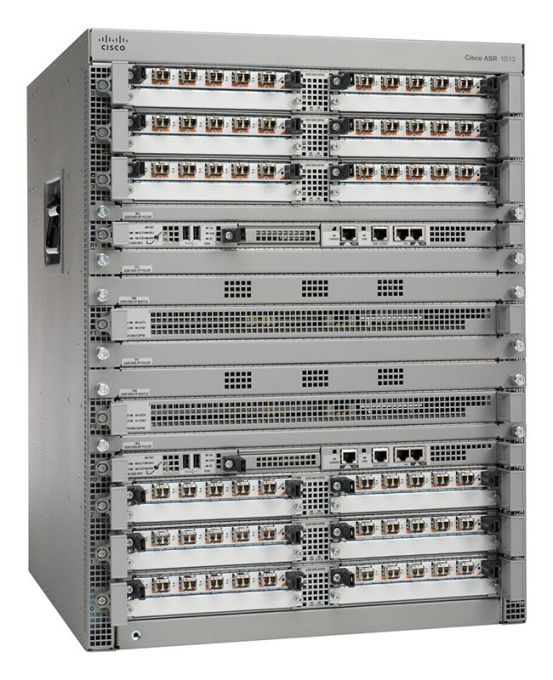
- Cisco ASR 1013 Router - End-of-Support Date: 31-Oct-2026
