DMP Specifications

Revised May 4, 2015


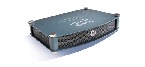
DMP 4305G
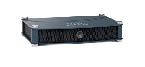
DMP 4310G
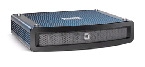
DMP 4400G


Environmental Conditions

Table 2-1 describes the temperature, humidity, and altitude ranges that a DMP can tolerate.


Table 2-1 Environmental Tolerance Ranges

Measurable Condition
Model
Supported Range

Temperature (Ambient)


Operating — long-term or short-term

DMP 4305G

Min.

41°F
5°C

Max

104°F
40°C
DMP 4310G

Min.

32°F
0°C

Max.

122°F
50°C
DMP 4400G

Min.

41°F
5°C

Max

104°F
40°C


Nonoperating or storage

DMP 4305G

Min.

–4°F
–20°C

Max.

140°F
60°C
DMP 4310G

Min.

–4°F
–20°C

Max.

158°F
70°C
DMP 4400G

Min.

–4°F
–20°C

Max

140°F
60°C

Relative Humidity (Noncondensing; Ambient)


Operating

DMP 4305G

Min.

20 percent

Max.

85 percent
DMP 4310G

Min.

10 percent

Max.

85 percent
DMP 4400G

Min.

20 percent

Max.

85 percent


Nonoperating or storage

DMP 4305G

Min.

0 percent

Max.

95 percent
DMP 4310G

Min.

0 percent

Max.

95 percent
DMP 4400G

Min.

0 percent

Max.

95 percent

Altitude (Above sea level)


Operating, nonoperating, and storage

DMP 4305G

Min.

0 ft
0 m

Max.

13,780 ft
4,200 m
DMP 4310G

Min.

0 ft
0 m

Max.

13,780 ft
4,200 m
DMP 4400G

Min.

0 ft
0 m

Max.

13,780 ft
4,200 m

Site-Specific Conditions

Assess each location where you might want to use this equipment.


Adequate Shelter

Install and use this equipment indoors — or outdoors in a covered area.

  • Never install or use it in a wet environment.
  • Never install or use it near radiators or other heat sources.
Supported Voltage

There are — at most — only two supported methods to power this equipment.

  • Use the standard electrical power cord that came with the equipment. Cord length determines the maximum possible distance from the equipment to any AC electrical outlet that it can use. The outlet itself must use standard voltage for your locale, within the range from 100V to 240V. We recommend that you use a surge suppressor, line conditioner, or uninterruptable power supply (UPS). Please position all cables and power cords carefully. Route all cables, the power cord, and the plug so that they cannot be stepped on or tripped over. Never allow anything to rest on equipment cables or cords.

OR

  • Use 802.3af power over Ethernet (PoE), assuming that your equipment model supports this feature. We describe PoE setup elsewhere in this guide. To learn if your equipment model supports this feature, see its datasheet at http://cisco.com/go/dms/dmp/datasheets.
DHCP Access

Each new DMP (and each DMP on which you restore factory-default settings) uses DHCP to obtain its first IP address. Therefore, a DHCP server must be reachable from the site where you set up a DMP. Later, after your DMP is fully configured, it can use either static or dynamic IP addressing.

Signal Integrity

When physical cables are too long, the signals that they carry can degrade. Signal loss can also affect wireless connections — including the infrared connection between a DMP and its remote control. When signal integrity suffers, equipment performance suffers.

DMP Physical Specifications and Interfaces (I/O Ports)

Table 2 describes the connectors, sensors, and buttons on each DMP model.

DMP 4305G


Width: 7.5 in (190 mm)

Height: 1.5 in (38 mm)

Depth: 5 in (127 mm)

Weight: 1 lb (0.45 kg)

Power Consumption: 12W peak and 5W average

Input Current: 3 ADC

DMP 4310G


Width: 7.5 in (190 mm)

Height: 1.5 in (38 mm)

Depth: 5 in (127 mm)

Weight: 1 lb (0.45 kg)

Power Consumption: 12W peak and 8W average

Input Current: 2 ADC

DMP 4400G


Width: 10 in (254 mm)

Height: 2 in (51 mm)

Depth: 8 in (203 mm)

Weight: 4.4 lb (2 kg)

Power Consumption: 30W peak and 15W average

Input Current: 3 ADC


Table 2 DMP Interfaces

Category and Subcategory
Chassis Label
DMP 4305G
DMP 4310G
DMP 4400G

Electrical Power

DC input voltage

5V

  • POWER 5V DC

1

0

0

12V

  • DC 12V

0

1

0

  • Power DC

0

0

1

PoE1

IEEE 802.3af

  • RJ-45

0

1

0


Network Connectivity

Wired2

Fast Ethernet

10/100

  • 10/100

1

0

0

  • RJ45

0

1

0

Gigabit Ethernet3

10/100/1000

  • RJ-45

0

0

1

Wireless4

IEEE 802.11b/g

  • Antenna

0

0

1


Debugging (for Cisco use only)

  • CONSOLE

0

1

0


Media Signal

Wired5

Video connectors

HDMI 1.1

  • HDMI

1

0

1

HDMI 1.36

0

1

0

Component7

  • YPbPr/
    S-Video

0

1

0

  • S-VIDEO/
    YPbPr

1

0

0

  • S-Video

0

0

1

Composite8

  • CVBS

1

09

1

Audio connectors

3.5mm jack10

  • Audio

0

1

1

RCA

  • SPDIF

0

0

1

  • RIGHT

1

0

0

  • LEFT

1

0

0


Infrared

Wired

Receiver extension

3.5 mm jack

  • IR Extension

0

1

1

Wireless

Receiver

Sensor for remote control11

1

1

1


Serial (Comm Ports)

Wired

Data

USB 1.0

  • USB

1

0

0

USB 2.012

0

2

2

RS-232
(9-pin DB9 to 9-pin DB9)

  • RS232

1

0

1

RS-232
(9-pin DB9 to 3.5 mm jack)

0

1

0


Human

Power On/Off

Button

  • Power

0

1

0

Device Reset

Recessed button

  • Reset

1

1

1

1.IEEE 802.3af interface with integrated switching regulator.

2.


Category 5 or better. Maximum length: 328 ft (100 m). For any distance greater than 165 ft (50 m), we recommend that you use Category 5e or Category 6 certified Ethernet cabling. For installation behind walls, we recommend plenum-rated cabling unless it does not satisfy the requirements set forth in your regional building code. We do not ship any Ethernet cable with any DMP model. You must obtain this cable separately.

3.Wake-on-LAN.

4.Supporting EAP-FAST, WEP, WPA, and WPA2.

5.For maximum supported media signal cable lengths, see the “Choose Suitable Media Signal Cables” section. Each video and audio signal cable that we ship with DMPs is 6 ft (approximately 1.83 m) long.

6.Backward-compatible to HDMI 1.1.

7.Use an S-Video signal cable with a YPbPr-to-S-Video adapter to transmit and receive YPbPr data signals.

8.When image signals are transmitted through a composite cable, image quality suffers. When you use a composite cable and your DMP shows any web-based media, small text might be difficult to read in TVzilla. To work around this limitation, you can lower the browser resolution setting in DMPDM..

9.Although there is no Composite CVBS connector on a DMP 4310G, its YPbPr/S-Video connector supports Composite CVBS when you use an S-Video-to-Composite adapter.

10.Stereo audio output, irrespective of the cable type for video output.

11.Maximum distance from remote control to DMP is 15 ft (5 m).

12.Maximum USB cable length is 15 ft (5 m).

Power Cord Options

.

Table 2-3 International Power Cord Standards

Locale
Standard
Plug Type
Australia
New Zealand
  • SAA/3
  • AS/NZS 3112-1993
European Union (except Italy)
Argentina
Brazil
  • CEE 7/7
  • VIIG
Japan
  • JIS C8303 (NEMA 5-15P)
  • JIS 38303
North America
Central America
Columbia
Ecuador
  • NEMA 5-15P
  • CS22.2, No.42
United Kingdom
  • BS89/13

Any Locale
Power Over Ethernet (PoE)
  • RJ-45

Related Topics

Internal LEDs

The DMP chassis contains a green LED and a red LED. After your DMP is attached to its AC power source, you should see light from both LEDs through the DMP front grille. The LEDs tell you when your DMP has power and when it has an IP address. To work as designed, it must have both.


Table 2-4 Troubleshoot with LEDs

LED Status
Troubleshooting Notes
Green
Red

On

On

Your DMP is connected to its power source and is receiving electrical power. However, it has not yet obtained an IP address to use. Your DMP should obtain its IP address within 2 minutes. When the red LED persists:

  • For a wired network connection — Are both ends of the Ethernet cable plugged in?
  • For a wireless network connection — Is the wireless network active?
  • Does restarting your DMP resolve this problem?
  • Was any IP address in effect previously for your DMP? If so, can you ping that IP address? If you do not remember what the address was, there are ways to obtain it. Turn On a presentation system that is connected to your DMP and is configured or calibrated as necessary, and then try one of these methods.

Press Show IP on the handheld remote control unit for your DMP. Write down the IP address that the presentation system shows to you. (Remote controls for DMPs are sold separately.)

Restart the DMP. If its splash screen is configured in DMPDM to persist for any visible duration, write down the IP address that the splash screen shows to you.