Repacking a Switch
This appendix describes how to return your Catalyst 4500 E-series switch to the factory and how to repack your switch in preparation for shipping. Table B-1 lists the packaging dimensions and weights for the Catalyst 4500 E-series chassis.

Tip For additional information about the Cisco Catalyst 4500 E-series switches (including configuration examples and troubleshooting information), see the documents listed on this page:
http://www.cisco.com/en/US/products/hw/switches/ps4324/index.html
To repack the switch using the original packaging material, follow these steps:
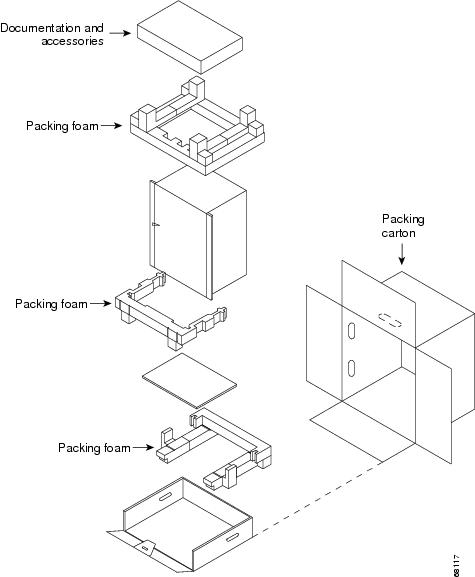
Step 1 Slide the pieces of the packing foam over the Catalyst 4500 E-series switch. (See Figure B-1.)
Step 2 Place the accessory kit in the box or poly bag provided.
Step 3 Place the switch (with packing foam pieces) into the packing carton.
Step 4 Fold in the top flaps of the packing carton and seal with packing tape.
Figure B-1 Catalyst 4500 E-Series Switch Packing Material
 Feedback