Introduction
This document describes how to configure multifactor authentication on the IMM Device Console using LDAP and The Duo authentication proxy.
Prerequisites
Requirements
UCS Fabric Interconnects in Intersight Managed Mode (IMM).
Duo subscription with an enrolled user.
Configure
Network Diagram
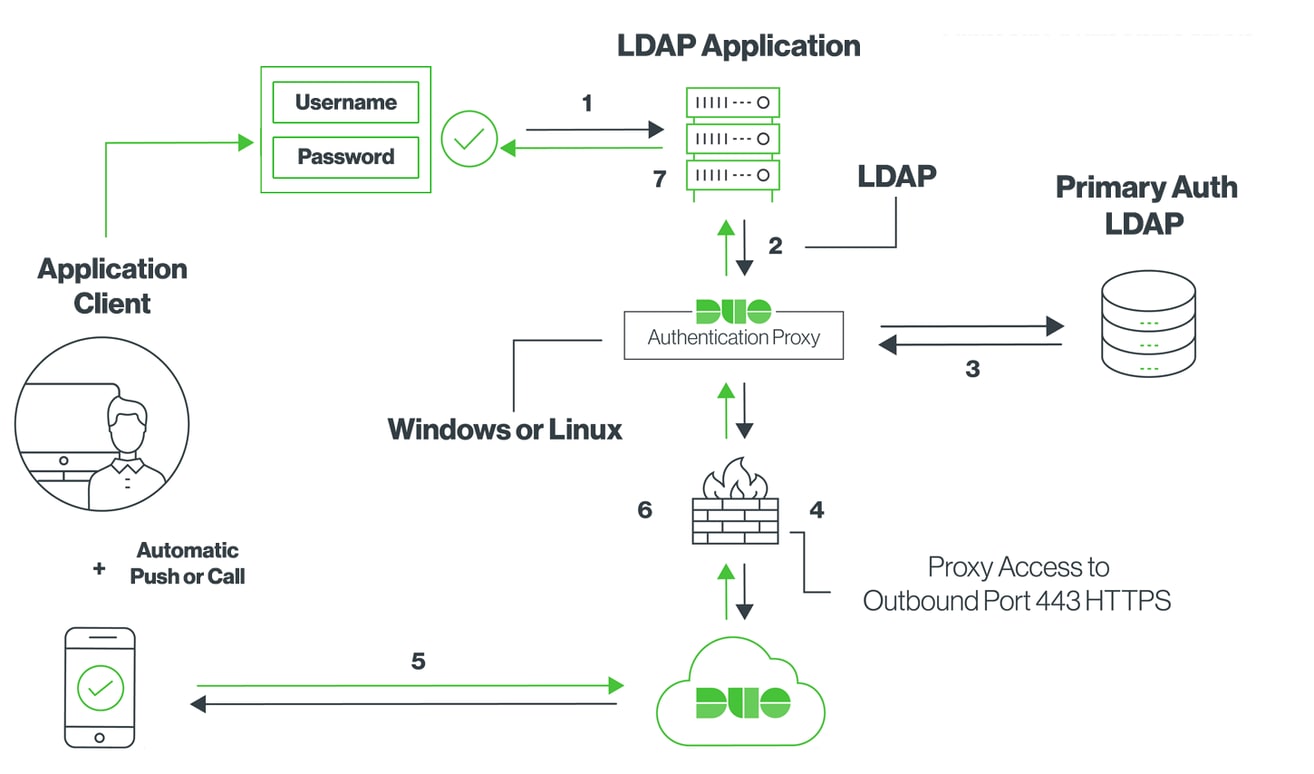
Step 1.
Install the Duo Authentication Proxy on a Windows server that is accessible to both the Active Directory and the IMM Device Console.
The Duo authentication proxy can be found here.
Step 2.
In our Duo instance , you can add a new application.
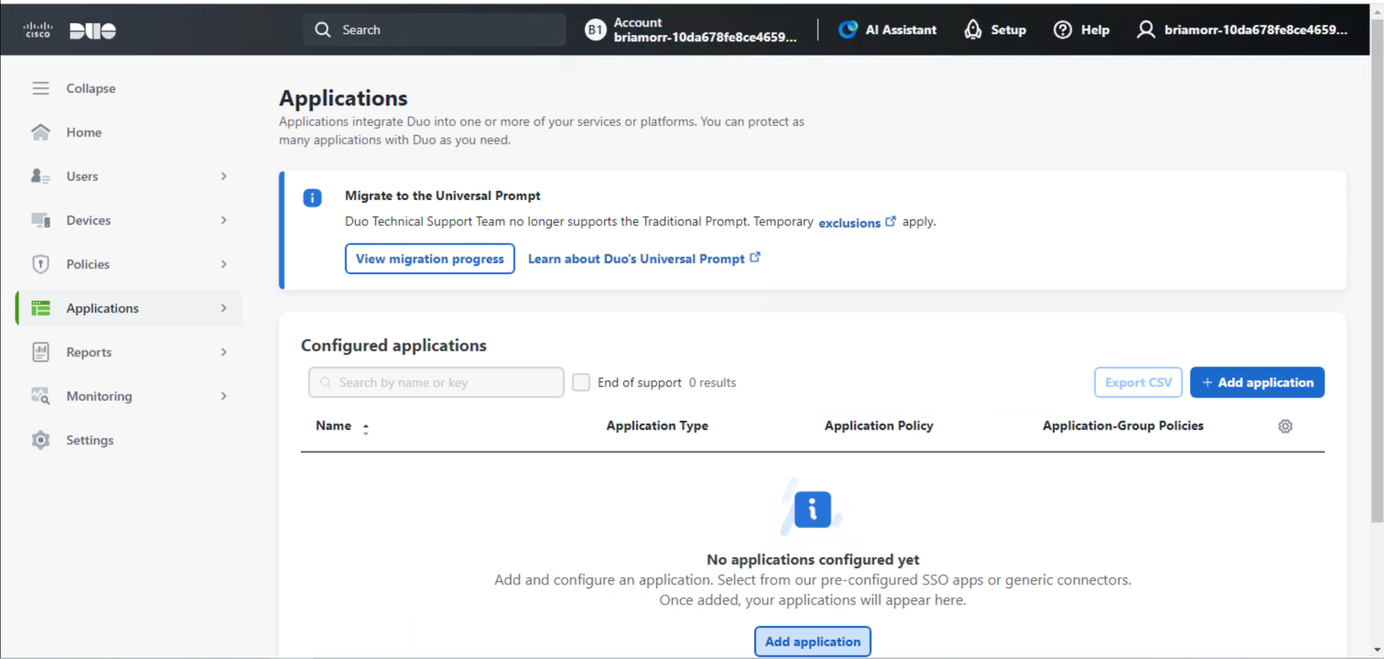
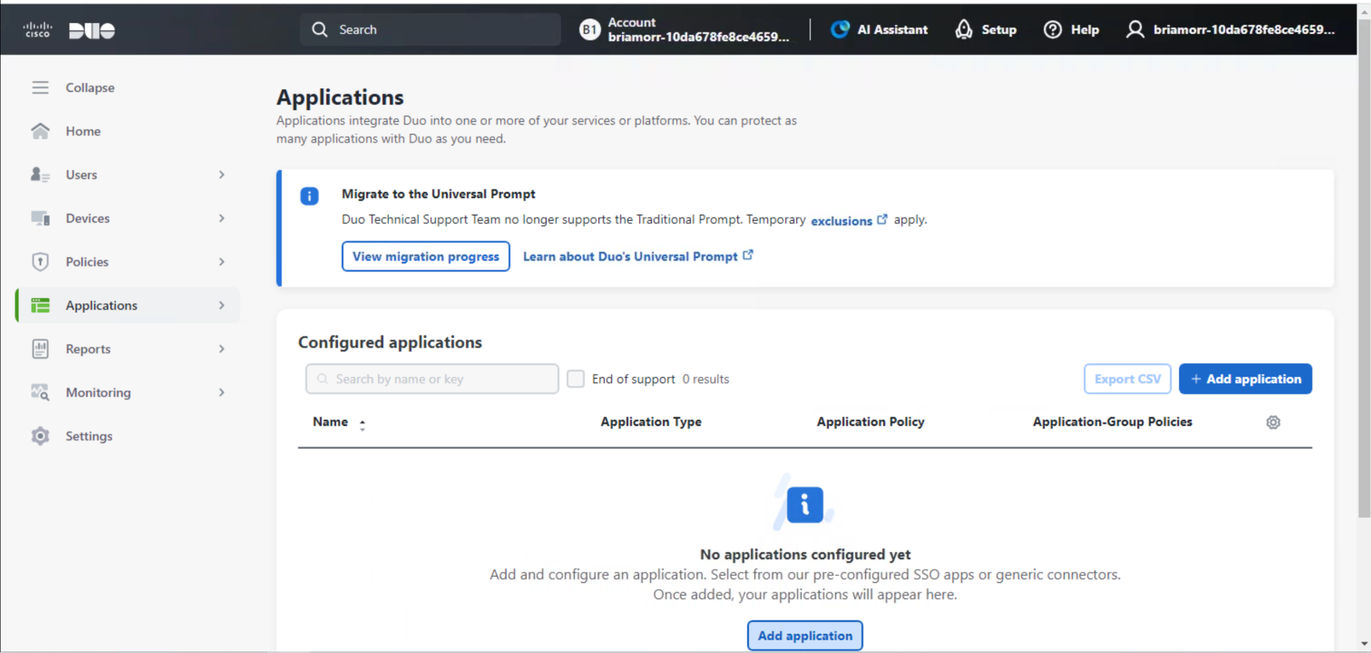
Search for ldap and add the LDAP Proxy to continue.
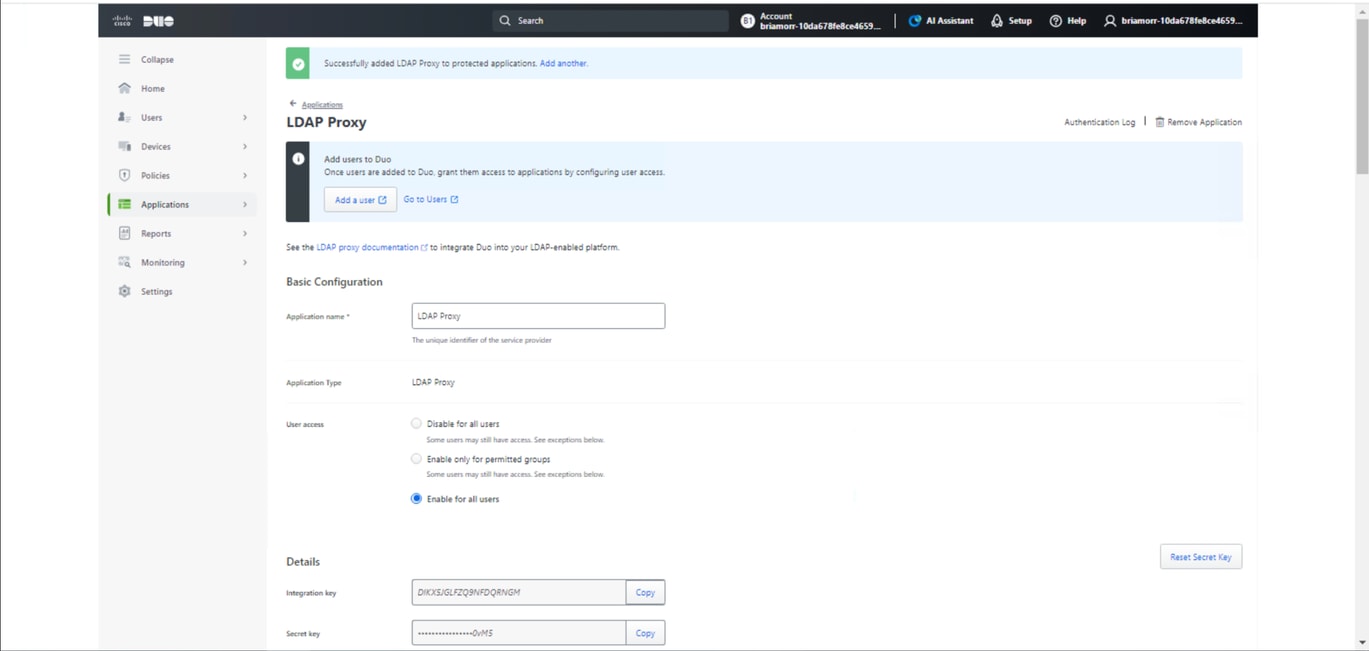
Under the LDAP Proxy application, you can configure an application name, enable for all users, and copy down the integration key, secret key, and API hostname for use later on.
Step 3.
Back on the server where we installed the Duo Authentication Proxy, you can configure the Duo Authentication Proxy Manager.
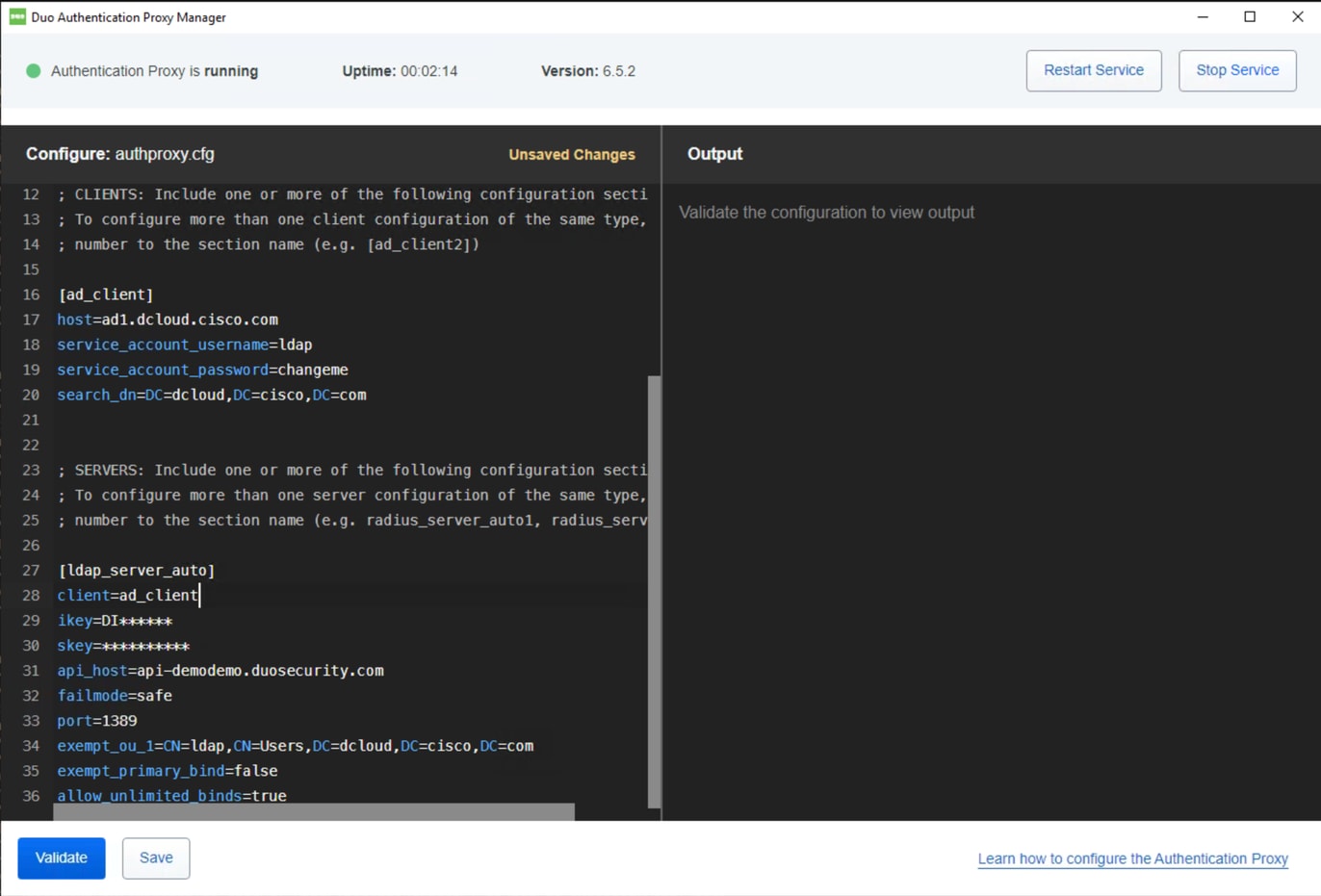
Duo Authentication Proxy Sample Configuration:

Note: # comments added for readability.
[ad_client]
host=ad1.dcloud.cisco.com   # Our Domain Controller
service_account_username=ldap # Our BIND Service Account in AD
service_account_password=changeme  # Service Accounts BIND password
search_dn=DC=dcloud,DC=cisco,DC=com  # LDAP Search DN


[ldap_server_auto]
client=ad_client
ikey=DI******	  # Copy from Duo LDAP Proxy App Page
skey=**********  # Copy from Duo LDAP Proxy App Page
api_host=api-demodemo.duosecurity.com  # Copy from Duo LDAP Proxy App Page
failmode=safe  # If proxy cant communicate with Duo cloud, allow auth with credentials only
port=1389 # Port the LDAP Proxy listen on
exempt_ou_1=CN=ldap,CN=Users,DC=dcloud,DC=cisco,DC=com # Exempt the Service Account from MFA
exempt_primary_bind=false  #  Exempt the Service Account from MFA on initial bind
allow_unlimited_binds=true  # Allow multiple binds, needed to prevent “Attempt to bindRequest multiple times in the same LDAP connection.  Disconnecting.” In Duo logs
Step 4.
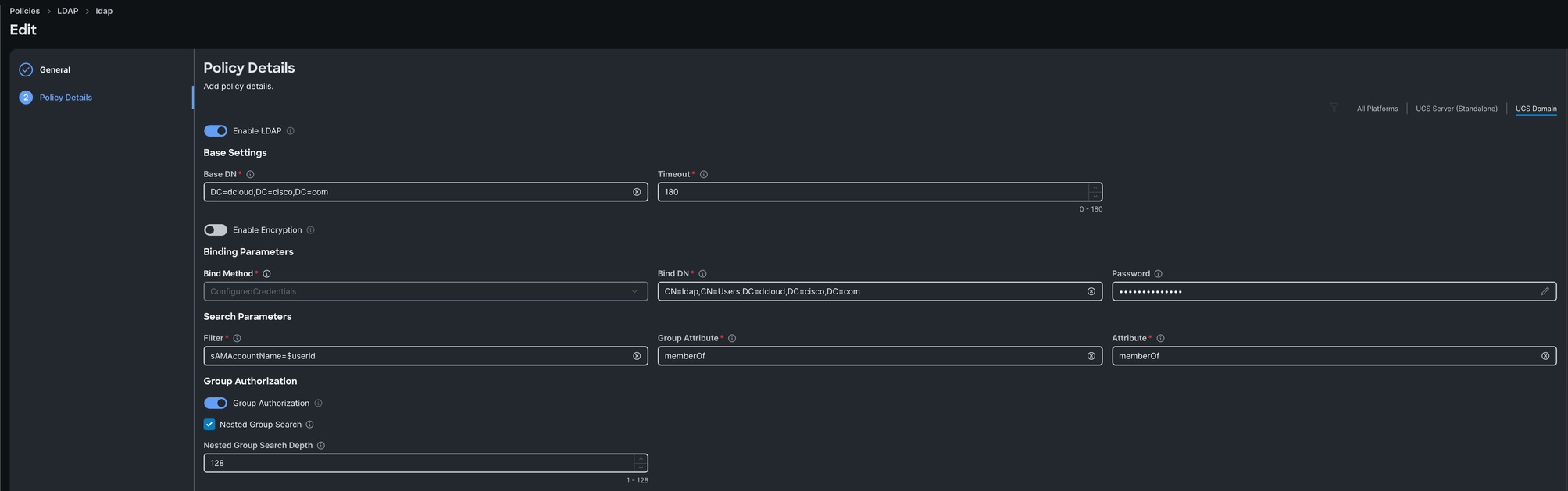
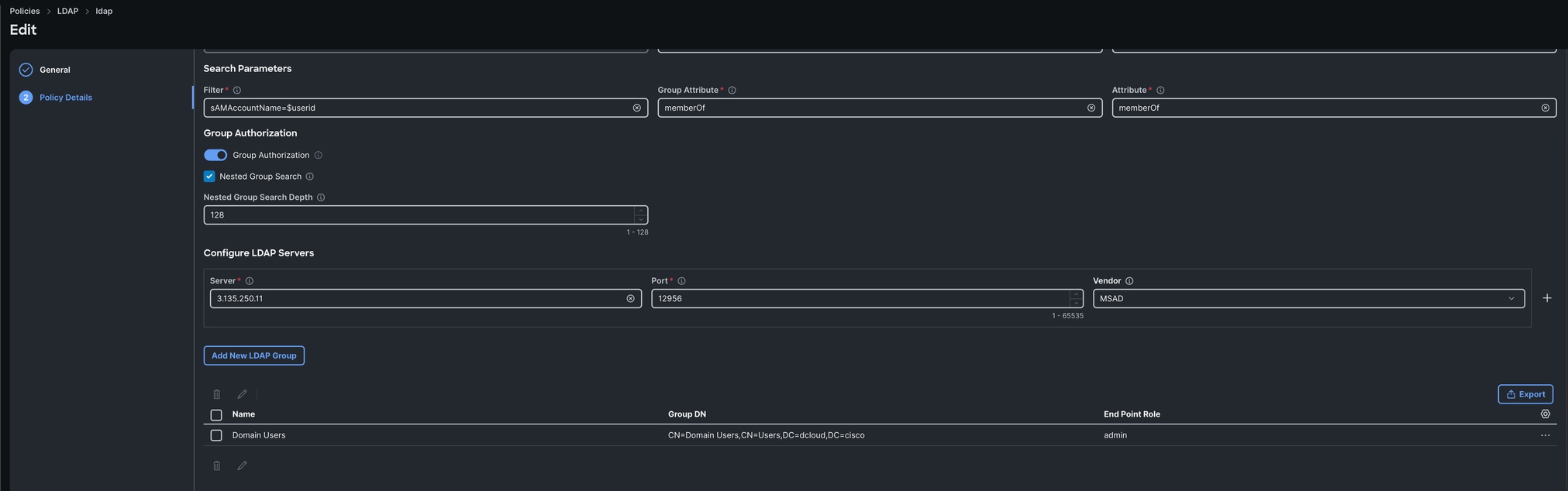
In Intersight, you can then create a LDAP policy that points to our Duo LDAP proxy with the necessary Active Directory settings like base dn, bind dn, LDAP server ip, password and so on. The recommendation is to first point directly to Active Directory and ensure that works correctly before changing the LDAP server to the Duo LDAP proxy to make troubleshooting easier.
Verify
On device console, logon as the LDAP user that was previosuly enrolled in Duo.
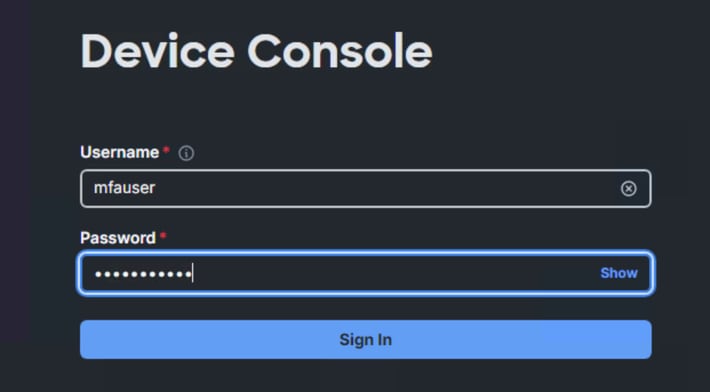
The enrolled user can then get a prompt on their device to login:
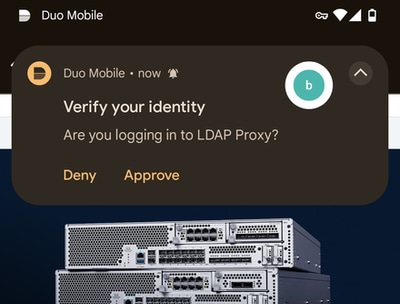
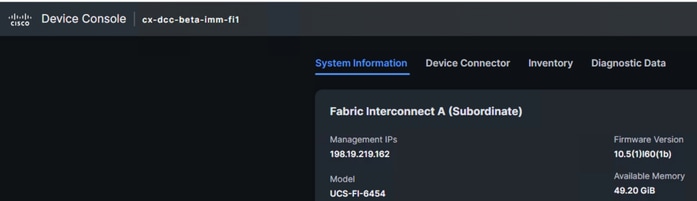
Once the request is verified, you can sucesfully log into the device console using 2-factor authentication and LDAP.
Troubleshoot
Duo LDAP proxy logs are located at:
C:\Program Files\Duo Security Authentication Proxy\log\authproxy.log
On Intersight Managed Mode Fabric Interconnect:
connect nxos

debug ldap
Related Information

 Feedback