Introduction
This document describes how to configure the Active Directory Connector (ADC) with Event Log Collector and Domains.
Configuration Options
There are two setup options available for using the Active Directory:
- Registering Domain Controllers: This involves the use of Virtual Appliances (VA) and the AD Connector, with the AD Connector communicating directly with all registered Domain Controllers (DCs).
- Event Log Collector: This setup includes the Domain, VA, and the AD Connector. In this scenario, Windows Event Log Forwarding sends information from the DCs to a central Event Log Collector server. The AD Connector then communicates only with this central server, not the DCs
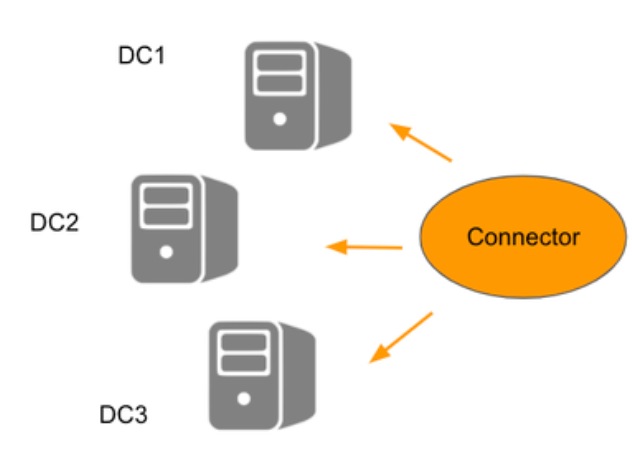 22062473499540
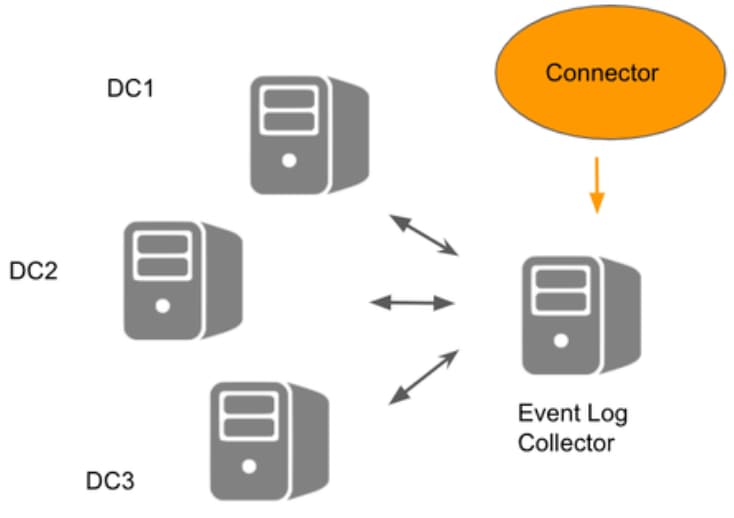 22062473502228
 22062518240276
Please note: Registering Domain Controllers and adding domains are different processes.
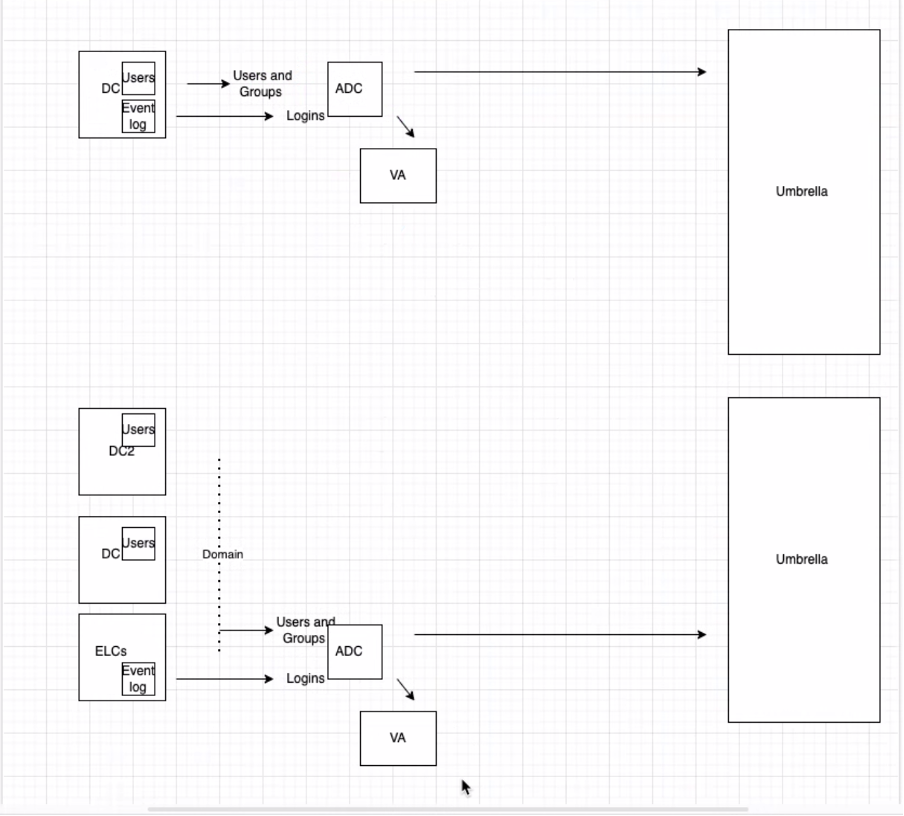 22062518241684
- To start the configuration in the Umbrella dashboard, navigate to Deployments > Configuration > Sites and Active Directory and click Add. Select Windows Event Log Collector and click Next.
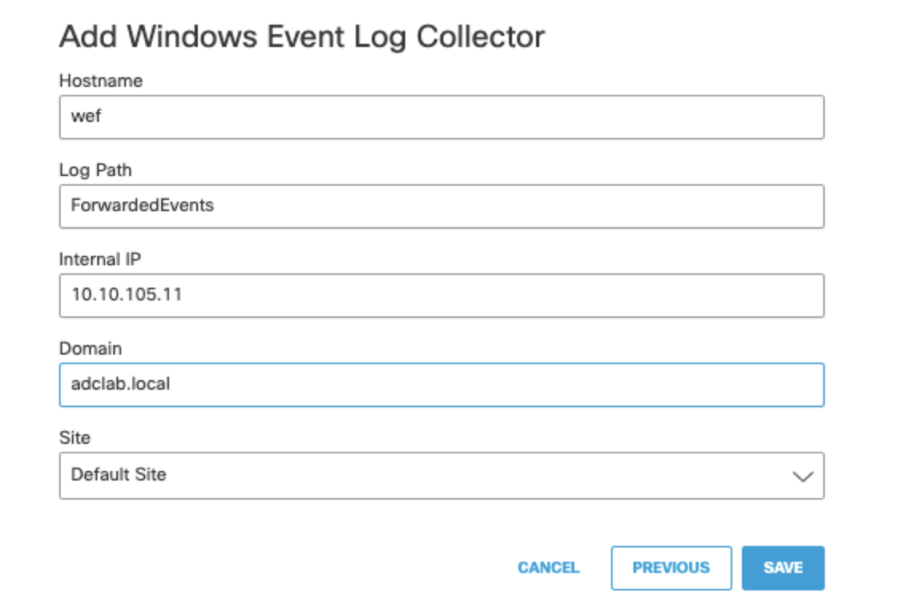 22062473507220
2. Customers can check the log file properties (in Windows Event Viewer) to find out the name of the log. Please note that the log file name must be entered without the .evtx extension or full path details.
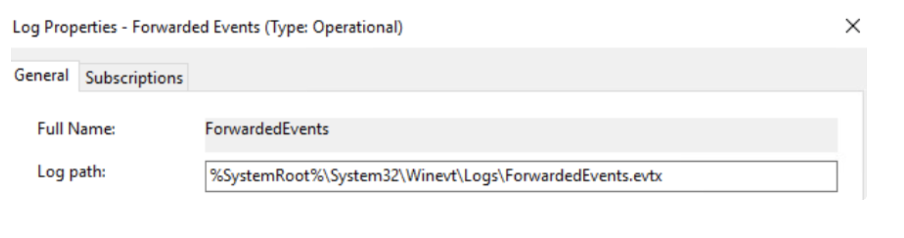 22062518244756
Important Considerations:
For the Connector to function correctly, it is necessary to continue with normal deployment steps:
-
Register a 'Domain' on the 'Sites and Active Directory' page for the purpose of user provisioning. This is necessary because there is no registered DC to sync users/groups from.
-
Deploy 'Virtual Appliances'.
There are some known limitations to this deployment mode:
- The Connector can appear in an error state, even when working properly.
For the AD connector to work efficiently, certain permissions are required. You can review these permissions here:Required Permissions for the OpenDNS_Connector User.

 Feedback