Introduction
This document describes enabling Protected File Bypass in a Web Policy Rule in Umbrella SIG.
Prerequisites
Requirements
There are no specific requirements for this document.
Components Used
The information in this document is based on Umbrella Secure Internet Gateway (SIG).
The information in this document was created from the devices in a specific lab environment. All of the devices used in this document started with a cleared (default) configuration. If your network is live, ensure that you understand the potential impact of any command.
Overview
Earlier in the year, a new web policy global setting for "Protected File Bypass" was added to the Umbrella web policy.
A protected file is one that cannot be scanned by Umbrella’s Malware protection because the content of the file is protected by encryption. Encryption can be applied to any file and some examples include archives, office documents, and PDFs.
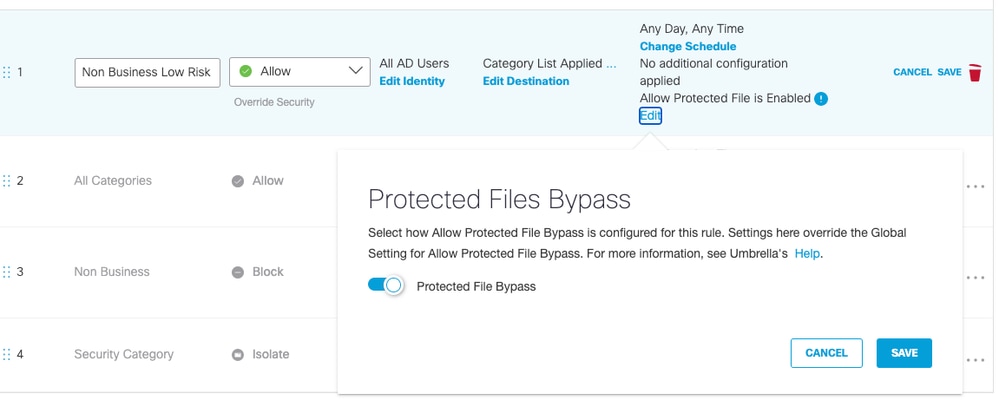
Now, in addition to the existing global setting, Umbrella Secure Web Gateway (SWG) now includes a web policy rule configuration for "Protected File Bypass." This configuration provides more flexibility by allowing the bypass to be set for specific users and/or destinations that match the rule. This compares to the global setting which sets the bypass for all users and all destination.
The new rule "Protected File Bypass" can be found in the rule configuration settings:
 10683332392340
For more information, please see these Umbrella SIG documentation pages.

 Feedback