Introduction
This document describes how to troubleshoot DNS hijacking and redirection by your ISP.
Overview
Some customers find that Umbrella is not working as expected even though they are pointing their DNS to Umbrella's resolvers.
Many Internet service providers (ISPs) can use a type of DNS hijacking to take control over a user's DNS requests. The reasons for this can vary, but it is often for collecting statistics and to return ads when users access an unknown domain and sometimes for content filtering reasons. Some governments use DNS hijacking for censorship, redirecting users to government-authorized sites.
Depending on your ISP or your router/modem configuration, you might find that your DNS requests are not reaching the Umbrella due to this DNS hijacking. This article helps you check to see if you are affected by this and what to do next to resolve it.
How to check if your DNS requests are reaching Umbrella
- First, check to see that your endpoint device is configured to point to the Umbrella resolvers (208.67.220.220 and 208.67.222.222).
- If you are pointing your DNS to your internal DNS servers, please ensure that the forwarder settings of your DNS servers are configured to point to Umbrella.
- To test your computer to see if it is using Umbrella, navigate to: https://welcome.umbrella.com/. If you do not see a successful message, it is possible that your ISP could be intercepting your DNS traffic.
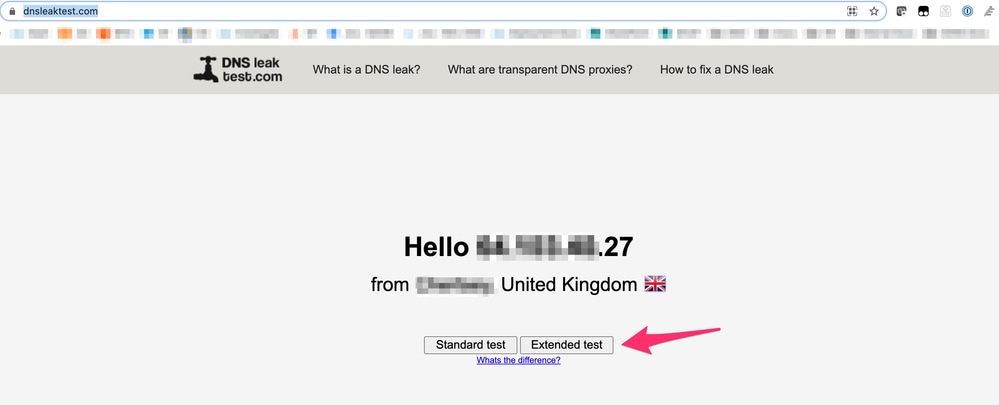
- Use this tool and run the "Extended Test" to check which DNS revolvers you are using: https://www.dnsleaktest.com/.
 10270213564692
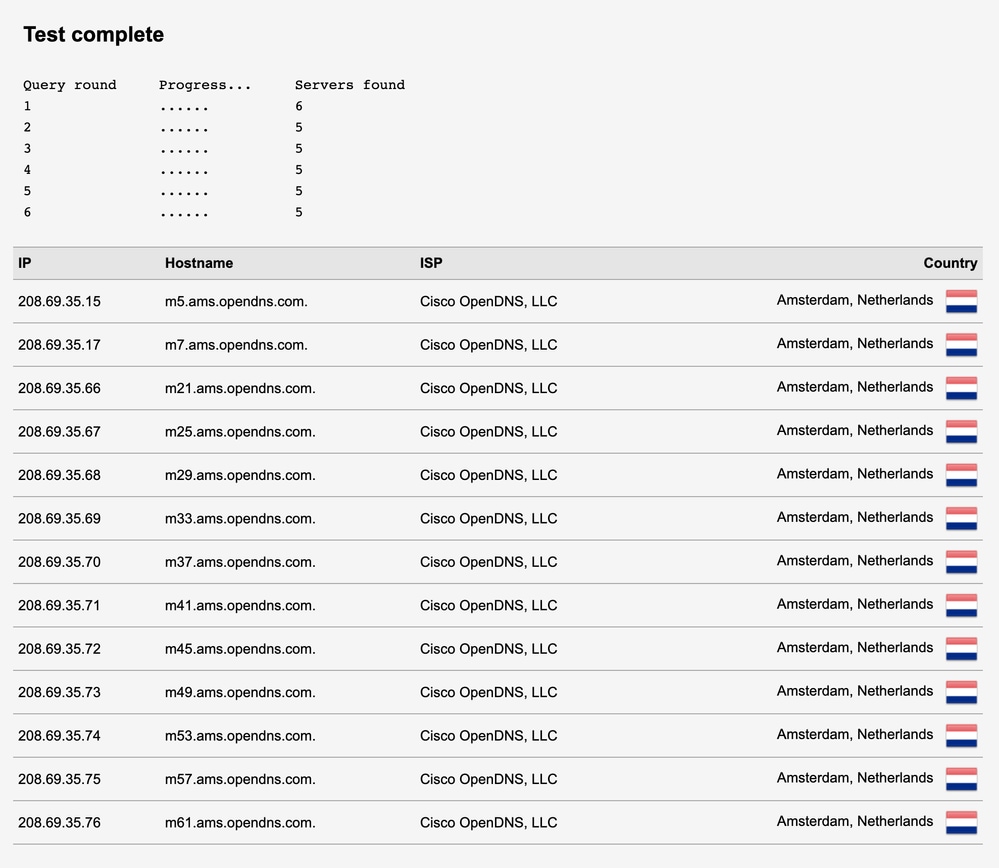
- This is an example of a 'good', working scenario where DNS is reaching Umbrella / OpenDNS:
 10270203031060

Note: As you can see, every hop shows as Cisco OpenDNS. There are no other third-party DNS servers shown here. This means that Cisco Umbrella handles the DNS request every step along the way.
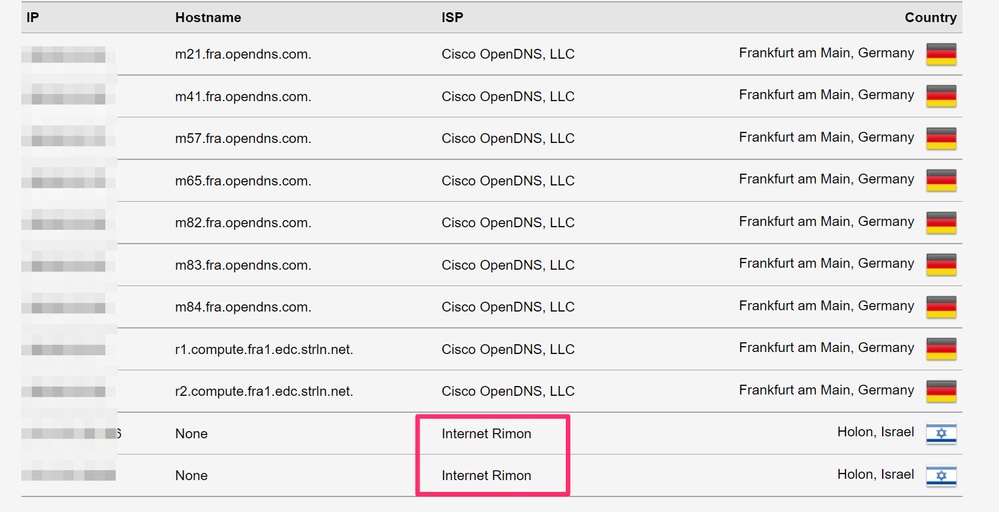
- This is an example of a 'bad', non-working scenario where DNS is being hijacked / intercepted by the ISP:
 10270203443220
Note: As outlined by the Red box, you can see that in this scenario, the ISP by the name of 'Internet Rimon' is answering the DNS request. This shows that Umbrella is not answering the final DNS query, but instead, the ISP is hijacking this DNS traffic.
What next?
If you find that your ISP is hijacking your DNS queries, please reach out to the ISPs technical support team who are able to assist you further with disabling any DNS redirection on your router/modem. As the DNS redirection is happening before the request reaches Umbrella, this falls outside of our support scope.
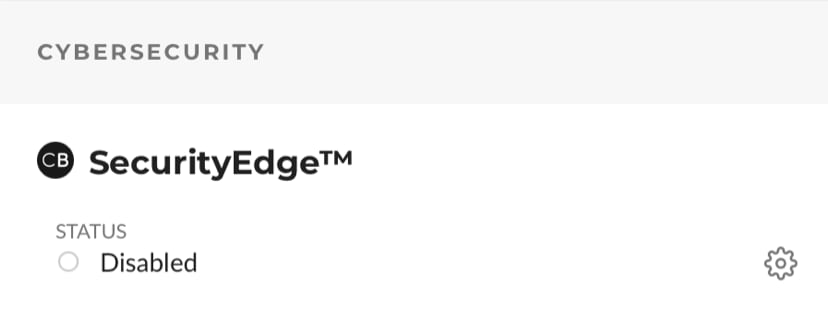
Note: Comcast offers a feature called 'SecurityEdge', which is a DNS filtering service that overrides anything set at the client device level. If an organization is behind a Comcast modem with SecurityEdge enabled, all DNS queries are redirected to NetActuate or Comcast DNS servers. A customer might be able to disable the feature by logging into their Comcast portal and turning off "SecurityEdge" under "Internet" tab. If you are not sure whether your Comcast service is enabled with SecurityEdge or how to disable it, please contact Comcast support team.
 16151650344212
After you have resolved this with your ISP, you can visit https://welcome.umbrella.com/ again to test whether or not you are using Umbrella. If you are still facing issues after speaking with your ISP, please reach out to our support team for assistance.

 Feedback