Submit a File to Threat Grid from the AMP for Endpoints Portal
Available Languages
Introduction
This document describes the process to submit samples to the Threat Grid (TG) Cloud from the Advance Malware Protection (AMP) for Endpoints Portal.
Issue
Submit a file from the AMP for Endpoints portal to Threat Grid Cloud for analysis.
Environment
Required knowledge includes:
- Cisco AMP for Endpoints
- Threat Grid Cloud
Product release referenced in this document: Cisco AMP for Endpoints console version 5.4.20190709.
These are the conditions and limitations for the scenario described in this document:
- Access to the Cisco AMP for Endpoints portal
- File size no more than 20 MB
- Less than 100 submissions per day
File Analysis Limitations
- File names are limited to 59 Unicode characters.
- Files can not be smaller than 16 bytes or larger than 20 MB.
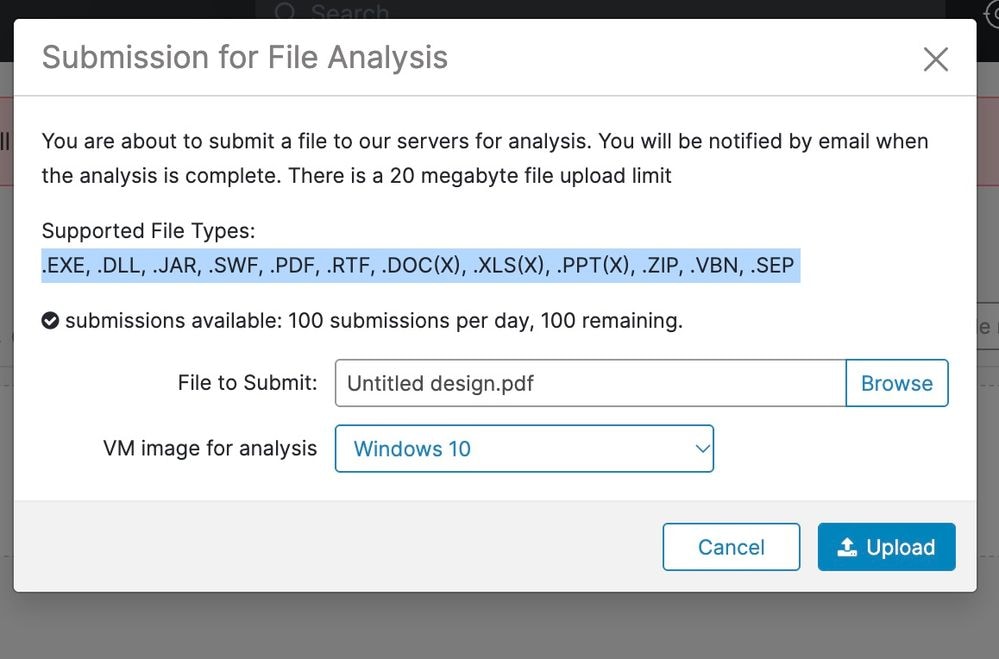
- Supported file types: .exe, .dll, .jar, .swf, .pdf, .rtf, .doc(x), .xls(x), .ppt(x), .zip, .vbn, and .sep
The information in this document was created from the devices in a specific lab environment. All of the devices used in this document started with a cleared (default) configuration. If your network is live, ensure that you understand the potential impact of any command.
Resolution
1. Confirm you can sign in to the Cisco AMP for Endpoints portal.
2. Confirm the sample meets the File Analysis limits (file size, supported file type, and daily submission limit).
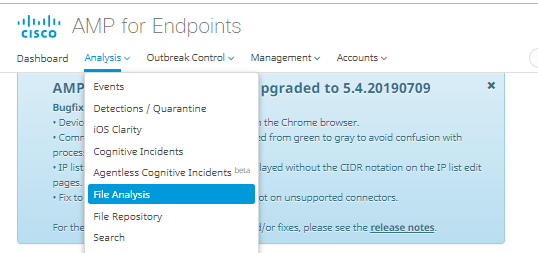
3. In the AMP portal, navigate to Analysis > File Analysis.
 File analysis AMP page.png
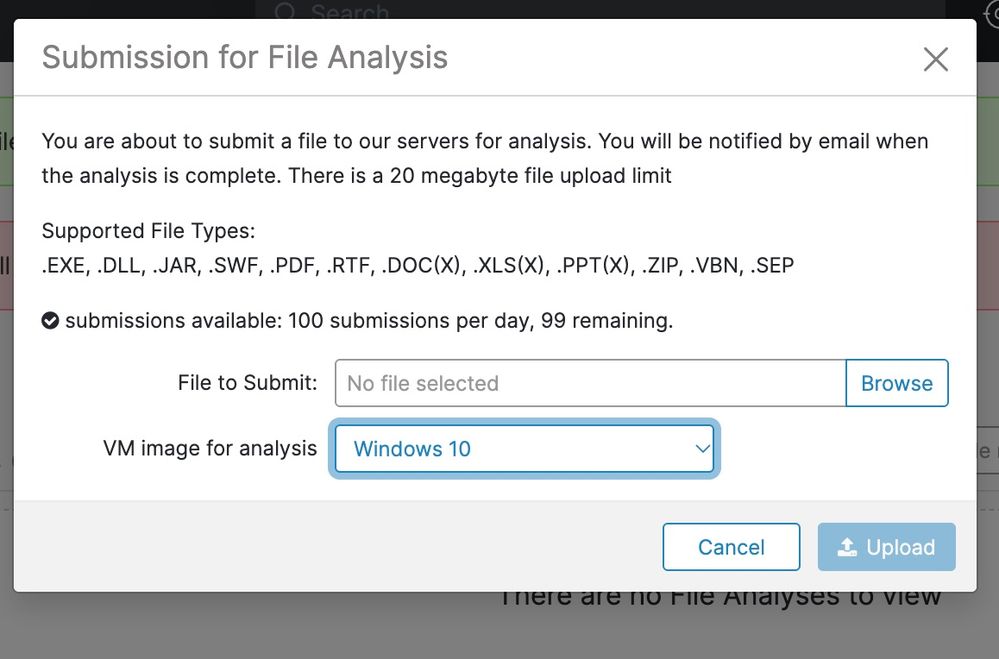
4. Click Choose File (or the upload control), and then choose the file to submit.
5. Select the Windows image version to use for analysis.
 Submit file.jpeg
 Submit file 2.jpeg
6. Wait for the analysis to complete. The analysis typically takes 30 to 60 minutes.

Note: The duration depends on system load.
7. Confirm that the email notification is received when the analysis completes.
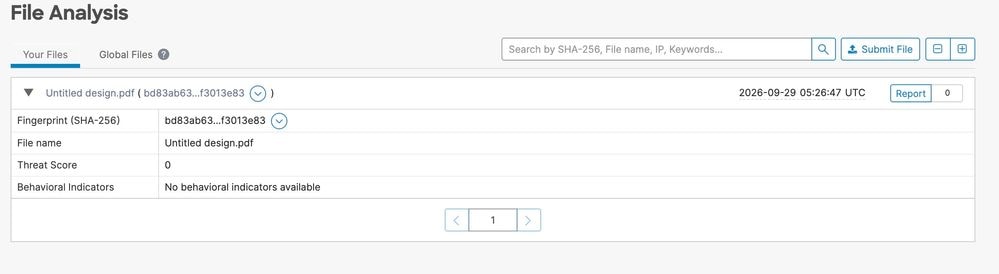
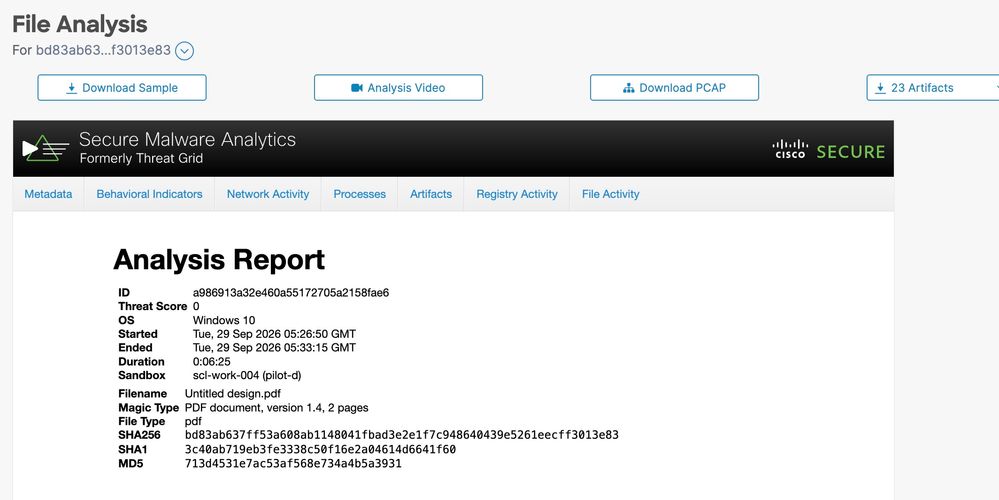
8. When the file analysis is ready, click Report to view the Threat Score details.
 File Ready.jpeg
 Report.jpeg
Optional artifacts (when available) are:
- Download sample: Downloads the submitted sample.
- Analysis video: This option provides the sample video generated during the analysis.
- Download PCAP: Downloads a packet capture from the analysis.
Expected result: The analysis status changes to completed, and the Report view opens with Threat Score details and any available artifacts.
Revision History
| Revision | Publish Date | Comments |
|---|---|---|
2.0 |
27-Oct-2026
|
Recertification |
1.0 |
16-Jan-2020
|
Initial Release |

 Feedback
Contact Cisco
- Open a Support Case

- (Requires a Cisco Service Contract)